


As tough as it is to get someone to take your survey, keeping their interest to its completion is a whole other ballgame.
To avoid survey abandonment, you need to get several things right, including steering clear of your audience’s various turnoffs.
For example, asking tediously long or irrelevant questions in your survey may make visitors abandon it like it’s a house on fire. But, as you’ll find out, questions aren’t the only thing that decides your survey’s success or failure.
In this guide, you’ll learn all you need to know to tackle survey abandonment and deliver effective surveys for any purpose, be it to get a website or product feedback or re-engage prospects dropping out of your checkout process.
Let’s dive in.
What Is Survey Abandonment?
Survey abandonment happens when:
- You show your surveys to visitors, but they don’t engage with them.
- A respondent starts taking a survey but does not complete it.
It can happen for various reasons, including:
- Over-surveying
- Not employing proper triggers
- Survey fatigue due to excessive survey length
- Questions being repetitive, irrelevant, too complicated, or too personal
- Poor and unengaging survey design
- Not offering incentives
The survey drop-off rate is a critical metric to consider when designing and conducting surveys as it directly relates to the usefulness of the feedback you collect.
If more people abandon the survey, the overall sample size of the feedback would be small, which automatically reduces the reliability of the collected data sets.
It means the insights drawn may not reflect the general perception of the customers. So, any decisions you make based on this survey data may backfire.
On the other hand, if your survey has high completion and completion rates, you can achieve statistically significant results and reduce the error margin.
Here’s how Hootsuite solved a crucial problem using targeted surveys with high statistical significance:
CASE STUDY: Hootsuite
Hootsuite – a popular social media marketing and management tool, was experiencing a high bounce rate on its branded landing page. Puzzled, Hootsuite’s team decided to directly ask its visitors what was stopping them from buying.
The teams used Qualaroo’s pop-up micro survey Nudges™ on the landing page and found that the customers felt the need for more information on the page before making a decision. While the page advertised all of the product’s advanced features, it didn’t showcase the dashboard images, core functions, how it worked, etc.

With the survey data in hand, the platform fully revamped the page to make it more visitor-friendly.
And when they tested the new page against the original, the former generated 16% more conversions with a 98% statistical significance.
In the next two sections, we’ll look closely at the causes and effects of survey abandonment.
9 Causes of Survey Abandonment to Avoid
Here are the common survey mistakes you can avoid to see good survey completion rates.
1. Irrelevant or Repetitive Questions
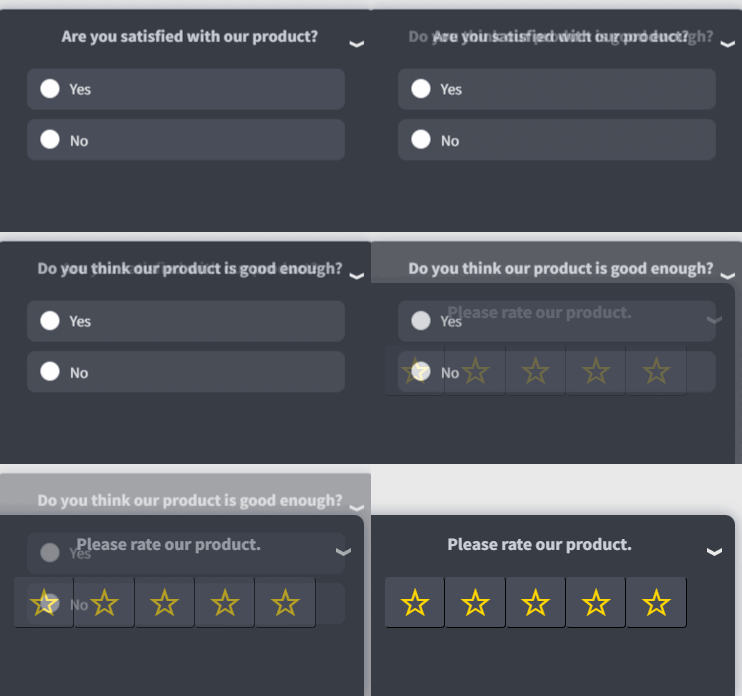
You can’t afford to have a single irrelevant question in your survey since even a few can make the respondents tired of your survey and abandon it. Questions that aren’t tailored to your respondents may signal that the survey isn’t even meant for them.
Similarly, if you have multiple questions asking roughly the same thing, respondents may decide that they have better things to do than taking your survey.
Repetitive questions also exhibit a lack of professionalism on your part, which can be a huge turnoff for any survey taker.
2. Asking for Too Much Time or Effort

Even relevant questions can easily vex your audience if they’re too many in number, are too long or complicated, or require a lengthy answer. Simply put, you don’t want your survey questions to take up too much of your respondents’ time or mental energy.
Many of your respondents may be finding their way around a stacked schedule when they see your survey and can give only a limited amount of time to it. If you fail to consider this, your surveys won’t generate good completion rates.
Also, even if your respondents have the bandwidth to answer a long survey, many may abandon it simply out of boredom. So, it’s best to stick to in-context and necessary questions to get the data you want.
Bonus Read: How To Measure Customer Satisfaction In Context
3. Poor Survey Design
Your survey should feel like an interactive conversation rather than a set of randomly put-together questions.
Surveys with a haphazard question flow are visually unappealing, lack purpose, and can’t engage respondents long enough to see them through to the finish line.
Similarly, having too many open-ended, grid, or rating matrix questions in your survey can overwhelm your survey takers, while distracting design elements, such as excessive page breaks, inappropriate images/graphics, varying font size, etc., may annoy them.
Other survey design issues that can lead to survey abandonment include:
- A bad introduction
- Not mentioning the survey length in the beginning
- Lack of a progress bar
- Confusing buttons
4. Loaded and Double-Barrelled Questions

A loaded or assumptive question is a question that carries an inherent bias or unintentionally alludes to a specific direction.
For example, asking questions such as ‘What’s your favorite cocktail?’ may alienate survey takers who aren’t fond of cocktails, especially those who abstain from alcohol.
A double-barreled question is another style of questioning that pushes the respondent into a corner and increases the likelihood of survey abandonment. These questions ask two things but present only one set of options to choose from.
For example:
What do you think about the quality of our products and customer service?
a. Very dissatisfied
b. Somewhat dissatisfied
c. Neither satisfied nor dissatisfied
d. Somewhat satisfied
e. Very satisfied
The above question doesn’t make sense since the respondent may have different opinions about the product and customer service quality. They may want to choose ‘Very satisfied’ for both or polar options for each. But as you can see, that choice isn’t available.
Besides loaded and double-barrelled questions, many other types of questions can raise your survey abandonment rate, such as:
- Questions with a cultural bias
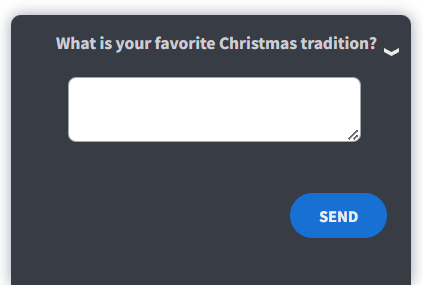
- Questions that seem like they’re trying to sway the response in a particular direction (leading questions)
- Questions that use technical jargon without describing them in the survey

- Questions with answer options that are confusing, aren’t mutually exclusive, or aren’t comprehensive enough
Watch Video: What Are On-Site Surveys? Examples & Benefits
5. Technical Issues
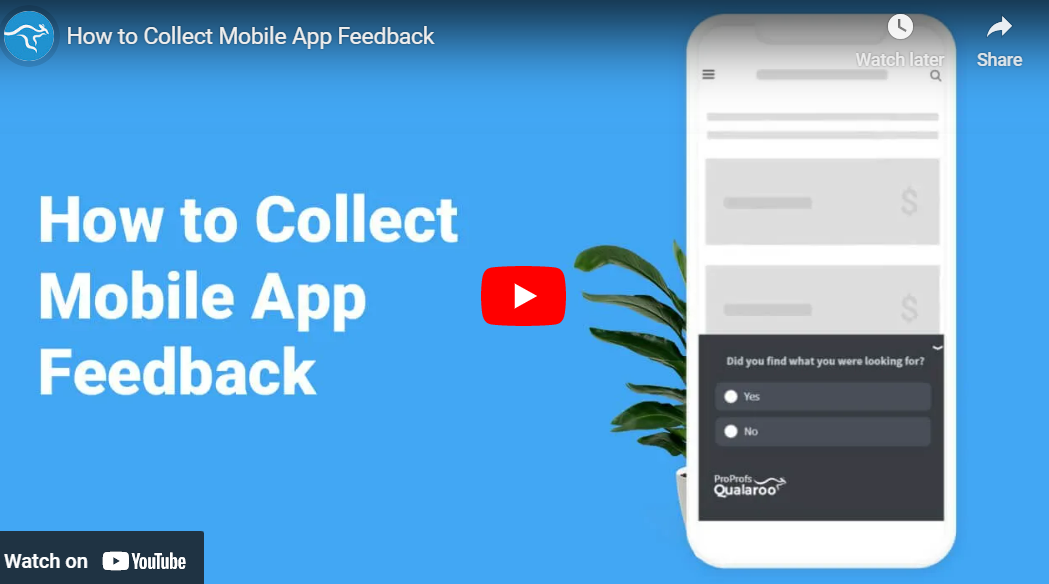
Respondents may lose interest in your survey if they encounter technical issues, such as broken links, media loading issues, missing buttons, glitches, etc.
They may also abandon it if they’re taking the survey on a mobile device and it isn’t optimized to look and work great on handheld devices.
Watch: How to Collect Mobile App Feedback
6. Sensitive Questions
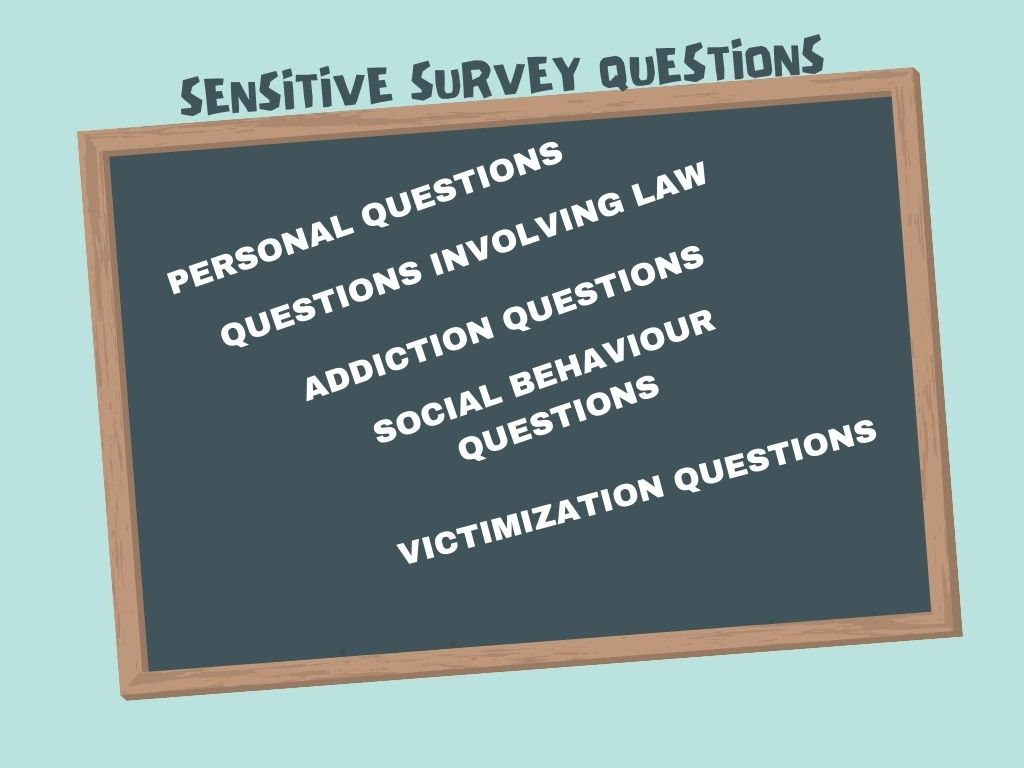
Image Source: Canva
Asking questions on sensitive topics, such as political or religious inclinations, past drug use, etc., can easily make a survey taker uncomfortable, especially if such questions aren’t worded in a considerate way.
And, unlike an interview, you can’t course correct if a respondent gets uncomfortable due to a sensitive or invasive question. This means that you may end up offending them to the point that they not only abandon the survey but also steer clear of your business.
7. Over-Surveying
If you’re running surveys on your website or app, you may fail to engage visitors if you don’t have the right survey frequency. Showing multiple surveys on the same page, one after another, will lead to high survey abandonment.
Besides lowering your survey response rate, over-surveying can also increase your survey drop rate. Respondents are much less likely to tolerate the real/perceived issues in your survey if you send them too frequently and exacerbate them with your surveying approach.
How Do You Operationalize Frequency Control?
Knowing that over-surveying is a problem is not enough. The fix requires specific rules applied at the system level, not just good intentions. Here is a baseline framework:
Set a cooldown period per respondent. A minimum of 30 days between surveys sent to the same user is a reasonable starting point for most customer feedback programs. For transactional surveys tied to specific interactions, shorter windows may apply, but users should never receive two separate survey types in the same week.
Apply suppression rules based on recent activity. Respondents who recently completed a survey, contacted support, or are in an active sales conversation should be excluded from general survey sends until a defined window has passed. Suppression lists should be maintained and updated continuously, not just at campaign setup.
Deduplicate across channels. A user who receives an NPS survey via email should not also receive an in-app NPS Nudge™ in the same period. Track survey exposure across delivery channels in one place and apply channel-level exclusion logic before each send.
Define survey exposure limits at the program level. Set a maximum number of surveys any one user can receive over the past 90 days and enforce it as a hard cap, not a guideline.
8. Surveying the Wrong People
One of the biggest reasons many respondents drop off after the first couple of questions is that the survey isn’t relevant to them. This happens when a survey doesn’t have screening questions at the beginning to filter irrelevant visitors.
Besides experiencing high survey abandonment rates, irrelevant surveys without screening questions also muck up the user experience, meaning that they may undermine your other surveys.
Related Read: How to Use Screening Questions in Your Survey – A Complete Guide
9. Bad Timing

Website or app visitors may ignore your surveys if you trigger the survey at the wrong interaction point in their customer journey.
For example, say a potential customer visits your website and starts learning about your products. A few minutes into the visit, a pop-up survey appears on the screen, asking them to rate their experience on your website.
Such a survey is likely to be abandoned since the visitor hasn’t had time to form an opinion.
Related Read: 26 Common Types of Survey Errors and How to Correct Them
Impact of Survey Abandonment
A high survey dropout rate can affect the success of your survey campaign. Here’s how:
Not Enough Survey Data
High survey abandonment rates make it difficult to get a large and diverse sample audience for accurate data analysis. Losing a lot of valuable data via abandonment limits the scope of the research and makes it difficult to identify patterns and trends to make meaningful conclusions.
Biased Data and Unreliable Conclusions
Survey abandonment does not affect all respondents equally, and that asymmetry is what makes it a data quality problem, not just a volume problem.
The respondents most likely to complete a survey tend to be those with the strongest opinions: either very satisfied customers who want to share positive feedback, or very dissatisfied ones who want to lodge a complaint.
The moderate middle, which often represents the majority of your customer base, is disproportionately likely to drop off. This skews your results toward the extremes and makes your data look more polarized than your actual audience.
A second form of bias emerges when abandonment is driven by question content rather than length. If respondents drop off at a specific question, the data you collect up to that point reflects only those willing to answer what came before, not a random sample of your audience. Any conclusions drawn from that data inherit that selection effect.
Language barriers compound this further. If respondents whose first language differs from the survey language abandon at higher rates, your results will skew toward native or fluent speakers, potentially missing important feedback from segments you most need to hear from.
These are not hypothetical risks. They are structural features of any survey with significant abandonment, and they should inform how you report and qualify your findings.
Related Read: How to Eliminate Survey Bias to Improve Your Survey Responses
Wasted Time & Money
To achieve an adequate sample size, you can survey more people than required to offset the effect of people who abandoned your survey. But doing so would increase the campaign’s cost and time required to reach the necessary statistical confidence level.
Also, depending on your survey method and tool, surveying additional people may involve investing more time. Either way, you’d need to wait for new responses, slowing down the entire process.
So, now that you know all about survey abandonment, let’s explore all the different ways you can reduce your abandonment rates to a minimum.
FREE. All Features. FOREVER!
Try our Forever FREE account with all premium features!
How Do You Diagnose Where Survey Abandonment Is Happening?
Before you can fix abandonment, you need to know where it is occurring. A single overall completion rate number tells you that you have a problem. It does not tell you which question, which audience segment, or which channel is driving it.
Here is what to track:
Drop-off by Question
Most survey platforms can show you how many respondents exited at each question. The question with the highest exit rate is your first priority for review. It may be too sensitive, too long, too complex, or irrelevant to a significant portion of your audience.
Drop-off by Device
If abandonment is significantly higher on mobile than on desktop, the problem is likely formatting or interaction design rather than question content. Compare completion rates across device types and check your mobile layout for anything that adds friction.
Drop-off by Channel
If you distribute the same survey via email and in-app, compare completion rates by channel. Email surveys tend to have lower completion rates because the respondent is not in the product experience at the time. Significant differences between channels point to delivery method issues rather than survey content issues.
Drop-off by Audience Segment
Segment completion rates by tenure, plan tier, or user type if your data allows. If newer users abandon at much higher rates than established ones, your survey may be assuming familiarity they do not yet have. If enterprise users drop off more than free-tier users, the survey may not be relevant to their use case.
Drop-off by Question Type
Open-ended questions consistently show higher abandonment than closed questions. If you have multiple open-ended questions mid-survey, test removing or repositioning them to the end and measure the effect.
Reviewing these dimensions together gives you a specific, actionable diagnosis rather than a general sense that your survey needs to be shorter.
Best Strategies to Reduce Survey Abandonment
To see good completion rates for your surveys, you need to ensure you’re respecting your respondents’ time and energy and making them feel valued and engaged. Here are some effective tips and strategies to do it:
Keep Your Surveys Short
Even 10-minute surveys see high abandonment today, so you need to limit your surveys to around 5 minutes to secure enthusiastic participation from your audience. A 5-minute survey generally comes to around 10 questions, but the number of questions can vary depending on their type and complexity.
There are various things you can do to trim your surveys so they fit into 5 minutes, such as:
- Ask only what you need to know
- Remove redundant questions
- Use easily understandable, mainstream vocabulary and avoid jargon
- Use open-ended questions sparingly
- Write concise question statements and answer options
Here’s an example of a quick website survey:

Personalize Your Surveys
The vast majority of consumers today expect personalized brand experiences. Your surveys are no exception to this.
Surveys tailored towards respondents’ interests and experiences are not only more relevant but also make them feel more valued.
The great news is that you can personalize your surveys in various ways. For example, you can:
- Greet the respondent with their name to foster relationship building.

- Reference your relationship with them by saying something like, “You’ve received this survey because you bought our <product name> last month.”
- Use screening questions and branching/skip logic to ensure you don’t ask irrelevant or loaded questions.

- Use targeting and segmentation to send the right surveys to the right people (for example, sending an NPS survey only to those who’ve used your product for over a month)
Watch: How to Segment Survey Takers With Advanced Targeting

Get the Timing Right
The age-old adage “Timing is everything” perfectly applies to survey abandonment.
Suppose you conduct a survey at an inconvenient time for your target population, such as during busy work hours or just after they’ve answered a different survey from you. In such cases, respondents are more likely to abandon it because they don’t have the time or mental bandwidth for it.
On the other hand, scheduling your surveys to appear just after you’ve helped customers do something can raise your completion rates. For example, it’s a great idea to survey new customers immediately after providing the onboarding tutorial.
Similarly, you can get excellent response and completion rates if you survey website visitors seconds after a significant website interaction, such as clicking a CTA or making a purchase or at the precise moment when they’re about to leave. You can automate this process easily by deploying in-context pop-up surveys using Qualaroo.
Watch: How to Create In-Context Surveys
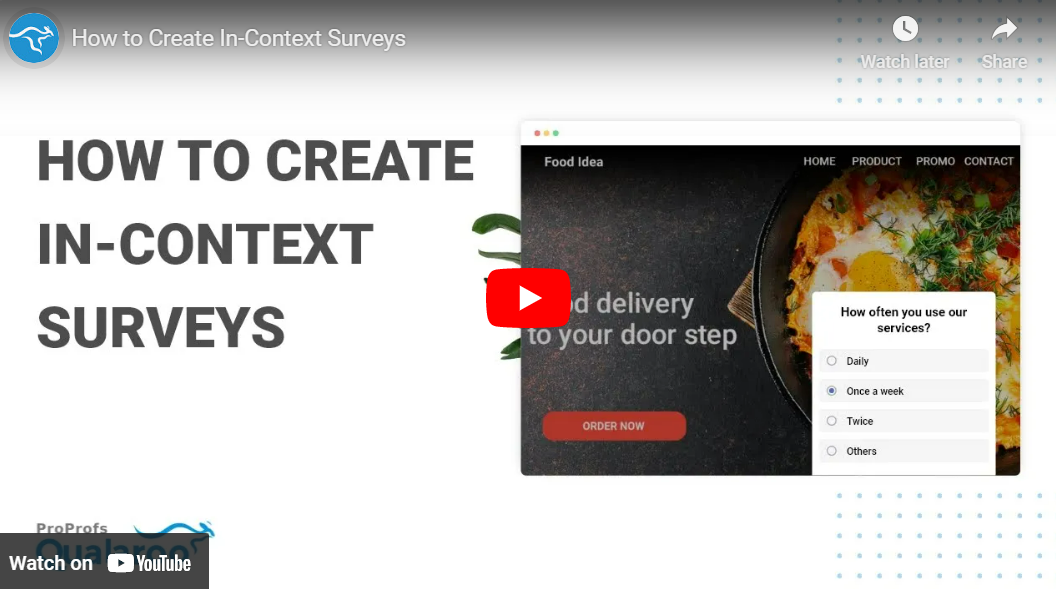
Here’s how Belron used well-timed, in-context surveys to improve customer experience and conversions.
CASE STUDY: BELRON
Belron, a prominent windshield repair company operating in the US and UK, noticed that a significant number of their website visitors were bouncing. This surprised them, considering the company provided a need-it-now kind of service.
To find out the reason behind their high bounce rate, the team at Belron decided to use exit-intent surveys. By surveying these “lost customers” at the right time, Belron gained deep insights into their target audience’s needs and behaviors, along with a huge revelation.
Belron learned that there were multiple customer journeys for the services they offer. With this new knowledge, Belron made major changes to its website and offline processes to improve overall customer experience based on the three distinct user segments and experiences they had identified.
Ask Good Questions
As mentioned above, loaded, double-barrelled, or leading questions can confuse or annoy respondents. So, its better to avoid such questions to reduce survey abandonment. Besides, there are various other best practices you can follow to ask good questions, such as:
- Keep your question statements simple and to the point.
- Don’t ask questions with overlapping options, such as this one:
What is your age group?
- 18-35
- 35-60
- Above 60
- Provide ‘Other’ or ‘Don’t Apply’ options wherever appropriate to ensure you don’t force an answer from the respondent against their comfort.

- Start your survey with small, easy-to-answer questions and gradually work your way up to the more in-depth ones (Foot-in-the-Door Principle).
- Maintain a good balance between formal and informal tones.
- Maintain consistency with your rating scales in all your questions.
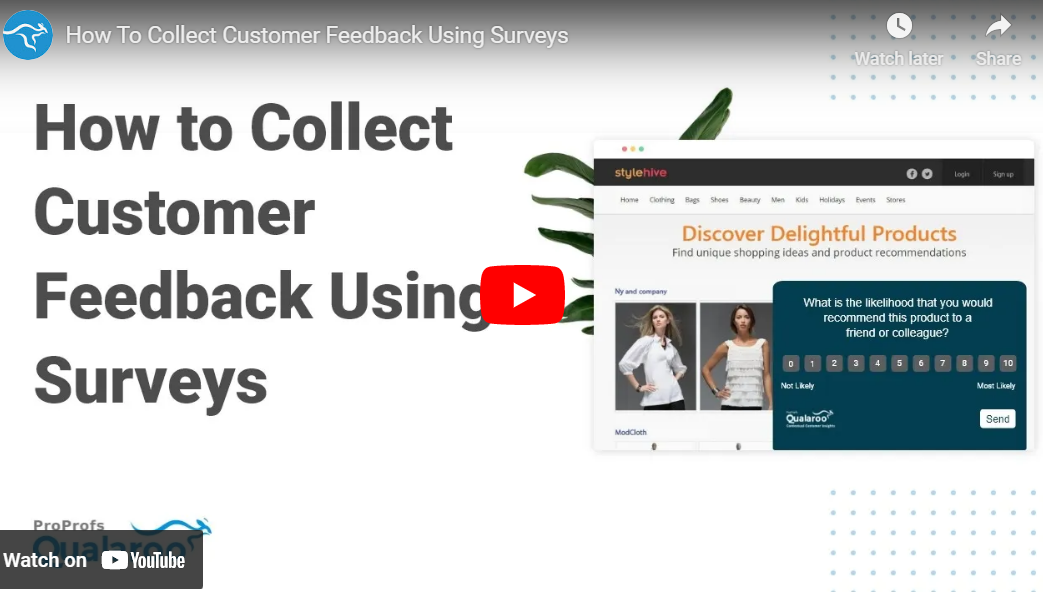
Watch: How To Collect Customer Feedback Using Surveys
Related Read: Best Practices to Write Good Survey Questions
Offer Excellent Incentives
Incentives are a strong motivator for your customers and visitors to begin and complete your survey.
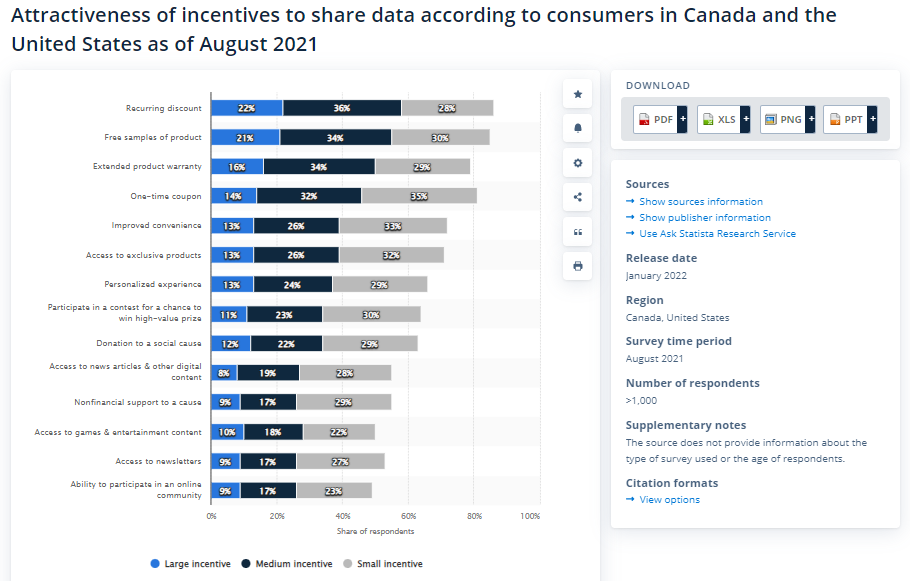
The survey incentive could be monetary, such as a discount/coupon code, a digital resource like an ebook, or entries into a draw.

When deciding on your survey incentives, remember that your incentives should compensate for the time and effort you expect the survey takers to invest.
A Note on Incentive Design
Incentives can meaningfully improve completion rates, but they require careful design to avoid undermining your data quality.
When incentives are too large or too broadly appealing, such as cash prizes or high-value gift cards, they attract respondents motivated primarily by the reward rather than by genuine interest in your survey topic. This inflates your response rate while reducing the representativeness of your sample.
A few principles to apply:
- Match the incentive size to the survey length. A five-question survey does not need the same incentive as a 20-minute research study.
- Prefer incentives that are relevant to your product or service, such as account credits, feature unlocks, or exclusive content. These tend to attract respondents who are already invested in what you offer.
- For customer satisfaction surveys, consider whether an incentive is necessary at all. Customers who have a strong opinion often respond without one. Adding an incentive to a short, well-timed, contextual survey may add cost without meaningfully improving the quality of responses.
Read More: How to Reward Survey Takers
Nail the Survey Invitation
Like the introduction to an article or a video, your survey invitation plays a major role in engaging and motivating the respondents. Here are some things you can do to create a compelling survey invitation:
- Communicate the value and purpose: Letting your respondents know the purpose of your survey and its importance is a must for any survey campaign. Doing so can make respondents more interested in your survey and motivate them to help you.
- Address confidentiality concerns: Survey takers may abandon midway if they get concerned over privacy. The invitation is the perfect place to address these concerns impactfully.
- Mention the length: Survey takers expect to know how long your survey will be before they jump into the questions. So, provide precise information on the number of questions and how long it takes most people to answer them.
- Mention the incentives: Highlight the incentives the respondent can avail on completing the survey.
- Keep it concise: Create a clear and precise invitation that respondents can go through in less than a minute and add your survey link in the email.
Here’s an example of a well-written email survey invitation.

Add a Progress Bar
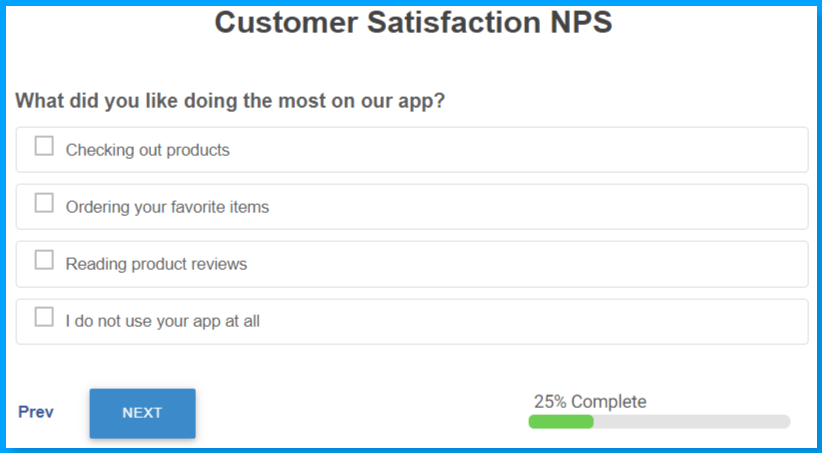
Communicating the survey length is essential, but it’s not enough. You also need to keep respondents in the loop regarding how many questions are left. Doing so keeps them reassured that they’re making good progress and motivated to see the survey through.
For this, you can add a progress bar or keep mentioning the number of remaining questions and estimated time to completion.
One Caveat Worth Noting:
Progress bars can behave unexpectedly in surveys that use skip logic or branching. If a respondent’s path through the survey changes dynamically based on their answers, a progress bar that recalculates mid-survey may unexpectedly jump forward or backward.
This can confuse respondents or make the survey feel longer than it is. If your survey uses branching, test the progress bar behavior across multiple answer paths before deployment to ensure the indicator remains consistent and does not undermine the completion motivation it is meant to provide.
Make Your Surveys Engaging
Boredom is one of the biggest reasons for survey abandonment. Here’s what you can do to make them more engaging:
- Use multiple question formats: Instead of asking all multiple-choice questions, mix it up by asking questions in different formats.
- Gamify your surveys selectively: Slider questions, interactive rating formats, and progress indicators can make surveys feel more dynamic without disrupting the experience. Elements like leaderboards are better suited for internal research panels or community feedback programs than for customer satisfaction surveys, where they can feel out of place or undermine the professional tone of the interaction.
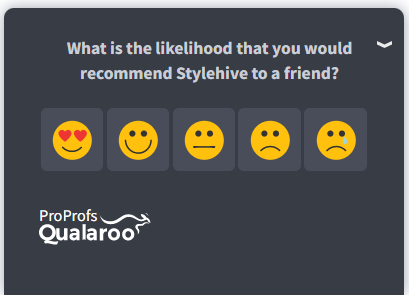
- Make them visual: Add images or icons to make them more visually appealing.
- Use a conversation tone: Use language that makes respondents feel like they’re in a friendly conversation.
Be Sensitive
If it’s possible, you should avoid asking questions on sensitive or personal topics that can make your survey takers uncomfortable or offend them.
But if asking such questions is crucial to your survey’s success(for example, if you’re conducting a demographic survey), you can ask a few sensitive questions as long as you keep a few best practices in mind.
Here they are:
- Word your questions carefully to ensure you’re being sensitive and considerate.
- Add options such as “Prefer not to say,” “Other,” or a skip option to provide an out to respondents who wish to skip the question.
- Promise and ensure complete confidentiality.
- Ask such questions toward the end, so you get good quality data even if respondents abandon the survey.

Related Read: How to Ask Sensitive Questions in Surveys
Optimize for Mobile Devices
Mobile devices contribute to more than half of the internet traffic today, making it essential that your surveys look and work just as great on mobile devices as they do on the desktop. For that, you need an excellent survey tool that lets you create surveys for all types of devices.

Besides using a good survey tool, you also need to optimize your survey questions for the mobile experience. That’s because people’s attention span on mobile websites is much shorter than on desktop websites.

💁♀️Pro Tip:
If a large percentage of your target audience primarily takes surveys from mobile devices or you’re running a mobile app survey, it’s best to limit your questions to only a few and those that respondents can answer quickly.
Address Privacy, Consent, and Accessibility
These three factors are frequently overlooked in survey design but each contributes directly to abandonment.
Privacy and consent. Respondents who are unclear about how their data will be used are more likely to abandon, especially at questions that feel sensitive or personally identifiable.
Best Practices Include: Clearly stating in the survey invitation or opening screen how responses will be used and stored, specifying whether responses are anonymous or linked to a user account, and complying with applicable data regulations, such as GDPR or CCPA. If your survey is subject to consent requirements, collect and log consent before any survey questions appear.
Intrusive overlays. Full-screen takeovers and overlays that are difficult to dismiss on mobile are among the most common abandonment triggers for website surveys. If your survey uses a modal or pop-up format, make the close button clearly visible. A respondent who feels trapped by your survey is not a respondent who will give you useful data.
Accessibility. Surveys that are not accessible to users with disabilities exclude a portion of your audience and can drive abandonment among users who encounter barriers. Specific areas to check:
- Keyboard Navigation: Every element of the survey, including question options, the progress bar, and the submit button, should be operable via keyboard without requiring a mouse.
- Screen-Reader Compatibility: Question labels, answer options, and error messages should be readable by screen readers. Avoid relying on color alone to communicate state or error.
- Sufficient Color Contrast: Text and interactive elements should meet WCAG 2.1 AA contrast ratios.
- Touch Target Size: On mobile, buttons and selectable options should be large enough to tap without precision, typically at least 44 by 44 pixels.
Testing your survey with an accessibility checker and at least one manual screen-reader walkthrough before deployment catches most common issues.
Provide Multi-Language Support
Localization is among the most important marketing and growth strategies for any brand that caters to a multi-ethnic customer base. It also works great in reducing survey abandonment.
Surveying people in their native language lets them answer the questions quickly and comfortably, decreasing your survey abandonment rate.
If you’re running website surveys use a tool that features multilingual options. For example, Qualaroo provides a dynamic language selection option that automatically converts the survey language based on the default language of the viewing browser. Qualaroo supports as many as 130+ languages.

Test Your Surveys Before Sending Them Out
Always do a test run on your surveys before deploying them to weed out formatting, language, or technical errors. It would help you to perfect your overall survey design.
For this, you can send your survey to an internal team or a control group before you present it to your audience. You can also conduct survey usability testing for both computer and mobile devices.
Another great idea is to perform A/B testing to see which survey design, question order, and survey placement gets more responses.
Read Also: 15 Best Usability Testing Tools for an Effective User Experience Strategy
Use the Best Survey Tools
Whether you’re conducting contextual or email surveys, implementing all the survey best practices we’ve shared in this post can be a breeze with the right survey tools. So, make sure you choose the best one based on your requirements to boost survey response and completion rates.
As to how you can decide which one to pick, here are some features to keep an eye on while choosing the survey software if you wish to minimize survey abandonment:
- Visually appealing interface
- Professional survey templates
- Advanced targeting options
- Branching logic
- A variety of question types
- Multi-language support
- Robust reporting and analytics
Watch: What Is Qualaroo? See How the Qualaroo Survey Software Works

Take Action to Maximize Survey Completion
Survey abandonment can be frustrating and costly, but simple strategies can minimize it. You can mix and match different tips to see which ones work the best for different customer segments and achieve higher completion rates.
But the fight for low survey abandonment doesn’t end with survey deployment. You need to analyze the feedback and refine your campaigns accordingly. Which questions lead to maximum drop-offs? Which surveys tend to bring higher responses? What kind of incentives work best? You need to find answers to these questions.
The next step is to work on the qualitative and quantitative insights you’ve gained from your surveys. If your customers see that their valuable input has made an impact, they’re more likely to engage in future surveys. To extract insights faster, you can use a powerful survey tool like Qualaroo, which lets you implement advanced AI-based analysis techniques.
So, design a super survey, optimize it before and after the deployment, and work towards closing the loop to maximize the gains from your survey campaigns.
Frequently Asked Questions:
How can I measure survey abandonment?
You can measure survey abandonment by calculating the percentage of survey takers who start the survey but don’t finish it.
Abandonment rate = (Number of respondents who abandoned the survey / Total number of respondents who started the survey) x 100.
How can I track survey abandonment?
You can track your survey abandonment by integrating your survey tool with Google Analytics. For example, suppose you’re conducting your surveys using Qualaroo. In that case, you can integrate with Google Analytics to record all important metrics, such as your survey’s views, clicks, response, completion, and abandonment rates, and identify user demographics.
FREE. All Features. FOREVER!
Try our Forever FREE account with all premium features!

 We'd love your feedback!
What did you like & how can we make it even better?
 Thanks for your feedback!
 Ask Your Question
Have a question? Get expert help to make your decision easier.