Most form builders promise simplicity. Jotform delivers it, until your submission cap kicks in mid-campaign, your analytics require an Excel export, or your healthcare team learns that HIPAA compliance is a $99/month upgrade away.
You’re not looking for a form builder that “works.”
You’re looking for Jotform alternatives that actually help you understand your users, capture leads without friction, and scale without surprise invoices.
In this list, I’ll cover Jotform competitors worth knowing, and I’ll end with a decision framework to help you pick the right one for your use case.
Why Should You Look for Alternatives?
For many teams, it’s a solid starting point. But as user reviews on Capterra consistently show, it starts to show cracks at scale. Submission caps block campaigns mid-month.
The interface gets cluttered once you’re building complex conditional logic. And analytics stay shallow unless you export to a third-party tool.
The Most Common Reasons Teams Look for Jotform Alternatives:
- Free plan caps at 5 forms and 100 monthly submissions, which disappear under real campaign traffic
- HIPAA compliance is locked to the $99/month Gold plan, pricing out smaller healthcare teams
- Built-in reporting lacks drop-off rates, response time breakdowns, or funnel analysis
- Conditional logic configuration is confusing, according to multiple Capterra reviewers
- Submission limits can disable forms mid-campaign with no proactive warning
- Branding cannot be removed without a paid upgrade
- No live chat support on lower tiers
None of these are dealbreakers for every team. But if even two of them apply to you, the right alternative will save you meaningful time and money.
Top 10 Jotform Alternatives
Not every Jotform alternative here does the same thing. Some fix the submission cap problem. Some fix the analytics gap.
Some are built for specific workflows, such as HIPAA compliance, WordPress forms, or in-context feedback.
Use the comparison table below to shortlist, then read the full breakdown for the Jotform alternatives that match your use case.
| Tool | Best For | Capterra Rating | Starting Price |
|---|---|---|---|
| Qualaroo | Real-time user insights in-app & on your website using contextual, AI-powered micro-surveys | 4.7/5 | Free; paid from $19.99/month |
| ProProfs Survey Maker | Easy AI survey creation | 4.8/5 | From $19.99/month |
| Formstack | Approval workflows and document automation | 4.3/5 | From $83/month |
| forms.app | AI-powered form creation and mobile access | 4.6/5 | From $19/month |
| Typeform | Conversational survey design | 4.7/5 | From $28/user/month |
| Microsoft Forms | Free internal forms in Microsoft 365 | 4.6/5 | From 99.99/year |
| WPForms | Native WordPress form building | 4.3/5 | From $49.50/year |
| SurveyMonkey | Market research and complex survey logic | 4.6/5 | From $30/month |
| Cognito Forms | HIPAA-compliant forms at an accessible price | 4.6/5 | From $19/month |
| Zoho Forms | Teams already in the Zoho ecosystem | 4.5/5 | From $10/month |
Now, let me take you through each tool in depth:
1. Qualaroo: Best for Capturing Real-Time User Insights In-App & on Your Website Using Contextual, AI-Powered Micro-Surveys
I’ve used Qualaroo in-product feedback workflows, and it’s the one tool on this list that solves a problem no standard form builder addresses: capturing feedback while users are still on the page, not after they’ve left, using AI-generated microsurveys to speed up the process.
The core mechanic is the Nudge™, a non-intrusive survey prompt that fires while users are actively engaged on your site or app.
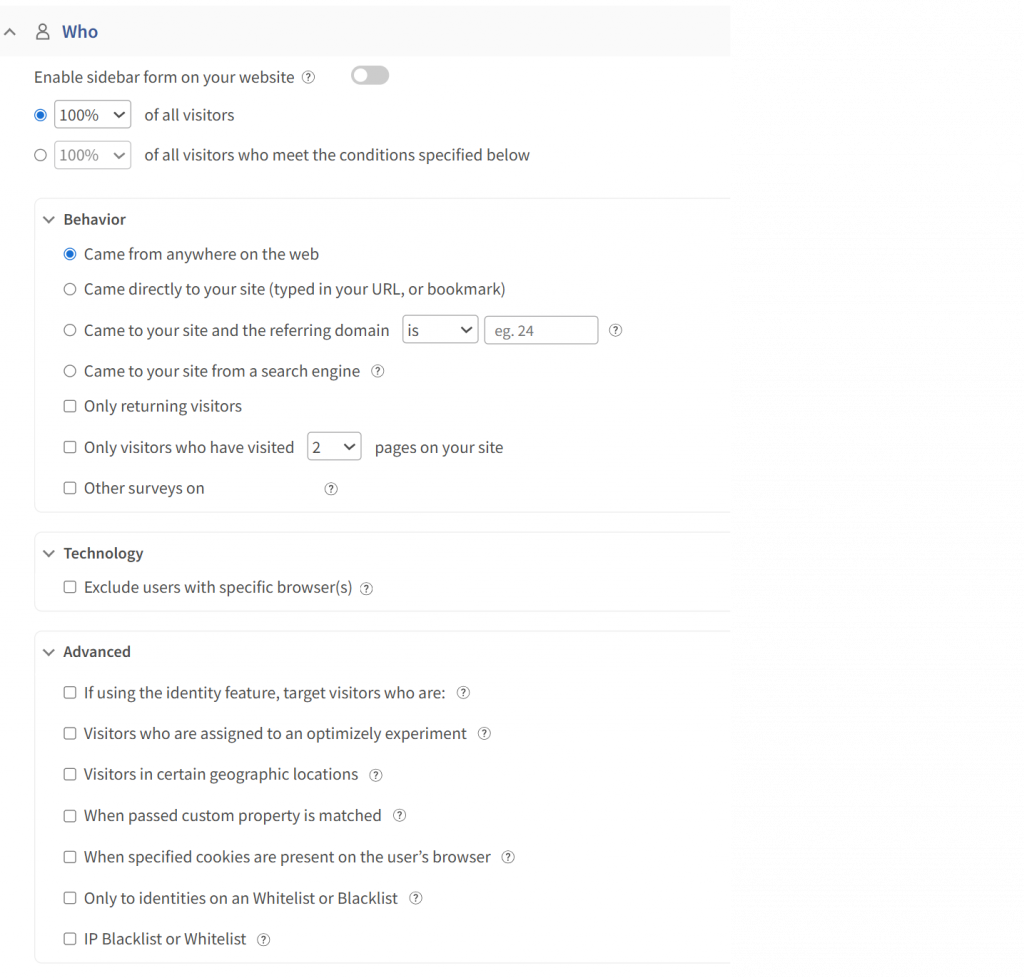
You can target your microsurveys based on behavior, scroll depth, time on page, exit intent, specific URLs, or user properties, and tie every response to a named individual with the Identify API.
Native AI Sentiment Analysis is where it becomes genuinely time-saving. Instead of manually reading through hundreds of open-text responses, Automated Tagging surfaces themes automatically, and the AI Response Summarizer condenses the rest into a quick read.
Pros:
- Native AI Sentiment Analysis, not third-party
- AI Survey Creator builds a survey from a prompt, so there’s no starting from scratch
- Advanced targeting based on identity, custom properties, behavior, geolocation, exit intent, and more
- Nudge™ for prototypes on Figma, Adobe XD, InVision, and more
- Branching and skip logic for relevant questions
- Multilingual surveys in over 100 languages
- Customizable branding, colors, and logo
- In-app surveys for iOS and Android
- 100+ survey templates for all use cases
Cons:
- Dedicated onboarding and account manager services are generally reserved for paid plans
- No downloadable or on-premise version available (internet connection required)
User Rating: 4.7/5 (Capterra)
Pricing: Free plan available with all premium features. Paid plans start at $19.99/month (Essentials), $49.99/month (Business), and $149.99/month (Enterprise).
According to Qualaroo’s case study, Hootsuite saw a 16% lift in conversions at 98% statistical significance after using this kind of in-context feedback to optimize their flows.

2. ProProfs Survey Maker: Best for Easy AI Survey Creation
I tested ProProfs Survey Maker for a client who needed NPS surveys and registration forms in the same dashboard, and it handled both without friction.
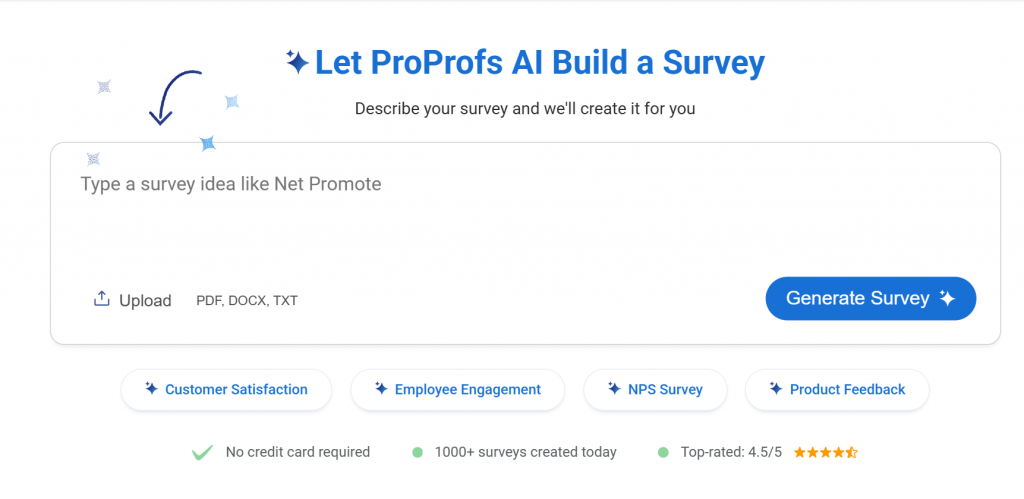
The AI builder is super handy. You give it a small prompt and ask it to create a survey for signups, and it hands you a polished, ready-to-go survey with branching logic in seconds.
It covers a wide variety of form types and comes loaded with templates and question types. Its multi-channel deployment lets you push surveys via website, email, and sidebar widgets, which works well for teams collecting feedback across multiple touchpoints.
Pros:
- AI-powered survey creation
- Highly intuitive interface with a short learning curve
- Unobtrusive sidebar feedback widget works well for passive collection
- 100+ built-in survey templates across use cases
- Real-time analytics and reporting dashboard
- CRM and marketing tool integrations
Cons:
- Survey editor can feel tricky for first-time users
- Template customization options are somewhat limited
User Rating: 4.8/5 (Capterra)
Pricing: Starts from $19.99/month.
3. Formstack: Best for Complex Approval Workflows and Document Automation
A healthcare ops contact told me Formstack was the only tool that handled their HIPAA-compliant approval workflows end-to-end, where Jotform couldn’t get close.
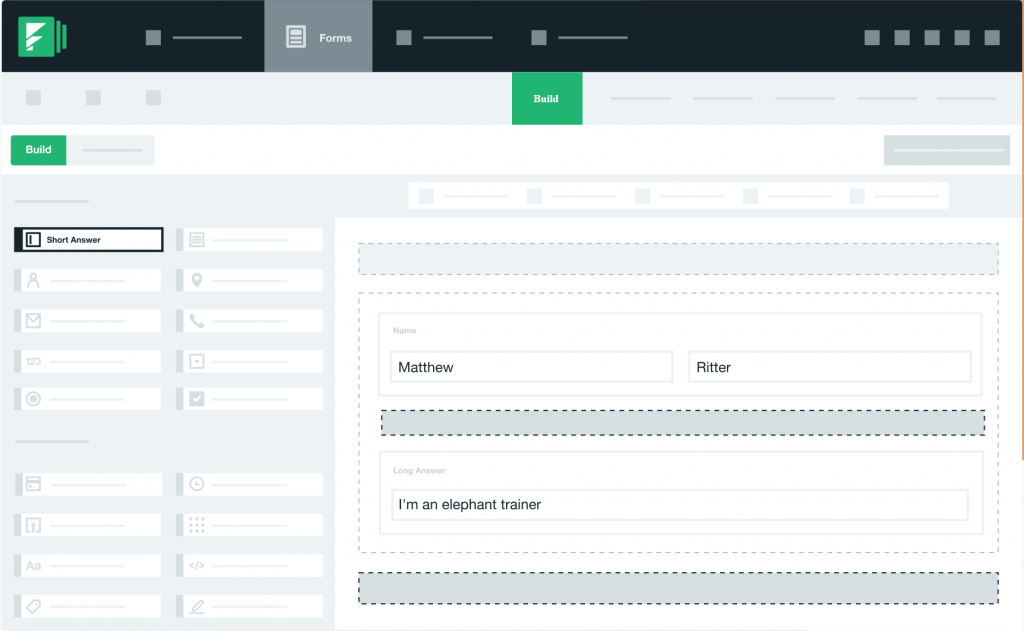
The platform’s real strength is not the form itself; it’s what happens after submission. You can route data through approval chains, auto-populate documents, collect e-signatures, and trigger CRM updates, all without leaving the platform.
Pros:
- HIPAA compliant at the enterprise tier, which is critical for healthcare teams
- Captures digital signatures natively
- Formstack Documents for auto-populating custom documents post-submission
- A/B testing via Conversion Kit
- Workflow automation goes beyond what most form builders offer
Cons:
- No triggers available for date and time fields
- A WordPress plugin can feel buggy on complex integrations
User Rating: 4.3/5 (Capterra)
Pricing: Starts at $83/month.
4. forms.app: Best for AI-Powered Form Creation and Mobile Access
A marketing manager I know swears by forms.app specifically because the AI form generator cut their setup time from an afternoon to about ten minutes.
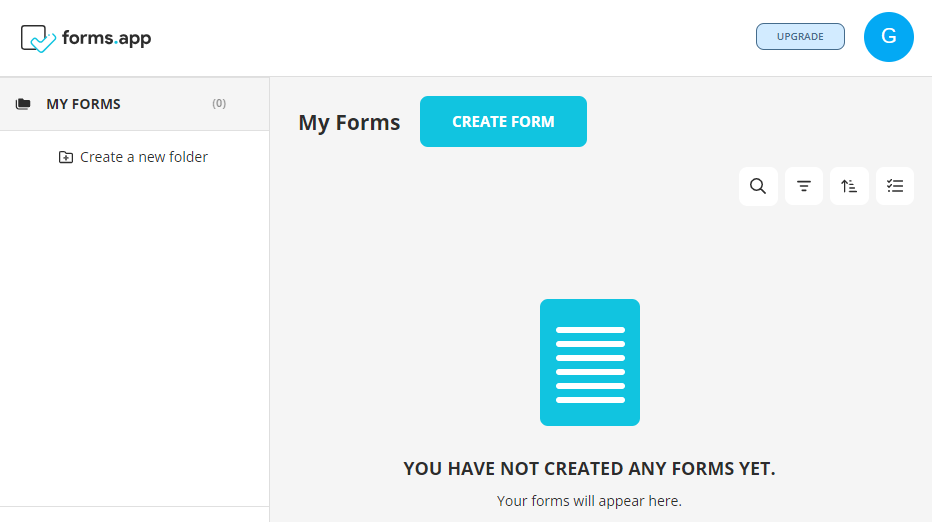
With 4,000+ ready-made templates and 500+ third-party integrations, it handles most standard use cases well. The mobile application is a genuine differentiator for teams that manage form creation and review on the go.
Pros:
- The timer feature for quiz forms is useful for assessments and certifications
- Advanced features like conditional logic are available on the free plan
- An AI form generator creates forms instantly from a text prompt
- Mobile app provides flexibility unavailable in most competitors
- 500+ third-party integrations, including Zapier
Cons:
- TURF (Total Unduplicated Reach and Frequency) analysis is not available
- Free plan limits the number of forms more than some competitors do
User Rating: 4.6/5 (Capterra)
Pricing: Starts at $19/month.
5. Typeform: Best for Conversational Survey Design
I’ve used Typeform for user research flows, and the setup is genuinely intuitive, especially for teams without design resources.
The one-question-at-a-time format measurably improves completion rates for lead-gen campaigns and post-purchase surveys compared to traditional multi-field forms.
The template library is polished, and the VideoAsk integration opens up feedback use cases no other tool on this list touches.
Pros:
- Inline training tips reduce the time to first survey
- Great for lightweight usability testing and NPS flows
- Clean visual design works well for client-facing surveys
- VideoAsk integration for video-based feedback collection
- Conditional logic and jump logic for personalized flows
Cons:
- Dashboard filter options are limited for teams managing many surveys
- CAPTCHA is gated behind paid plans, which causes bot submissions on the basic tier
User Rating: 4.7/5 (Capterra)
Pricing: Starts at $28/month.
6. Microsoft Forms: Best for Free Internal Forms Within Microsoft 365
I’ve heard it described as the “good enough” option by teams who already live in Microsoft 365 and can’t justify a paid form tool for internal use.
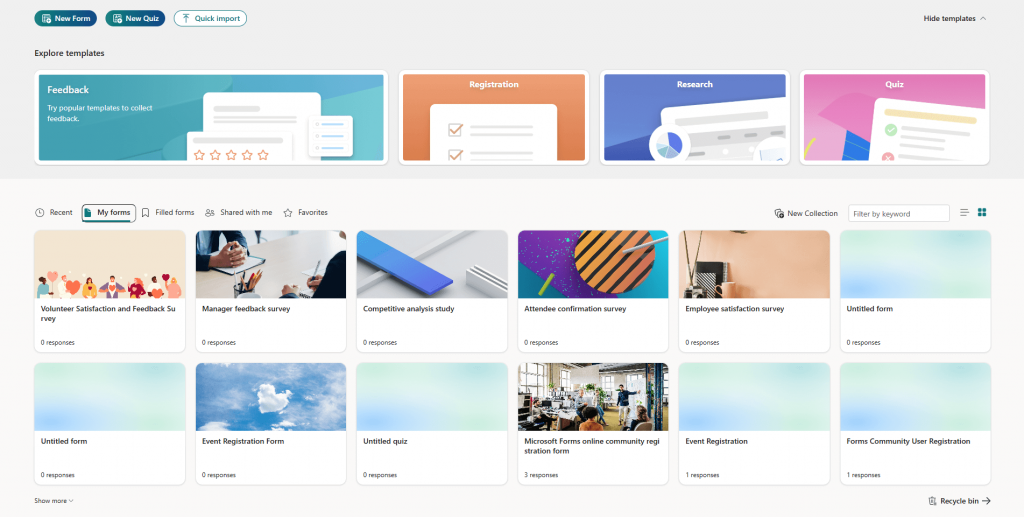
It handles surveys, quizzes, and registrations with decent template coverage and connects directly to Excel, Teams, and Power Automate.
It’s built for internal organizational use, so it lacks the design flexibility, advanced targeting, or analytics depth of paid tools, but for HR surveys, event registrations, or quick feedback forms, it’s hard to beat free.
Pros:
- Free as part of Microsoft 365
- Video can be added to questions for improved engagement
- Progress can be assessed through quiz scoring
- Direct integration with Excel, Teams, Power Automate, and SharePoint
- Instant result visualization after submissions
Cons:
- Setup and configuration can feel unintuitive compared to standalone tools
- Matrix question logic has limited complexity compared to dedicated form builders
User Rating: 4.6/5 (Capterra)
Pricing: Free with a Microsoft 365 subscription. Paid starts at $99.99/year
7. WPForms: Best for Native WordPress Form Building
Every WordPress-focused team I’ve come across eventually lands on WPForms; it’s consistently the first recommendation when someone asks about native form building for WordPress sites.
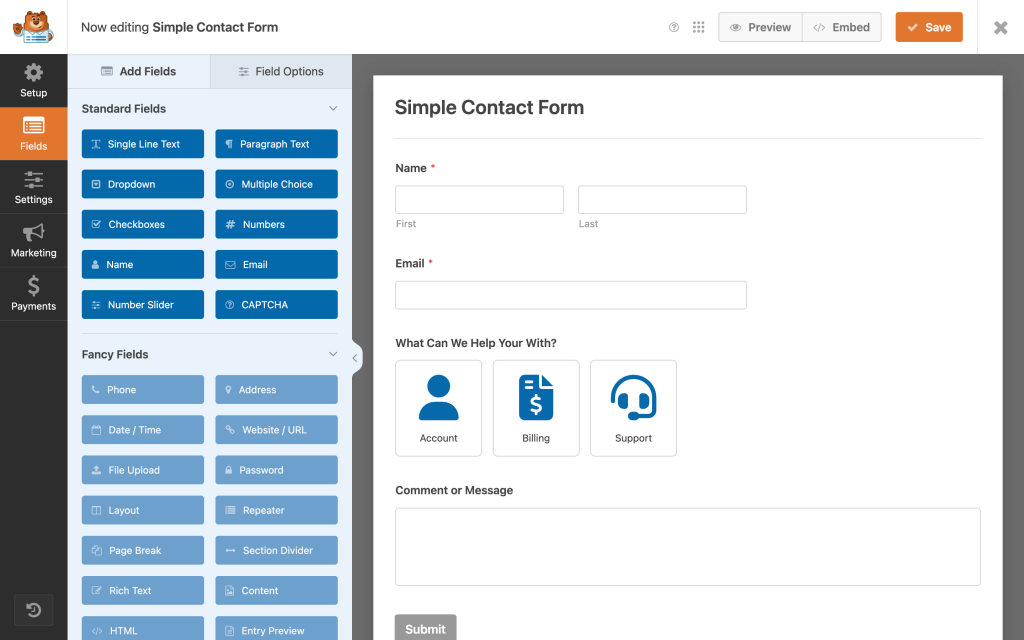
It installs as a plugin, works natively with the WordPress editor, and connects directly to Mailchimp, Constant Contact, and GetResponse for email list building.
The setup is straightforward enough that non-technical site owners handle it without developer support.
Pros:
- Native WordPress integration reduces setup friction significantly
- Flexible customization options for design and logic
- 100% responsive forms across desktop, tablet, and mobile
- Easy embedding directly within WordPress pages and posts
- Smart CAPTCHA and spam protection built in
Cons:
- Limited CSS access on lower tiers
- No sorting options for conditional logic nodes
User Rating: 4.3/5 (Capterra)
Pricing: Starts at $49.50/year.
8. SurveyMonkey: Best for Market Research and Complex Survey Logic at Scale
Research teams I’ve spoken with treat SurveyMonkey less as a form builder and more as survey infrastructure; it’s the go-to when you need panel access, benchmarking, and statistical significance testing in one place.`
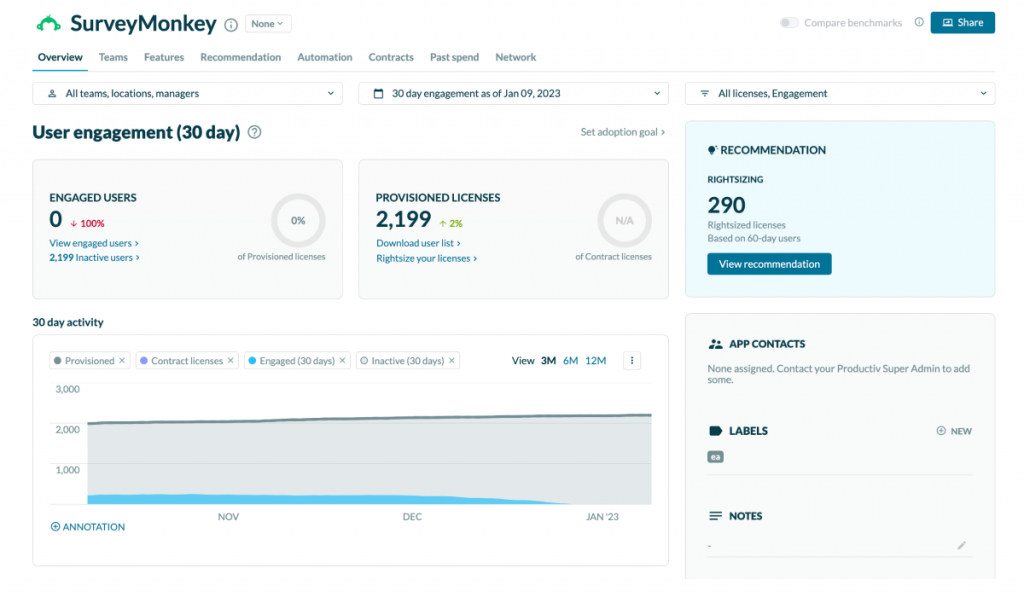
For teams doing serious market research, brand tracking, or employee experience measurement, it brings analytical depth that Jotform doesn’t come close to matching.
Pros:
- Intuitive UI with a short setup time for standard surveys
- In-depth analysis engine with benchmarking and comparison tools
- The option for anonymous responses works well for employee feedback
- Question randomization, branching logic, and progress bar controls
- Data export in multiple formats for third-party analysis
Cons:
- The survey editor can be buggy on complex logic configurations
- Dashboard customization is limited compared to newer competitors
User Rating: 4.6/5 (Capterra)
Pricing: Starts at $30/month.
9. Cognito Forms: Best for HIPAA-Compliant Forms at an Accessible Price
A few healthcare founders I’ve come across mention Cognito Forms specifically because it’s the most accessible HIPAA-compliant option that doesn’t force you onto a $99/month plan just to stay compliant.
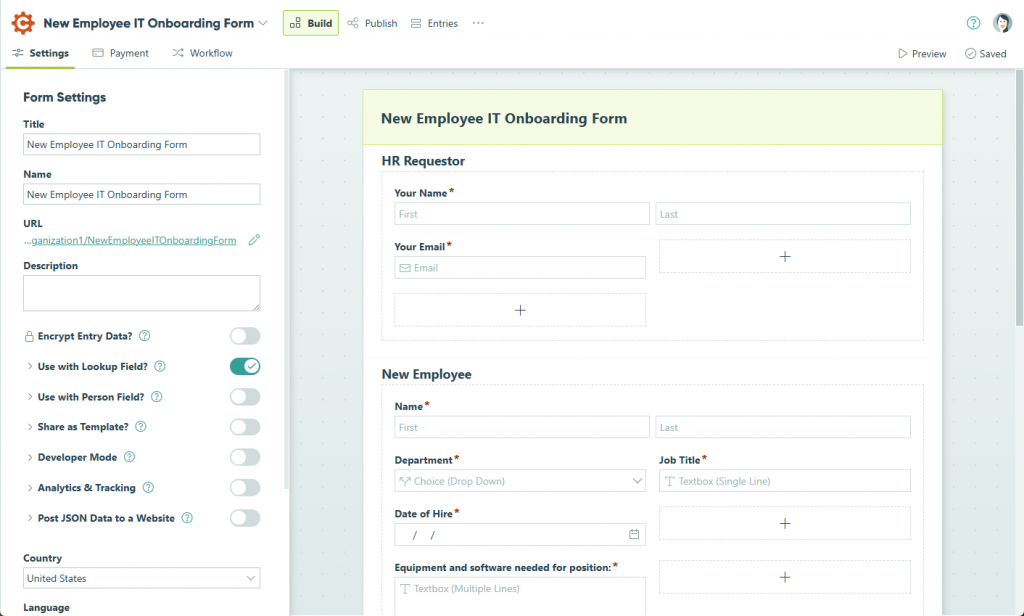
The built-in data management system, combined with Square, PayPal, and Stripe payment support, makes it useful for practices managing patient intake, consent forms, and fee collection in one workflow.
Pros:
- Top-notch data security without enterprise-tier pricing
- Advanced formatting options for complex form layouts
- Payment collection via Square, PayPal, and Stripe
- Powerful third-party integrations
- Privacy regulation compliance built in
Cons:
- Complex forms should be tested thoroughly before deployment
- The interface feels cumbersome for new users
- Training or onboarding may be needed for non-technical teams
User Rating: 4.6/5 (Capterra)
Pricing: Starts at $19/month.
10. Zoho Forms: Best for Teams Already in the Zoho Ecosystem
Teams already running on Zoho CRM or Zoho Analytics tend to land here naturally; the ecosystem integration alone is reason enough, according to everyone I’ve heard talk about it.
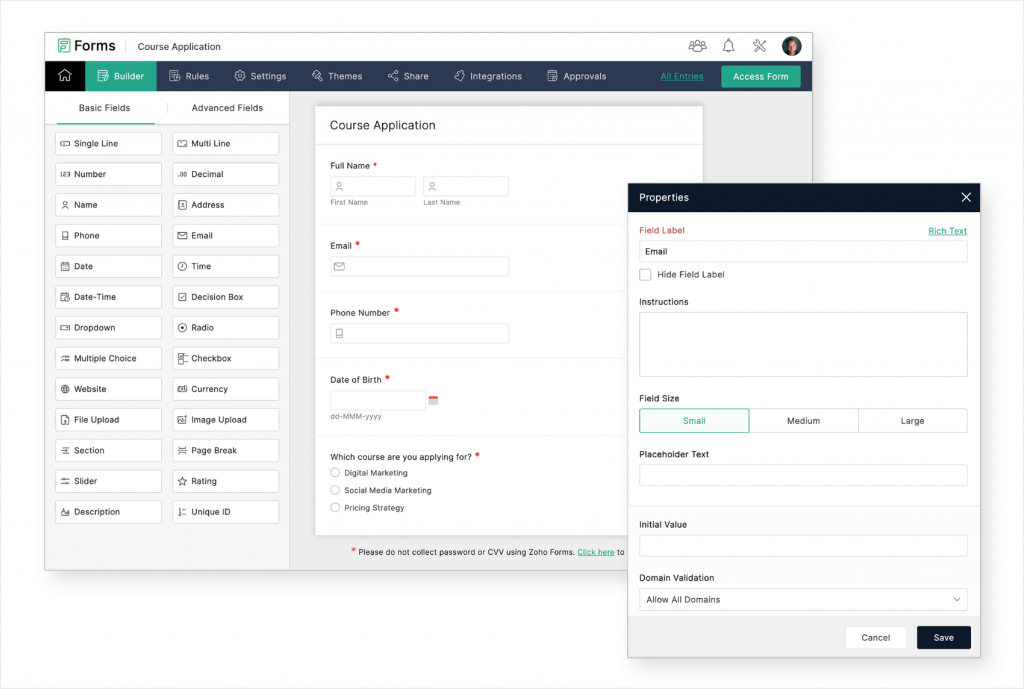
If your team already runs on Zoho CRM, Zoho Analytics, or Zoho Desk, forms built here flow directly into those systems without integration overhead.
The mobile application and automatic conditional SMS and email notifications are standout features for teams managing forms across time zones.
Pros:
- Real-time analytics with live response tracking
- Survey logic flexibility for complex, multi-branch forms
- Deep integration with the full Zoho suite
- Automatic email and SMS notifications on submission
- Native mobile app for form creation and management
Cons:
- The website interface is not as user-friendly as competitors
- Form design options are more limited than dedicated design-first tools
User Rating: 4.5/5 (Capterra)
Pricing: Starts at $10/month.
What Are My Top 3 Picks Among These Jotform Alternatives?
After testing some of these directly and hearing from teams running the rest in production, three tJotform alternatives stood out for solving the most common reasons people leave Jotform.
Here’s where I land.
1. Qualaroo
Qualaroo is my top pick because it solves the problem most form builders ignore entirely: understanding why users behave the way they do.
If your team is collecting submissions but still guessing at intent, Nudge™ surveys and IBM Watson sentiment analysis give you answers in context, while users are still engaged, not after they’ve already left.
2. Typeform
For teams where form completion rates are the bottleneck, Typeform is the strongest pick. The one-question-at-a-time format consistently outperforms traditional multi-field forms on lead-gen pages and post-purchase surveys.
I’ve used it on user research flows myself, and the setup is genuinely fast. If Jotform’s design is hurting your conversion rate, Typeform fixes that directly.
3. Cognito Forms
For any healthcare or compliance team priced out of Jotform’s $99/month Gold plan, Cognito Forms is the clearest alternative.
HIPAA compliance starts at $15/month, payment collection via Stripe, PayPal, and Square is built in, and the data management tools handle patient intake without needing a separate workflow platform.
How Did I Evaluate These Jotform Alternatives?
All Jotform alternatives on this list were either tested directly, validated through conversations with teams using it in production, or assessed against a consistent set of criteria.
Here’s exactly what I looked at for each one:
User Reviews and Ratings: I pulled Capterra ratings and read qualitative feedback across G2, Reddit, and Quora to surface real patterns, not just star counts. Recurring complaints told me as much as the scores.
Core Features and Functionality: I evaluated each Jotform alternative on the capabilities that matter most for form and feedback workflows: submission volume, conditional logic depth, analytics, integrations, and HIPAA or compliance support where relevant.
Ease of Use: How quickly can a non-technical team member get a form live? Jotform alternatives that required heavy onboarding before delivering any value scored lower, regardless of feature depth.
Customer Support: Support quality is a real differentiator in this category, especially during initial setup. I looked at documented response patterns and user feedback on resolution speed and quality.
Value for Money: I compared what each Jotform alternative delivers against its actual price, including hidden costs like per-channel add-ons, submission caps, and features locked behind higher tiers. A tool that does the job cleanly at $15/month scores better than one that charges $99/month for basic compliance.
Personal and Peer Experience: Where I tested a tool directly, I’ve said so. For tools I haven’t run myself, I relied on conversations with product managers, marketers, and ops teams who use them in production.
FREE. All Features. FOREVER!
Try our Forever FREE account with all premium features!
How Do You Choose the Right Jotform Alternative for Your Use Case?
The right Jotform alternative is the one that fixes your actual bottleneck. Here’s a decision framework based on what’s driving you to switch.
| If Your Primary Need Is... | Start Here |
|---|---|
| Capturing why users churn, drop off, or convert | Qualaroo |
| In-app surveys without disrupting UX | Qualaroo |
| HIPAA compliance at an affordable price | Cognito Forms |
| Enterprise-grade healthcare workflow automation | Formstack |
| High-volume form submissions without caps | SurveyMonkey |
| Conversational survey design that boosts completion | Typeform |
| AI-generated form creation from a prompt | forms.app |
| Native WordPress integration | WPForms |
| Zero-cost forms in a Microsoft environment | Microsoft Forms |
| Market research with benchmarking and panel data | SurveyMonkey |
| Zoho ecosystem integration | Zoho Forms |
Pick the one tool that fixes your biggest gap first. You can always expand from there.
Which Jotform Alternative Should You Start With?
Jotform is not a bad tool.
Most teams leave because they’ve outgrown what it was built to handle: submission caps that break under real campaign load, analytics that need an export to be useful, and HIPAA compliance gated behind the highest pricing tier.
All the Jotform alternatives on this list fix one of those specific gaps. The right call is to pick the one that addresses your actual bottleneck, not the one with the longest feature list.
If the gap is feedback quality, that’s a different problem from what most form builders are built to solve. Qualaroo is the one tool here that closes it.
The free plan covers all features. You can go live today.
Frequently Asked Questions
Which Jotform competitors are HIPAA compliant?
Cognito Forms offers HIPAA compliance for $19/month, which is the most accessible tier on this list. Formstack covers it at the enterprise level. Jotform itself requires the Gold plan at $99/month. If your team needs compliance without the enterprise price tag, Cognito Forms is the clearest alternative.
What apps are similar to Jotform for lead capture?
For lead capture combined with understanding why visitors convert or drop off, Qualaroo's exit intent Nudge™ surveys give you both the lead data and the behavioral context behind it. For pure form-based lead capture, Typeform's conversational format tends to improve completion rates, and WPForms is the straightforward choice for WordPress sites.
Why do businesses switch from Jotform to other tools?
The most common reasons are submission caps that disable forms mid-campaign, pricing that scales faster than expected, and analytics that require an export to be useful. Teams that need to understand user behavior, not just collect responses, often move to Qualaroo specifically because it captures feedback in context rather than through passive post-session forms.
What is the best Jotform alternative for customer feedback?
Qualaroo is the strongest option for real-time customer feedback. Its behavior-triggered Nudge™ surveys ask users questions while they are still active on your site or app, not after they have already left. This produces significantly higher response quality than any static form sent after the session ends, and IBM Watson sentiment analysis automatically surfaces themes.
Is there a Jotform alternative with better analytics?
Qualaroo's IBM Watson AI sentiment analysis goes beyond what Jotform offers natively, automatically categorizing and scoring open-text responses so you don't have to read through hundreds of replies manually. For structured research data, SurveyMonkey adds depth at the quantitative level through benchmarking and panel comparisons.
Which Jotform alternative is best for SaaS product teams?
Qualaroo is purpose-built for the SaaS feedback use case: understanding why users churn, where they drop off in onboarding, and what's blocking conversion. Its iOS and Android SDK, Salesforce integration, behavior-based targeting, and exit intent surveys cover the full in-product feedback workflow that SaaS teams actually need.
What is the most affordable Jotform alternative?
Qualaroo's free plan includes all premium features with up to 50 responses, making it the lowest-friction entry point on this list. For teams that need a paid plan, Zoho Forms starts at $10/month and Cognito Forms at $19/month, the latter adding HIPAA compliance that Jotform only unlocks at $99/month.
FREE. All Features. FOREVER!
Try our Forever FREE account with all premium features!

 We'd love your feedback!
What did you like & how can we make it even better?
 Thanks for your feedback!
 Ask Your Question
Have a question? Get expert help to make your decision easier.