Formbricks alternatives usually come up when the free plan is no longer enough.
The open-source core is genuinely appealing, and the Hobby tier covers link and in-product surveys, but it caps at 250 responses a month, and the climb from there runs through 2,000 responses on Pro and 5,000 on Scale with a steep price jump in between.
Team roles, quota management, and two-factor authentication sit on the top plan, and SSO and SOC-2 verification are add-ons on top of that.
That is the gap this list is built around. Formbricks does the survey job well, and self-hosting remains a real option for teams that want it, so none of this is a knock on the product itself.
What changes once a program grows is how predictable the bill stays and how much of the platform a team has to run itself.
I have tested 10 tools against that, including Qualaroo. Some are in-product specialists, some are broader survey platforms, and a couple scale up to full enterprise experience management.
Why Are Teams Looking for Formbricks Alternatives?
None of this comes from a single frustrated account. It is a pattern that holds up once you get past the appeal of an open-source core and into the actual cost of running surveys at volume.
Response Caps Are Tight Across Every Tier
Hobby stops at 250 responses a month, Pro at 2,000, and Scale at 5,000. A survey program that picks up traffic quickly reaches the next tier, and overage handling is opt-in rather than automatic.
Paid Tiers Jump Steeply
Pro runs about $74 a month on annual billing, and Scale runs about $325. That is more than four times the price for two and a half times the responses, which makes growth hard to budget for.
Governance Features Cost Extra
Team roles, quota management, and two-factor authentication sit on the Scale plan, while SSO enforcement, custom SSO, US hosting, and SOC-2 verification are enterprise add-ons. A team with real security requirements pays for the top of the ladder to get them.
Self-Hosting Puts the Work on Your Team
The Community Edition is free, but someone has to set it up, keep it updated, and own uptime. The enterprise features also live under a separate license, so open source covers the core rather than the whole product.
The Top 10 Formbricks Alternatives
Prices and ratings for all ten sit in the table below, with the full breakdowns right after it.
| Tool | Best For | Starting Price | Capterra Rating |
| Qualaroo | Capturing Real-Time User Insights In-App & on Your Website Using Contextual, AI-Powered Micro-Surveys | Free plan; from $19.99/mo | 4.7/5 |
| Survicate | Multichannel surveys with a centralized research hub | Free plan; from $114/mo | 4.6/5 |
| Refiner | Behavior-triggered in-product microsurveys for SaaS | $149/mo | 4.6/5 |
| Typeform | Conversational surveys with high completion rates | $28/mo | 4.7/5 |
| Jotform | Highly customizable forms and surveys | Free plan; from $34/mo | 4.7/5 |
| SurveyMonkey | Professional surveys with a deep question bank | $30/mo | 4.6/5 |
| QuestionPro | Market research surveys with advanced logic | Free plan; from $83/mo | 4.8/5 |
| Sogolytics | Detailed survey reporting and analytics | Quote-only | 4.7/5 |
| Zonka Feedback | Omnichannel CX with native AI feedback intelligence | Quote-only | 4.8/5 |
| Qualtrics (XM for CX) | Enterprise experience-management platform | Quote-only | 4.6/5 |
The breakdowns below sort out which one fits:
1. Qualaroo: Best for Capturing Real-Time User Insights In-App & on Your Website Using Contextual, AI-Powered Micro-Surveys
Formbricks alternatives that keep the in-product and link survey jobs but drop the response-tier math are few, and Qualaroo is the one I reach for first.
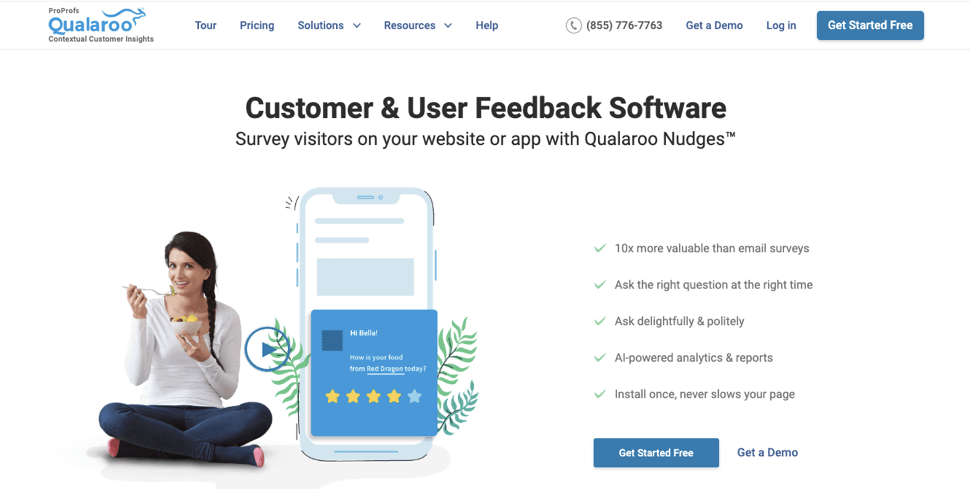
The Nudge™ fires in context, on exit intent, after a specific action, or for a named user through the Identify API, so the question lands when the answer is easiest to give. The AI Survey Creator drafts a full survey from a prompt.
Once responses arrive, native AI Customer Feedback Analysis takes over. AI Sentiment Analysis reads the open-text answers, and Automated Tagging sorts them by theme. The AI Response Summarizer condenses the rest into a quick read.
iOS and Android SDKs cover native in-app surveys, and Heatmaps and Session Recordings show what a user was doing right before they answered. Paid plans are flat-rate, so a busy month never forces a tier jump.
Pros:
- AI Survey Creator drafts a full Nudge from a prompt, no manual setup required
- Question branching and skip logic so respondents only see relevant follow-ups
- Native AI Customer Feedback Analysis, including AI Sentiment Analysis and word cloud generation for open-text responses
- Heatmaps and Session Recordings show what a user was doing right before they responded
- Advanced targeting by behavior, URL, exit intent, and custom user properties
- Identify API ties responses back to a real user by email or customer ID
- Nudge for Prototype works on Figma, Adobe XD, and InVision before a product ships
- Multilingual surveys in 100+ languages
- iOS and Android SDK for native in-app surveys
- Salesforce, HubSpot, and Slack integrations for CRM-connected feedback workflows
Cons:
- There is no dark user interface for long hours or late nights.
- Dedicated onboarding/account manager services are available only in paid plans.
How Qualaroo Compares to Formbricks: Qualaroo covers the same in-product and link survey job, with flat-rate paid plans instead of response tiers, native AI analysis, and Heatmaps and Session Recordings built in. It is cloud-hosted only, so a team that needs to self-host its survey data for residency reasons will not find that option here.
Pricing: Free plan available, up to 50 responses with all premium features. Essentials at $19.99/month, Business at $49.99/month, and Enterprise from $149.99/month.
User Rating: 4.7/5 (Capterra)
Udemy is a good name to bring up here. The company uses Qualaroo to capture in-the-moment insights from learners rather than reconstructing intent from analytics alone. That immediacy is what a contextual survey does best, and it is the part of Formbricks’ job that gets expensive as response volume grows.

2. Survicate: Best for Multichannel Surveys With a Centralized Research Hub
Survicate is where I would point a team that wants in-product surveys, plus reach beyond the app. Surveys run across web, in-app, email, link, and mobile, and every response lands in a single Research Hub, so nobody has to stitch together separate exports.
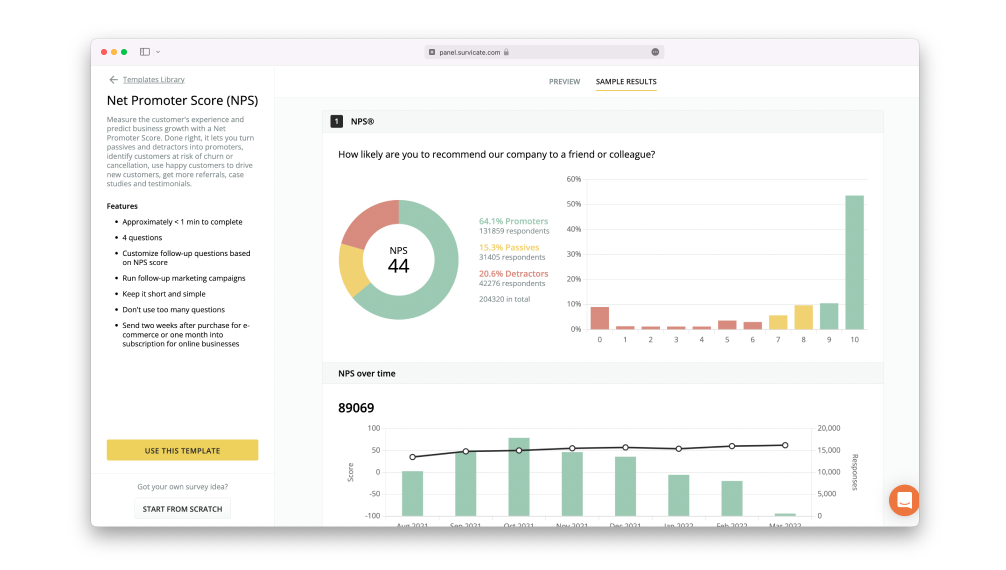
Targeting by attributes and events covers most programs, and partially completed responses still leave a signal behind.
AI-assisted analysis picks out themes across the pile, and native integrations with tools like HubSpot and Salesforce move that data where the team already works. Setup is fast, so a first survey can go live the same day.
Unlike Formbricks, it is hosted only, which is worth weighing for any team that picked an open-source tool specifically to control its own data.
Pros:
- Multichannel surveys across web, in-app, email, link, and mobile from one response pool
- Research Hub centralizes feedback and analysis in one place
- Captures partially completed responses so abandoned surveys still leave a signal
- Native integrations with CRM and product tools, including HubSpot and Salesforce
Cons:
- The step from the free plan to a paid plan is a steep one
- Hosted only, with no open-source or self-hosted option
How Survicate Compares to Formbricks: Survicate is the closest hosted swap, with in-product and multichannel surveys feeding one Research Hub. It gives up Formbricks’ open-source core and self-hosting in exchange for broader channel coverage.
Pricing: Free plan available. Paid plans start at $114/month.
User Rating: 4.6/5 (Capterra)
3. Refiner: Best for Behavior-Triggered In-Product Microsurveys
Refiner is the closest in spirit to Formbricks’ in-product surveys, designed for SaaS teams who want in-app surveys. Microsurveys fire off data on behavior, attributes, devices, and lifecycle stages, so a question about a new feature appears right after someone uses it.
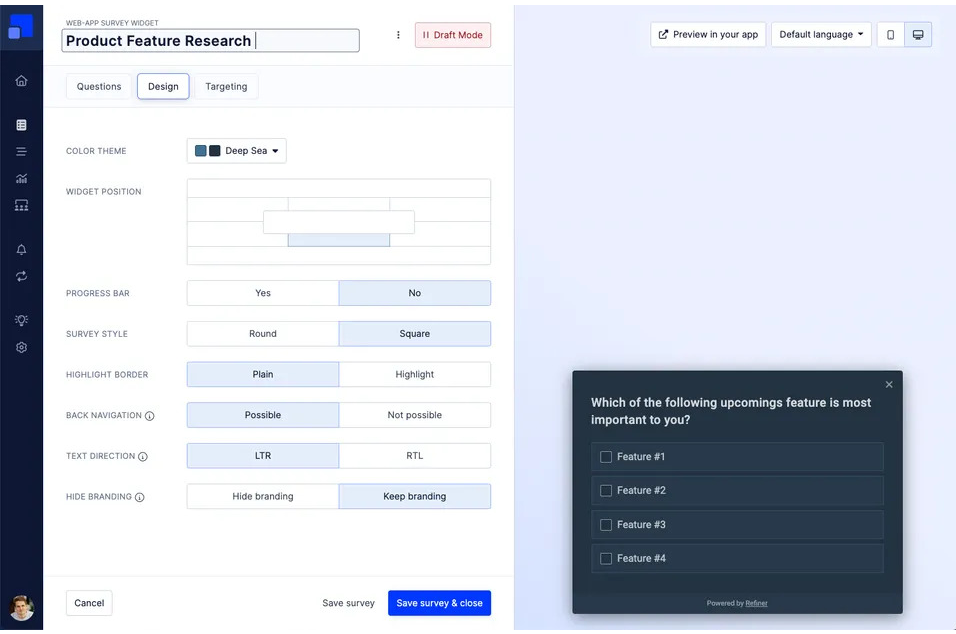
NPS, CSAT, CES, and product-market-fit surveys are run by the same builder, and recurring surveys keep a loyalty score consistent over time.
Integrations with Segment and Zapier sync responses with product data. Pricing follows Monthly Active Users, so a large user base lifts the bill whether or not every user is surveyed.
This is a different shape of cost than Formbricks’ response tiers, rather than a clear escape from it. Its Capterra rating rests on a small number of reviews, so weigh that alongside the product.
Pros:
- Behavior-triggered microsurveys for web and mobile products
- NPS, CSAT, CES, and product-market-fit surveys from one builder
- Recurring surveys to track loyalty scores over time
- Integrations with Segment and Zapier to sync responses with product data
Cons:
- Pricing follows Monthly Active Users, so a large user base raises the bill
- Capterra review base is thin, worth weighing alongside the rating
How Refiner Compares to Formbricks: Refiner covers the same in-product microsurvey job as a hosted-only tool, with Monthly Active User pricing in place of response tiers and no self-hosted option.
Pricing: Limited free plan available. Paid plans start at $149/month, scaling with Monthly Active Users.
User Rating: 4.6/5 (Capterra)
4. Typeform: Best for Conversational Surveys With High Completion Rates
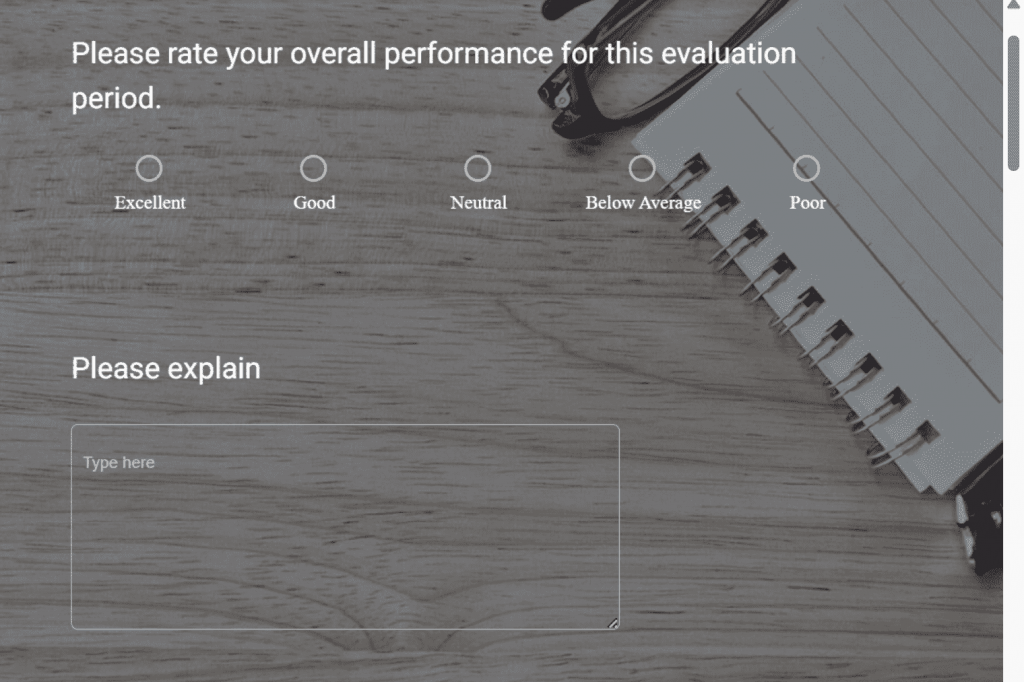
Typeform is the pick when completion rate matters more than targeting depth. The one-question-at-a-time format feels like a conversation rather than a form, logic jumps adapt each question to the previous answer, and a progress bar and custom layouts keep longer surveys from feeling like a chore.
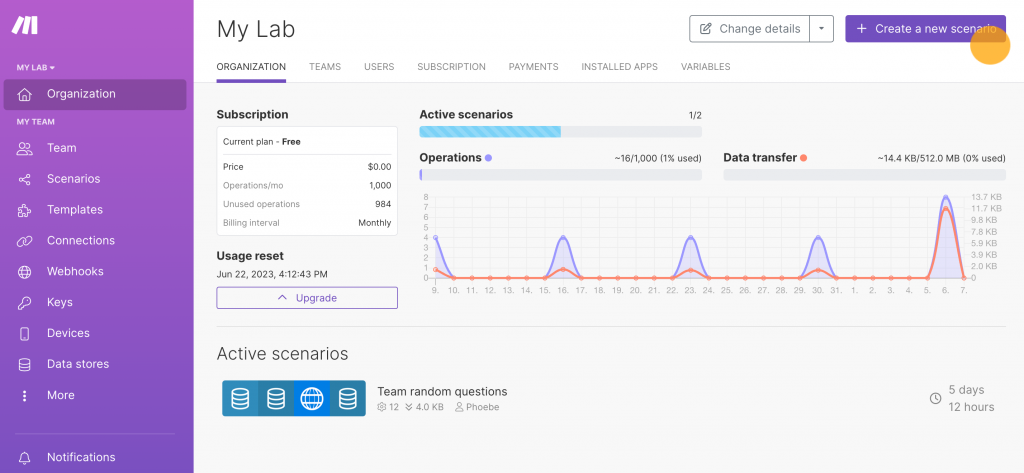
Surveys are embedded on a website as a popup, pop-over, slider, or sidebar button, or go out by link or email, and integrations with Slack, Mailchimp, and other tools move responses where a team works. Published pricing makes budgeting simple.
The tradeoff is scope: Typeform is a survey and form builder, not a behavior-triggered feedback platform, so its targeting is lighter than Formbricks’ in-product options.
Plans also cap monthly responses, so a busy month can push a team up a tier.
Pros:
- Conversational, one-question-at-a-time format that lifts completion rates
- Logic jumps adapt the next question to the previous answer
- Embeds as a popup, pop-over, slider, or sidebar button
- Published pricing with Slack and Mailchimp integrations
Cons:
- Lighter behavior-based targeting than a dedicated in-product survey tool
- Plans cap monthly responses, so a busy month can push a team up a tier
How Typeform Compares to Formbricks: Typeform wins on completion rate and design, with published pricing, but it does not match Formbricks’ in-product targeting or its open-source option.
Pricing: Paid plans start at $28/month.
User Rating: 4.7/5 (Capterra)
5. Jotform: Best for Highly Customizable Forms and Surveys
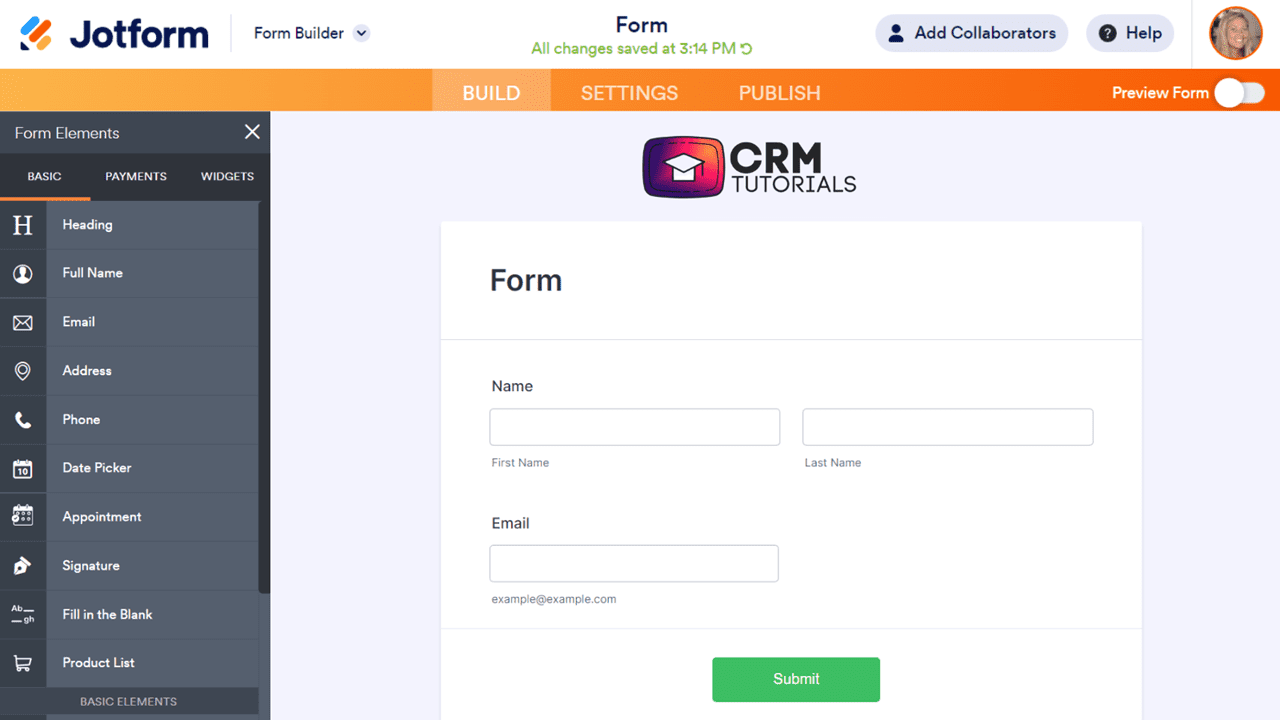
I use Jotform when a team needs surveys that look like its own brand without a design project. The drag-and-drop builder, wide range of question types, and conditional logic make it quick to shape a survey around an audience.
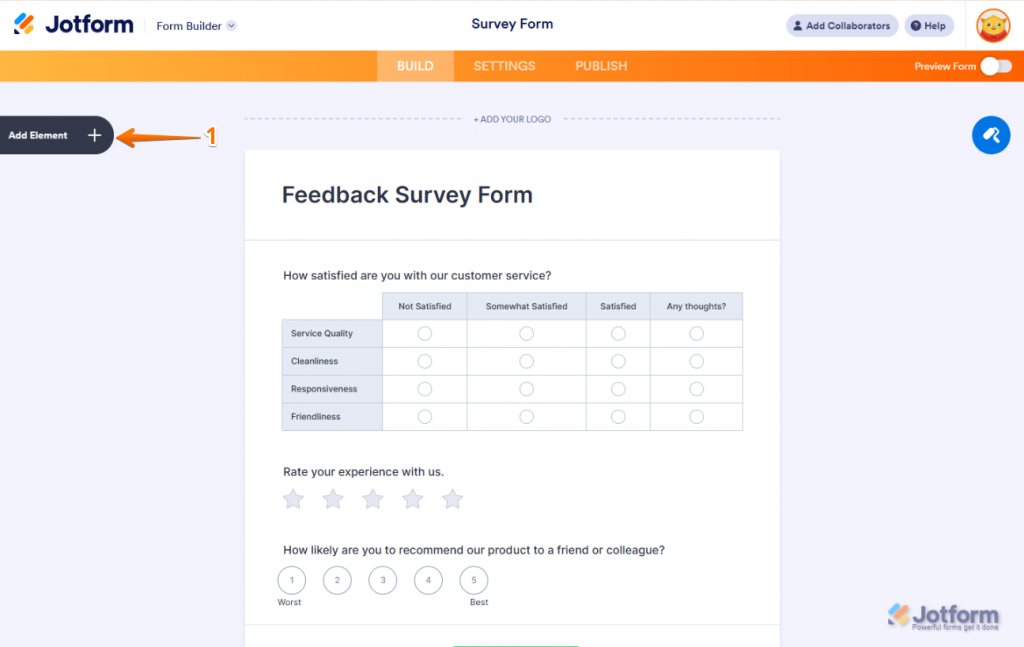
Hundreds of survey templates mean few teams start from a blank page. Integrations with more than 100 apps, including Google Analytics, PayPal, Zoom, and HubSpot, keep responses flowing into the tools a team already runs.
Forms Analytics adds visual reports and trend-spotting, and auto-save and real-time collaboration help when several people build together.
It is a general forms platform rather than a feedback tool, so it has no behavior-based in-product triggers, and the breadth of options can feel overwhelming for a first-time user.
Pros:
- Drag-and-drop builder with conditional logic and a wide range of question types
- Hundreds of survey templates and full brand customization
- Integrations with more than 100 apps, including Google Analytics and HubSpot
- Forms Analytics for visual reports and trend spotting
Cons:
- The free plan caps forms and responses, and removing Jotform branding means upgrading
- The breadth of options can overwhelm first-time users
How Jotform Compares to Formbricks: Jotform is a broader forms platform with deeper customization and integrations, but it has no behavior-triggered in-product surveys, which is the core of what Formbricks does.
Pricing: Free plan available. Paid plans start at $34/month.
User Rating: 4.7/5 (Capterra)
6. SurveyMonkey: Best for Professional Surveys With a Deep Question Bank
I have used SurveyMonkey enough to trust it for surveys that need to look professional and get answered. The review count, well past ten thousand on Capterra, is a different level of social proof than anything else on this list.
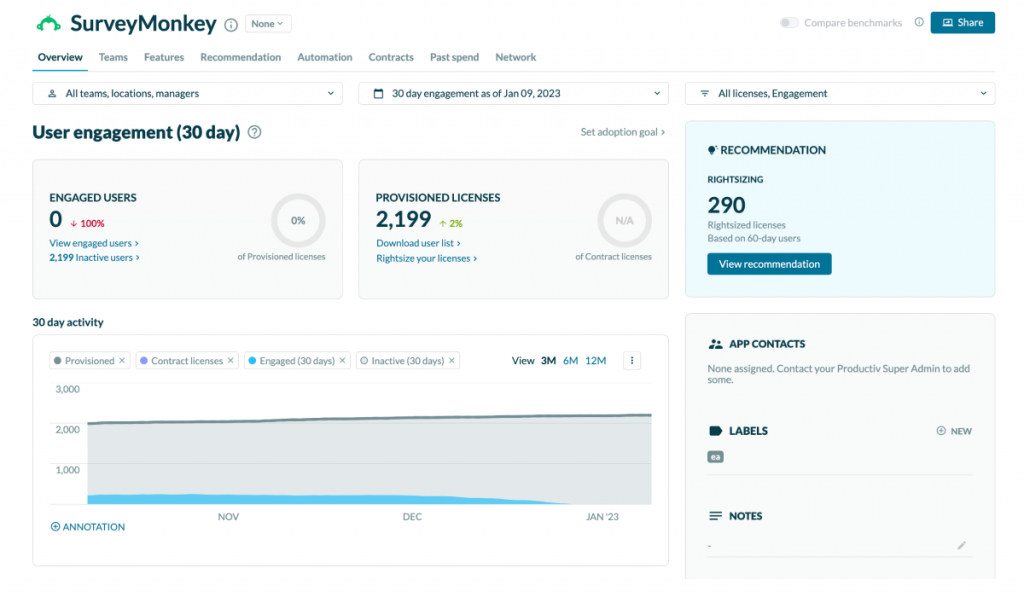
Answer Genius suggests prewritten answer choices once a question type is picked, which saves real time, and the question bank is deep enough that most teams never start from scratch.
Smart survey logic shows each respondent only the relevant questions, reminders lift participation, and periodic surveys keep a feedback loop running over time. NPS is built in as a metric, so loyalty tracking does not need a second tool.
It is a hosted general-purpose platform rather than an in-product specialist, and the deeper analytics and visualization options sit on higher plans.
Pros:
- Deep question bank with smart suggestions for answer choices
- Survey logic that shows each respondent only relevant questions
- Reminders and periodic surveys to lift participation over time
- NPS is built in as a metric for gauging customer contentment
Cons:
- Setting up survey logic can get intricate
- Deeper analytics and visualization options sit on higher-tier plans
How SurveyMonkey Compares to Formbricks: SurveyMonkey brings a deeper question bank and far more social proof, but it is a general-purpose survey platform without Formbricks’ in-product focus or open-source option.
Pricing: Paid plans start at $30/month.
User Rating: 4.6/5 (Capterra)
7. QuestionPro: Best for Market Research Surveys With Advanced Logic
I turned to QuestionPro for a market research project on a new product, and it handled the work well.
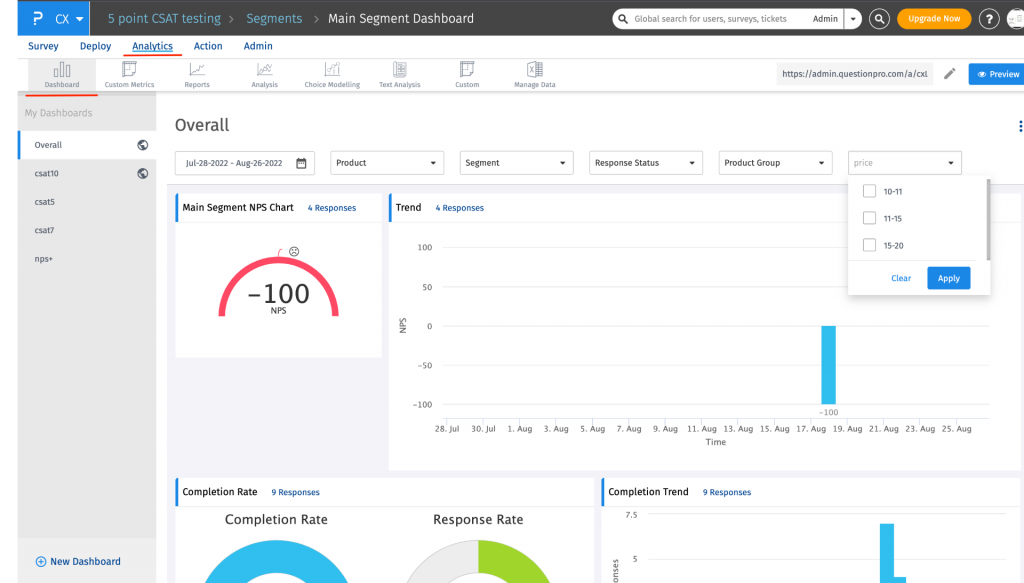
Advanced logic and branching allow highly customized questionnaires, and distribution spans email, SMS, social media, and web forms, so a study reaches a broad audience.
Reporting goes deep, with sentiment analysis, trend-spotting, and automation that surface patterns in the data. It is built primarily for research programs rather than in-product feedback, and billing is per user, in stark contrast to Formbricks’ unlimited seats in Pro.
The free version also omits sentiment analysis and more sophisticated branching, so a team testing it should plan around those limitations.
Pros:
- Advanced logic and branching for highly customized questionnaires
- Omnichannel distribution across email, SMS, social media, and web forms
- Sentiment analysis and trend spotting are built into reporting
- Industry benchmarking to pinpoint improvement areas
Cons:
- Billing is per user, so the cost climbs with team size
- The free version leaves out sentiment analysis and more sophisticated branching
How QuestionPro Compares to Formbricks: QuestionPro goes deeper into research logic and reporting, but it bills per user, whereas Formbricks includes unlimited seats on its Pro plan and is built for research rather than in-product feedback.
Pricing: Free plan available. Paid plans start at $83/user/month.
User Rating: 4.8/5 (Capterra)
8. Sogolytics: Best for Detailed Survey Reporting and Analytics
Sogolytics is the pick for a team that cares more about the reports than the popup. Survey creation and distribution are quick across channels, and the analytics tools break feedback down into bar, area, pie, and radar charts, making findings easy to present.
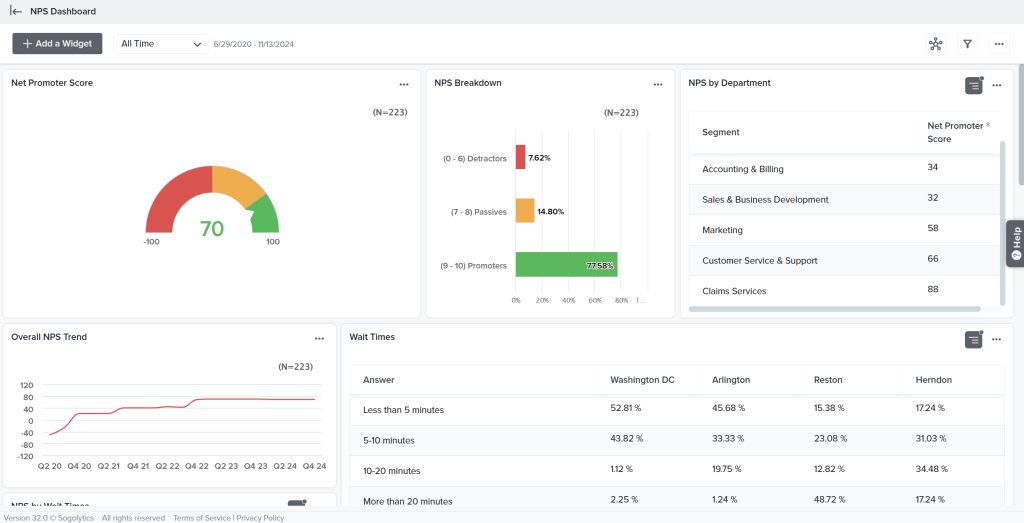
Pre-defined templates get a first survey live fast, a completion-time estimate helps tune length for response rates, and media can be added to questions to keep them engaging.
Cloud storage keeps data accessible. A free plan is available, and pricing is usage-based, which suits small teams that want to monitor costs.
Integration options are limited, though, and customization has room to grow, so a team that wants deep behavioral targeting inside a product will find it lighter than Formbricks.
Pros:
- Detailed reports with bar, area, pie, and radar chart formats
- Pre-defined survey templates to get started quickly
- Completion-time estimates to optimize surveys for response rates
- Media can be added to questions to make them more engaging
Cons:
- Integration options are limited
- Customization options have room to grow
How Sogolytics Compares to Formbricks: Sogolytics offers stronger built-in reporting and a long-standing free plan, but it lacks Formbricks’ in-product targeting and open-source flexibility.
Pricing: Quote-only, contact vendor for pricing.
User Rating: 4.7/5 (Capterra)
9. Zonka Feedback: Best for Omnichannel CX With Native AI Feedback Intelligence
Zonka Feedback is where I would point a team that picked Formbricks for data control and now needs more reach. Surveys run on the website, in-app, over email, SMS, and WhatsApp, and offline, with responses landing in a single inbox.
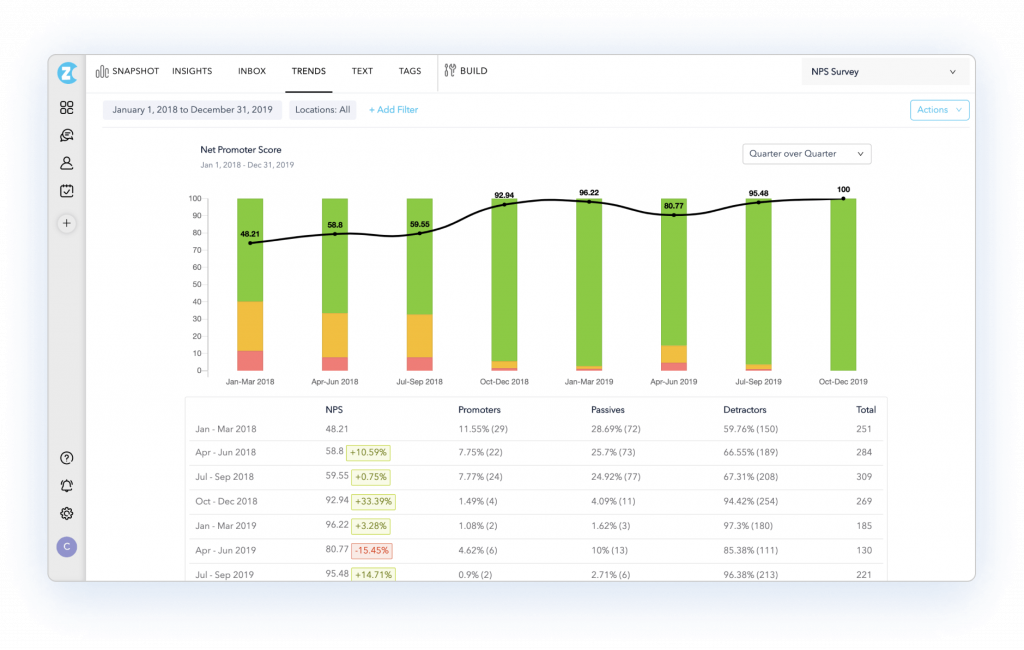
AI Feedback Intelligence analyzes themes, sentiment, and trends automatically, and closed-loop workflows assign a bad response to someone who can fix it.
Regional data hosting speaks to the same privacy concerns that draw teams to open source in the first place.
Pricing is customized by feedback volume, so budgeting starts with a sales conversation, and there is no self-hosted option.
Pros:
- Omnichannel surveys across website, in-app, email, SMS, WhatsApp, and offline
- AI Feedback Intelligence analyzes themes, sentiment, and trends automatically
- Closed-loop workflows assign feedback and track resolution
- Regional data hosting for compliance-sensitive teams
Cons:
- Pricing is customized and requires a sales conversation
- The broader CX scope is more than a team needs for in-product surveys alone
How Zonka Feedback Compares to Formbricks: Zonka Feedback reaches well past in-product surveys into omnichannel CX with native AI analysis, at the cost of Formbricks’ open-source core and published tier pricing.
Pricing: Quote-only, contact vendor for pricing.
User Rating: 4.8/5 (Capterra)
10. Qualtrics (XM for CX): Best for an Enterprise Experience-Management Platform
Qualtrics is where I would point a team whose feedback needs have outgrown a survey tool. The XM platform adds predictive intelligence, sentiment tracking, proactive alerts, and statistical testing on top of the surveys, so the analysis goes well past response counts.
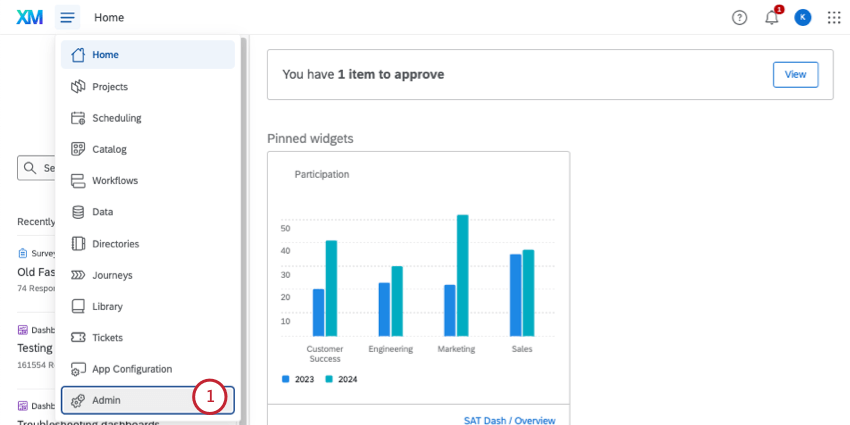
Around 30 chart types make findings easy to present, and integrations with tools such as Segment and Thematic move insights where teams already work.
Feedback can be shared across departments, giving customer experience, product, and research one picture instead of three.
The tradeoff is cost and effort: setup takes real time, pricing is quote-only, and a smaller team can find the feature set overwhelming. Security and access controls are enterprise-grade, but they come with an enterprise contract.
Pros:
- Predictive intelligence, sentiment tracking, and proactive alerts built in
- Around 30 chart types for presenting survey findings
- Cross-department reporting gives teams one shared picture
- Extensive survey customization to match brand identity
Cons:
- Setup takes significant time, and pricing is quote-only
- Overkill for a team that only needs in-product or link surveys
How Qualtrics Compares to Formbricks: Qualtrics operates a full tier above Formbricks, with predictive analytics and cross-department reporting. It is the right move only for an organization whose feedback needs already span well past in-product surveys.
Pricing: Quote-only, contact vendor for pricing.
User Rating: 4.6/5 (Capterra)
Which Formbricks Alternative Should Be Your Top Pick?
Ten tools is a lot to weigh. If you read only one section, make it this one. These are the three I would genuinely point a team toward, and each answers a different version of what is actually pushing people off Formbricks.
1. Qualaroo: Best Overall Pick if Predictable Pricing and Native Analysis Matter Most
Qualaroo tops this list because it covers the same in-product and link survey job as Formbricks without the response-tier math.
The Nudge™ fires on exit intent, after a specific action, or for a named user through the Identify API, so the question lands when the answer is easiest to give. Paid plans are flat-rate, so a busy month never forces a jump to a bigger tier.
Native Customer Feedback Analysis AI then does the reading, with AI Sentiment Analysis, Automated Tagging, and the AI Response Summarizer turning open-text answers into themes nobody had to sort by hand.
Question branching sends a frustrated respondent and a happy one down different paths, and Heatmaps and Session Recordings add the behavioral context.
The iOS and Android SDK also covers native in-app surveys, and Salesforce, HubSpot, and Slack integrations keep responses flowing into CRM workflows. Multilingual surveys in more than 100 languages help when the audience is global.
2. Survicate: Best if You Want the Closest Hosted Swap
If the appeal of Formbricks was in-product and link surveys under one roof, Survicate is the closest hosted swap.
Surveys run across web, in-app, email, link, and mobile, and every response lands in one Research Hub, so the program stops living in separate tools. Targeting by attributes and events covers most programs, partially completed responses are still captured, and AI-assisted analysis picks out themes across channels.
Native integrations move that data into the CRM and product tools that a team already uses. A conversational, chat-style layout also tends to lift response rates, and setup is fast enough that a first survey can go live the same day.
The tradeoff is that Survicate is hosted only and not open source, so a team that chose Formbricks specifically to control where its data lives will not find that here. The step from the free plan to a paid one is also a real jump.
3. Zonka Feedback: Best if Data Residency Is the Reason You Chose Formbricks
Zonka Feedback is where I would point a team that picked Formbricks for data control and now needs more reach. Regional data hosting speaks to the same privacy concerns, while surveys run across the website, in-app, email, SMS, WhatsApp, and offline channels.
AI Feedback Intelligence analyzes themes, sentiment, and trends automatically, and closed-loop workflows assign a bad response to someone who can fix it. Skip logic and branching keep each survey short and relevant to the person answering it.
The trade-off is real: pricing is customized based on feedback volume, so budgeting starts with a sales conversation, and there is no self-hosted option.
Strong customization for branding and question logic rounds out the platform. For a team ready to give up self-hosting, the added reach and analysis are usually worth it.
How Do You Choose the Right Formbricks Alternative for Your Team?
Name the actual reason Formbricks is not working for you, not the reason you assume should matter, and the table below points to the right pick directly.
| If Your Main Formbricks Frustration Is… | Consider This Alternative |
| Response caps and steep tier jumps | Qualaroo or Survicate |
| You want a hosted in-product swap | Survicate or Refiner |
| Security and access controls sit on the top tier | Zonka Feedback or Qualtrics (XM for CX) |
| You need deeper reporting and analysis | Sogolytics or QuestionPro |
| Open-text feedback needs automatic analysis | Qualaroo or Zonka Feedback |
| You want broad forms and survey templates | Jotform or SurveyMonkey |
| You want higher completion rates through design | Typeform |
| You need market research logic and benchmarking | QuestionPro |
| Your feedback needs have outgrown a survey tool | Qualtrics (XM for CX) |
FREE. All Features. FOREVER!
Try our Forever FREE account with all premium features!
How Did I Evaluate These Formbricks Alternatives?
I evaluated the Formbricks alternatives in this list based on what a product team actually needs once surveys outgrow a free tier: response volume that does not require a steep plan upgrade, security and access controls that do not sit behind the top plan, and analysis that does not require reading every comment.
Six factors carried the weight:
User Reviews and Ratings
Every rating here is pulled directly from Capterra and weighted by review count rather than the average star rating alone. Formbricks’ own listing rests on just two reviews, so there is little independent evidence to support its rating, and I held thinner samples among the alternatives, like Refiner’s, to a higher bar, too. A strong average from a handful of reviews carries less weight here than a consistent pattern across hundreds.
Essential Features and Functionality
Targeting precision, response limits, and what happens to open-text answers mattered more than a long feature list. I looked at what a team could actually do with the tool day-to-day, not how many capabilities a spec sheet claims. A shorter feature set that gets used beats a longer one padded with add-ons.
Ease of Use
I looked at how much setup is required between signing up and a first live survey, since a tool that asks for a lengthy configuration process has to earn it with real depth. Self-hosting set the bar here, because it trades money for setup and maintenance work. A tool that got a survey in front of users the same afternoon earned real credit.
Customer Support
I checked whether real support is available at the entry price or reserved for larger deals, since a team running a live survey needs fast help when something breaks. Vendors that only respond reliably at enterprise scale scored lower, even with strong features elsewhere. Quote-only vendors were weighed based on whether support came bundled or as a separate line item.
Value for Money
I weighed what a tool’s depth actually costs to unlock, since Formbricks’ steep step between paid tiers is the most common reason teams start comparing. Published, predictable pricing carried more weight than a feature set whose real cost only appears after a sales call. Flat-rate models earned specific credit for solving the exact problem driving this search.
Personal Experience and Experts’ Opinions
Where I have used a tool directly, that experience shaped what is written here, including small practical details that never show up on a pricing page. Where I have not, I have leaned on patterns that recur across independent research rather than on any single source.
Free to Start Is Not the Same as Predictable to Grow
Every tool on this list can run an in-product or link survey, Formbricks included, and the open-source core is a genuinely appealing way to begin.
What sends teams looking elsewhere is what happens next: response caps that arrive early, a steep step between paid tiers, and governance features that sit at the top of the ladder.
That is why the right pick splits a few different ways. A team that wants a hosted in-product swap wants a different answer than one that still needs data residency and more reach, or one whose reporting needs have outgrown a survey tool.
Pricing basis is worth separating out too, since Refiner bills on Monthly Active Users, QuestionPro bills per user, and others bill on responses or a flat rate.
If predictable pricing and automatic analysis are the goal, I would start with Qualaroo. The free plan lets a team run a real Nudge on its own site and see how the AI analysis handles the responses before committing to anything.
Frequently Asked Questions
What is the best free alternative to Formbricks?
Qualaroo's free plan covers up to 50 responses with every premium feature included, AI Sentiment Analysis among them, which suits teams that want to test contextual surveys before paying. Sogolytics, QuestionPro, Survicate, and Jotform also offer free plans. Formbricks' own Hobby tier is generous at 250 responses a month, so compare caps before switching.
Is Qualaroo cheaper than Formbricks?
At the entry tier, yes. Qualaroo's Essentials plan starts at $19.99 a month on a flat rate, while Formbricks' first paid tier runs about $74 a month on annual billing with a 2,000-response cap. Formbricks does offer a free self-hosted edition, so a team willing to run its own servers pays nothing for the software.
Which Formbricks alternative is the closest hosted swap?
Survicate and Refiner are the closest hosted swaps. Survicate runs in-product, email, link, and mobile surveys into one Research Hub, while Refiner focuses on behavior-triggered microsurveys inside SaaS apps. Both are hosted only and not open source, so neither replaces Formbricks for a team that needs to self-host its survey data.
Are there self-hosted alternatives to Formbricks?
Most tools on this list are hosted platforms, which is the main trade for switching away from an open-source option. Zonka Feedback offers regional data hosting for compliance-sensitive teams, and Qualtrics provides enterprise-grade security controls. A team that must run surveys on its own servers should keep Formbricks' free Community Edition in the comparison.
Which alternative has the deepest reporting?
Sogolytics and QuestionPro lead on reporting depth, with advanced analytics and, for QuestionPro, sentiment analysis and industry benchmarking. Qualtrics goes further with predictive intelligence for enterprise programs. Qualaroo and Zonka Feedback focus on automatic analysis of open-text answers, which saves reading time rather than adding chart variety, a different kind of depth.
Which alternative avoids per-response or per-user pricing?
Qualaroo's paid plans are flat-rate, so neither responses nor user counts change the monthly bill once a plan is chosen. Typeform and SurveyMonkey publish flat entry prices, though higher volumes move to higher plans. Refiner bills on Monthly Active Users and QuestionPro bills per user, so both climb with scale rather than staying fixed.
Which alternative includes native AI analysis of open-text responses?
Qualaroo, Zonka Feedback, and Survicate build analysis of open-text responses into the product. Qualaroo pairs AI Sentiment Analysis with Automated Tagging and the AI Response Summarizer, Zonka Feedback uses AI Feedback Intelligence for themes and trends, and Survicate offers AI-assisted theme analysis in its Research Hub, all without a manual tagging pass.
What should I look for in a Formbricks alternative besides price?
Check whether security and access controls such as roles, two-factor authentication, and SSO sit on the entry plans or only the top tier. Beyond that, weigh whether you still need self-hosting, how response caps work, which channels the tool reaches, and how many independent reviews back its rating, since Formbricks' own listing has only two.
FREE. All Features. FOREVER!
Try our Forever FREE account with all premium features!

 We'd love your feedback!
What did you like & how can we make it even better?
 Thanks for your feedback!
 Ask Your Question
Have a question? Get expert help to make your decision easier.