User Interviews alternatives start showing up in a search the moment usage-based pricing stops feeling predictable.
Every recruited participant and every task adds to the bill, so the total cost of a single study is genuinely hard to know before you start one.
The platform’s own Value for Money score even sits below its overall rating, a clear signal that satisfaction and cost do not fully align.
I have tested ten tools against that exact gap. Some are direct participant-recruitment swaps, built around the same core job User Interviews does.
Others solve a genuinely different problem, reaching people who are already using your product rather than recruiting new ones. This list sorts out which is which.
Why Are Teams Looking for User Interviews Alternatives?
None of this comes from a single frustrated study. It is a pattern that holds up once you get past User Interviews’ solid 4.3 rating and into what the cost structure actually looks like once a team is running studies regularly.
Usage-Based Pricing Is Hard to Forecast
Cost scales per recruited participant and per task, so the total price of a single study is difficult to know upfront, a real budgeting problem for any team running more than one study a quarter. Two studies with the same design can land at very different totals depending on how quickly participants respond and how many screening questions get added along the way.
Value for Money Lags the Overall Rating
The platform’s own Value for Money score sits at 4.2 against its 4.3 overall rating, a real signal that satisfaction does not fully extend to what it costs. That gap is worth taking seriously precisely because the core product experience is well regarded; the complaint is specifically about what it costs to get there.
Enterprise Pricing Requires a Sales Conversation
The Custom tier is not published at all, so budgeting past the entry plans means booking a call before there is a real number to compare. A team trying to shortlist alternatives has to go through that same process here just to get a baseline to measure anything else against.
Recruitment Is the Whole Job
The platform is built specifically around sourcing new external participants, so a team that already has users to ask something directly gets no lighter option here. That scope is a real strength for genuine outside recruitment, but it means there is no smaller, cheaper tier for a team whose actual need is simpler than that.
The Top 10 User Interviews Alternatives
Before the individual breakdowns, here is how all ten compare on price and rating.
| Tool | Best For | Starting Price | User Rating |
| Qualaroo | Capturing Real-Time User Insights In-App & on Your Website Using Contextual, AI-Powered Micro-Surveys | Free plan; from $19.99/mo | 4.7/5 |
| Lyssna | Design testing and participant recruitment with a genuine free plan | Free plan; from $166/mo | 4.6/5 |
| UserTesting | Moderated and unmoderated panel research at scale | Quote-only | 4.5/5 |
| Qualtrics (XM for Strategy & Research) | Enterprise-grade research platform | Quote-only | 4.7/5 |
| Optimal Workshop | Card sorting, tree testing, and IA-focused research | $199/mo | 4.4/5 |
| Userlytics | Flexible usability testing with a global panel | $30/mo | 4.7/5 |
| UXArmy | Unlimited studies with panel access on one flat plan | $25/mo | 4.5/5 |
| Lightster | Fast participant matching across 100+ screening criteria | $50/mo | 4.6/5 |
| Maze | Prototype and usability testing | Free plan; quote-only | 4.5/5 |
| Alchemer | Flexible, research-grade survey logic | Quote-only | 4.5/5 |
1. Qualaroo: Best for Capturing Real-Time User Insights In-App & on Your Website Using Contextual, AI-Powered Micro-Surveys
User Interviews alternatives usually assume you need to recruit someone new to talk to. Qualaroo starts from a different premise entirely: the people worth asking are often already using your product.
The AI Survey Creator drafts a full Nudge from a plain-language prompt in under a minute, no manual setup required.
The Nudge itself triggers right when it matters, exit intent, a rage click, a stall past a specific step, and asks a contextual question without anyone needing to be sourced, screened, or paid an incentive first.
Once responses come in, the native AI feedback analysis suite takes over: AI Sentiment Analysis reads through open-text answers automatically, Word Cloud generation surfaces the themes coming up most often, Automated Tagging sorts responses without manual categorization, and the AI Response Summarizer turns a pile of open-text answers into a short summary nobody has to read line by line.
Pros:
- AI Survey Creator drafts a full Nudge from a prompt, no manual setup required
- Question branching and skip logic so respondents only see relevant follow-ups
- Native Customer Feedback Analysis AI, including AI Sentiment Analysis and word cloud generation for open-text responses
- Heatmaps and Session Recordings show what a user was doing right before they responded
- Advanced targeting by behavior, URL, exit intent, and custom user properties
- Identify API ties responses back to a real user by email or customer ID
- Nudge for Prototype works on Figma, Adobe XD, and InVision before a product ships
- Multilingual surveys in 100+ languages
- iOS and Android SDK for native in-app surveys
- Salesforce, HubSpot, and Slack integrations for CRM-connected feedback workflows
Cons:
- There is no dark user interface for long hours or late nights.
- Dedicated onboarding/account manager services are available only in paid plans.
How Qualaroo Compares to User Interviews: Qualaroo and User Interviews are built around different jobs. User Interviews recruits new, vetted participants for a structured study. Qualaroo asks people already inside your product a contextual question in the moment. A team that genuinely needs to recruit an outside audience, people who have never used the product, still needs a recruitment platform. A team that just wants to ask its own users something directly does not.
Pricing: Free plan available, up to 50 responses with all premium features. Essentials at $19.99/month, Business at $49.99/month, and Enterprise from $149.99/month.
User Rating: 4.7/5 (Capterra)
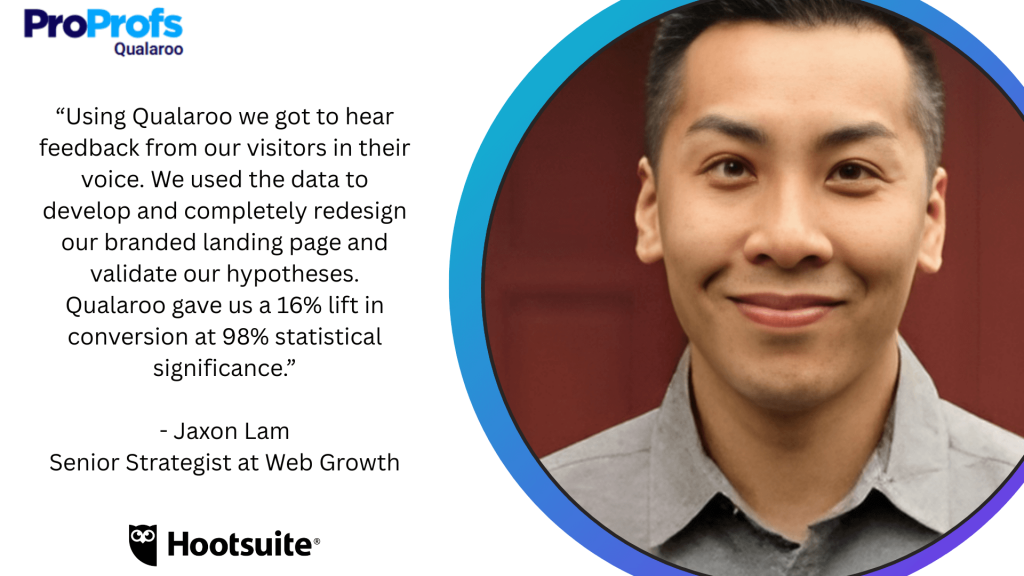
Hootsuite is a good name to bring up here, since the company used Qualaroo to run a controlled test that lifted conversion by 16 percent at 98 percent statistical significance. That kind of rigor came from asking real users a direct question in context, not from recruiting a new panel to study the same behavior secondhand.
2. Lyssna: Best for Design Testing and Participant Recruitment with a Genuine Free Plan
Lyssna is the closest like-for-like swap on this list, the same core recruitment and testing job User Interviews does, card sorting, first-click testing, prototype testing, and a panel of over 690,000 participants across 120-plus countries.
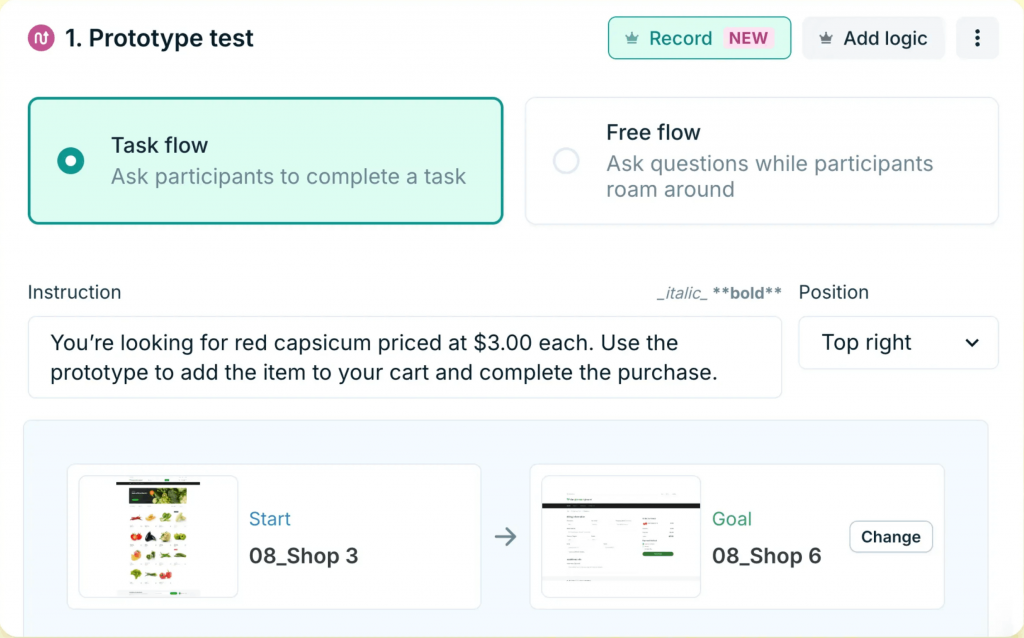
What pulls ahead is the free plan, unlimited quick studies, and real panel access before any spending at all.
Paid plans move to a published $199 a month, a real number instead of a usage-based estimate that only firms up after a study is already running.
Teams switching specifically over cost tend to find the transition smooth, since the core research workflow carries over directly.
Pros:
- Design testing methods, including card sorting, first-click testing, and tree testing
- Panel access to 690,000+ participants across 120+ countries and 35+ demographics
- Genuine free plan with unlimited quick studies and real panel access
- Interview scheduling and transcription built into the same platform
Cons:
- Advanced methods and higher study volume require the paid Growth tier
- Panel demographic depth outside major markets can be thinner than a dedicated recruitment specialist
How Lyssna Compares to User Interviews: Lyssna covers the same recruitment and testing job User Interviews does, at a lower published price and with a genuine free plan, a real advantage for a team that wants to test the workflow before committing any budget.
Pricing: Free plan available. Paid plans start at $166/month.
User Rating: 4.6/5 (Capterra)
3. UserTesting: Best for Moderated and Unmoderated Panel Research at Scale
UserTesting is where I would send a team that needs the panel-recruited, moderated side of research at real scale, video-based sessions with vetted participants rather than a single recruitment request.
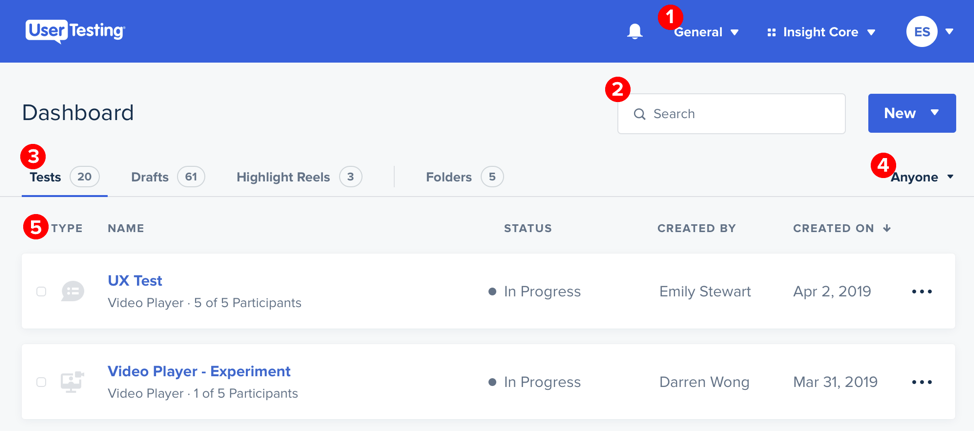
The participant panel is the genuine differentiator, sourcing the right person for a niche B2B study is usually the hardest part of any research project, and UserTesting has already solved that logistics problem.
Qualitative depth through video sessions goes further than a written transcript alone.
Pricing is not published though, so a team compares this against User Interviews the same way, both requiring a real conversation before a number appears.
Pros:
- Access to a large, vetted participant panel for moderated and unmoderated studies
- Strong qualitative depth through video-based testing
- Established enterprise support and account management
- Wide range of test types beyond simple recruitment
Cons:
- Priced and structured for project-based research rather than continuous, lightweight studies
- Steeper learning curve for smaller teams new to the platform
How UserTesting Compares to User Interviews: UserTesting matches User Interviews on panel-recruited research depth, and neither publishes pricing, so the real comparison comes down to panel quality and study type rather than a clean number on a page.
Pricing: Quote-only, contact vendor for pricing.
User Rating: 4.5/5 (Capterra)
4. Qualtrics (XM for Strategy & Research): Best for an Enterprise-Grade Research Platform
Qualtrics is where I would point a team whose research needs have genuinely outgrown a single-purpose recruitment tool.
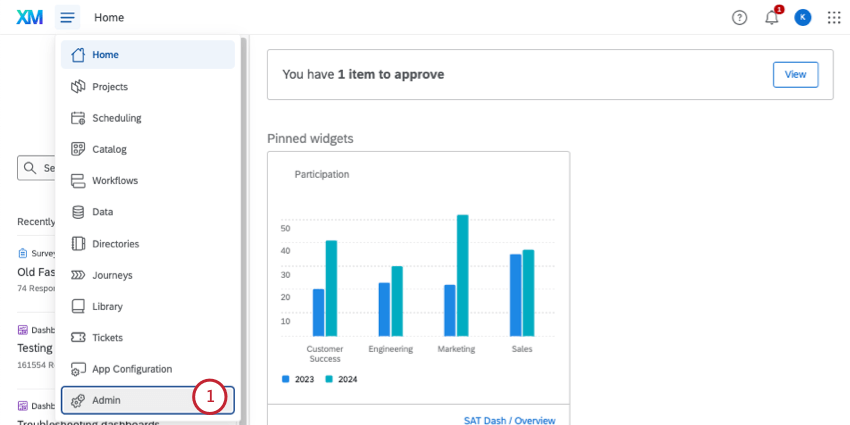
It’s a participant sourcing folded into a much larger experience-management platform with predictive analytics and automated workflows layered on top.
Role-based dashboards mean different teams see only what is relevant to them, useful once research spans multiple departments.
This is a bigger commitment than User Interviews in most cases, built for organizations already running a formal research function rather than a single team recruiting for one study. Pricing is not published, budgeting starts with a sales conversation either way.
Pros:
- Participant sourcing folded into a full experience-management platform
- Predictive insights and automated workflows across research, customer, and employee data
- Role-based dashboards for different teams within one organization
- Industry-leading depth for multi-department research programs
Cons:
- Significant cost and implementation time relative to a single-purpose recruitment tool
- Overkill for a team that just needs to recruit participants for one study
How Qualtrics Compares to User Interviews: Qualtrics operates a full tier above User Interviews in scope, folding recruitment into a much larger research and experience-management platform, the right move only for an organization whose research needs already span well past one study at a time.
Pricing: Quote-only, contact vendor for pricing.
User Rating: 4.7/5 (Capterra)
5. Optimal Workshop: Best for Card Sorting, Tree Testing, and IA-Focused Research
Optimal Workshop is the pick for a team whose research centers on information architecture specifically, card sorting, tree testing, and first-click testing built around understanding how people navigate a structure, not just recruiting them to look at it.
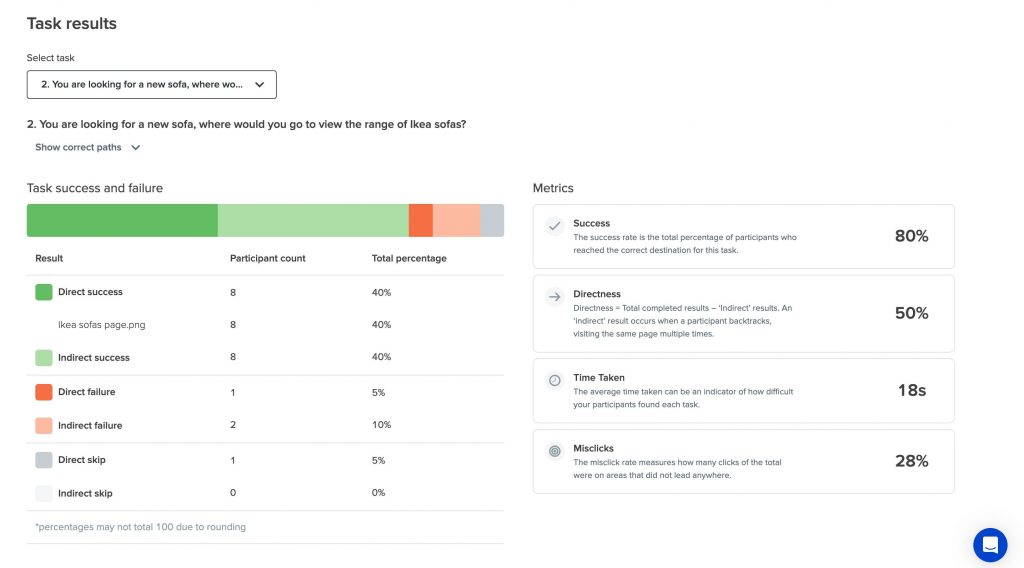
The Starter plan publishes a clear $199 a month, unlimited users included, though the study cap, five launched per year, is a real constraint worth flagging directly.
Teams that specifically need IA-focused methods tend to get more out of this than a general-purpose recruitment platform.
Optimal Intelligence, its AI and automation layer, also handles some of the pattern-spotting a researcher would otherwise do manually across dozens of card sorts.
Pros:
- Card sorting, tree testing, and first-click testing purpose-built for IA research
- Published, unlimited-seat pricing on the Starter plan
- Figma integration for testing directly against real designs
- AI-assisted qualitative insights included on the entry tier
Cons:
- Starter plan caps out at five studies launched per year, a real constraint for active teams
- No free version, only a free trial to test the methods before committing
How Optimal Workshop Compares to User Interviews: Optimal Workshop specializes in the same information-architecture methods a research team might use participants for, at a published price, though its own study cap is a real constraint worth weighing against User Interviews’ usage-based model.
Pricing: Paid plans start at $199/month.
User Rating: 4.4/5 (Capterra)
6. Userlytics: Best for Flexible Usability Testing with a Global Panel
Userlytics is the budget-friendly pick for a team that still wants panel-based recruitment but at a genuinely lower entry cost, a global panel supporting UX research from solo founders to enterprise teams on the same platform.
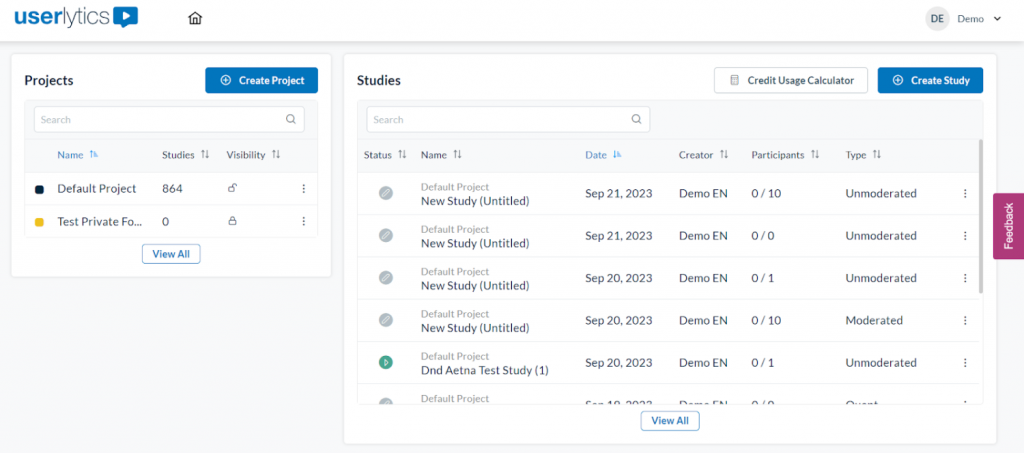
Pay-as-you-go pricing starts low, and unlimited concurrent testing on that plan is a real advantage for a team running several studies at once. Branching logic and advanced metrics come standard rather than gated behind a higher tier.
The tradeoff shows up at scale, annual pricing for larger organizations can climb well past what a smaller team would ever pay, so the entry price is not necessarily representative of what a bigger deployment costs.
Picture-in-picture recording is a nice touch too, capturing a participant’s face alongside the screen they are interacting with.
Pros:
- Global participant panel supporting UX research at any team size
- Pay-as-you-go entry pricing with unlimited concurrent testing included
- Branching logic and advanced metrics available without a higher-tier upgrade
- Flexible enough to scale from solo founders to Fortune 100 deployments
Cons:
- Annual pricing for larger organizations can climb significantly past the entry tier
- Multiple overlapping pricing models can make comparing plans confusing at first
How Userlytics Compares to User Interviews: Userlytics matches User Interviews on panel-based recruitment at a genuinely lower entry price, though its own pricing structure spans a wide range depending on scale, worth mapping against actual usage before assuming it is cheaper across the board.
Pricing: Paid plans start at $30/month.
User Rating: 4.7/5 (Capterra)
7. UXArmy: Best for Unlimited Studies with Panel Access on One Flat Plan
UXArmy bundles unlimited studies, panel participant access, and AI-powered summary and sentiment analysis into one flat monthly rate, a real contrast to User Interviews’ per-participant billing.
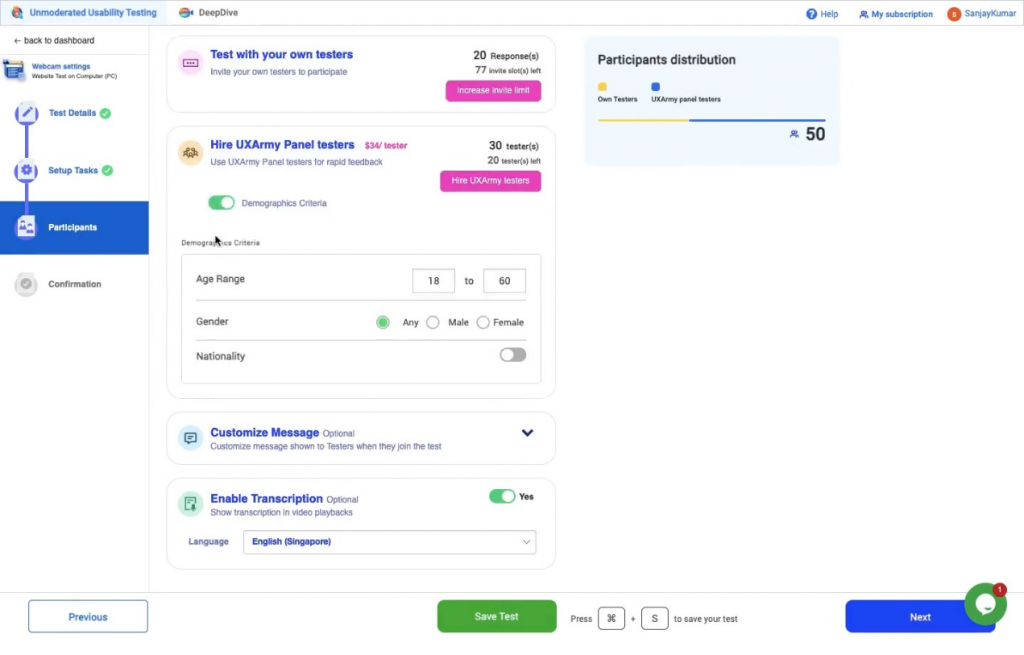
Mobile app, website, and prototype testing all run through the same platform, with full session recording included rather than sold as an add-on.
Card sorting, tree testing, and Figma testing round out the method list, covering more ground than a pure recruitment tool typically attempts.
Access to the platform’s own panel participants means recruitment is bundled in rather than billed as a separate line item.
Pros:
- Unlimited studies and panel participant access on one flat monthly plan
- AI Summary and Sentiment Analysis included as a core feature
- Full session recording across mobile app, website, and prototype testing
- Card sorting, tree testing, and Figma testing are all included
Cons:
- Smaller company with a thinner review base than more established competitors
- Less brand recognition may require more internal buy-in to adopt
How UXArmy Compares to User Interviews: UXArmy answers User Interviews’ pricing-predictability problem about as directly as any tool on this list, one flat monthly rate covering unlimited studies instead of a bill that changes with every recruited participant.
Pricing: Paid plans start at $25/month.
User Rating: 4.5/5 (Capterra)
8. Lightster: Best for Fast Participant Matching Across 100+ Screening Criteria
Lightster is built around fast participant matching, specifically, more than 100 screening criteria to find the right person quickly, plus the option to bring your own list of respondents when recruitment is not actually the bottleneck.
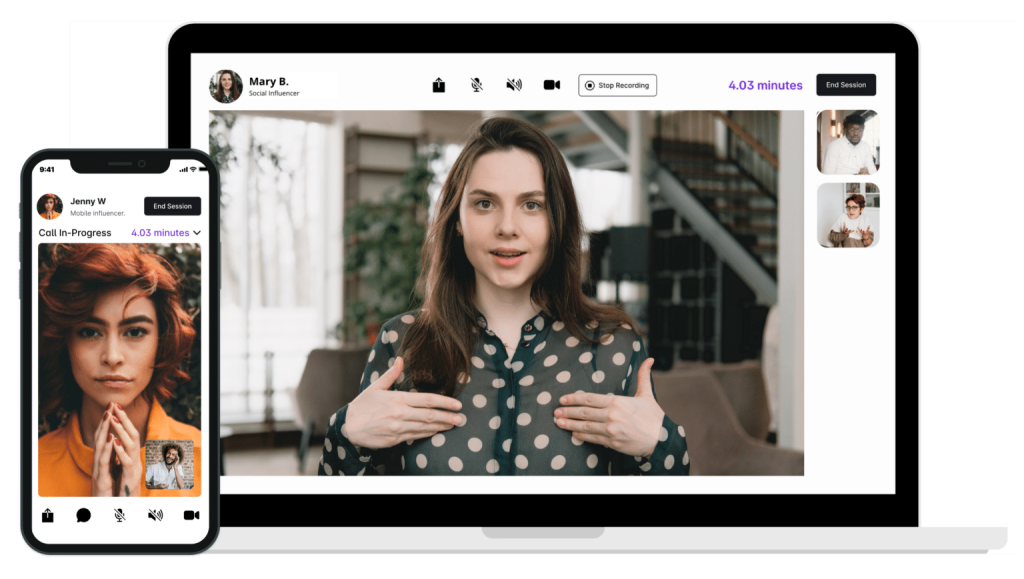
Both moderated and unmoderated testing run through the same platform, alongside standard surveys for lighter-weight feedback.
Double-screening with free messaging is a nice touch, letting a researcher confirm fit before a session is booked rather than finding out mid-interview.
Support is available around the clock, a real plus for teams running studies across time zones. Smaller research teams, in particular, tend to like how quickly a first match comes through, often the same day a request goes out.
Pros:
- Fast participant matching across 100+ screening criteria
- Option to bring your own respondent list instead of recruiting from scratch
- Double-screening with free messaging to confirm fit before a session
- Around-the-clock email support included
Cons:
- Smaller review base than more established recruitment platforms
- Narrower method set than a full research suite, like Lyssna or Optimal Workshop
How Lightster Compares to User Interviews: Lightster matches User Interviews on fast, criteria-based participant matching, with the added option to bring your own respondents when recruiting from scratch is not actually necessary.
Pricing: Paid plans start at $50/month.
User Rating: 4.6/5 (Capterra)
9. Maze: Best for Prototype and Usability Testing
Maze covers a different slice of the same research need, testing a prototype or an information architecture with real users before anything ships, rather than open-ended interviews.
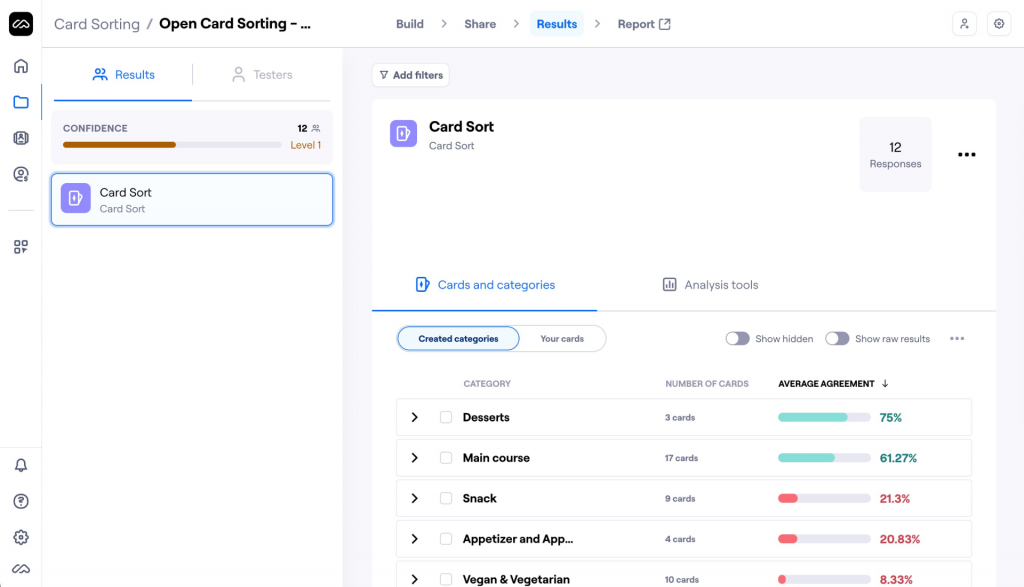
The Figma integration is smooth enough that a designer can turn a prototype into a live usability test in minutes.
AI-generated reporting saves real time when a team is staring at dozens of session recordings and needs the pattern, not the raw footage. A free plan covers basic unmoderated tests, a real starting point before committing to anything paid.
Teams that specifically need design validation rather than open-ended recruitment tend to find this the more direct fit, especially once a prototype is far enough along to test rather than just discuss.
Pros:
- Prototype and usability testing directly from Figma
- AI-powered reporting and smart summaries
- Card sorting and tree testing for information architecture
- Free plan available for basic unmoderated tests
Cons:
- Thin fit for open-ended, moderated interviews compared to a dedicated recruitment platform
- Full participant recruitment and moderated research push into a custom quote-only tier
How Maze Compares to User Interviews: Maze overlaps with User Interviews on prototype and usability testing specifically, rather than open-ended recruited interviews, a fit for teams whose research need is closer to testing a design than talking to a stranger.
Pricing: Free plan available. Paid plans are quote-only.
User Rating: 4.5/5 (Capterra)
10. Alchemer: Best for Flexible, Research-Grade Survey Logic
Alchemer is where I would send a team that has outgrown simple recruitment requests and needs real methodological control over how a study is built, branching, piping, and custom scoring well past what a pure recruitment tool typically offers.
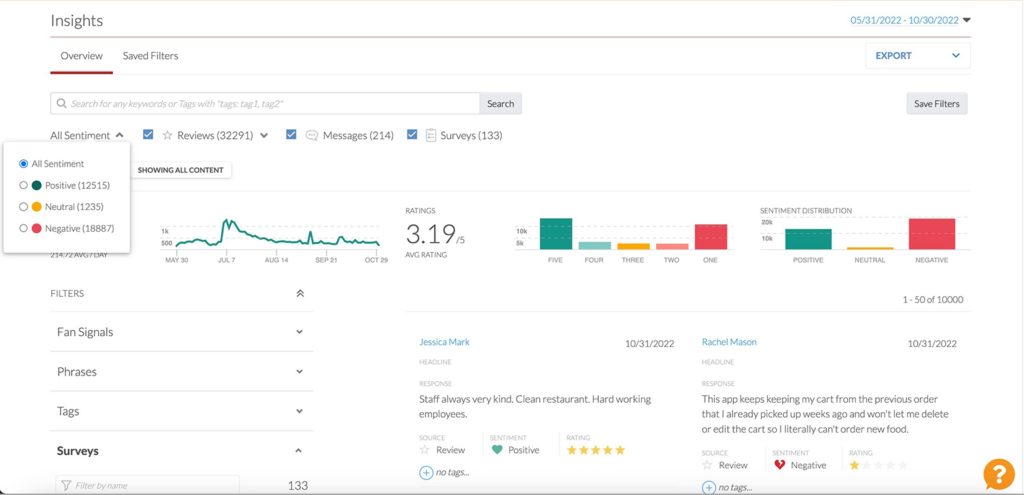
It handles 360-degree feedback and access controls that matter once multiple departments are running research under one account. That flexibility is not free of cost; the learning curve runs noticeably steeper than a tool built around a single recruitment workflow.
Research and analytics-minded teams tend to reach for it specifically once they need to design the study itself, not just recruit people for it.
Strong data security and collaboration features round it out for teams working across multiple stakeholders on the same project.
Pros:
- Deep, flexible survey logic including branching, piping, and custom scoring
- 360-degree feedback and access controls for multi-department use
- Strong data security and collaboration tools
- Broad question-type library beyond simple recruitment screening
Cons:
- Steeper learning curve than a purpose-built recruitment platform
- Pricing is quote-only with no published starting point
How Alchemer Compares to User Interviews: Alchemer trades User Interviews’ recruitment-first simplicity for genuine study-design flexibility, a fit for a team that needs to control the research instrument itself, not just source participants for it.
Pricing: Quote-only, contact vendor for pricing.
User Rating: 4.5/5 (Capterra)
Which User Interviews Alternative Should Be Your Top Pick?
Ten tools are a lot to weigh. If you read only one section, make it this one.
These are the three I would genuinely point a team toward, and each answers a different version of what is actually pushing people off User Interviews.
1. Qualaroo: Best Overall Pick if Your Real Need Is Talking to Existing Users
Qualaroo tops this list for a specific reason: a lot of what gets labeled a recruitment problem is actually a reach problem; teams assume they need to source new participants when the people worth asking are already using the product.
Pricing here is a fraction of what a single recruited participant study on User Interviews can cost once incentives and screening fees add up. Native AI Sentiment Analysis and question branching do the interpretation work automatically, so feedback becomes a pattern instead of a stack of transcripts.
What you do not get is access to a fresh, external panel, so a team that genuinely needs to recruit people who have never touched the product still needs a real recruitment platform alongside this.
2. Lyssna: Best if You Want the Closest Like-for-Like Recruitment Swap
For the most direct swap, I would send a team to Lyssna, the same core recruitment and testing job User Interviews does, with published, transparent pricing and a genuine free plan to test the workflow first.
Panel access to 690,000-plus participants across 120-plus countries covers most of the same demographic ground that User Interviews’ six million-person panel does for the vast majority of studies.
The tradeoff is scale at the very top end. User Interviews’ larger panel may still win out for extremely narrow or niche recruitment criteria that Lyssna’s smaller pool cannot match as reliably.
3. Userlytics: Best if Budget Predictability Is the Actual Complaint
If usage-based pricing is the specific thing driving the search, Userlytics is where I would point that frustration, a pay-as-you-go model with unlimited concurrent testing included on its entry tier.
It covers the same panel-based recruitment job at a lower entry cost than User Interviews’ own per-participant model.
The catch is real, pricing spans a wide range depending on scale, so a larger deployment should map actual usage against the plan tiers before assuming the entry cost holds at higher volume. For a smaller team running occasional studies, though, this is a genuinely lower-cost way to get the same panel access.
How Did I Evaluate These User Interviews Alternatives?
What actually drove these rankings was whether a tool closes the specific gap User Interviews leaves open, unpredictable per-participant costs, not just whether it can technically recruit someone to talk to.
Six factors carried the weight:
User Reviews and Ratings: Every rating here is pulled directly from Capterra, weighed against review count, not just the star average. User Interviews’ own 4.3 rests on 32 reviews, a reasonable sample, and I held any noticeably thinner sample among the alternatives to a slightly higher bar before treating it as equally settled.
Essential Features and Functionality: Whether a tool covers the same recruitment and testing methods, or solves a genuinely adjacent problem like reaching existing users directly, mattered more than raw panel size alone. I looked at what a team could actually accomplish with a tool, not just how many participants a panel claims to include.
Ease of Use: I looked at how much setup stands between signing up and running a first real study, since a usage-based pricing model already adds enough uncertainty without a steep learning curve on top of it. A tool that got a team from signup to a live study in under an hour earned real credit here, not just a passing mention.
Customer Support: I checked whether support is responsive at the entry price or reserved for larger deals, relevant given how much a research team depends on a vendor when a study is time-sensitive. A vendor that only offers real help once a deal reaches a certain size did not score as well, even with strong panel access elsewhere.
Value for Money: I weighed what a tool’s recruitment or research depth actually costs to unlock, since User Interviews’ own Value for Money score sitting below its overall rating is exactly the kind of gap worth watching for elsewhere, too. Published, predictable pricing carried more weight here than a feature set that only reveals its real cost after a study is already running.
Personal Experience and Experts’ Opinions: Where I have used a tool directly, that experience shaped what is written here, including small, practical details that do not always show up on a pricing page. Where I have not, I leaned on patterns that repeat consistently across independent research rather than any single source.
FREE. All Features. FOREVER!
Try our Forever FREE account with all premium features!
How Do You Choose the Right User Interviews Alternative for Your Team?
Name the actual reason User Interviews is not working for you, not the reason you assume should matter, and the table below points to the right pick directly.
| If Your Main User Interviews Frustration Is… | Consider This Alternative |
| Usage-based pricing is hard to forecast | Lyssna or Userlytics |
| You do not actually need to recruit new participants | Qualaroo |
| Wanting the closest like-for-like recruitment swap | Lyssna |
| Needing moderated, panel-recruited research at scale | UserTesting |
| Research needs have outgrown a single-purpose tool | Qualtrics (XM for Strategy & Research) |
| Focused specifically on information architecture testing | Optimal Workshop |
| Wanting one flat monthly rate instead of per-participant billing | UXArmy |
| Needing fast, criteria-based matching or your own respondent list | Lightster |
| Testing prototypes rather than running open-ended interviews | Maze |
| Needing flexible, research-grade survey logic | Alchemer |
Recruiting a New Participant Isn’t Always the Job
Every tool on this list can technically help a team learn something from a user, User Interviews included, and does it well enough to earn a genuinely solid 4.3 rating.
The complaint that sends people looking elsewhere is not the recruitment itself; it is the unpredictable cost attached to it and, for some teams, the fact that recruitment was never actually the right job to begin with.
That is why the right pick splits a few different ways. A team that genuinely needs to recruit people who have never touched the product wants a different answer than one that already has an active user base and just needs to ask them something directly, which is why Qualaroo and Lyssna both earned spots here despite solving fairly different problems.
Panel scale is worth separating out, too. A team recruiting for a narrow, hard-to-find demographic has a shorter list of real substitutes than one running a general usability study.
If the actual goal is reaching people already using your product without a recruitment process at all, I would start with Qualaroo. The free plan lets a team run a real Nudge survey against existing traffic and see what direct feedback looks like before committing to anything.
Frequently Asked Questions
What is the best free alternative to User Interviews?
Qualaroo's free plan covers up to 50 responses with every premium feature included, a genuinely usable starting point given that User Interviews itself offers no free trial or free version at any tier. Lyssna and Maze also offer free plans for teams that specifically want to test panel-based recruitment before spending anything.
Is Qualaroo cheaper than User Interviews?
For its specific job, yes. Qualaroo's Essentials plan runs $19.99 a month with unlimited responses from your own existing users, while User Interviews charges per recruited participant and per task, a cost that climbs with every new study. The two are not solving the same problem, though. Qualaroo does not recruit external participants at all.
Which User Interviews alternative is the closest like-for-like recruitment swap?
Lyssna covers nearly the same core job, participant recruitment, screening, and design testing methods, with a published $166 a month price and a genuine free plan to test first. Userlytics is the second-closest match, offering panel-based recruitment at an even lower entry cost for smaller, less frequent studies that don't need Lyssna's full method set.
Do I actually need a recruitment platform, or can I just survey my own users?
That depends entirely on the study. If you need people who have never used your product, a demographic you do not currently have access to, a recruitment platform like Lyssna or UserTesting is still necessary. If the people worth asking are already using your product, a tool like Qualaroo skips recruitment entirely.
Which User Interviews alternative is best for information architecture research specifically?
Optimal Workshop is purpose-built for this: card sorting, tree testing, and first-click testing at a published price of $199 a month. Lyssna covers the same methods too, alongside broader recruitment and design-testing features, making it the stronger pick for a team that wants IA testing plus everything else in one place without adding a second vendor.
Are there flat-rate alternatives to User Interviews' per-participant pricing?
UXArmy is the strongest fit here, unlimited studies and panel access on one flat monthly rate instead of a bill that changes with every recruited participant. Lightster runs a similar flat monthly model, focused specifically on fast, criteria-based participant matching rather than the broader research methods a full platform offers.
What should I look for in a User Interviews alternative besides price?
Check whether a tool actually needs to recruit new participants for your specific study or whether your own existing users could answer the same question directly. Beyond that, weigh panel size and demographic depth, published versus quote-only pricing, and whether a free plan exists to test the workflow first before committing any real budget.
Is there a User Interviews alternative built for a full enterprise research program?
Qualtrics, through its XM for Strategy & Research product, is built for exactly that scale, participant sourcing folded into a much larger experience-management platform with predictive analytics layered on top. Pricing is not published, so it is best suited to organizations already running a formal, multi-department research function with budget to match.
FREE. All Features. FOREVER!
Try our Forever FREE account with all premium features!

 We'd love your feedback!
What did you like & how can we make it even better?
 Thanks for your feedback!
 Ask Your Question
Have a question? Get expert help to make your decision easier.