





With Qualaroo's Identify API, you can:
Tie every response to a real user instantly
Prioritize feedback by account value and segment
Act on feedback you can actually attribute
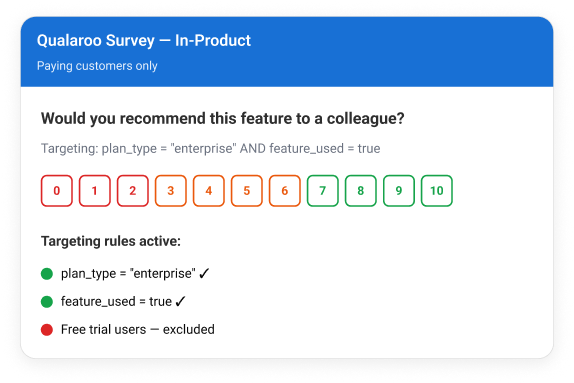
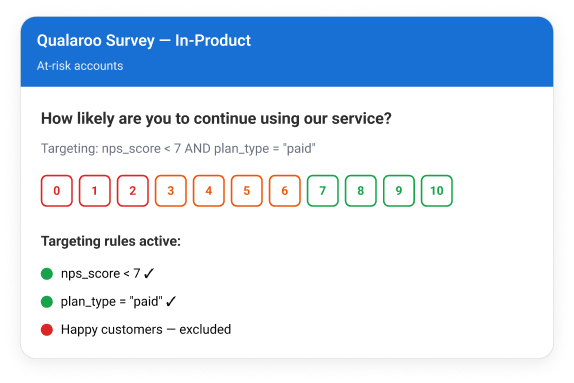
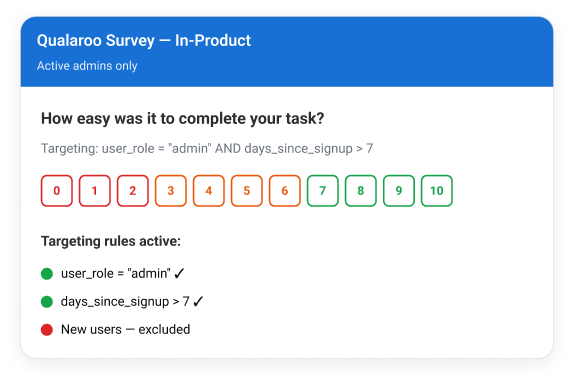
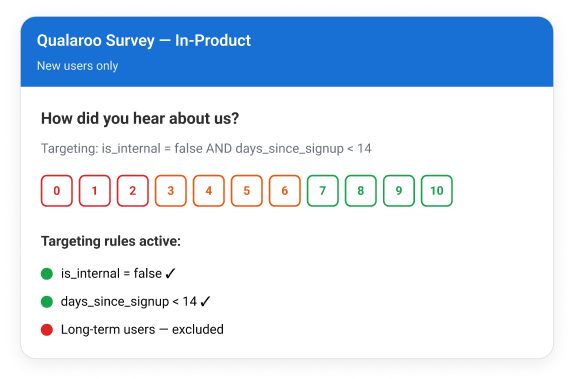
Pass any property your app already tracks, and every survey becomes a precision instrument
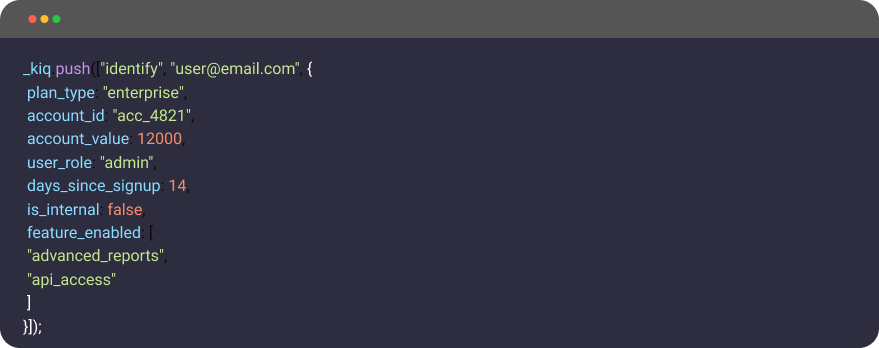
plan_type
Prioritize by revenue tier
A SaaS company passes plan_type: "enterprise" vs "free". Enterprise detractors trigger an immediate CS alert. Free-plan detractors route to the product backlog queue.
account_id
Aggregate at the company level
Instead of seeing 12 individual responses from the same client, CS sees one account view showing all responses from that organization, enabling account-level health scoring.
days_since_signup
Lifecycle-triggered surveys
Trigger a setup survey on day 14 for users who have not completed onboarding. Suppress it automatically for users who have. No segment list to manage. No manual targeting.
is_internal
Permanently exclude employees
Tag all internal accounts once. Every survey, current and future, automatically excludes staff without touching individual survey settings. One flag, permanent clean data.
last_login_days_ago
Target re-engagement surveys
Users who have not logged in for 30 days see a "What brought you back?" survey on return. Users active in the last week are suppressed. Churn signal captured at the right moment.
subscription_mrr
Weight feedback by revenue
Sort responses by MRR in your exports. Instantly distinguish a $500/month account's feature request from a $15,000/month account's request without a CRM lookup.
feature_enabled
Feature-specific surveys
A product team only shows a survey about their reporting module to users who have advanced_reports in their enabled features array. Response quality improves immediately because every respondent has actually used the thing being asked about.
user_role
Target by role within an account
A B2B team passes user_role: "admin" to show onboarding surveys only to account admins. End users see different surveys. One implementation, two completely different feedback tracks.
Every response linked to a real user by email or customer ID.
Survey logged-in users, anonymous visitors, or both. Change anytime from your dashboard.
Tie responses to accounts, CRM records, plans, and segments.
Keep your survey data clean and relevant.
Runs on your website, iOS app, and Android app from a single implementation.
Every response downloads with user identity and segment data attached.
Identify API is included in the Business plan as a powerful targeting capability. Explore the full feature set and start driving better segmentation, higher engagement, and stronger ROI during your free trial.
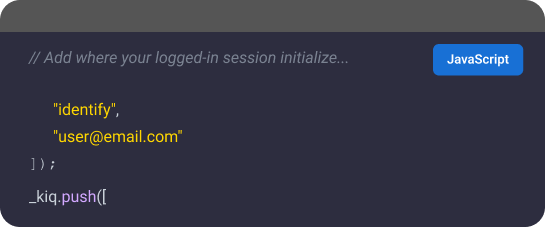
Yes, minor. A developer adds one line of JavaScript where your logged-in user session is initialized. Most teams finish implementation in under 30 minutes.
After setup, survey targeting, whitelists, blacklists, and audience rules are all managed directly from the Qualaroo dashboard without additional code changes. Most engineering teams classify this as a one-sprint task or less.
Identified user data appears directly in your Qualaroo dashboard and CSV exports. Each response includes the email address or customer ID passed through the Identify API.
Yes. Identify API is supported across Qualaroo's iOS and Android SDKs.
Yes. You can choose to survey logged-in users only, anonymous visitors only, or both directly from your survey settings.
Yes. Qualaroo is GDPR and CCPA compliant. You control exactly what user identity data is passed to the API.
No. The Identify API runs asynchronously and adds no perceptible load time to your website or application.
Existing responses remain unchanged. User identification applies only to new survey responses collected after the Identify API is implemented.
The setup is a single line of JavaScript added to your existing session initialization code. It does not touch your product logic, your database, or your survey configuration. Most engineering teams classify this as a one-sprint task or less. Once it is live, your entire survey targeting and identity configuration is managed from the Qualaroo dashboard with no further dev involvement.
It's available in paid Qualaroo plans starting at $49.99/month. No add-on required. See pricing.