
Voice of the customer tools help me answer the only question that really matters when I am building or growing a SaaS product: what are customers trying to do, and what keeps getting in their way? Dashboards tell me what happened.
VoC tells me why it happened. And when retention and expansion are on the line, that “why” is not a nice-to-have.
Here’s the part nobody tells you. Most teams are not short on feedback. They are buried in it.
You have NPS scores with no context, vague one-liners like “too confusing,” support tickets that never reach product, and feedback scattered across tools and threads. So you ship based on loud opinions, not clear patterns. A good VoC setup fixes that. It helps you capture feedback in the moment, sort it fast, and turn it into decisions you can actually ship.
In this guide, I will compare 9 other VoC tools with Qualaroo, break down what modern voice-of-the-customer tools do, what to look for, and how to pick one without overbuying.
What Are Voice of the Customer Tools & Why Do They Matter?
Voice of the Customer (VoC) tools are software solutions designed to systematically capture, analyze, and act on customer feedback across multiple touchpoints. These tools collect insights through surveys, feedback forms, interviews, social media, and support interactions. By translating raw customer opinions into actionable data, VoC tools help businesses understand expectations, measure satisfaction, identify improvement areas, and enhance overall customer experience.
Web analytics tells you that 42 percent of users dropped off at checkout. Voice-of-customer tools indicate they left because shipping costs were unclear.
That difference is everything.
According to a 2017 Deloitte study, customer-centric companies are 60% more profitable than non-customer-centric companies. That profitability does not come from dashboards. It comes from understanding what customers actually need and acting on it.
What Problems Do Voice of Customer Tools Solve?
Most teams face the same issues:
- Feedback is scattered across email, support tickets, and surveys
- NPS scores lack context
- Churn reasons are based on assumptions
- Product teams do not see support trends
- Surveys are sent too late to fix anything
Voice-of-customer software brings structure to this chaos. It:
- Creates a single place for feedback.
- Connects qualitative responses with behavioral data.
- Surfaces patterns instead of isolated complaints.
And most importantly, it helps you move from collecting feedback to acting on it.
How Do Modern VoC Tools Actually Work?
Here is the basic flow. VoC tools:
- Capture feedback at key moments in the journey
- Segment users based on behavior, plan, or lifecycle stage
- Analyze responses using tagging or AI clustering
- Route insights to product, support, or marketing
- Close the loop with the customer
The best voice-of-the-customer solutions do this without overwhelming users or your team. They quietly collect insights, organize them intelligently, and make them usable.
That is what separates modern VoC tools from traditional survey software.
What Are the Best Voice of the Customer Tools?
The best voice-of-the-customer tools combine real-time feedback collection, structured analysis, and workflow automation so teams can act on insights rather than just report them.
The right choice depends on your stage, your team, and how quickly you need insight. Below are the best VoC tools to consider, broken down by where they perform best:
| Tool | Best for | Feedback collection style | Analytics strength | Ideal company size | Pricing |
|---|---|---|---|---|---|
| Qualaroo | Real-time, in-context user feedback | In-product, on-page, prototype surveys triggered by behavior | Strong sentiment analysis and theme detection | SaaS, mid-market, enterprise | Free plan available. Paid from $19.99/month |
| Medallia | Enterprise-wide CX and NPS programs | Surveys, reviews, contact center, digital channels | Advanced NLP, machine learning, benchmarking | Large enterprises | Custom pricing |
| Qualtrics | Advanced research and survey control | Surveys across channels with complex logic | Predictive analytics and driver analysis | Mid-market to enterprise | Custom pricing |
| SurveyMonkey (Momentive) | Flexible survey-based VoC | Email, links, web, in-app links | Solid reporting, limited NLP | SMB to mid-market | Free tier. Paid from ~$30/month |
| InMoment | Strategic CX and market research | Surveys and experience data across journeys | Correlation, driver, and journey analysis | Enterprise | Custom pricing |
| UserTesting | Qualitative, human-centered insights | Live and recorded user sessions with voice and video | Qualitative synthesis, behavioral insights | Product and UX teams | Custom pricing |
| AskNicely | Real-time team-facing feedback | Short surveys via email, SMS, web | Real-time dashboards, metric-focused | Service-driven teams | Custom pricing |
| Forsta | Research-grade mobile surveys | Mobile-first, multi-channel surveys and panels | Advanced reporting and analytics | Research-led organizations | Custom pricing |
| Hotjar | Lightweight VoC with behavior context | On-page surveys paired with heatmaps and recordings | Basic feedback analysis with behavioral data | Early-stage to SMB SaaS | Free plan. Paid from ~$32/month |
| Birdeye | Review-driven customer experience | Reviews, surveys, messaging, social channels | Sentiment and reputation analysis | Multi-location businesses | Custom pricing |
| Zonka Feedback | AI-powered VoC Programs and Multi-channel Feedback | Surveys and reviews | Advanced AI analytics | SaaS, mid-market, enterprise | Custom Pricing |
Let’s take a deeper dive into the tools now:
1. Qualaroo
I first leaned on Qualaroo when I needed answers during active user flows, not after the fact. Instead of sending another follow-up email survey, I wanted to know what users were thinking while they were stuck, hesitating, or about to leave.
Qualaroo makes that possible through its Nudges™, lightweight surveys that appear contextually inside a website, app, or even a prototype. You can trigger them based on behavior, like someone abandoning onboarding or spending too long on a pricing page. That timing alone makes the feedback far more specific and usable.
What sealed it for me was how easy it is to keep surveys focused. Branching logic adjusts questions in real time, and sentiment analysis helps summarize open-text responses without manual tagging. You get patterns quickly, without overwhelming users or your team.
Best For: Product-led SaaS teams that want real-time, contextual feedback during key user moments.
Pros:
- AI-powered sentiment analysis for open-text responses
- Behavioral targeting based on actions, segments, and exit intent
- Nudges™ for live products and design prototypes
- Branching and skip logic to keep surveys short
- Multilingual surveys in 70+ languages
- Custom branding and in-app surveys for mobile apps
Cons:
- Dedicated onboarding support is typically part of paid plans
- Requires an internet connection to use
User Rating: 4.7/5 (Capterra)
Pricing: Free plan available. Paid plans start at $19.99/month, with Business at $49.99 and Enterprise at $149.99.
2. Medallia
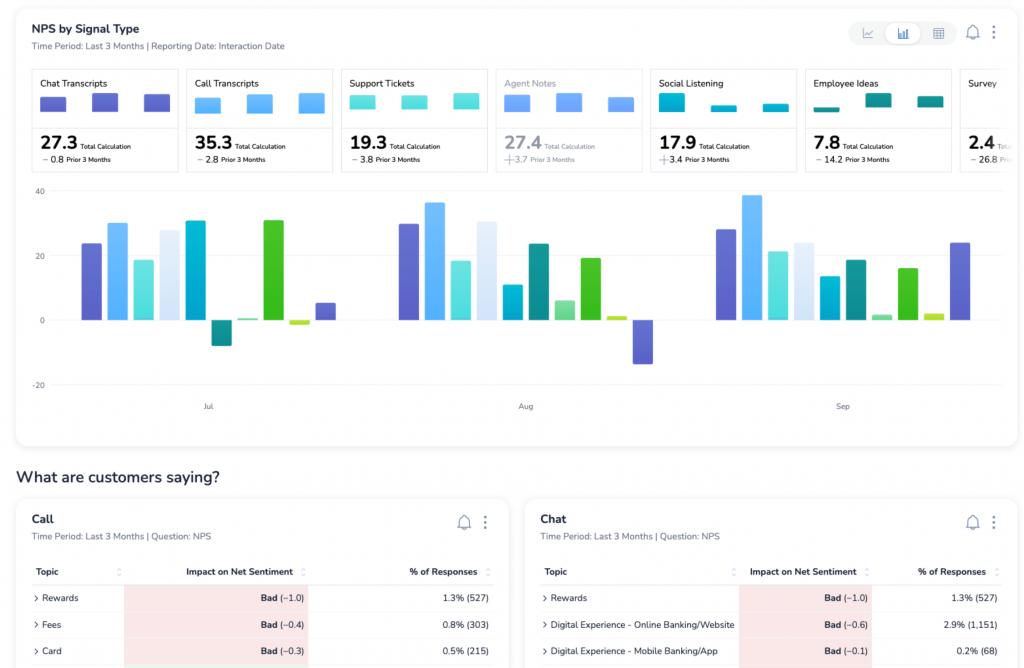
I first looked closely at Medallia while working with larger CX and customer success teams where NPS was treated as a core operational metric, not just a score to report at the end of the quarter. It consistently came up in enterprise conversations where feedback needed to flow in from many channels and locations.
In February 2022, Medallia strengthened this capability by acquiring MonkeyLearn, bringing no-code machine learning and natural language processing directly into its Experience Cloud.
That integration allows teams to analyze large volumes of open-text feedback without relying entirely on manual tagging. Instead of just seeing NPS move up or down, teams can explore the themes, emotions, and experiences behind the score.
Best For: Enterprises running large-scale NPS and customer experience programs across multiple touchpoints.
Pros:
- Centralized feedback collection across channels
- Advanced text analytics powered by NLP and machine learning
- Real-time NPS tracking and benchmarking
- Role-based dashboards and access controls
- Case management for closing the feedback loop
Cons:
- Setup and configuration can be complex
- Pricing is not transparent and requires sales engagement
User Rating: 4.5/5 (G2)
Pricing: Custom pricing based on organization size and requirements.
3. Qualtrics
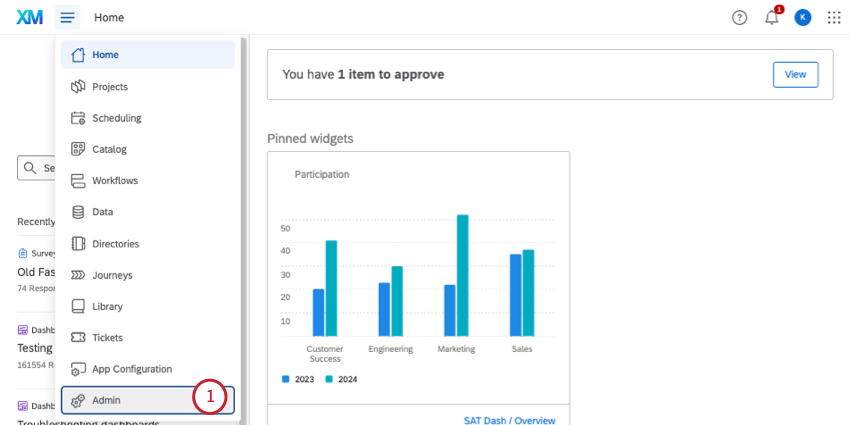
I evaluated Qualtrics during a project where survey design and reporting depth mattered more than speed. It is one of those platforms that shows up when the organization wants full control over question logic, segmentation, and analytics.
Qualtrics goes beyond basic voice of customer tools by combining survey management, experience tracking, and predictive analytics inside one system. It supports complex workflows, detailed reporting layers, and integrations across enterprise stacks.
If your VoC program involves multiple departments and layered approval structures, this kind of platform fits that environment.
It is powerful, but it also requires time and resources to configure properly.
Best For: Enterprises that need advanced survey design, predictive insights, and cross-department reporting.
Pros:
- Advanced survey logic and customization
- Predictive analytics and driver analysis
- Real-time alerts for service recovery
- Role-based dashboards
- Broad integration ecosystem
Cons:
- Steep learning curve
- Higher cost compared to lighter VoC tools
User Rating: 4.3/5 (G2)
Pricing: Custom pricing based on organization size and requirements.
4. SurveyMonkey (Momentive)
I heard about SurveyMonkey from a few product and CX leaders who needed a reliable, scalable way to run structured surveys across email, in-app links, and web. While it is not a dedicated voice of the customer platform in the purest sense, it is often one of the first tools teams land on when they want flexible survey delivery and robust analysis without heavy setup.
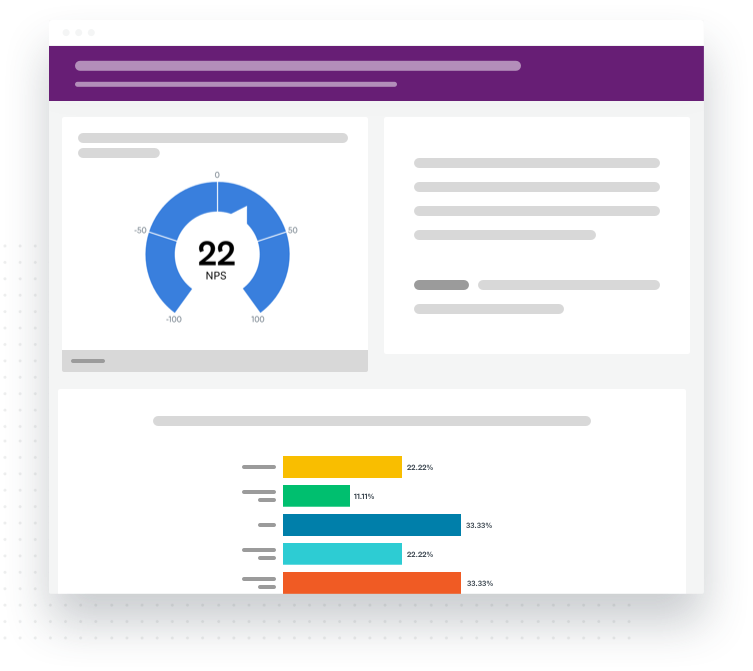
It includes templates for common VoC use cases and provides dashboards where you can slice and filter responses. Its strength lies in adaptability and ubiquity; many teams already have experience with it, reducing onboarding friction.
That makes it a credible option for companies that want a more survey-centric approach to VoC while still integrating with existing workflows.
Best For: Teams that want flexible survey design with broad delivery options and strong reporting.
Pros:
- Wide variety of survey templates
- Easy license and user management
- Strong reporting and export capabilities
- Delivery across email, links, and web
- Integrations with CRMs and analytics tools
Cons:
- Not built specifically for in-product contextual feedback
- Lacks advanced behavioral targeting
- Open-text analysis is not as strong as dedicated NLP tools
User Rating: 4.4/5 (G2)
Pricing: Free tier available. Paid plans start around $30 per month (billed annually).
5. InMoment
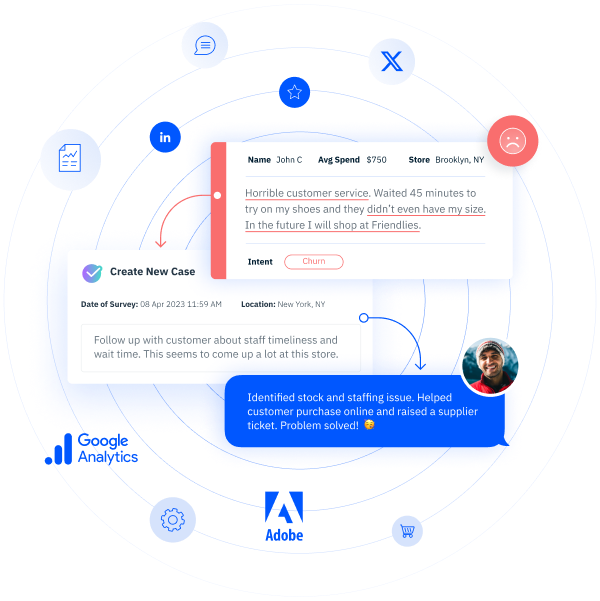
I got introduced to InMoment through CX leaders who were not just tracking survey responses but trying to connect customer sentiment to business outcomes. It kept coming up in conversations where market research and experience data needed to sit in the same system.
It combines feedback collection with advanced analytics, including journey mapping and correlation analysis. Instead of just reporting scores, it helps teams explore which experiences are driving loyalty, churn, or revenue shifts.
It is not built for quick plug-and-play setups. It is designed for organizations that treat customer experience as a long-term program.
Best For: Enterprises that want to connect customer feedback with strategic CX and market research initiatives.
Pros:
- Customer journey mapping tools
- Text analytics and sentiment analysis
- Correlation and driver analysis
- Case management workflows
- Centralized reporting dashboard
Cons:
- Interface can feel complex
- May require onboarding and training to use effectively
User Rating: 4.3/5 (G2)
Pricing: Custom pricing.
6. UserTesting
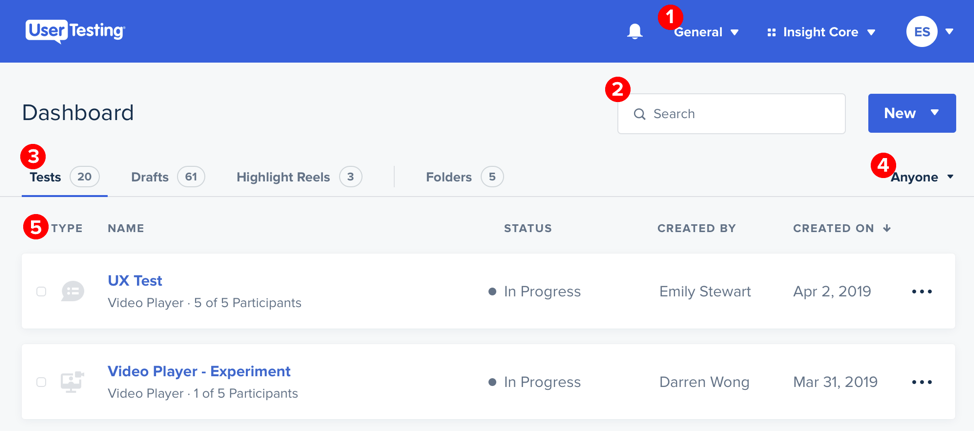
I kept hearing about UserTesting from product and UX teams as the go-to for getting live voice of customer feedback directly from real users. It came up in conversations where teams needed not just answers to surveys but actual user context: behavior, emotion, and spoken feedback tied to real sessions.
You can set up test flows, prompt users with targeted questions, and then receive recorded sessions that show exactly how people think, hesitate, or express confusion.
For teams that want to go beyond charts and scores, this tool adds human voices and behaviors into the feedback mix.
Best For: Product, UX, and CX teams that need human-centered qualitative feedback through real session recordings.
Pros:
- Video recordings of real users navigating flows
- Target segments based on demographics and behavior
- Verbatim voice responses linked to task outcomes
- Quick test launches with built-in templates
- Actionable insights without manual recruitment
Cons:
- Not designed for large volume automated surveys
- Can be more expensive than typical VoC survey tools
User Rating: 4.4/5 (G2)
Pricing: Custom pricing based on use case and panel access.
7. AskNicely
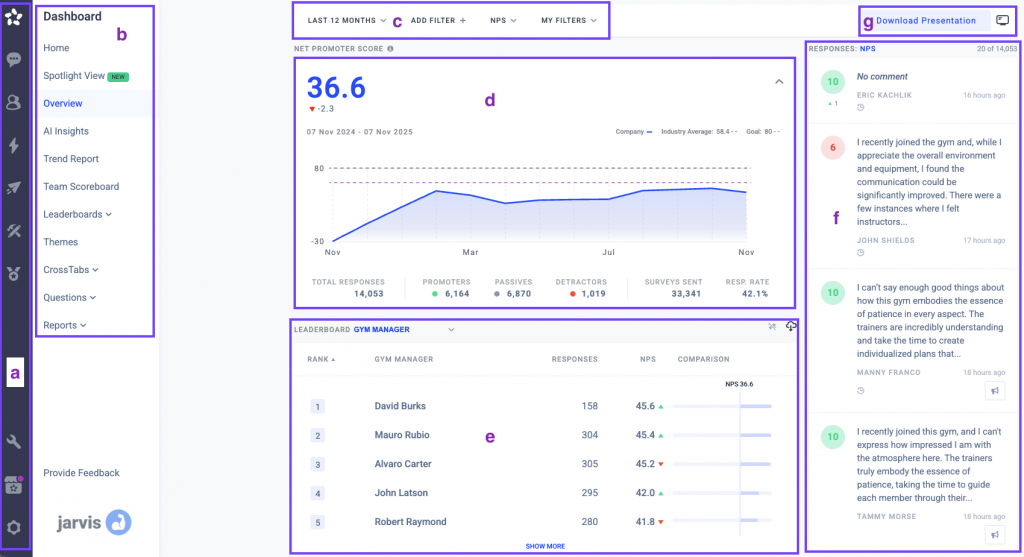
I kept hearing about AskNicely from customer success leaders who wanted feedback to be visible across teams, not locked inside reports. It usually came up in conversations where the goal was to share customer sentiment quickly with frontline teams.
AskNicely focuses on collecting short, conversational surveys and making the results easy to act on. Feedback updates in real time and can be displayed on dashboards that teams actually look at, including TV dashboards in offices.
It is especially popular in service-driven environments where speed and simplicity matter more than complex survey design.
Best For: Customer success and service teams that want real-time feedback shared openly across the organization.
Pros:
- Short, conversational survey formats
- Real-time dashboards for teams
- NPS, CSAT, CES, and 5-star surveys
- Skip logic for targeted questions
- Integrations with CRM and internal tools
Cons:
- Heavy focus on NPS as the primary metric
- Limited flexibility for complex survey logic
User Rating: 4.7/5 (G2)
Pricing: Custom pricing.
8. Forsta
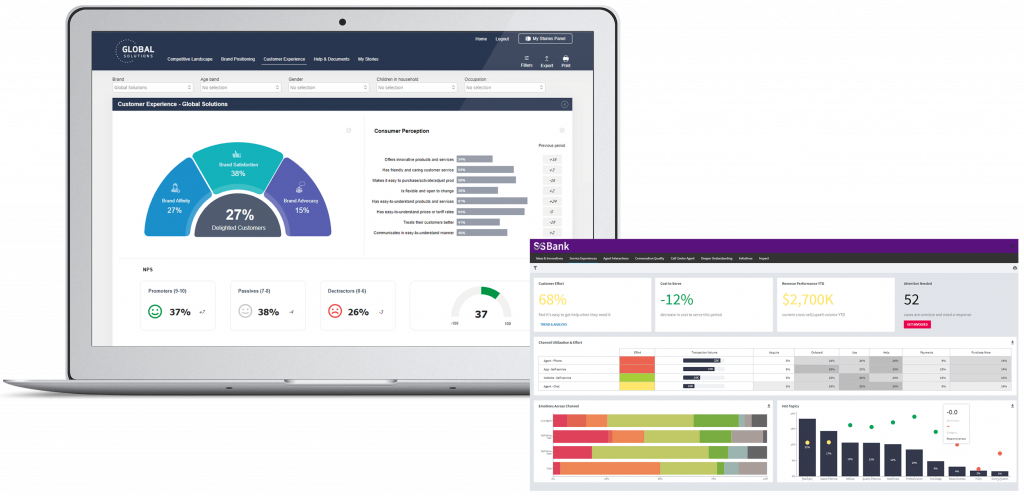
Forsta came up while talking to research and insights teams that needed more control over how surveys were designed and delivered, especially on mobile. It is often mentioned when research-grade capabilities matter more than quick deployment.
Forsta supports mobile-first surveys, panel management, and advanced analytics across multiple channels. It is built to handle large research programs and ongoing feedback initiatives, making it a strong fit for organizations running continuous studies rather than quick pulse surveys.
This is not a lightweight tool. It is designed for teams with dedicated research workflows.
Best For: Organizations running mobile-first surveys and structured market or experience research programs.
Pros:
- Mobile-first survey design
- Multi-channel feedback collection
- Text and reporting analytics
- Panel and poll management
- Support for rich media in surveys
Cons:
- Interface can feel complex for new users
- Reporting access may be limited by license type
User Rating: 4.2/5 (G2)
Pricing: Custom pricing.
9. Hotjar
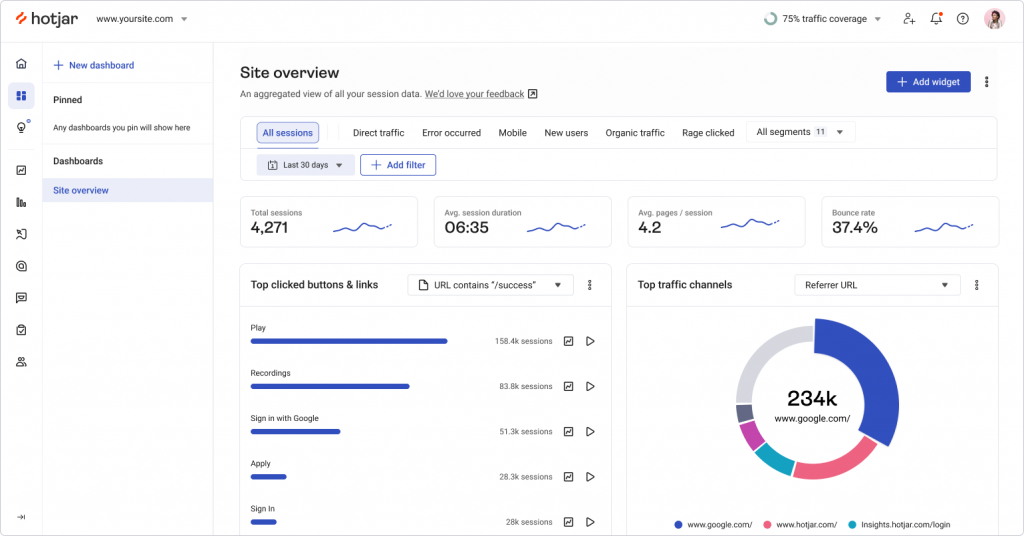
Hotjar came up in multiple product conversations where teams were already using heatmaps and session recordings, but wanted lightweight voice of the customer tools layered into the same environment. It is often described as a behavioral analytics tool first, with feedback capabilities built in.
Alongside heatmaps and recordings, Hotjar includes on-page surveys and feedback widgets. You can ask users quick questions while they browse, collect open-text responses, and analyze patterns alongside user behavior data.
For smaller SaaS teams or early-stage products, it is frequently seen as a practical entry point into structured VoC.
Best For:
Teams that want to combine behavioral analytics with simple on-page feedback collection.
Pros:
- On-page surveys and feedback widgets
- Heatmaps and session recordings
- Simple targeting rules
- Visual analytics dashboards
- Easy installation
Cons:
- Limited advanced survey logic
- Not built for enterprise-scale VoC programs
User Rating: 4.5/5 (G2)
Pricing: Free basic plan available. Paid plans start at approximately $32 per month.
10. Birdeye
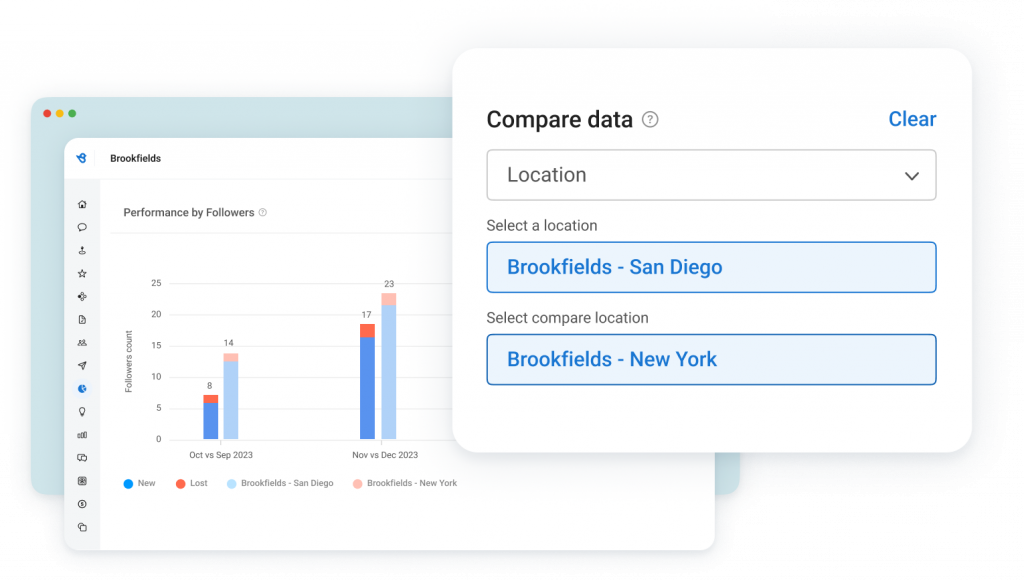
Birdeye was recommended to me by CX professionals working in multi-location businesses where online reviews heavily influence revenue. It often comes up in conversations about reputation management and review-driven customer experience strategies.
It allows businesses to monitor sentiment, respond to reviews, and analyze trends from a centralized dashboard. For companies where public feedback and ratings directly impact growth, this type of voice-of-the-customer solution becomes part of brand management.
It leans more toward reputation and review management than pure in-product VoC, but it plays a clear role in the broader customer feedback ecosystem.
Best For: Businesses that prioritize review management and multi-location reputation tracking.
Pros:
- Review monitoring across platforms
- Survey and messaging tools
- Sentiment tracking
- Centralized reputation dashboard
- Multi-location management
Cons:
- More review-focused than product-focused
- Advanced analytics may require higher tiers
User Rating: 4.7/5 (G2)
Pricing: Custom pricing based on business size and needs.
11. Zonka Feedback
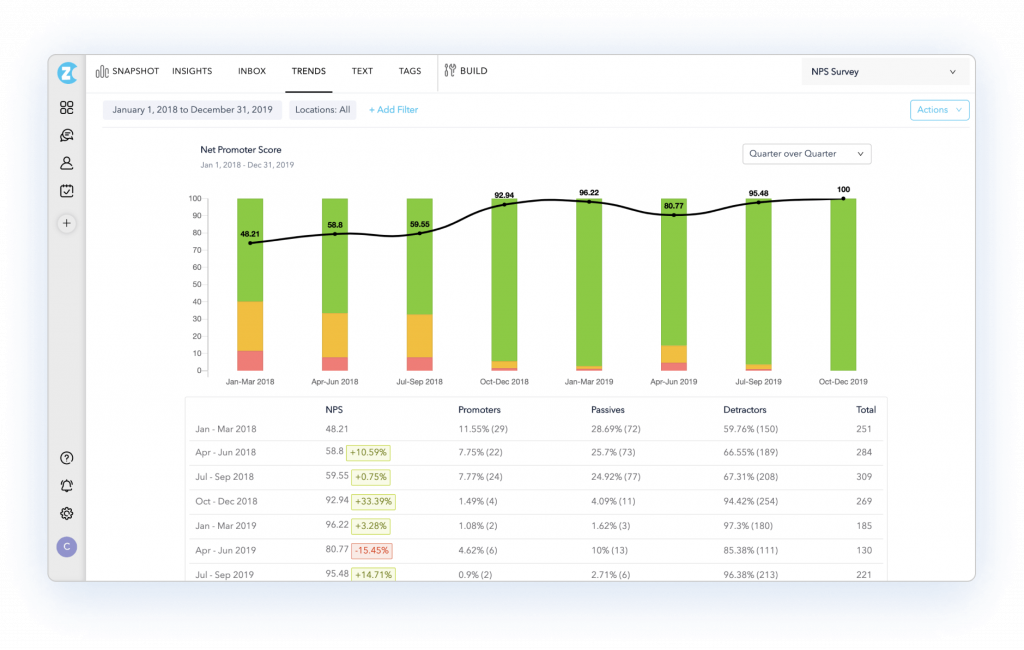
Another VoC tool worth serious consideration is Zonka Feedback. I came across it while looking at mid-market teams that needed more than a basic survey tool but weren’t ready for the complexity of an enterprise platform.
What makes it relevant here is its AI Feedback Intelligence layer. Rather than just surfacing scores, it runs open-ended responses through sentiment detection, theme clustering, intent analysis, and entity recognition.
The platform covers email, SMS, WhatsApp, in-app, web widgets, and offline kiosks, which gives CX teams the flexibility to run feedback programs at the moments that actually matter in the customer journey, not just post-purchase or after a support ticket closes.
Best For: Mid-market and growing enterprise teams that need multi-channel VoC coverage with AI-powered text analytics built in.
Pros:
- Multi-channel feedback collection via email, SMS, WhatsApp, web widgets, in-app surveys, and offline kiosks
- AI analytics covering sentiment, themes, intent, and entity recognition on open-ended responses
- Real-time dashboards tracking NPS, CSAT, and CES in one place
- Response inbox with case management and automated workflows for closing the feedback loop
- Integrations with Salesforce, HubSpot, Zendesk, Slack, and other core business tools
Cons:
- Advanced features and automation setups require initial configuration time to get right
- Teams new to AI-powered feedback tools may need a ramp-up period to use the full feature set effectively
User Rating: 4.7/5 (G2)
Pricing: Custom pricing available on request.
My Top 3 Voice of the Customer Tool Picks
Voice of the customer tools serve different needs depending on scale, speed, and how deeply you want to understand customer intent. These three picks stand out because they solve very different problems well.
1. Qualaroo
This is my top pick when speed and context matter most.
Qualaroo works best when you want to understand why users behave a certain way while they are still inside your product or website. Instead of waiting for post-experience surveys, you capture feedback in the moment, tied directly to user actions.
If your goal is to reduce drop-offs, improve onboarding, or validate product decisions quickly, this approach gives you clarity without slowing teams down.
2. Medallia
Medallia is the strongest choice for large organizations running structured, enterprise-wide VoC programs.
It is designed for scale, pulling feedback from multiple channels and layering in advanced analytics to explain what drives customer sentiment. With the integration of no-code machine learning and NLP, it helps teams move beyond surface-level scores and understand the themes behind them.
This is a better fit when governance, benchmarking, and cross-team reporting are priorities.
3. Qualtrics
Qualtrics stands out when research depth and survey sophistication are critical.
It offers extensive control over survey logic, data analysis, and reporting, which makes it useful for organizations with mature research needs. If your VoC program supports multiple departments and requires advanced modeling, this level of control can be valuable, though it comes with added complexity.
How I Evaluated the Voice of the Customer (VoC) Tools
To compare the voice of the customer (VoC) tools fairly, I evaluated each platform against a set of criteria that determine how useful the tool is in a real feedback program.
The goal was not simply to identify tools with the most features, but to assess which platforms actually help teams capture meaningful customer feedback, uncover insights, and turn those insights into action.
Problem–Solution Fit: Each platform was evaluated based on the type of customer problem it is designed to solve. Tools that clearly connect feedback collection to specific business decisions were rated higher.
Feedback Collection Capabilities: The tools were assessed based on how effectively they capture customer feedback at the right moments. Platforms that enable feedback collection directly within the customer journey were considered more valuable.
Insight and Analysis Features: A key evaluation factor was how well each tool turns raw feedback into actionable insights. Tools that help teams quickly understand why customers feel a certain way scored higher.
Actionability and Workflow Integration: VoC platforms were also evaluated based on how easily insights can be acted upon. Features such as automated alerts for negative feedback, integrations with CRM systems and collaboration tools, and the ability to route insights to the appropriate teams were considered essential.
Ease of Use: Usability was reviewed with attention to survey setup, dashboard clarity, and how easily teams can access and interpret feedback data. Tools that enable non-technical teams to launch feedback programs and generate insights without heavy configuration performed better in this category.
Value for Money and Scalability: Finally, each tool was assessed based on pricing relative to its features, reporting capabilities, and scalability. Platforms that support growing VoC programs, while maintaining manageable costs and flexible data export options, were considered to offer stronger long-term value.
FREE. All Features. FOREVER!
Try our Forever FREE account with all premium features!
Turning Customer Feedback Into Decisions That Actually Stick
Voice-of-the-customer tools are not about collecting more opinions. They are about reducing uncertainty. When used well, they help you understand what customers experience in real time, prioritize the right fixes, and move faster with confidence.
The difference usually comes down to timing and context. Feedback gathered weeks later explains very little. Feedback captured while users are actively navigating your product explains a lot.
That is why many product-led teams lean toward tools that surface insights during key moments, not after the journey is over. When feedback is contextual, it becomes easier to spot patterns, align teams, and turn customer input into action rather than just reports.
If your goal is to improve onboarding, reduce friction, or understand why users hesitate or leave, starting with in-product, real-time feedback is a practical first step. Over time, that clarity compounds, and customer decisions start to feel a lot less mysterious.
Frequently Asked Questions
When should you collect voice of customer feedback for the highest ROI?
Collect feedback at moments where decisions change outcomes. In SaaS, that usually means 30 days after onboarding, right after a key feature is used, after a support interaction, 90 to 180 days before renewal, and at cancellation. Voice of customer software works best when feedback is gathered while the experience is still fresh and specific.
How does a voice of the customer program work in a SaaS team?
A practical VoC program follows a simple loop. You define the journey moments that matter, trigger feedback at those moments, and analyze themes across responses. Then you route insights to the right owners and close the loop with customers. Voice of the customer tools make this repeatable by reducing manual work and keeping feedback connected to context.
How do voice of the customer tools support retention and expansion?
They reveal why customers hesitate, stall, or downgrade, and they surface expansion signals from happy users. With voice of customer solutions, you can spot onboarding friction, identify feature adoption blockers, and flag renewal risks early. Over time, you build a reliable system for learning what drives satisfaction and what causes churn across segments.
What features matter most when choosing voice of customer software?
Look for features that improve signal quality and speed to action. That includes behavioral targeting, in-app or on-page surveys, open-text analysis with sentiment or theme grouping, segmentation by lifecycle or plan, and integrations that route insights to the right team. If you cannot act without exporting spreadsheets, the tool will slow you down.
How do you know if your voice of the customer program is working?
It is working when feedback consistently drives decisions, and customers can feel the improvements. You should see faster identification of friction points, clearer prioritization discussions, and quicker responses to negative signals. Over time, you should also see better retention, fewer repeat complaints, and higher satisfaction scores tied to specific fixes.
What is the biggest mistake teams make with VoC tools?
The biggest mistake is treating feedback collection as the finish line. Teams collect responses, build dashboards, and stop there. VoC tools only create value when insights are routed, owned, and acted on. If no one is accountable for closing the loop, voice-of-the-customer solutions become another data pile people ignore.
What are the tools to capture the voice of a customer?
Voice of the customer tools include in-product survey tools, email and SMS survey platforms, review and reputation tools, social listening tools, and conversation analytics for support calls and chats. The best setup usually blends at least two: one to capture feedback in the moment and another to analyze and organize themes. This mix helps teams move from raw comments to actionable patterns.
How do you capture the voice of the customer?
Start by mapping your customer journey and identifying 3 to 5 moments where feedback is most valuable, such as onboarding completion, feature adoption, support resolution, and cancellation. Then collect feedback through short surveys, open-text prompts, and passive inputs, such as reviews. Finally, route insights to owners and close the loop with customers. Voice-of-customer software helps make this repeatable and measurable.
Which method is commonly used to capture the voice of the customer?
The most common method is surveys, especially NPS, CSAT, and CES, because they are easy to launch and easy to trend over time. That said, surveys work best when paired with open-text questions that explain the score. Many teams also combine surveys with support tickets and reviews to avoid relying on one channel and missing context.
FREE. All Features. FOREVER!
Try our Forever FREE account with all premium features!

 We'd love your feedback!
What did you like & how can we make it even better?
 Thanks for your feedback!
 Ask Your Question
Have a question? Get expert help to make your decision easier.