
You didn’t look up “Zoho Survey alternatives” because you hate the product. Most teams that search for this are running into the same few walls: the analytics feel thin, behavioral targeting is too limited, or the design control just isn’t there once you need surveys to actually match your product.
If you’re already in the Zoho ecosystem, Survey is a logical starting point.
The moment you move outside it, or the moment you need something more nuanced than a static form, is the moment this list becomes useful.
Here’s a breakdown of ten Zoho Survey alternatives that fix what’s actually frustrating teams right now, along with honest guidance on which one fits your situation.
Why Are Teams Looking for Alternatives to Zoho Survey?
Before you invest time in a tool evaluation, it’s worth naming the real problem.
Teams leave Zoho Survey for a handful of consistent reasons, and they tend to cluster into the same categories.
Ecosystem Dependency With Thin Outside Integrations: Zoho Survey connects cleanly to other Zoho products. Outside that ecosystem, the depth of integration is shallower. Teams on HubSpot, Salesforce, or Segment often find themselves bridging gaps manually.
Design Control That Stops Short: Capterra reviewers consistently note that you can apply themes and logos, but pixel-perfect brand control isn’t achievable. For product teams that need surveys to feel native to their UI, that gap is noticeable.
Basic Analytics Without Add-Ons: The built-in reporting includes charts, trend analysis, and CSV exports. Cross-tab analysis, sentiment detection, and predictive metrics require Zoho Analytics as a separate add-on. That changes the effective price significantly.
No Behavioral Triggering for In-App Surveys: Zoho Survey supports embedding on websites, but doesn’t offer the kind of targeting that fires a survey based on scroll depth, session duration, user segment, or exit intent. For SaaS teams trying to capture in-context feedback, that’s a structural gap.
Logic Complexity That Compounds Fast: Community forum discussions show recurring issues with looping and carry-forward logic, page skip behavior, and multi-step conditional setups. Teams building complex research instruments hit these walls quickly.
A Short Free Trial: Seven days is not enough time to evaluate a feedback workflow end-to-end, and several reviewers flag this as a friction point early in the evaluation process.
11 Zoho Survey Alternatives That Solve the Real Problems
Here’s the full comparison table before the deep dives. Use this to narrow down your shortlist based on what you actually need.
| Tool | Best For | Key Strength | Capterra Rating | Starting Price |
| Qualaroo | In-App and Behavioral Feedback | AI survey creation, Behavior-based Nudge™ surveys, NPS, and AI sentiment analysis | 4.7/5 | Free plan available. Paid from $19.99/month |
| ProProfs Survey Maker | Easily Creating Custom Customer Surveys, CSAT, CX, & NPS Forms Using AI | AI Survey Maker, scored surveys, 1,000,000+ question library, skip logic | [confirm current Capterra rating before publishing] | Free plan available. Paid from $19.99 per 100 responses/month |
| Typeform | Conversational, High-Completion Surveys | One-question-at-a-time design for higher engagement | 4.7/5 | Free plan; paid from $28/month |
| Jotform | Multi-Purpose Forms With Payments | Versatile form-survey hybrid with 10,000+ templates | 4.7/5 | Free plan; paid from $19/month |
| SurveyMonkey | General-Purpose Survey Volume | Broad template library, strong brand recognition | 4.6/5 | Individual plans from $30/month |
| Alchemer | Enterprise Logic and CRM Automation | Bidirectional Salesforce/HubSpot sync, 40+ question types | 4.5/5 | Custom quote |
| QuestionPro | Research-Heavy Surveys | 52 question types, MaxDiff, Conjoint analysis | 4.8/5 | Free plan; paid from $83/month |
| Qualtrics | Enterprise XM and Academic Research | Statistical depth, text analytics, closed-loop workflows | 4.6/5 | Custom quote |
| SurveySparrow | Conversational NPS and Recurring Pulses | Chat-style surveys, recurring automation, 360-degree feedback | 4.4/5 | Paid from $19/month |
| Google Forms | Free, Simple Data Collection | Zero cost, unlimited responses, Google Workspace sync | 4.7/5 | Free |
| LimeSurvey | Open-Source and Data Sovereignty | Self-hosted, 80+ languages, full customization via code | 4.4/5 | Paid from $36/month |
| SurveyMonkey | General-Purpose Survey Volume | Broad template library, strong brand recognition | 4.6/5 | Individual plans from $30/month |
A comparison table tells you what each tool costs and how users rate it. It doesn’t tell you where each tool actually earns its place or where it falls short.
The breakdowns below cover both. Each entry is matched to a specific use case, so you can skip to the tools that address your actual constraints, not just the ones with the highest star ratings.
1. Qualaroo: Best for Capturing Real-Time User Insights In-App & on Your Website Using Contextual, AI-Powered Micro-Surveys
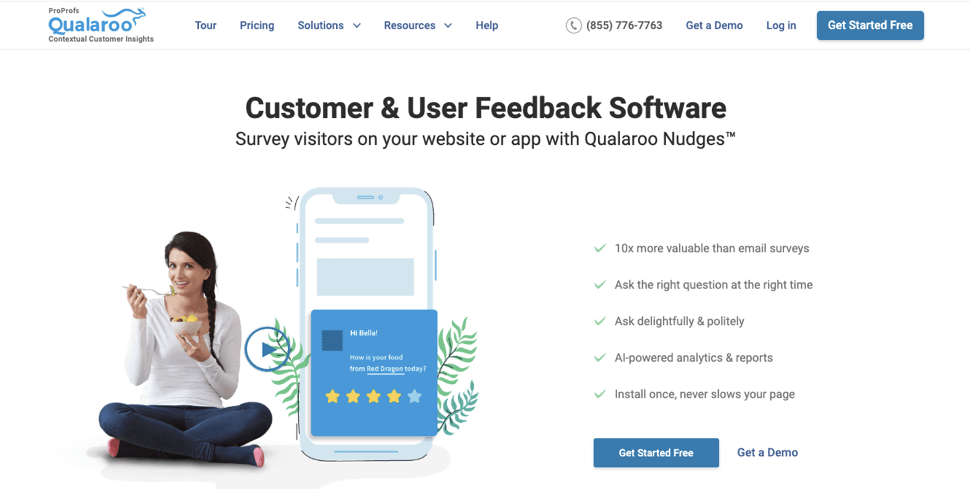
Most survey tools ask your users to stop what they’re doing, follow a link, and fill out a form. Qualaroo works the other way around: it meets users where they already are, inside your product, on your website, or at the exact moment they’re about to leave.
It’s a purpose-built feedback, NPS, and in-app survey platform that delivers contextual surveys through Nudge™ technology.
Instead of sending a survey link after the fact, Nudge™ prompts appear non-intrusively while users are actively engaged. You can trigger them based on scroll depth, time on page, specific URLs, user behavior, custom variables, or exit intent.
That targeting precision matters. Most feedback tools catch users long after the moment has passed. Qualaroo captures intent at the source.
Native AI Sentiment Analysis automatically scores open-ended responses, Automated Tagging categorizes them, and for teams drowning in free-text answers, the AI Response Summarizer turns hours of manual reading into a signal you get in minutes.
For product teams tracking logged-in users, the Identify API links every response to a known user by email or customer ID with a single line of JavaScript.
According to Qualaroo’s case study with Hootsuite, using targeted in-product surveys delivered a 16% lift in conversion at 98% statistical significance.

Pros:
- AI-based survey creation for quick, powerful surveys
- Behavior-based and URL-specific targeting with no developer involvement for setup
- AI Sentiment Analysis (IBM Watson) processes open-ended responses automatically
- Nudge™ surveys for website, web app, iOS, and Android
- Exit intent triggers, question branching, and multilingual support (100+ languages)
- Identify API for user-attributed feedback tied to real customer records
- Heatmaps and Session Recordings are bundled for visibility into how users behave on the page
- Seamless integrations with Salesforce, HubSpot, Slack, Google Analytics, and Zapier
Cons:
- Paid tiers are where you get a dedicated account manager and hands-on onboarding support.
- It’s built entirely for connected use, so there’s no offline mode if you need one.
How Qualaroo Compares to Zoho Survey: Zoho Survey collects responses. Qualaroo captures intent as it happens. If your team is sending surveys after the session ends and seeing low response rates, Qualaroo fixes the underlying problem: the feedback isn’t contextual.
Pricing: Free plan available. Paid plans start at $19.99/month.
Capterra Rating: 4.7/5
2. ProProfs Survey Maker: Best for Easily Creating Custom Customer Surveys, CSAT, CX, & NPS Forms Using AI
If your Zoho Survey frustration is thin analytics and design control that stops short, AI Survey Maker changes what the starting point looks like. Describe what you’re trying to measure, a CSAT check-in, a CX pulse, an NPS program, and AI Survey Maker generates a complete, ready-to-send survey around it, removing the blank-page setup entirely.
Beyond the AI builder, there are 100+ templates and over 1,000,000 ready-to-use questions to pull from, along with skip logic and branching so respondents aren’t wading through irrelevant questions. Scored surveys let you assign values to answers and bucket respondents by result, useful for lifecycle segmentation or lead qualification, which is deeper than what Zoho Survey’s built-in reporting handles without the separate Zoho Analytics add-on.
Distribution runs through email, direct link, website embed, or QR code, and multilingual support covers 90+ languages.
Pros:
- AI Survey Maker builds a complete survey from a single prompt, no starting from scratch
- 100+ templates and 1,000,000+ ready-to-use questions across use cases
- Scored surveys with custom result pages for lead qualification and segmentation
- No per-user fees, pricing scales with responses instead of seats
- Multilingual support across 90+ languages
- Salesforce and HubSpot integration for CRM-connected workflows
Cons:
- No native in-app SDK or behavioral trigger capability
- No heatmaps or session recordings to pair with survey responses
- White labeling is a paid add-on rather than included by default
How ProProfs Survey Maker Compares to Zoho Survey: Zoho Survey’s reporting is basic without the Zoho Analytics add-on, and it has no behavioral targeting. ProProfs Survey Maker closes the analytics gap with AI-built surveys and scored result pages, though it doesn’t add in-app triggering either, that’s still a Qualaroo-level capability, not a Survey Maker one. For teams whose actual complaint is thin CSAT/CX/NPS setup and reporting rather than in-app targeting, it’s a direct upgrade.
Pricing: Free plan available. Paid plans from $19.99 per 100 responses/month.
Rating: 4.8/5 (Capterra)
3. Typeform: Best for High-Completion Conversational Surveys
If your survey completion rates are low and you suspect the format is part of the problem, Typeform is worth evaluating. It’s built around a one-question-at-a-time design that feels less like a form and more like a conversation.
Capterra reviewers consistently cite higher response rates as the primary reason they stick with it. The trade-off is cost.
For teams that need advanced analytics, Typeform’s reporting is frequently flagged as a limitation. The design side is excellent; the analysis depth is not.
Pros:
- One-question format reduces cognitive load and improves completion
- Strong design customization with brand kit support
- 140+ templates covering lead gen, HR, research, and customer feedback
- Integrates with Google Sheets, HubSpot, Slack, and Zapier
Cons:
- Free plan limited to 10 responses/month, which is not workable for most teams
- Reporting and analytics are thin compared to research-focused platforms
- Pricing scales steeply with response volume and advanced features
How Typeform Compares to Zoho Survey: Zoho Survey gives you more question types and logic depth. Typeform gives you a better respondent experience and higher completion rates. The right choice depends on whether your problem is form functionality or engagement.
Pricing: Free plan; paid Core plans start at $28/month.
Rating: 4.7/5 (Capterra)
4. Jotform: Best for Multi-Purpose Forms, Payments, and Registrations
Jotform occupies a useful middle ground: it handles surveys, registration forms, payment collection, and file uploads on a single platform.
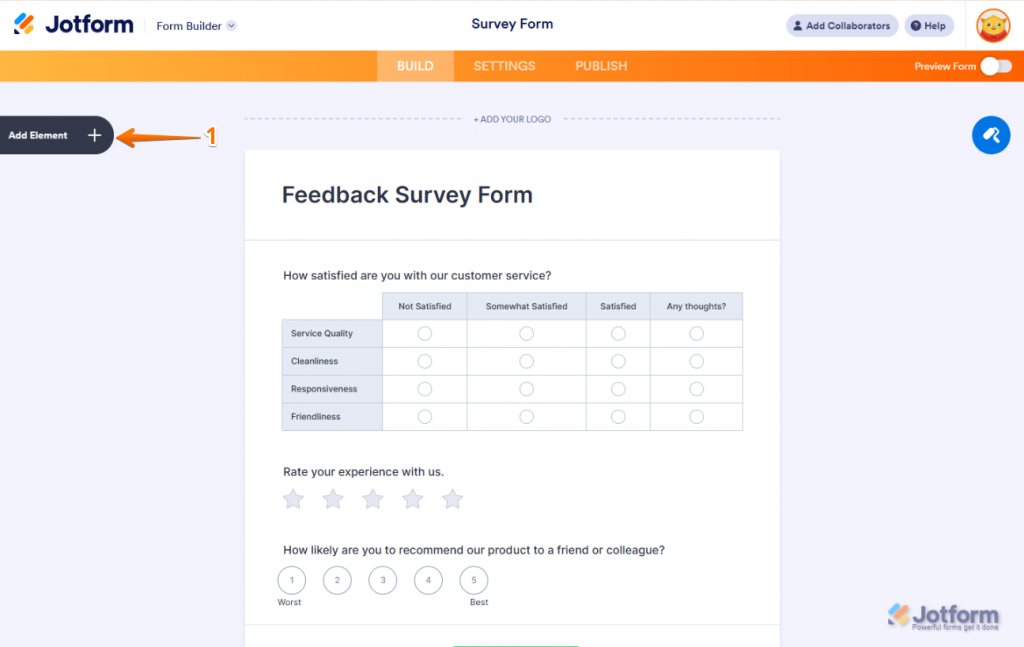
For small businesses and agencies that need one tool to cover multiple data collection workflows, that versatility is the main argument.
With over 10,000 templates and 25 million users, the template library is one of the deepest available. The trade-off is depth. Jotform is excellent for versatility; for pure survey analytics or research-grade logic, dedicated survey tools go further.
Pros:
- 10,000+ templates across surveys, registration, payments, and healthcare forms
- HIPAA-compliant plans available for medical and health data collection
- Payment integration on the free plan, which is rare in this category
- Conditional logic, branching, and multi-page forms built in
Cons:
- Analytics depth is limited compared to dedicated survey research platforms
- Per-user pricing model gets expensive for larger teams
How Jotform Compares to Zoho Survey: If you’re collecting payments, signatures, or managing multi-form workflows alongside surveys, Jotform is more capable. For Zoho CRM integration and ecosystem connectivity, Zoho Survey still has the edge.
Pricing: Free plan; paid plans from $19/month per user.
Rating: 4.7/5 (Capterra)
5. SurveyMonkey: Best for General-Purpose Survey Volume at Scale
SurveyMonkey is the most recognized name in this category, and for straightforward survey volume with a broad template library, it earns that reputation.
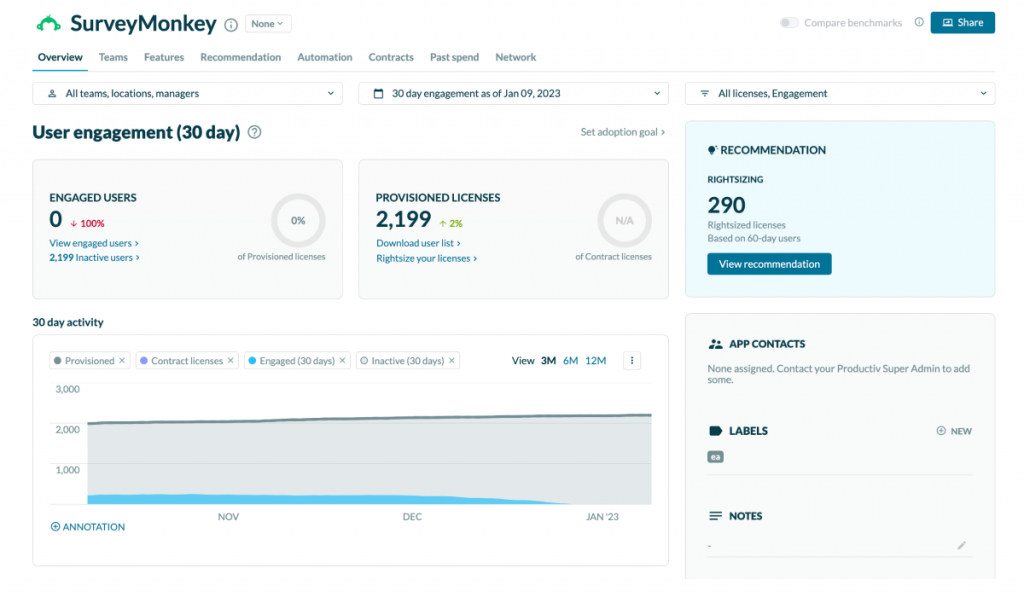
The question bank, 400+ templates, and 200+ native integrations make it the most accessible option for teams that just need to get surveys live fast.
Once you exceed the included response limits, additional responses are charged separately. For teams with high-volume or niche analytics needs, the effective cost rises faster than expected.
Pros:
- 400+ templates and a guided question bank for fast survey creation
- 200+ native integrations with CRM, analytics, and communication tools
- Strong brand recognition improves external response rates in some contexts
- A/B testing and custom branding on paid plans
Cons:
- Individual plans start at $30/month; team pricing requires minimums
- Analytics depth is basic without paid add-ons
- Design customization is more limited than Typeform or Jotform
How SurveyMonkey Compares to Zoho Survey: Both tools cover general-purpose surveys well. SurveyMonkey has more templates and a larger integration library. Zoho Survey wins if you’re already in the Zoho ecosystem. Outside of that, SurveyMonkey is more universally compatible.
Pricing: Individual plans from $39/month; team plans from $30/user/month.
Rating: 4.6/5 (Capterra)
6. Alchemer: Best for CRM-Connected Survey Automation and Enterprise Logic
Alchemer, formerly SurveyGizmo, is built for teams that have outgrown standard survey tools and need bidirectional CRM sync, complex logic, and automated workflows that don’t require manual exports.
Its native Salesforce and HubSpot integrations are genuine two-way connections: survey responses can update CRM records, trigger tasks, and feed into workflow automation without going through Zapier.
For enterprise teams where survey data needs to live inside their existing customer systems, that’s a meaningful capability.
Pros:
- Bidirectional Salesforce and HubSpot sync is built into the core product
- 40+ question types and automated data cleaning for research integrity
- Custom branding, white-labeling, and enterprise role permissions
- Automated response flagging to remove low-quality entries from datasets
Cons:
- The starting price is significantly higher than most mid-market alternatives
- Learning curve for the advanced logic setup is steeper than that of Typeform or Jotform
- Full workflow automation requires the custom-priced business tier
How Alchemer Compares to Zoho Survey: Zoho Survey integrates with Zoho CRM. Alchemer integrates deeply with Salesforce and HubSpot in both directions. If your CRM is outside the Zoho ecosystem and you need survey data to feed into it automatically, Alchemer solves what Zoho Survey doesn’t.
Pricing: Business tier is a custom quote.
Rating: 4.5/5 (Capterra)
7. QuestionPro: Best for Research-Heavy Surveys and Specialized Question Types
QuestionPro is the strongest option on this list for teams running formal research: academic studies, market research panels, MaxDiff, Conjoint, and Van Westendorp pricing studies.
With 52 question types, it has the deepest question library in the category.
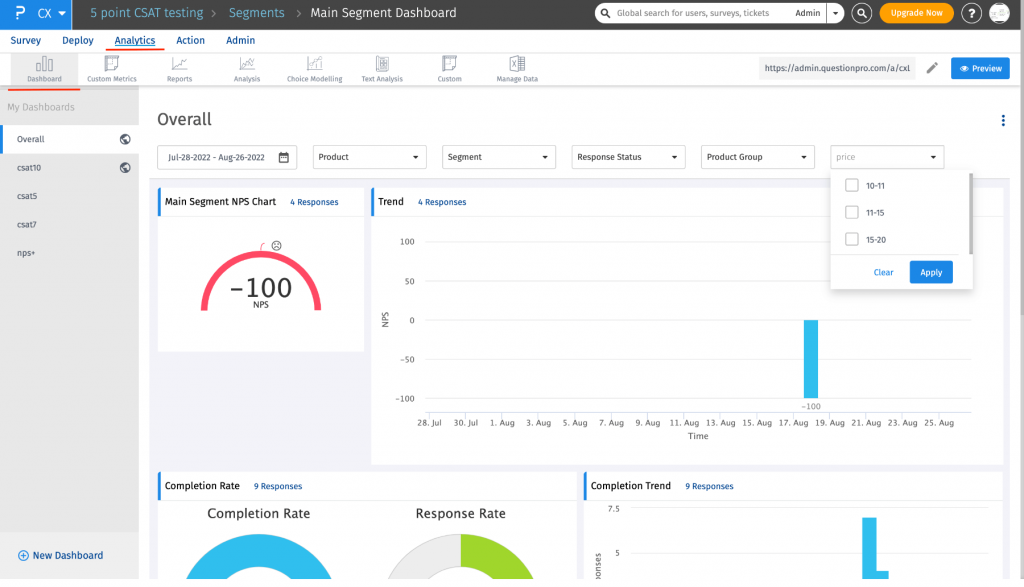
The free plan is unusually generous for research teams: unlimited surveys, up to 200 responses per survey, 50+ question types, and data export.
The interface is more complex than Typeform or Jotform, and the analytics layer, while deep, has a steeper learning curve for teams that aren’t running structured research workflows.
Pros:
- 52 question types, including MaxDiff, Conjoint, and Gabor-Granger for pricing research
- Generous free plan with unlimited surveys and 200 responses per survey
- Multilingual survey support for global research
- Strong academic and enterprise pricing tiers
Cons:
- Interface complexity is higher than most alternatives in this list
- Offline and mobile capabilities are more limited than dedicated mobile tools
- Analytics depth requires setup time that’s not beginner-friendly
How QuestionPro Compares to Zoho Survey: For standard business surveys, they’re comparable. For formal research methods and statistical analysis, QuestionPro is in a different category. If your surveys are for research-grade data collection rather than CX feedback, QuestionPro is the clearer choice.
Pricing: Free plan available; paid plans from $83/month.
Rating: 4.8/5 (Capterra)
8. Qualtrics: Best for Enterprise Experience Management at Full Depth
Qualtrics is the gold standard for enterprise research and experience management. Academic institutions and large enterprises consistently call it the most powerful tool in the category for statistical analysis, text analytics, and closed-loop feedback workflows.
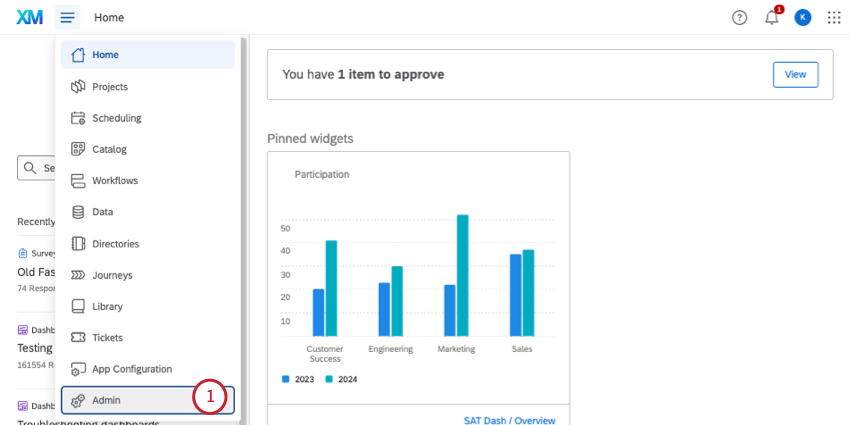
The depth is real, and so is the complexity. Reviewers frequently note that “you need a dedicated researcher to use it well.”
Pricing scales significantly for enterprise deployments. If your team isn’t ready to invest in onboarding and technical setup, the ROI takes longer to materialize.
Pros:
- Statistical analysis, conjoint design, and text analytics are built in at the platform level
- Closed-loop workflow automation for CX programs at scale
- Contact center and brand analytics are available as integrated modules
- Strong compliance and security for regulated industries
Cons:
- Pricing is the highest in the category by a significant margin
- Implementation and full value require dedicated technical resources
- Overkill for teams that need standard NPS, CSAT, or website feedback
How Qualtrics Compares to Zoho Survey: They serve fundamentally different buyers. Zoho Survey is for accessible, affordable business surveys. Qualtrics is for enterprise experience management programs. If you’re looking for a Zoho Survey alternative because you want more analytics depth, Qualtrics is the ceiling; Alchemer or QuestionPro are the more realistic mid-point.
Pricing: Enterprise is a custom quote.
Rating: 4.6/5 (Capterra)
9. SurveySparrow: Best for Conversational Recurring Surveys and NPS Automation
SurveySparrow leads on engagement. Its chat-style, conversational survey format consistently earns praise for lifting completion rates on mobile, particularly in hospitality and retail contexts where traditional grid surveys perform poorly.
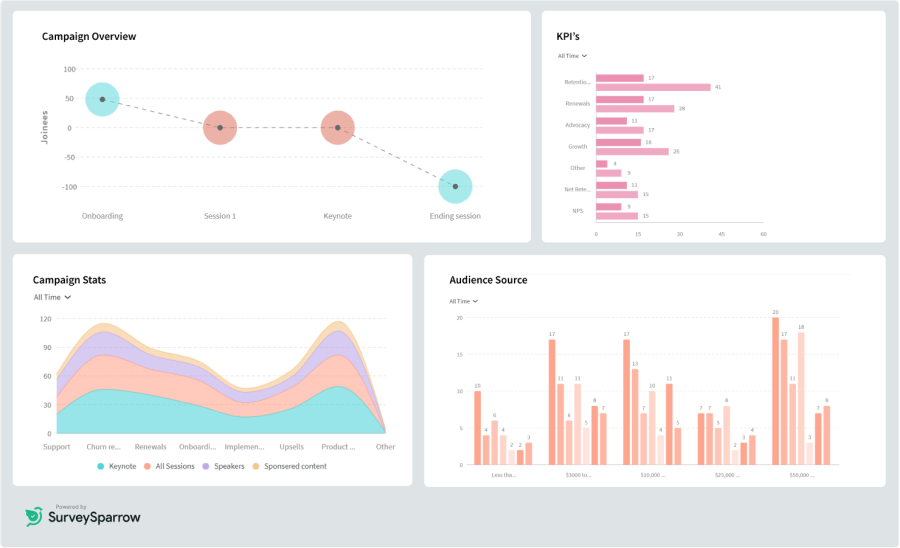
The recurring survey automation makes it a natural fit for NPS programs that need quarterly or monthly pulses without manual resending.
The 360-degree feedback module adds employee experience capabilities for HR teams.
Pros:
- Chat-style format improves completion rates on mobile-first audiences
- Recurring survey automation for NPS, CSAT, and pulse programs
- 360-degree feedback module for employee experience workflows
- Offline survey collection for field research
Cons:
- No free plan; 14-day trial only
- Multilingual surveys are gated behind paid tiers
- Analytics depth is adequate but not research-grade
How SurveySparrow Compares to Zoho Survey: Zoho Survey covers more question types and logic. SurveySparrow wins on respondent experience and recurring automation. If your primary pain is low completion rates or you’re running a recurring NPS program that needs to run on autopilot, SurveySparrow is the better fit.
Pricing: Paid plans from $19/month.
Rating: 4.4/5 (Capterra)
10. Google Forms: Best for Zero-Cost, No-Setup Data Collection
Google Forms is the most accessible free option in this category. Unlimited surveys, unlimited questions, unlimited responses, and native sync with Google Sheets.

For internal data collection, employee polls, or simple intake forms, nothing beats the combination of zero cost and zero setup.
The ceiling is also obvious. Design customization is minimal, logic is basic, and there’s no behavioral targeting, NPS module, sentiment analysis, or integration with CRM systems beyond Google Workspace tools.
Pros:
- Completely free with no response or survey limits
- Native integration with Google Sheets for instant data export
- Zero setup; anyone with a Google account can start immediately
- Collaborative editing for team-built surveys
Cons:
- No behavioral or URL-based targeting
- No NPS, CSAT, or CES question types built in
- Analytics is limited to basic charts and Sheets export
- Branding and design customization are minimal
How Google Forms Compares to Zoho Survey: For basic internal surveys, Google Forms is more practical and completely free. For customer feedback, CX metrics, or surveys that need to reach external audiences with branded experiences, Zoho Survey offers much more. Google Forms is a starting point, not a CX platform.
Pricing: Free.
Rating: 4.7 (Capterra)
11. LimeSurvey: Best for Open-Source Control and Data Sovereignty
LimeSurvey is the right choice for teams with developer resources who need complete control over their survey infrastructure. It’s open source, self-hostable, and supports 80+ languages and 30+ question types.
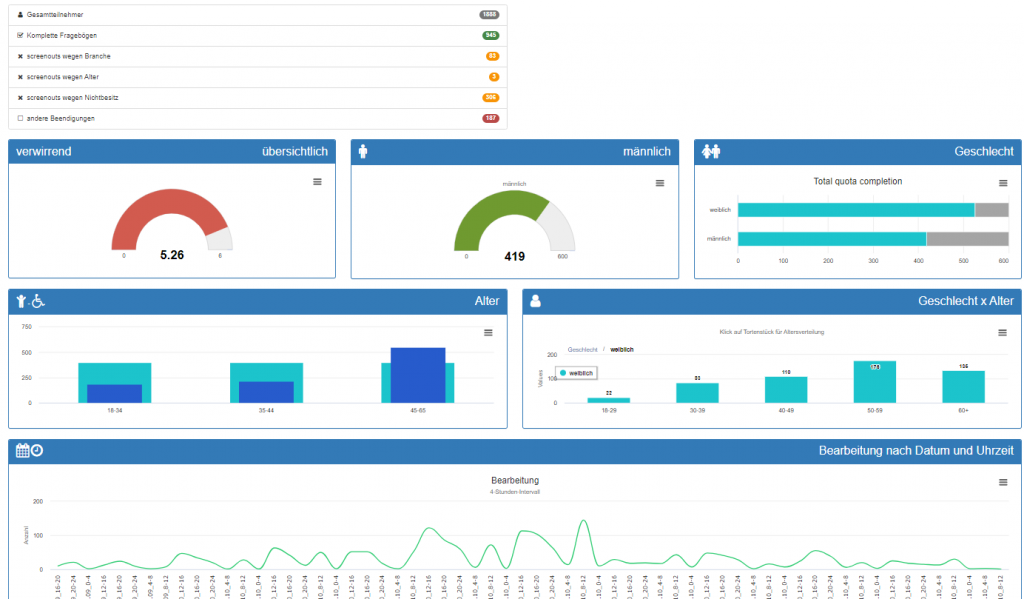
Academic institutions and regulated industries with strict data residency requirements use it specifically because they own the deployment.
The trade-off is real: self-hosting means you’re responsible for server setup, security patches, and ongoing maintenance. That cost doesn’t appear in the $0 price tag. The UI is also notably dated compared to modern alternatives.
At the price point, the value proposition weakens compared to SurveySparrow or Jotform.
Pros:
- Open-source and self-hostable for full data ownership
- 80+ languages for international and multilingual research
- No per-response fees on self-hosted deployments
- HIPAA-compliant options available with self-hosted setup
Cons:
- Self-hosting requires technical infrastructure and ongoing maintenance
- UI is dated compared to most modern survey tools
- Cloud pricing is less competitive than alternatives at similar tiers
How LimeSurvey Compares to Zoho Survey: Zoho Survey is the more accessible option for most teams. LimeSurvey is the right choice only when data sovereignty, open-source flexibility, or regulatory compliance requirements make self-hosting a necessity. Otherwise, it’s more friction than the alternatives justify.
Pricing: Free (self-hosted); cloud plans from $36/month.
Rating: 4.4/5 (Capterra)
My Top 3 Picks Among the Best Zoho Survey Alternatives
After going through each tool in detail, here’s where I land for the three most common situations teams actually face.
1. Qualaroo
For any team where the feedback arrives too late or too generically to act on.
If your NPS surveys go out by email after the session ends, or if your product decisions rely on click data instead of user intent, Qualaroo’s in-context Nudge™ surveys fix the underlying problem.
The behavioral targeting, AI-Powered Sentiment Analysis, and Identify API together give you a feedback loop that standard form builders simply can’t replicate.
2. Jotform
For small businesses and agencies that need one platform to handle surveys, registrations, payments, and intake forms without stitching together multiple tools.
The free plan is genuinely usable, the template library is the deepest in the category, and the HIPAA-compliant option covers teams in regulated industries.
3. Alchemer
For teams that have grown beyond manual CSV exports and need survey responses to land directly inside Salesforce or HubSpot.
If your CRM is outside the Zoho ecosystem and your feedback data must trigger workflows automatically, Alchemer’s bidirectional sync is the clearest solution.
It’s priced above most alternatives, but for teams where survey-to-CRM automation is the core requirement, the cost is justified.
How Did I Evaluate These Zoho Survey Alternatives?
Every tool in this list was assessed against the same criteria. The goal was to avoid a list that looks clean in a table but falls apart when you actually try to use one of these platforms. Here’s exactly what I looked at.
User Reviews and Ratings: Ratings and qualitative feedback were pulled from Capterra, Reddit, and software review forums to get a ground-level picture of real satisfaction. Patterns in negative reviews told me as much as the star ratings did.
Core Features and Functionality: Each tool was evaluated on segmentation depth, survey logic, channel coverage, and data handling. A long feature list means nothing if the capabilities that matter most are shallow or locked behind a higher tier.
Ease of Use: How quickly can a non-technical user get a survey live? How clean is the interface under real workflow conditions, not just a demo? Tools that require weeks of onboarding before delivering value scored lower, regardless of feature depth.
Customer Support: Support quality is a real differentiator, especially mid-implementation when something breaks. I looked at documented response patterns, onboarding support quality, and recurring complaints about resolution speed across reviews.
Value for Money: Each platform was assessed against what it actually delivers at its price tier, including hidden costs like per-channel add-ons, response volume limits, and features that inflate the effective price once you’re past the base plan.
Personal Experience and Reputable Sources: Where a tool was used directly or assessed through conversations with teams running it in production, that’s noted. No fabricated composite reviews and no unnamed sources.
FREE. All Features. FOREVER!
Try our Forever FREE account with all premium features!
Which Zoho Survey Alternative Should You Choose?
Running through a comparison table is easy. Matching the tool to your actual constraint is harder. Here’s a direct framework to cut through it.
| If Your Primary Problem Is… | Start Here |
| Users dropping off before completing surveys | Typeform or SurveySparrow |
| No in-app or behavioral targeting | Qualaroo |
| You need custom CSAT, CX, or NPS surveys built fast with AI, without per-seat pricing | ProProfs Survey Maker |
| Thin integration with Salesforce or HubSpot | Alchemer |
| Survey data needs to stay on your own servers | LimeSurvey |
| Research-grade question types (MaxDiff, Conjoint) | QuestionPro |
| Enterprise XM with statistical analysis | Qualtrics |
| Multi-form workflows, including payments and registrations | Jotform |
| Low cost for general-purpose internal surveys | Google Forms |
| Recurring NPS automation at scale | SurveySparrow |
| Understanding why users churn, convert, or drop off | Qualaroo |
Pick the alternative that solves your specific bottleneck first. You can expand the scope after you’ve fixed the core problem.
What Makes a Good Zoho Survey Alternative?
Not every team needs the same thing. But across all the tools in this list, the ones that actually solve problems share a few characteristics worth evaluating before you commit.
Targeting That Goes Beyond a Link: The biggest structural gap in Zoho Survey is the inability to trigger surveys based on actual user behavior. The best alternatives either do this natively (Qualaroo, SurveySparrow) or give you the distribution flexibility to compensate (Typeform, Alchemer).
Analytics That Tell You Something Actionable: Basic charts are table stakes. What separates tools like Qualaroo, Alchemer, and Qualtrics is what happens after the responses come in: automatic sentiment classification, CRM sync, and feedback-to-action workflows.
A Free Plan That’s Actually Usable: Zoho Survey’s 7-day trial is a recurring frustration. Qualaroo, Google Forms, Jotform, QuestionPro, and SurveyMonkey all offer permanent free plans or tiers. Evaluate on a real workflow before you commit.
Integration That Connects to Where Decisions Get Made: A survey tool that lives outside your CRM, your product analytics, and your Slack workspace creates friction every time you need to act on feedback. Ask: where will this data actually land, and does this tool get it there without manual export?
Stop Guessing Why Users Drop Off, Start Hearing It From Them
If Zoho Survey is falling short, the problem is usually specific: you need in-app targeting, deeper CRM sync, better analytics, or a survey format that actually gets completed.
Each tool on this list solves one of those problems well. The mistake is switching platforms for a feature you don’t need yet.
If the core issue is that your surveys are firing too late, too generically, or without context, that’s a targeting and delivery problem.
Qualaroo is built to fix exactly that: behavioral Nudge™ surveys that reach users at the right moment, with AI-powered analysis that tells you what the responses actually mean.
Frequently Asked Questions
What is the biggest limitation of Zoho Survey compared to its alternatives?
The most commonly cited limitations from Capterra reviews are: limited behavioral targeting (no scroll depth, exit intent, or in-app triggers), basic built-in analytics that require Zoho Analytics add-ons for deeper reporting, and design customization that doesn't support pixel-perfect brand control. Teams outside the Zoho ecosystem also note that third-party integrations are thinner than dedicated tools like Alchemer or Qualaroo.
What is the best free alternative to Zoho Survey?
Google Forms is the most capable free option for basic data collection: unlimited surveys, questions, and responses with Google Sheets export. Qualaroo and Jotform both offer free plans that cover more use cases, including NPS questions, conditional logic, and integrations. QuestionPro's free tier is the strongest for research-oriented surveys specifically.
Which Zoho Survey alternative is best for in-app feedback?
Qualaroo is purpose-built for in-app feedback through its Nudge™ technology. Surveys are triggered by user behavior, URL, scroll depth, or exit intent, without requiring developer involvement after the initial code install. The Identify API links responses to known users for attributed NPS and CSAT data.
Which Zoho Survey alternative works best with Salesforce?
Alchemer has the deepest bidirectional Salesforce integration in this category: survey responses update CRM records and trigger automated tasks without the need for Zapier. Qualaroo also integrates with Salesforce natively for teams that want to combine in-app feedback with CRM-connected reporting.
Is there a Zoho Survey alternative with better analytics?
Yes. Qualtrics offers the deepest analytics layer, including conjoint analysis, text analytics, and statistical significance testing. Alchemer covers automated data cleaning and CRM-native reporting. Qualaroo's IBM Watson Sentiment Analysis automatically categorizes and scores open-ended responses, which is more advanced than Zoho Survey's built-in reporting.
Which tool is the best Zoho Survey alternative for small businesses?
Jotform and Qualaroo both serve small businesses well. Jotform is stronger for multi-purpose workflows that include payments and registrations. Qualaroo is the better choice for small SaaS teams, agencies, and e-commerce brands that need behavioral targeting and in-context NPS without the need for developer setup.
How long does switching from Zoho Survey to an alternative take?
For tools with free plans (Qualaroo, Jotform, QuestionPro, Google Forms), you can evaluate within a day. Migration of historical response data is typically not supported across platforms, so the practical approach is to rebuild active surveys in the new tool. Most teams complete this in 1-3 days for standard workflows.
Which Zoho Survey competitors offer NPS surveys out of the box?
Qualaroo, SurveyMonkey, Alchemer, QuestionPro, SurveySparrow, and Jotform all support NPS question types natively. Qualaroo adds behavioral targeting, so NPS surveys fire at the right moment in the user journey, not just as a post-session email link.
FREE. All Features. FOREVER!
Try our Forever FREE account with all premium features!

 We'd love your feedback!
What did you like & how can we make it even better?
 Thanks for your feedback!
 Ask Your Question
Have a question? Get expert help to make your decision easier.