Survicate alternatives are worth a look when one of three things keeps bothering you: the jump from the free plan to $114 a month with nothing in between, reporting that answers the easy questions but stalls on the harder ones, or targeting that feels too general for a complex SaaS product.
My short answer: if analytics depth is the real problem, try Qualaroo first, because its free plan lets you run AI sentiment analysis on your own responses before you spend anything.
If your problem is something else, the quick-pick table below points you to the right tool in under a minute.
Survicate handles the core job well, multichannel surveys across web, in-app, email, and link, so none of this is about the surveying itself.
I tested ten tools against that exact gap, Qualaroo included, and judged each one by the outcome a product, UX, or CX team actually cares about: how fast you get from a response to a decision you can act on.
Why Are Teams Looking for Survicate Alternatives?
It’s rarely the surveying. Once you get past Survicate’s solid 4.6 rating (99 Capterra reviews) and into running the platform day-to-day, the same pattern shows up.
To be fair to Survicate, I like its quick setup, responsive support, easy survey builder, and HubSpot and Salesforce integrations. The friction shows up later, at scale.
The Free-to-Paid Jump Is Steep
The free plan caps out quickly, and the next step is a full $ 114-a-month commitment, with no smaller paid tier to ease into first. That tier covers roughly 250 survey responses, with the next tier starting around $349 a month. Hitting a plan’s response cap can pause a live survey until you upgrade, which means you have to resend it, and the licensing structure becomes restrictive as a company grows.
Reporting Has a Real Ceiling
Built-in reporting covers response rates, trends, and basic filtering well, but a team that needs deeper cross-tabulation or custom analysis often finds itself exporting data to a separate tool anyway. The outcome that suffers is time-to-insight: the data is there, the answer isn’t.
In-Product Targeting Stays Fairly Basic
Teams running a SaaS product with genuinely complex, behavior-based targeting rules sometimes find Survicate’s default options thinner than those of a dedicated in-app feedback platform. Event and custom-attribute targeting sit on the higher plans, which pushes the cost of precision up.
Mobile Coverage Trails Web and Email
The mobile survey experience is functional but less mature than Survicate’s own web and email channels, which is a real gap for a mobile-first product.
Identifying Who Responded Takes an Integration
Sending a single link that collects identified responses is cumbersome without routing it through an email or CRM tool. If you want to tie feedback to a real user without that extra plumbing, I’d weigh this.
The Top 10 Survicate Alternatives
Here is how all ten stack up in terms of price and rating before the individual breakdowns.
| Tool | Best For | Starting Price | User Rating |
| Qualaroo | Capturing Real-Time User Insights In-App & on Your Website Using Contextual, AI-Powered Micro-Surveys | Free plan; from $19.99/mo | 4.7/5 |
| Zonka Feedback | Closed-loop CX with native AI text and sentiment analysis | Quote-only | 4.8/5 |
| Retently | Pure NPS/CSAT/CES specialist with strong e-commerce integrations | $99/mo | 4.9/5 |
| SurveyMonkey | Broad survey platform with an NPS module | $30/mo | 4.6/5 |
| Qualtrics | Enterprise experience-management platform | Quote-only | 4.6/5 |
| Typeform | Conversational forms and surveys | $28/mo | 4.7/5 |
| Alchemer | Flexible, research-grade survey logic | Quote-only | 4.5/5 |
| GetFeedback | Website feedback widget with Salesforce-native roots | $119/mo | 4.6/5 |
| Mopinion | Digital feedback analytics with text and sentiment tagging | $279/mo | 4.2/5 |
| Shout | Website and panel-based surveys | $12.99/mo | 4.6/5 |
1. Qualaroo: Best for Capturing Real-Time User Insights In-App & on Your Website Using Contextual, AI-Powered Micro-Surveys
Survicate alternatives worth considering usually solve one specific gap, and Qualaroo‘s is analytics depth. I reach for it when Survicate’s reporting ceiling is the real complaint: I get the same multichannel reach across web, in-app, email, and link surveys, with native AI doing more of the analysis work for me.
The Nudge triggers right when it matters, on exit intent, a rage click, or a stall past a specific step, and it asks a contextual question instead of a generic one.
Native AI Sentiment Analysis reads open-text answers, and Word Cloud generation surfaces the themes coming up most often, so I’m not exporting data to a separate tool just to find the pattern.
Question branching keeps a frustrated respondent and a happy one on different follow-ups, and Heatmaps and Session Recordings show what a user was doing right before they responded, a layer that Survicate does not attempt.
Best For: product, UX, and CX teams without a dedicated analyst, whose outcome is going from a response to a decision the same day.
Pros
- AI Survey Creator drafts a full Nudge from a prompt, no manual setup required
- Question branching and skip logic so respondents only see relevant follow-ups
- Native Customer Feedback Analysis AI, including AI Sentiment Analysis and word cloud generation for open-text responses
- Heatmaps and Session Recordings show what a user was doing right before they responded
- Advanced targeting by behavior, URL, exit intent, and custom user properties
- Nudge for Prototype works on Figma, Adobe XD, and InVision before a product ships
- Multilingual surveys in 100+ languages
- Identify API ties responses back to a real user by email or customer ID
- iOS and Android SDK for native in-app surveys
- Salesforce, HubSpot, and Slack integrations for CRM-connected feedback workflows
Cons
- There is no dark user interface for long hours or late nights.
- Dedicated onboarding/account manager services are available only in paid plans.
How Qualaroo Compares to Survicate: Qualaroo covers the same core multichannel survey job Survicate does, then adds native AI Sentiment Analysis, heatmaps, and session recordings on top, exactly the analytics depth Survicate’s own reporting stops short of. Advanced behavior-based targeting is genuinely stronger here, too, a real answer to Survicate’s more general default options.
Pricing: Free plan available; Essentials at $19.99/month, Business at $49.99/month, Enterprise from $149.99/month. As with any tool here, check the response limit on the plan you pick.
User Rating: 4.7/5 (Capterra)
GraphicSprings is a case I come back to, a free logo-making platform that used Qualaroo to run exit-intent, UX, and demographic surveys directly on-site instead of relying on slower methods to understand why visitors were leaving. Acting on that feedback led to a 41 percent increase in revenue, the kind of result that comes from analyzing a team that can act on the same day.
2. Zonka Feedback: Best for Closed-Loop CX with Native AI Text and Sentiment Analysis
Zonka Feedback is where I send a team that’s frustrated, specifically with Survicate’s reporting ceiling. Native AI-powered text and sentiment analysis is built into every plan rather than layered on as an afterthought, so open-text answers get read for you instead of sitting in an export.
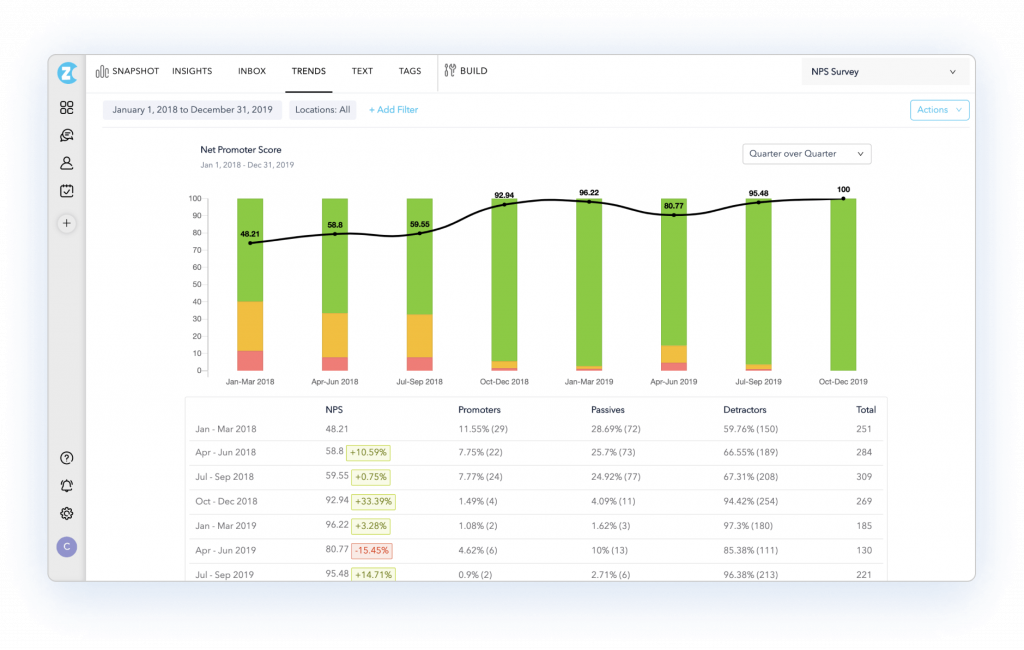
Closed-loop ticketing takes a detractor response and turns it into an assigned, tracked issue automatically, a real step past what Survicate’s own follow-up options attempt.
Distribution reaches web, email, SMS, and kiosk, a wider net than Survicate’s channel list. It also topped Capterra’s own Pricing Value Report for survey software this year, a strong signal on cost relative to what’s included at every tier.
Strong customization for branding and question logic rounds out the platform, which matters once surveys run across several distinct touchpoints. The catch is that pricing is quote-only, and full reporting depth takes time to learn.
Best For: CX and support-minded teams whose outcome is fewer detractors going unanswered.
Pros:
- Closed-loop ticketing turns detractor responses into tracked, assigned issues
- AI-powered text and sentiment analysis handles open-text responses automatically
- Multi-channel distribution including web, email, SMS, and kiosk
- Strong customization for branding and question logic
Cons:
- The starting price sits above several other specialists on this list
- Full reporting depth takes some time to learn, given how much the platform covers
How Zonka Feedback Compares to Survicate: Zonka Feedback answers Survicate’s biggest reporting gap almost directly, with native AI text and sentiment analysis instead of basic trend tracking, and with closed-loop follow-up that goes further than Survicate’s own workflow.
Pricing: Quote-only, contact vendor for pricing.
User Rating: 4.8/5 (Capterra)
3. Retently: Best for a Pure NPS/CSAT/CES Specialist with Strong E-Commerce Integrations
Retently is my pick for a team that wants a focused NPS, CSAT, and CES specialist rather than Survicate’s broader, multichannel approach.
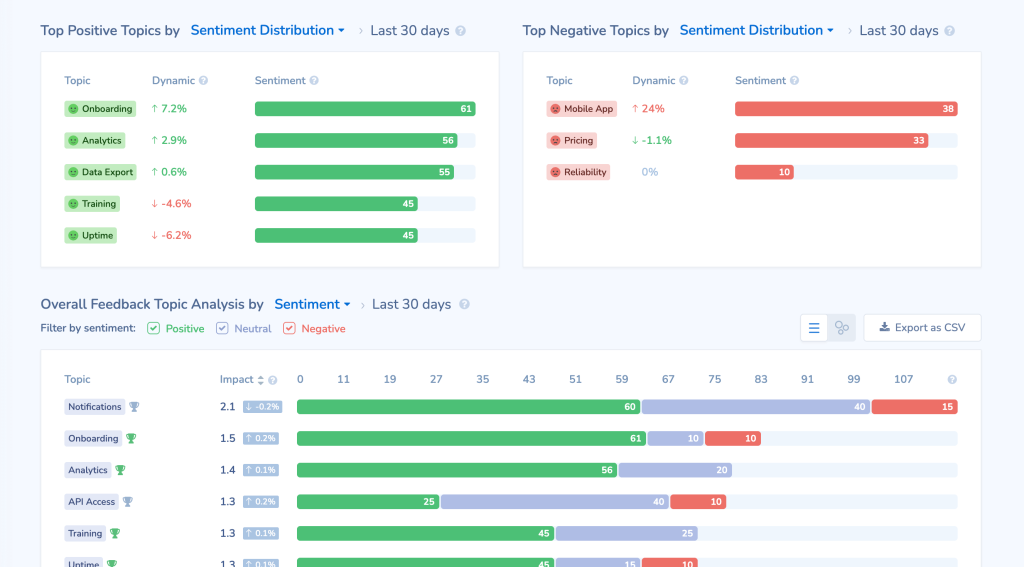
Shopify and WooCommerce integrations go deeper here than anywhere else on this list, a real advantage if your business runs on an e-commerce operation.
Drip-campaign style automated follow-up sequences chase down non-responders on their own, something Survicate leaves to manual effort.
The catch is scope: if you use Survicate’s survey types beyond NPS, this will feel narrow by design, and there’s no dedicated mobile SDK for native in-app surveys.
Best For: e-commerce and customer-success teams whose outcome is a steady, low-effort NPS program.
Pros:
- Pure NPS, CSAT, and CES focus with strong e-commerce integrations (Shopify, WooCommerce)
- Drip-campaign style automated follow-up sequences
- Fast setup, a first campaign can go out the same day
- Multi-channel distribution including email, SMS, and in-app
Cons:
- Narrower scope than Survicate’s own multichannel, general-purpose survey approach
- No dedicated mobile SDK for native in-app surveys
How Retently Compares to Survicate: Retently trades Survicate’s broader multichannel reach for a tighter, NPS-first focus, with e-commerce integrations Survicate does not match, and a Capterra rating built on a larger review base.
Pricing: Paid plans start at $99/month.
User Rating: 4.9/5 (Capterra)
4. SurveyMonkey: Best for a Broad Survey Platform with an NPS Module
SurveyMonkey is the one most teams already know, and its reach goes well past what Survicate attempts: methodology-backed templates cover employee surveys and market research alongside customer feedback.
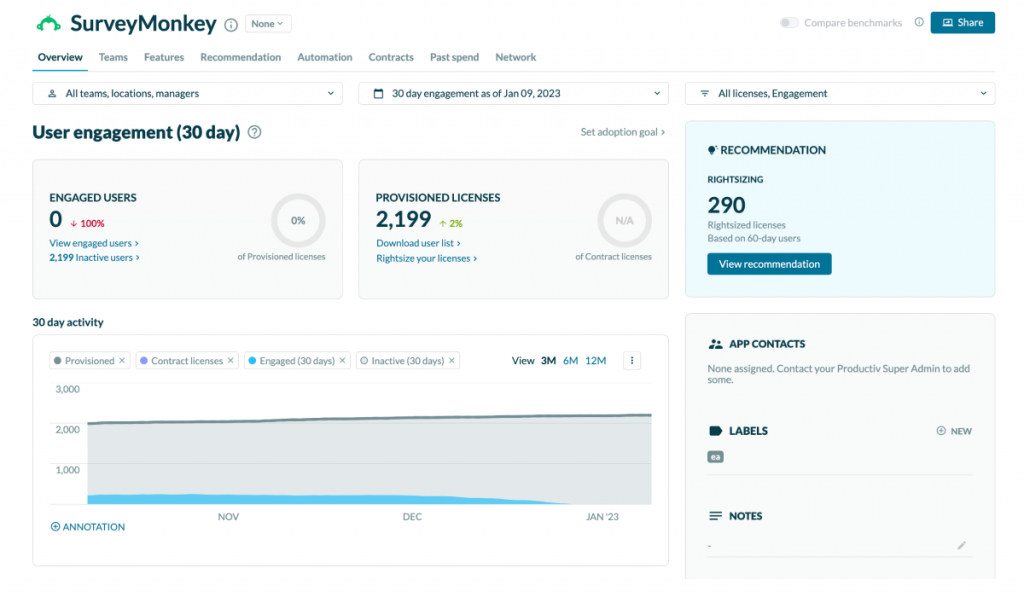
If you need both, you don’t have to bring in a second vendor, the way you might alongside Survicate. Brand recognition alone smooths internal budget approval in a way a smaller, less familiar vendor sometimes can’t.
The review count here, well past ten thousand on Capterra, is a different level of social proof than almost anything else on this list, and the massive integration library plus exports in PDF, CSV, PPT, and XLS make results easy to pass around.
The trade-off is depth: NPS features are less specialized than those of a dedicated tool, and advanced logic and reporting are available on higher-tier plans.
Best For: teams whose outcome is consolidating several survey types under one familiar, easy-to-approve vendor.
Pros:
- The NPS module sits inside a much broader survey platform
- Methodology-backed templates cover employee, market research, and customer surveys
- Massive integration library and brand recognition that smooths internal approval
- Exports data in PDF, CSV, PPT, and XLS
Cons:
- NPS-specific features are less specialized than a dedicated tool like Retently
- Advanced logic and reporting depth require higher-tier plans
How SurveyMonkey Compares to Survicate: SurveyMonkey treats customer feedback as one piece of a much broader survey platform, while Survicate focuses specifically on customer and product feedback, so the right pick depends on whether a team needs that extra range.
Pricing: Paid plans start at $30/month.
User Rating: 4.6/5 (Capterra)
5. Qualtrics: Best for an Enterprise Experience-Management Platform
Qualtrics is where I’d point a team whose feedback needs have genuinely outgrown a single-purpose survey tool: customer, employee, and research data folded into one platform with predictive analytics and automated workflows layered on top.
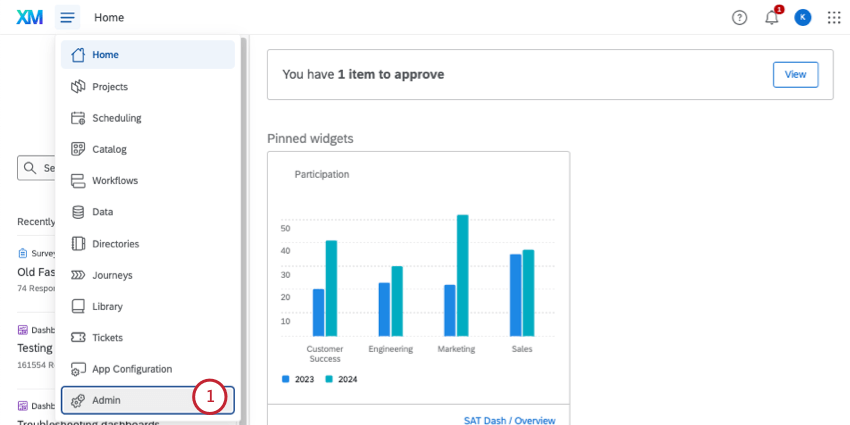
Role-based dashboards mean different teams see only what’s relevant to them, useful once feedback spans multiple departments rather than one product team.
Its iQ analytics suite applies AI and machine learning across the whole dataset too, surfacing drivers of satisfaction that Survicate’s reporting was never built to find.
Pricing is not published, so budgeting starts with a sales conversation either way, and implementation takes real time. It’s overkill if all you need is multichannel customer surveys.
Best For: large organizations whose outcome is one shared view of customer, employee, and research feedback across departments.
Pros:
- Participant and customer data folded into a full experience-management platform
- Predictive insights and automated workflows across research, customer, and employee data
- Role-based dashboards for different teams within one organization
- Industry-leading depth for multi-department feedback programs
Cons:
- High cost and implementation time relative to a single-purpose tool like Survicate
- Overkill for a team that just needs multichannel customer surveys
How Qualtrics Compares to Survicate: Qualtrics operates a full tier above Survicate in scope, folding feedback into a much larger experience-management platform, the right move only for an organization whose needs already span well past customer surveys alone.
Pricing: Quote-only, contact vendor for pricing.
User Rating: 4.6/5 (Capterra)
6. Typeform: Best for Conversational Forms and Surveys
Typeform is my pick for a team that wants completion rate over raw reach: a one-question-at-a-time format that consistently beats a traditional multi-field survey asking the exact same things.
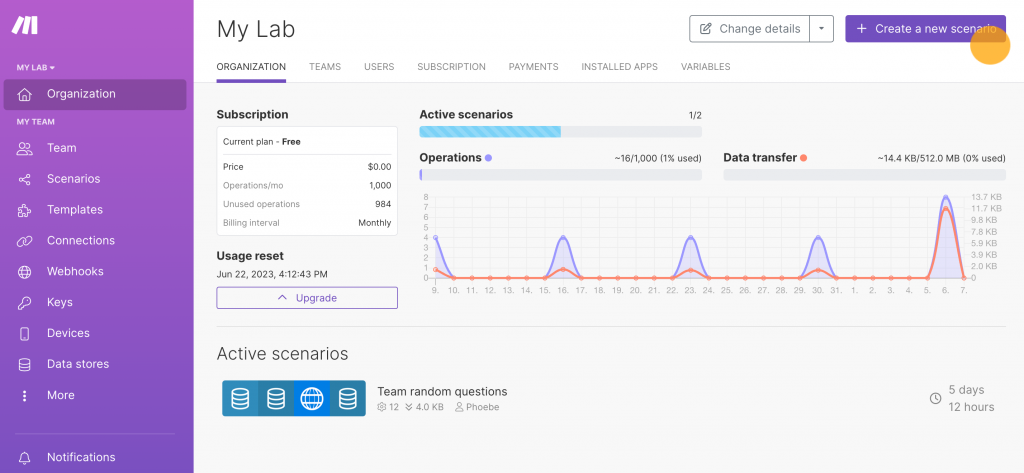
Interactive design, logic jumps, and rich media embeds make a Typeform survey feel less like a form and more like a conversation, a real contrast to Survicate’s more utilitarian builder.
Survicate’s usage-based structure and a strong integration library, including Slack and Mailchimp, keep responses flowing into the tools you already use.
The tradeoff shows up in scope: Typeform is built for forms and surveys specifically, not the multichannel, CRM-synced feedback program Survicate attempts, and higher-volume plans can climb quickly past the entry tier.
Best For: marketing and research teams whose outcome is more people actually finishing the survey, with predictable pricing.
Pros:
- Conversational, one-question-at-a-time format that improves completion rates
- Interactive design with logic jumps and rich media embeds
- Published, flat-rate pricing across every plan
- Strong integration library, including Slack and Mailchimp
Cons:
- Less specialized for ongoing customer feedback programs than Survicate itself
- Higher-volume plans can climb quickly past the entry tier
How Typeform Compares to Survicate: Typeform wins on completion rate and design specifically, at a lower published price, though it does not match Survicate’s identified-response workflow or its CRM-sync depth for an ongoing feedback program.
Pricing: Paid plans start at $28/month.
User Rating: 4.7/5 (Capterra)
7. Alchemer: Best for Flexible, Research-Grade Survey Logic
Alchemer is where I’d send a team that has outgrown Survicate’s more templated approach and needs real methodological control: branching, piping, and custom scoring well past what a general-purpose feedback tool typically offers.
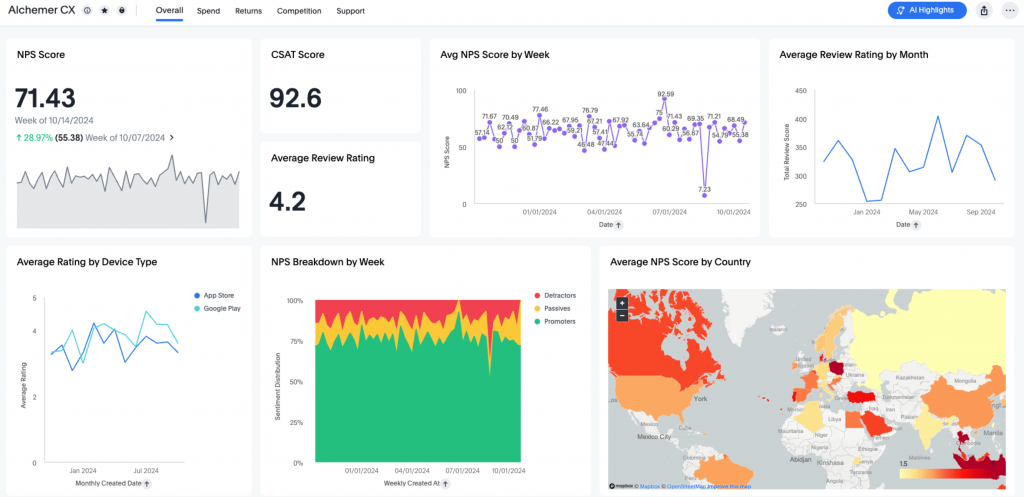
It handles 360-degree feedback and access controls that matter once multiple departments are running research under one account, and a broad question-type library goes well beyond standard customer feedback templates.
Research and analytics-minded teams tend to reach for it once they need to design the study itself, not just collect responses. Strong data security and collaboration tools round it out for teams working across several stakeholders on the same project.
That flexibility isn’t free: the learning curve runs noticeably steeper than Survicate’s guided setup, and pricing is quote-only with no published starting point.
Best For: research and insights teams whose outcome is a study designed exactly as intended.
Pros:
- Deep, flexible survey logic including branching, piping, and custom scoring
- 360-degree feedback and access controls for multi-department use
- Strong data security and collaboration tools
- Broad question-type library beyond standard customer feedback templates
Cons:
- Steeper learning curve than Survicate’s own more guided setup
- Pricing is quote-only with no published starting point
How Alchemer Compares to Survicate: Alchemer trades Survicate’s more templated, guided approach for genuine survey-design flexibility, a fit for a team that needs to control the research instrument itself, not just deploy a standard feedback survey.
Pricing: Quote-only, contact vendor for pricing.
User Rating: 4.5/5 (Capterra)
8. Hotjar: Best for Behavior Analytics with On-Site Surveys and Feedback
Hotjar, now part of Contentsquare, is the pick I’d make for a team that wants to see what users did, not just what they said. Heatmaps and session recordings sit alongside an on-site survey and feedback module, so an answer arrives with behavioral context rather than in isolation.
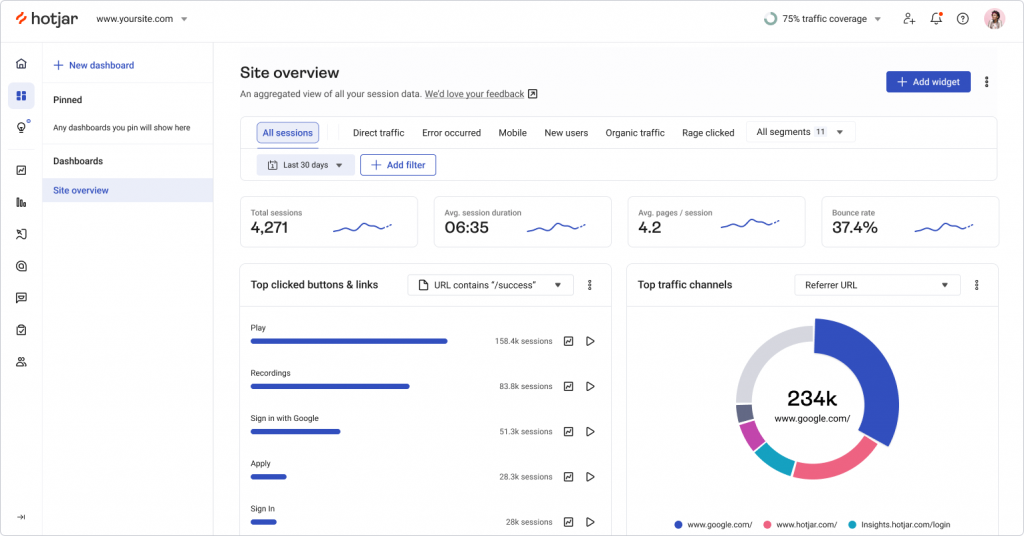
Surveys and feedback widgets can target specific pages or user segments, and visitors can flag a problem without waiting to be asked.
A free plan makes it easy to try before spending anything, and the Capterra rating is based on a large review base, well past 500 reviews.
The tradeoff is that surveys are one module among several rather than the whole product. The survey builder is lighter than a dedicated tool’s branching logic, and pricing is split across separate product lines as the Contentsquare transition rolls out, so I’d confirm current plans before budgeting.
Best fit: UX and product teams whose outcome is understanding why users drop off, with answers and behavior in one place.
Pros:
- Heatmaps and session recordings alongside on-site surveys and feedback widgets
- Surveys and feedback widgets can target specific pages or user segments
- Free plan available to test before spending anything
- Large Capterra review base, well past five hundred reviews
Cons:
- Survey builder and logic are lighter than a dedicated survey tool’s
- Pricing is split across separate product lines and shifting under Contentsquare
How Hotjar Compares to Survicate: Hotjar leads with behavior analytics and treats surveys as one module, where Survicate treats feedback as the whole product, so it fits a team that wants context behind answers more than a deeper survey program.
Pricing: Paid plans start at $39/month, with a free plan available. Plan structure is shifting as Hotjar moves under Contentsquare, so confirm current tiers.
User Rating: 4.6/5 (Capterra)
9. Mopinion: Best for Digital Feedback Analytics with Text and Sentiment Tagging
Mopinion is built around the analytics side of feedback specifically, and I’d look at it first if reporting is your whole complaint.
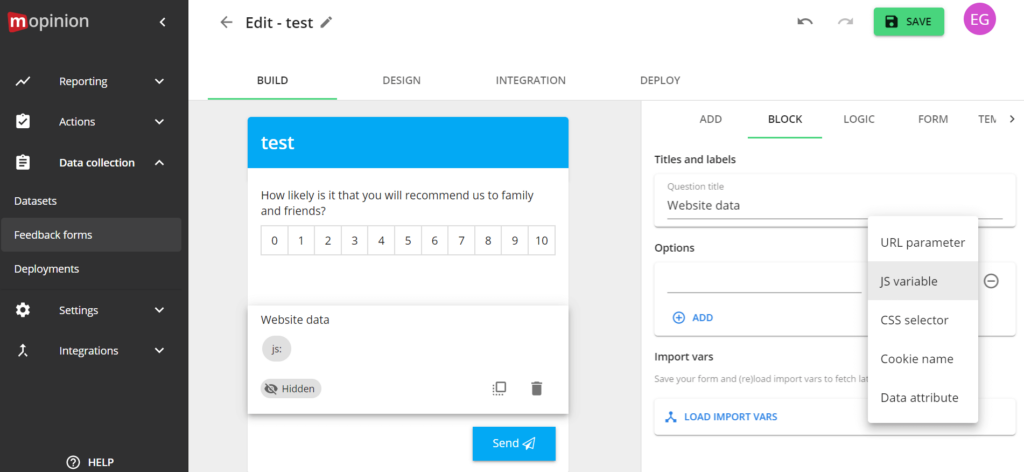
Text analytics and automatic response tagging sort comments into categories such as pricing, UI, or bug reports without manual review, and sentiment analysis tracks the emotional tone of responses over time.
Custom dashboards let a team build the exact view it needs for its reporting, a direct answer to Survicate’s reporting ceiling, and embedding the survey and feedback widget directly into emails is a nice touch that not every tool here attempts.
The tradeoff is real cost: this sits well above Survicate’s pricing for a deeper analytics layer, and its Capterra review base is thin relative to more established competitors, so I’d weigh the 4.2 rating accordingly.
Best For: digital and UX teams with a budget, whose outcome is feedback sorted and ready to act on with no manual tagging.
Pros:
- Text analytics and automatic response tagging sort feedback into labels automatically
- Detailed metadata capture provides context on every respondent
- Custom dashboards for building exactly the reports a team needs
- Sentiment analysis tracks emotional tone in responses over time
Cons:
- Meaningfully more expensive than Survicate and most of this list
- Thin Capterra review based on relative to more established competitors
How Mopinion Compares to Survicate: Mopinion goes deeper than Survicate, specifically on the analytics side, text tagging, and sentiment tracking. Survicate’s own reporting does not attempt to do so at a price that reflects that added depth.
Pricing: Paid plans start at $279/month.
User Rating: 4.2/5 (Capterra)
10. Shout: Best for Website and Panel-Based Surveys
Shout, formerly known as KwikSurveys, is the budget pick on this list for a team that mainly needs responsive website surveys without Survicate’s broader multichannel ambitions.
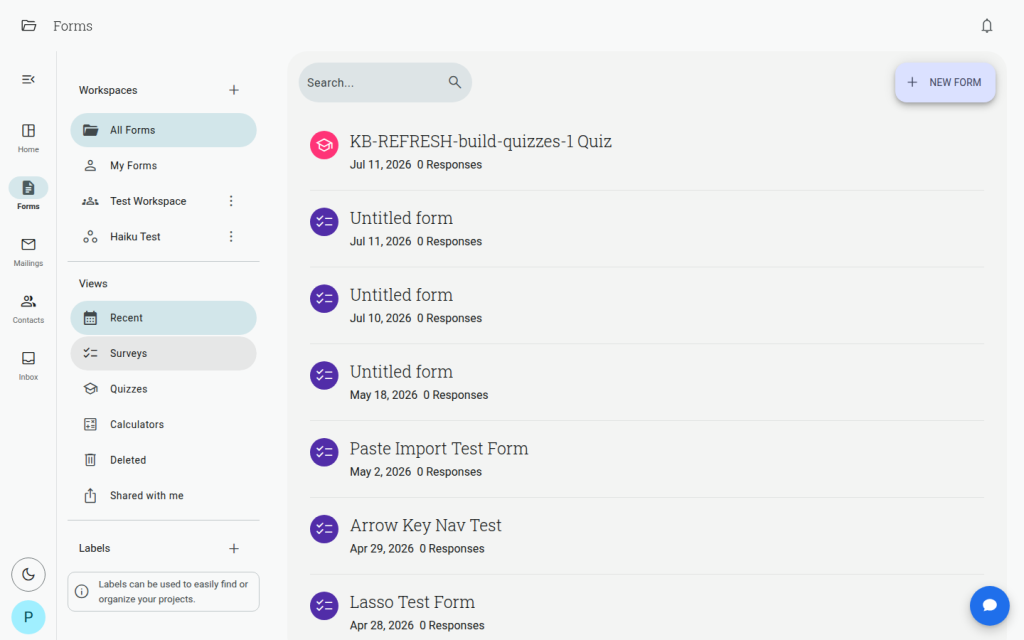
A drag-and-drop builder covers surveys, quizzes, and forms without any coding, and theme customization and rebranding options let a survey match your site’s look without extra design work.
The option to buy third-party panel responses is a genuine differentiator, useful when you need external respondents, not just your own site visitors. Entry-level pricing stays genuinely accessible, which is the main reason I’d shortlist it.
Keep in mind that the review base is thinner than most of this list, so the 4.6 rating deserves a little more caution than a larger sample would. I
Best For: small teams and solo founders whose outcome is getting website survey data in without a real budget.
Pros:
- Drag-and-drop builder for surveys, quizzes, and forms with no coding required
- Option to purchase third-party panel responses for external audiences
- Responsive survey design that works across devices
- Genuinely accessible entry-level pricing
Cons:
- Thinner Capterra review base than most other tools on this list
- Narrower feature set than Survicate’s own multichannel, CRM-synced approach
How Shout Compares to Survicate: Shout covers basic website survey needs at a fraction of Survicate’s price, with the added option of buying external panel responses, though it does not match Survicate’s multichannel reach or CRM integrations.
Pricing: Paid plans start at $12.99/month.
User Rating: 4.6/5 (Capterra)
Which Survicate Alternative Should Be Your Top Pick?
Ten tools are a lot to weigh. If you read only one section, make it this one. These are the three I’d genuinely point a team toward, and each answers a different version of what’s pushing people off Survicate.
1. Qualaroo: Best Overall Pick if Analytics Depth Is the Real Complaint
Qualaroo tops my list because it solves the specific thing that comes up most with Survicate: reporting that plateaus once a team needs more than surface-level trends.
Native AI Sentiment Analysis and Word Cloud generation do the pattern-finding automatically, the same job Survicate’s reporting leaves to manual review.
Heatmaps and Session Recordings add a visual layer to every response, showing what a user was doing right before they answered.
Advanced, behavior-based targeting goes further than Survicate’s default options, a real answer for a team running a complex SaaS product. The free plan lets you test all of it on real responses first. The outcome: faster decisions without adding an analyst.
2. Zonka Feedback: Best if You Want Native AI Analysis Built Into Every Plan
For a team that wants Survicate’s multichannel reach with real AI-powered analysis baked in from the entry tier, Zonka Feedback is where I’d look next.
Closed-loop ticketing turns a bad score into a tracked, assigned issue automatically, a genuine step past Survicate’s follow-up workflow.
It topped Capterra’s own Pricing Value Report for survey software, a strong signal on cost relative to what’s included. The tradeoff is real: budgeting means a sales conversation rather than a published number.
For a team that has already decided the analysis depth is worth that extra step, this is the strongest AI-native pick on the list. The outcome: detractors turned into tracked fixes, not unread comments.
3. Retently: Best if You Want a Focused NPS Specialist Instead of a Broad Platform
If Survicate’s broader multichannel scope is more than your team uses, Retently is the honest answer: the same core NPS, CSAT, and CES job done by a specialist rather than a general-purpose platform.
E-commerce integrations go deeper here than anywhere else on this list, a real advantage if you’re tied to Shopify or WooCommerce.
The catch is scope: a team that uses Survicate’s survey types beyond NPS will find this narrower by design.
For everyone else running a straightforward NPS program, that narrower focus is what makes it faster to set up and easier to run day to day. The outcome: a repeatable NPS program that doesn’t need constant attention.
How Did I Evaluate These Survicate Alternatives?
What drove these rankings was whether a tool closes a real gap in Survicate’s experience, reporting depth, targeting granularity, price structure, not just whether it can technically send a survey.
Six factors carried the weight:
User Reviews and Ratings
Every rating here is pulled directly from Capterra and weighted by review count, not just the average star rating. A 4.9, based on a handful of reviews, tells me far less than a 4.6, based on a hundred. Survicate’s own 4.6 rests on 99 reviews, a solid sample, so I held any noticeably thinner sample among the alternatives, Qualaroo’s included, to a slightly higher bar before treating it as equally settled.
Essential Features and Functionality
I cared more about whether a tool adds real analytical depth, native AI text and sentiment analysis, closed-loop workflows, than about a long feature checklist, since that depth is exactly where Survicate’s reporting stops short. I also looked at targeting granularity and mobile coverage, because those are the other two places a SaaS or mobile-first team tends to hit a ceiling.
Ease of Use
I looked at how much setup stands between signup and a first live survey, since a tool that trades a little of Survicate’s guided simplicity for more depth needs to be worth that tradeoff. That meant asking how quickly a non-technical teammate could launch a survey, how much configuration targeting and branching require, and how long it takes before the first response is something you can actually read and use.
Customer Support
I checked whether support is responsive at the entry price or reserved for larger deals, relevant for any team that depends on quick help when a feedback campaign is time-sensitive. A survey tied to a product launch or a churn spike can’t wait days for an answer, so I weighed how easy it is to reach a real person, whether onboarding help is included, and whether the quality of support changes as you move between plans.
Value for Money
I weighed what a tool’s analytics or targeting depth actually costs to unlock, including response caps, since Survicate’s steep free-to-paid jump and the way a response limit can pause a live survey are exactly the pricing friction worth watching for elsewhere too. I compared the entry price against what’s included at that tier, whether the pricing is published or quote-only, and how fast the cost climbs as response volume grows.
Personal Experience and Experts’ Opinions
Where I’ve used a tool directly, that experience shaped what’s written here, including small, practical details that don’t always show up on a pricing page. Where I haven’t, I leaned on patterns that repeat consistently across independent research rather than any single source, and I tried to avoid ranking a tool highly on the strength of one strong opinion.
FREE. All Features. FOREVER!
Try our Forever FREE account with all premium features!
Surveys Are Easy. Turning Answers Into Action Is the Real Job
Every tool on this list can send a survey and collect a response, Survicate included, and it does that well enough to earn a solid 4.6 rating.
The complaint that sends people looking elsewhere isn’t the surveying itself. It’s what happens once responses start coming in: reporting that plateaus, targeting that stays general, a price jump with no smaller step in between.
That’s why my pick splits a few different ways. A team that wants Survicate’s core job with deeper AI-powered analysis needs a different answer than one that has decided a focused NPS specialist or a full enterprise platform fits better.
If closing the analytics gap without a steep price jump is your goal, I’d start with Qualaroo. The free plan lets you test the AI feedback analysis against real responses before committing to anything.
Frequently Asked Questions
What is the best free alternative to Survicate?
I'd start with Qualaroo. Its free plan covers up to 50 responses with every premium feature included, AI Sentiment Analysis too, a genuinely usable starting point before Survicate's steep jump to $114 a month. SurveyMonkey and Typeform also offer real free tiers if you want to test the waters before spending anything.
Is Qualaroo cheaper than Survicate?
Yes, at the entry tier. Qualaroo's Essentials plan runs $19.99 a month, well under Survicate's $114 a month paid tier, and it includes native AI Sentiment Analysis plus heatmaps and session recordings. Survicate also offers AI categorization of answers, so I'd compare both on your own responses. The free plan is also the more generous starting point before you commit to anything paid.
Which Survicate alternative includes native AI-powered analysis?
Qualaroo, Zonka Feedback, and Mopinion all build AI-powered analysis of open-text responses directly into the product, whether that's sentiment analysis, text tagging, or word cloud generation. This addresses the most common Survicate complaint, reporting that plateaus once you need more than basic trend tracking.
Which Survicate alternative is best for a focused NPS program specifically?
Retently. It's purpose-built for NPS, CSAT, and CES, with strong e-commerce integrations and fast setup. Zonka Feedback is the second-closest match, adding closed-loop ticketing and native AI analysis on top of the same core NPS job, at a higher, quote-only price point.
Is there a Survicate alternative built for enterprise-scale feedback programs?
Qualtrics is built for exactly that: customer, employee, and research feedback folded into one platform with predictive analytics layered on top. Pricing isn't published, so I'd only consider it for an organization already running a formal, multi-department experience-management function rather than a single product team.
Which Survicate alternative is best for a mobile-first product?
Qualaroo is the strongest fit in my view, with a native iOS and Android SDK for in-app surveys, an area where Survicate's mobile coverage trails its web and email channels. Zonka Feedback also reaches mobile users through its broader distribution across the web, email, and SMS.
What should I look for in a Survicate alternative besides price?
Check whether the tool's reporting goes beyond basic trend tracking, since that's one of Survicate's most common complaints. Then weigh targeting granularity for in-product surveys, mobile SDK support, the response cap on your plan, and whether pricing is published or needs a sales conversation to get a real number.
When should I stay on Survicate rather than switch?
If your surveys span web and in-app, and email, and link, you rely on its HubSpot or Salesforce integrations, and your response volume sits comfortably inside your plan, the surveying itself is solid, and switching may not pay off. I'd switch when cost at scale, analysis depth, or targeting precision is costing you decisions or time.
What about Hotjar, Refiner, or Formbricks as alternatives to Survicate?
They come up often in alternatives roundups, so they're worth a look. Hotjar, now part of Contentsquare, pairs surveys with heatmaps and session recordings. Refiner is built for in-product surveys on SaaS products. Formbricks is open source and can be self-hosted, which matters if owning your feedback data is a priority. I kept this list to the ten tools I compared directly.
FREE. All Features. FOREVER!
Try our Forever FREE account with all premium features!

 We'd love your feedback!
What did you like & how can we make it even better?
 Thanks for your feedback!
 Ask Your Question
Have a question? Get expert help to make your decision easier.