Text analytics tools are how modern product and CX teams turn thousands of scattered comments into insights they can act on, instead of reading every survey response and support ticket by hand.
I have spent enough hours in that kind of open-text data to know the tool matters less than what you feed it, but picking the right one still saves weeks.
Qualaroo comes first on this list, and not because I work with it daily.
It is one of the only tools here built to catch feedback the moment a user is thinking it, not three days later when they have already forgotten why they were frustrated.
Below is a rundown of the 10 platforms worth putting on your shortlist this year.
What Are Text Analytics Tools?
Text analytics tools are software platforms that use natural language processing and machine learning to read unstructured text, like survey responses, reviews, and support tickets, and turn it into structured data: sentiment scores, themes, and entities you can act on.
Most teams do not lack feedback. They lack the time to read it all.
A single NPS campaign can generate thousands of open-ended comments, and no analyst is reading that manually every week.
Text analytics tools exist to close that gap between volume and understanding.
The Top 10 Text Analytics Tools For Customer Feedback
Before breaking down each tool individually, here is how all ten compare side by side on the factors that matter most to a feedback-heavy team: what the tool is best suited for, its Capterra rating, and what it costs to get started.
| Tool | Best For | Capterra Rating | Starting Price |
| Qualaroo | AI-powered survey creation and sentiment analysis, in-context feedback collection, NPS, product feedback, and behavioral analysis | 4.7/5 | Free plan; paid from $19.99/month |
| Chattermill | Omnichannel enterprise feedback analytics | 4.5/5 | Custom pricing |
| Thematic | AI-driven theme discovery with explainability | 4.9/5 | Custom pricing |
| Kapiche | Unsupervised discovery of unknown themes | 5.0/5 (1 review) | From $1,060/mo |
| Medallia | Enterprise-scale omnichannel experience management | 4.5/5 | Custom pricing |
| Enterpret | Linking feedback themes to revenue and accounts | 4.8/5 | Custom pricing |
| Zonka Feedback | Combining feedback collection with AI analysis | 4.8/5 | Custom pricing |
| InMoment | Transparent, explainable NLP scoring | 4.4/5 | Custom pricing |
| Brandwatch | Social and public review text analysis | 4.2/5 | Custom pricing |
| Revuze | CPG and retail competitive review intelligence | 4.3/5 | From $1,000/mo |
Now let’s break down what each tool actually does well, where it falls short, and who it fits, starting with the one built for catching feedback in the moment.
1. Qualaroo: Best for Capturing Real-Time User Insights In-App & on Your Website Using Contextual, AI-Powered Micro-Surveys
I keep coming back to Qualaroo because it is built for the moment feedback actually happens, not the moment you remember to ask for it.
The Nudge™ is a small, non-intrusive survey that slides in while someone is on your site or inside your app, and you can aim it at almost any segment you can imagine: users who just failed onboarding, paid customers on a specific plan, or visitors who arrived from one campaign.
What has made it stick for me is how little manual work it takes once it is set up.
AI-powered survey creation automatically generates relevant questions, so you don’t have to stare at a blank form, and native AI-powered sentiment analysis turns thousands of open-text responses into readable themes in minutes, rather than the weeks it used to take my team.
Pros:
- AI-powered survey creation that builds relevant questions automatically
- Heatmaps and session recordings that track behavior to act on it
- Native AI-powered sentiment analysis that turns open text into instant themes
- Advanced targeting by identity, behavior, geolocation, and exit intent
- The Identify API to tie each response back to a real, named user
- In-app surveys for iOS and Android with branching logic
- Word Cloud that surfaces the most common terms and phrases from open-text responses at a glance
Cons:
- Dedicated onboarding and account management are generally reserved for paid plans
- No downloadable or on-premise version, an internet connection is required
User Rating: 4.7/5 (Capterra)
Pricing: Free plan available with all premium features. Paid starts at $19.99/month per month.
2. Chattermill: Best for Omnichannel Enterprise Feedback Analytics
I first heard about Chattermill from a CX lead I met at a conference booth, who spent a solid ten minutes telling me how it pulled her support tickets and NPS comments into one place without her team stitching anything together manually.
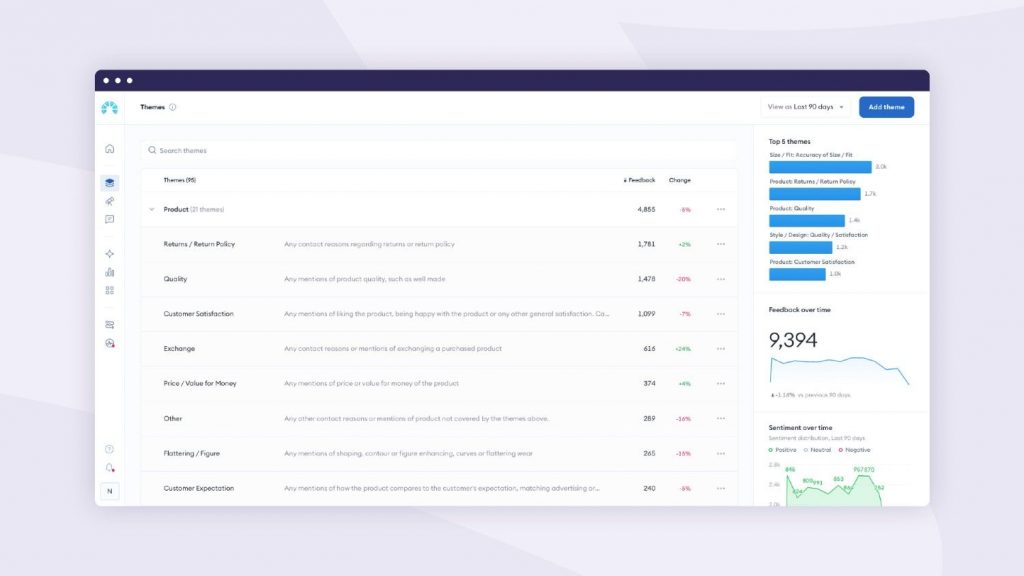
That conversation stuck with me because it is a common pain point for any enterprise team juggling five or six disconnected feedback sources.
Chattermill is built for exactly that scale. It scores sentiment at the topic level within a single response rather than tagging the whole comment as one blanket sentiment, which matters once you are trying to figure out whether a customer loved your product but hated your billing process.
It processes more than 50 languages natively, so global brands are not stuck translating everything to English before the AI can read it, and it plugs into more than 90 tools out of the box.
Pros:
- Aspect-based sentiment analysis at the topic level, not just the document level
- 90-plus native integrations across CX, support, survey, and social tools
- Processes 50-plus languages natively without a translation step
- Automated alerts tied directly to NPS and CSAT movement
Cons:
- Custom pricing only, with no self-serve starting point for smaller teams
- Some reviewers note dated report visuals with limited chart customization
User Rating: 4.5/5 (Capterra)
Pricing: Custom, based on feedback volume and channels. Contact sales for a quote.
3. Thematic: Best for AI-Driven Theme Discovery With Explainability
Thematic kept surfacing in my research, and in comparison threads I read for one reason: it shows its work.
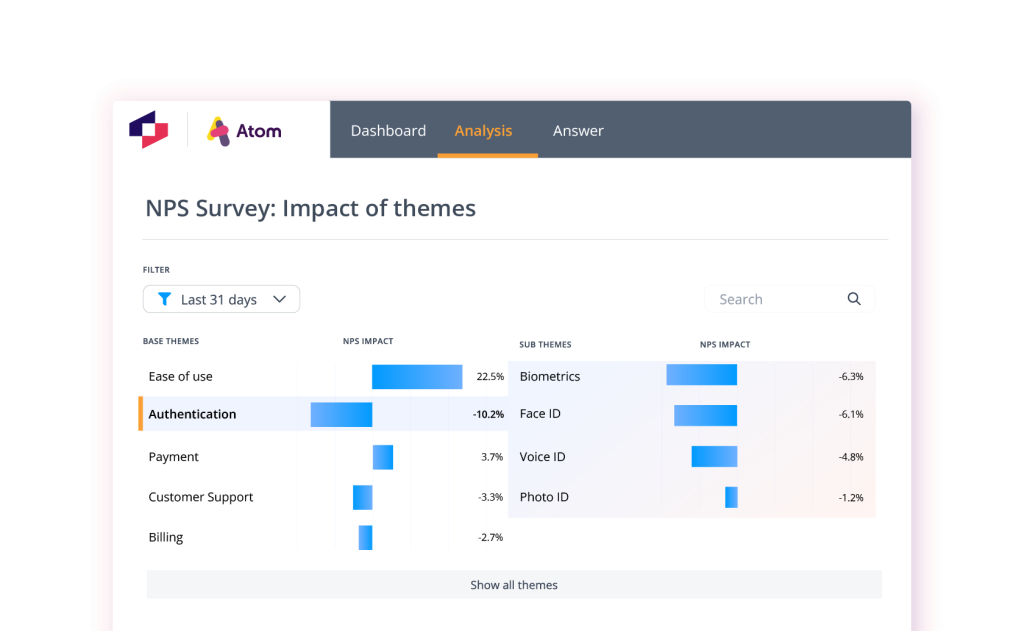
Every sentiment score and every theme grouping comes with the supporting verbatims and the reasoning behind it, which I think matters a lot more than most vendors let on, especially once you are the one defending an insight to an executive who does not trust a black box.
I also like that Thematic leans into unsupervised discovery rather than forcing you to define every category before you even start.
It took real setup time to get there in the reviews I read, but the payoff was teams being able to say exactly what to prioritize and why.
Pros:
- Unsupervised theme discovery that surfaces topics you did not predefine
- Full traceability from a theme back to the original customer comment
- Quantifies the impact of each theme on your overall CX metric
- Positioned as more accessible in price than large enterprise suites
Cons:
- Initial setup requires real effort to train the model on branded terms
- Fewer native analytics integrations compared to larger platforms
User Rating: 4.9/5 (Capterra)
Pricing: Custom pricing. Contact sales for a quote.
4. Kapiche: Best for Unsupervised Discovery of Unknown Themes
A former colleague pointed me to Kapiche while we were comparing tools for a support-heavy client who had way more feedback than her small team could ever manually tag. What sold me on it is how it flips the usual approach on its head.
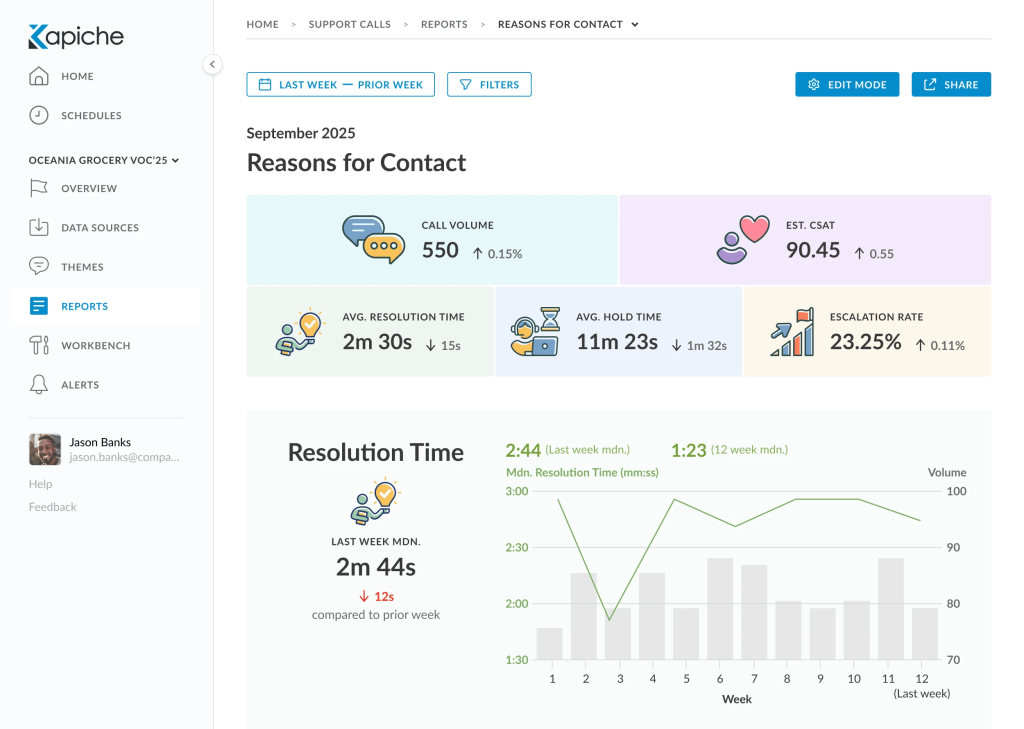
Instead of asking the data a question you already had in mind, you feed it everything, and it clusters the text itself, then tells you what is actually in there.
The complaint category you did not think to name, or the framing shift that started quietly in one region, is exactly what a predefined taxonomy misses and what Kapiche is designed to catch.
I would not run it alone for a large, multi-source enterprise operation, but as a companion to a more structured platform, or as a fast, focused tool for a mid-market team, it earns its spot.
Pros:
- Unsupervised clustering surfaces emerging themes without a predefined taxonomy
- Fast time-to-value compared to enterprise-grade rollouts
- Works well as a companion to a more structured analytics platform
Cons:
- Row and field limits per tier can constrain very high feedback volumes
- Multilingual support relies on translation rather than native-language processing
User Rating: 5.0/5 (Capterra, 1 review)
Pricing: Bronze tier from $1,060 per month for 50,000 rows and two creator seats.
5. Medallia: Best for Enterprise-Scale Omnichannel Experience Management
Medallia is the platform I see mentioned in almost every enterprise CX conversation I have ever sat in on, whether the team ends up buying it or not.
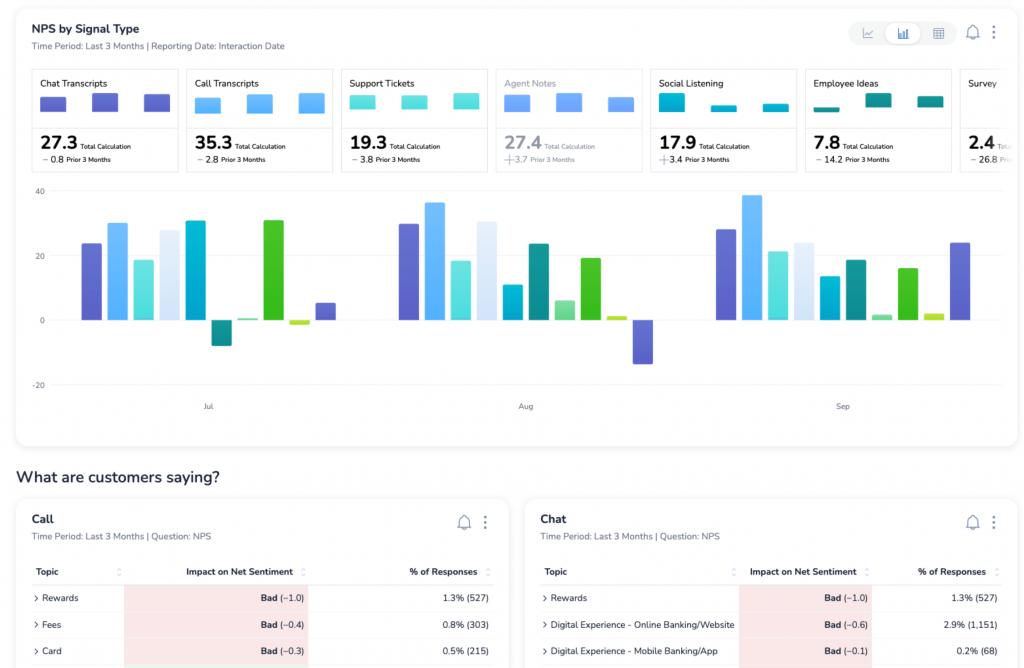
It processes billions of experience signals across voice, video, digital, and social, and its Athena AI engine is built around root cause analysis and risk scoring rather than just handing you a dashboard full of charts.
What I would flag for anyone considering it is the commitment involved. This is not a tool you spin up in an afternoon. Implementation regularly runs three to six months, and pricing climbs into the tens of thousands annually, with everything gated behind a custom quote.
If you are a Fortune 500 team managing millions of interactions across channels, that investment tends to pay off. If you are a lean SaaS team, it is almost certainly more than you need right now.
Pros:
- Role-based dashboards that route insights to the right team automatically
- Strong at pulling insight from voice, video, and social alongside text
- Deep integrations with CRM and ERP systems for enterprise workflows
Cons:
- Long implementation timelines, often three to six months
- Pricing runs into the tens of thousands annually, with custom quotes only
User Rating: 4.5/5 (Capterra)
Pricing: Custom, based on the Experience Data Record model. Contact sales for a quote.
6. Enterpret: Best for Linking Feedback Themes to Revenue and Accounts
What drew me to Enterpret while researching this list is how directly it ties feedback back to money.
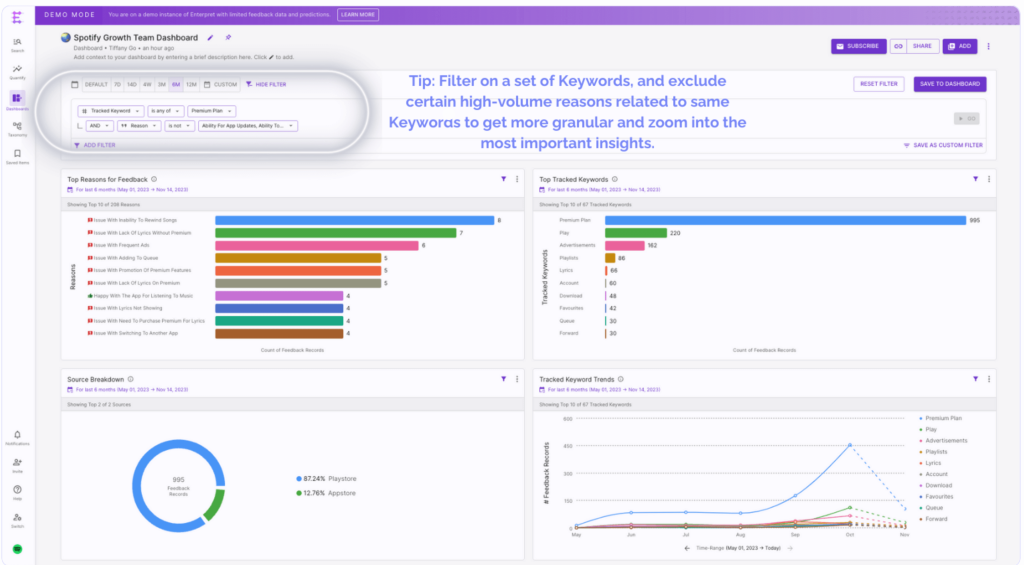
It is built for product-led SaaS teams that need to know not just what customers are complaining about, but which specific account is complaining and how much revenue sits behind that account.
Its adaptive taxonomy also builds and refines categories on its own, so you are not stuck manually maintaining a rigid label structure as your product and customer language evolve.
That account-level context is what makes it stand out to me among the more generic feedback tools on this list. It is a narrower tool than Chattermill or Medallia, but for the specific job of connecting feedback to revenue, I think it does that job better than either.
Pros:
- Adaptive taxonomy that evolves without manual label maintenance
- Ties feedback themes directly to account-level revenue impact
- Strong fit for teams where product managers are the primary users
Cons:
- Smaller integration library than the largest enterprise platforms
- No confirmed aspect-level sentiment scoring within a single response
User Rating: 4.8/5 (Capterra)
Pricing: Custom pricing. Contact sales for a quote.
7. Zonka Feedback: Best for Combining Feedback Collection With AI Analysis
I tested Zonka Feedback on a client project that needed offline kiosk surveys running alongside web feedback, and what stood out was how little I had to think about stitching two systems together.
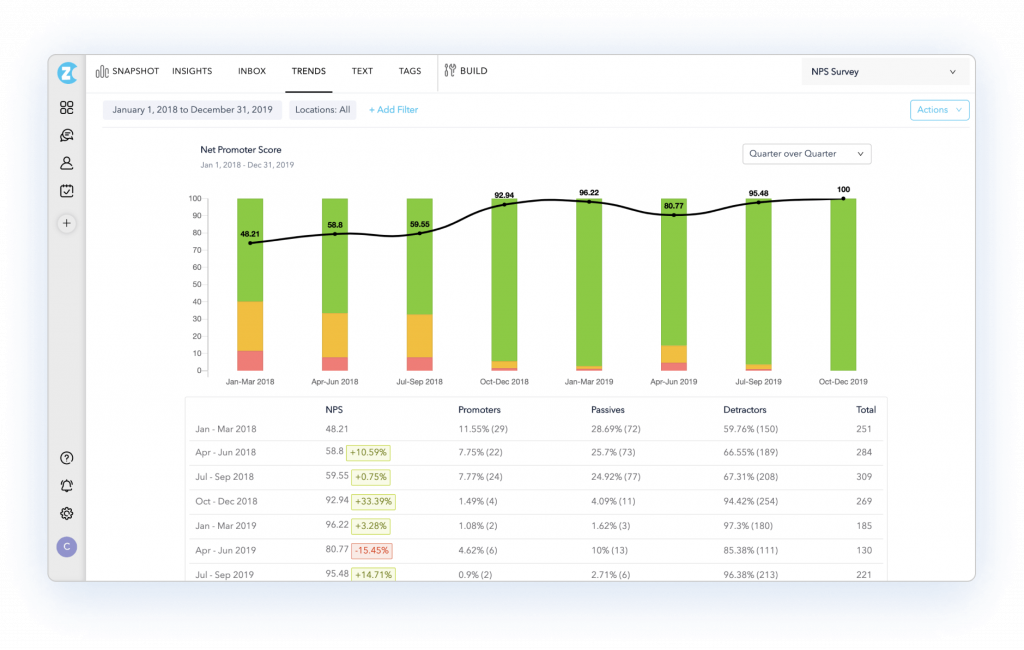
Most tools on this list assume you already have a separate survey platform feeding data into them. Zonka Feedback collects and analyzes everything in one place, eliminating an entire integration step that trips up many smaller teams.
It covers a genuinely wide range of channels, from email and SMS to WhatsApp, web widgets, and in-app prompts, and it routes signals to different roles so a branch manager and a CX executive are not staring at the same undifferentiated report.
The tradeoff I noticed is that if your business has several divisions with very different customer languages, calibrating the taxonomy across all of them takes real time up front.
Pros:
- Collects and analyzes feedback in one platform, no separate integration needed
- Omnichannel collection across email, SMS, WhatsApp, web, and in-app
- Role-based signal delivery so that different teams see relevant data only
Cons:
- Custom taxonomy for complex, multi-division businesses takes time to calibrate
- Some deeper API integrations need technical resources to configure
User Rating: 4.8/5 (Capterra)
Pricing: Custom pricing. Contact sales for a quote.
8. InMoment: Best for Transparent, Explainable NLP Scoring
InMoment earns its place on this list because of how openly it shows its reasoning.
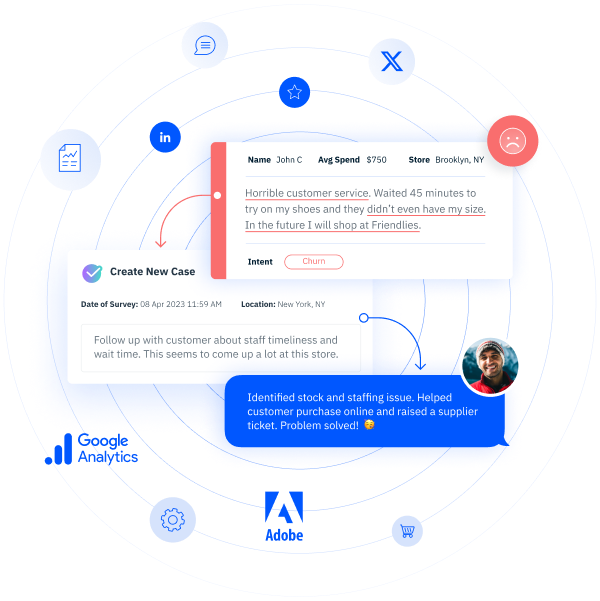
It runs over 100 machine learning models and is built to avoid the black-box feel that a lot of competing platforms have, which I think matters more than vendors give it credit for, once your team starts questioning why a sentiment score landed where it did.
It sits in an interesting middle spot between simple survey tools and the full enterprise CX suites like Medallia, aiming at mid-market teams who want serious customization for entity recognition and industry-specific tuning without committing to a multi-year enterprise contract.
The review on Capterra is still fairly small for a tool this capable, so I would treat the rating as a helpful signal rather than the final word.
Pros:
- Transparent analytics that show accuracy and reasoning, not just a score
- Real-time reporting and deep customization for industry-specific needs
- Handles both structured and unstructured feedback under one framework
Cons:
- Smaller Capterra review base makes it harder to validate at an enterprise scale
- Some reviewers note a steeper learning curve for advanced configuration
User Rating: 4.4/5 (Capterra)
Pricing: Custom pricing. Contact sales for a quote.
9. Brandwatch: Best for Social and Public Review Text Analysis
Brandwatch is a bit of an outlier on this list, and I want to be upfront about that. It was not built primarily to analyze your own survey responses or support tickets, so if that is your main need, it will feel like the wrong tool almost immediately.
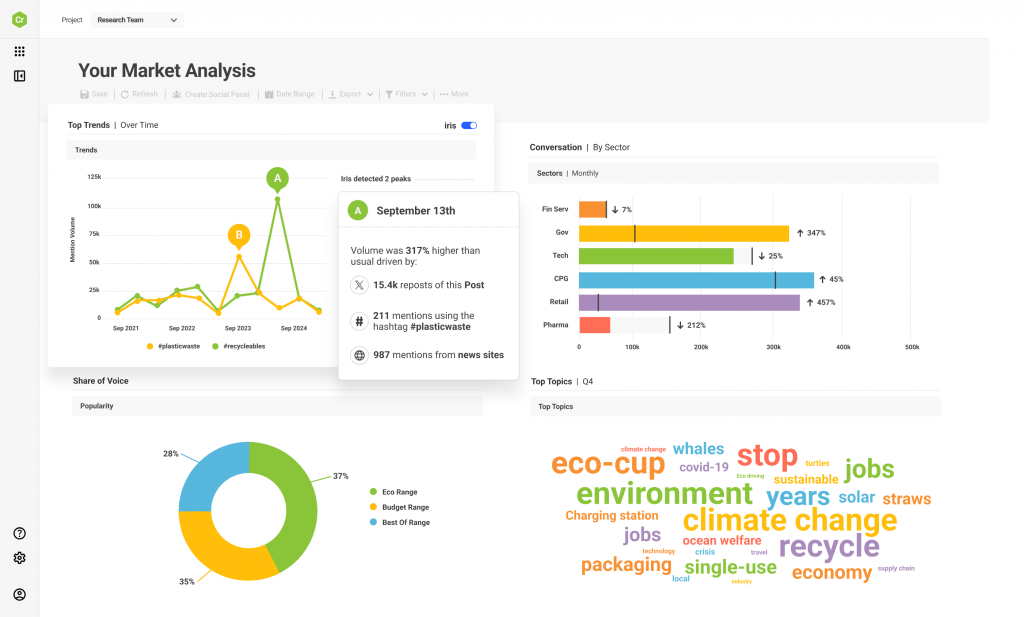
Where it earns its spot is public conversation: social mentions, forums, and review sites, which matter just as much to customer perception as a formal NPS score does.
I would point to a marketing or brand team here before a CX team managing internal feedback loops.
Its coverage across Twitter, Facebook, Instagram, and Reddit is genuinely strong, and the historical data access lets you track how sentiment has shifted over months or years rather than just this quarter. Just do not expect it to replace a dedicated feedback analytics platform.
Pros:
- Comprehensive coverage across Twitter/X, Facebook, Instagram, and Reddit
- Strong historical data access for tracking sentiment trends over time
- Competitive intelligence features to track the share of voice
Cons:
- Not built for internal feedback channels like surveys or support tickets
- Premium, custom pricing positions it mainly for larger marketing budgets
User Rating: 4.2/5 (Capterra)
Pricing: Custom pricing. Contact sales for a quote.
10. Revuze: Best for CPG and Retail Competitive Review Intelligence
Revuze rounds out my list for a specific, narrower use case that a few of the other tools here do not cover well: competitive intelligence for CPG, retail, and e-commerce brands.
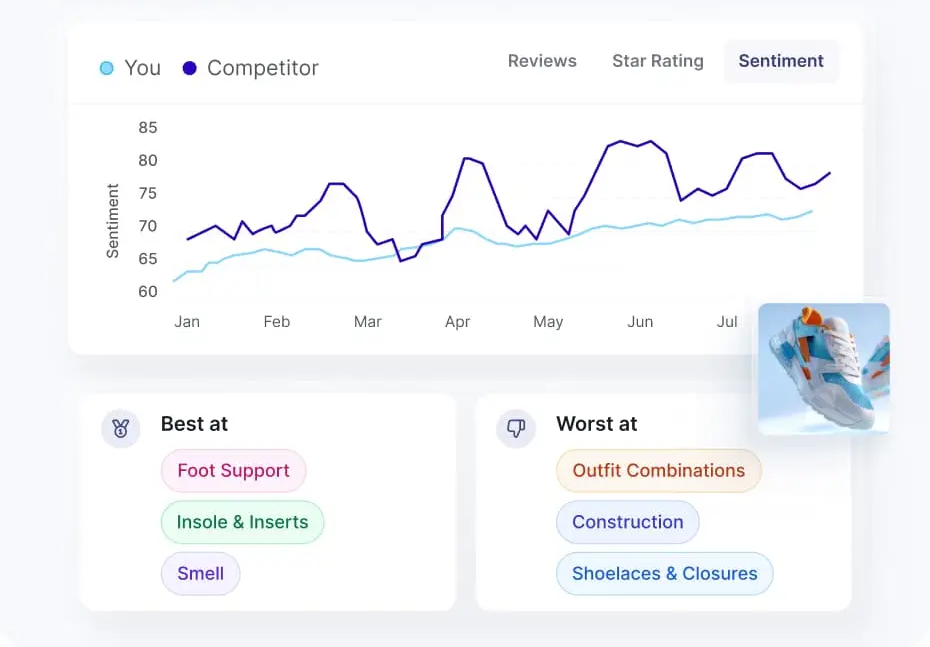
Rather than analyzing only your own customer feedback, it is built to read public reviews and social signals from your competitors as well, which is a genuinely different job from internal feedback analysis.
I like that it spans five distinct solution hubs covering product, social, and competitive research instead of forcing all of that into one generic dashboard.
If your team’s main question is internal, like why customers are churning, this is not your first stop. If it is external, like how you stack up against three competitors on the same shelf, it is worth a look.
Pros:
- Purpose-built for public review and social data across competitors
- Five solution hubs covering product, social, and competitive research
- Recognized as a Major Player in a recent Voice of the Customer market assessment
Cons:
- Narrower fit for teams needing internal survey or ticket analysis
- Less established track record than the larger platforms on this list
User Rating: 4.3/5 (Capterra)
Pricing: Starts around $1,000 per month.
What Are My Top 3 Picks?
If I had to narrow this whole list down to three tools, here is where I would point a SaaS or e-commerce team first, and why each one earned its spot.
1. Qualaroo
I am putting Qualaroo at the top of my own list for the same reason it opened this article: it catches feedback while it is actually happening, not three days after the fact, once the emotion behind it has faded.
For a product or CX team trying to understand churn, onboarding drop-off, or checkout hesitation, that timing difference is the whole game.
Add AI-powered survey creation and native sentiment analysis on top, and you get a tool that shortens the distance between a customer’s frustration and your team actually seeing it, which is exactly the gap most of the other tools on this list are still trying to close.
2. Thematic
My second pick is Thematic, mainly because its insights are highly defensible.
I have sat through enough meetings where someone questioned a sentiment score to appreciate a tool that shows the actual verbatims and reasoning behind every theme it surfaces, instead of asking you to just trust the output.
It also finds themes on its own rather than just sorting feedback into categories you predefined, which matters if the problem costing you customers is one your team has not yet named.
The setup takes real effort, but the payoff is a level of trust in the data that is hard to get elsewhere.
3. Zonka Feedback
My third pick is Zonka Feedback, and it earns that spot on practicality alone.
Most teams I have worked with are already juggling a survey tool and a separate analytics layer, and every integration between them is one more thing that can break or go stale.
Zonka Feedback collects and analyzes everything in a single system, removing an entire step for me on the client project where I used it.
It is not the deepest enterprise platform on this list, but for a team that wants one less tool to manage and one less handoff to worry about, it is the pragmatic choice.
How Did I Evaluate These Text Analytics Tools?
Here is how I evaluated the tools on this list, so you can apply the same process to any option not covered here:
User Reviews / Ratings: I weighed what actual users say on sites like Capterra, not just the vendor’s own pitch, since that’s where the real complaints and praise show up.
Essential Features & Functionality: I looked at what each tool actually does day-to-day, not just its feature list, to judge whether it holds up in practice.
Ease of Use: I considered how quickly a new user could get comfortable with the interface and navigation, since a powerful tool nobody can figure out is worth less than it looks.
Customer Support: I factored in how well each vendor supports you through setup and the inevitable troubleshooting that comes after.
Value for Money: I compared what you get against what you pay, since a great tool at a bad price still loses to a good tool at a fair one.
Personal Experience: Where I’ve used a tool directly or talked to someone who has, I leaned on that over marketing copy every time.
FREE. All Features. FOREVER!
Try our Forever FREE account with all premium features!
Which Text Analytics Tool Should You Try First?
Every tool on this list can tell you what customers said. Fewer of them can tell you when they said it, and that timing is usually the difference between a comment you can act on and one you are reading too late to matter.
A perfectly tuned sentiment engine still cannot rescue feedback that arrived three days after the moment of friction, once the user has already forgotten why they were annoyed or simply churned without saying anything at all.
That is the gap worth closing first, before you worry about which platform has the deepest taxonomy or the most integrations.
Feedback captured while someone is still on your pricing page, mid-checkout, or right after a failed onboarding step carries context that no backfilled survey link can recover.
Qualaroo exists specifically to catch that moment, then hand you AI-powered analysis on top of it so the insight does not sit in a spreadsheet unread.
Frequently Asked Questions
What is the difference between text analytics and sentiment analysis?
Sentiment analysis is one function within text analytics, focused only on whether a piece of text is positive, negative, or neutral. Text analytics is the broader category, also covering theme extraction, entity recognition, and categorization, so sentiment is a component, not the whole picture.
Is MonkeyLearn still available as a customer feedback tool?
No. MonkeyLearn was acquired by Medallia in 2022 and is no longer sold as a standalone product, even though it still appears on some older comparison lists. Teams evaluating it today should look at Medallia or a similar DIY NLP platform instead.
Do any of these tools offer a free plan?
Qualaroo offers a free plan with all premium features up to a response limit, and MonkeyLearn historically offered a free tier before its acquisition. Most enterprise platforms on this list, including Chattermill and Medallia, do not offer a public free tier.
Are text analytics tools different from academic research software like NVivo?
Yes. Academic tools like NVivo and MAXQDA are built for methodical, researcher-controlled coding of transcripts and prioritize rigor over speed. Business text analytics tools are built for scale and speed, processing thousands of responses automatically rather than supporting manual, line-by-line coding.
How many languages do text analytics tools typically support?
Coverage ranges widely. Some platforms, like Qualaroo, support over 70 languages natively, while others translate feedback to English before analysis, which can reduce accuracy on idiomatic or nuanced phrasing in the original language.
Can these tools integrate with Zendesk, Salesforce, or Slack?
Most platforms on this list integrate with common CX and CRM tools, though integration depth varies significantly. Enterprise platforms tend to offer 50 or more native integrations, while smaller or more specialized tools may need a Zapier connection to reach the same systems.
Do I need an enterprise platform if my team is small?
Usually not. Enterprise tools like Medallia and Chattermill are built for teams unifying five or more feedback sources at scale, with implementation timelines of months. Smaller SaaS and e-commerce teams typically get faster value from a focused tool built around their primary collection channel.
What should I check before trusting a tool's advertised rating?
Check the review count, not just the star rating. Several tools on this list carry high ratings from a very small sample size, which can shift quickly once more reviews are added, so treat a rating based on fewer than 10 reviews as a starting signal, not a final verdict.
FREE. All Features. FOREVER!
Try our Forever FREE account with all premium features!

 We'd love your feedback!
What did you like & how can we make it even better?
 Thanks for your feedback!
 Ask Your Question
Have a question? Get expert help to make your decision easier.