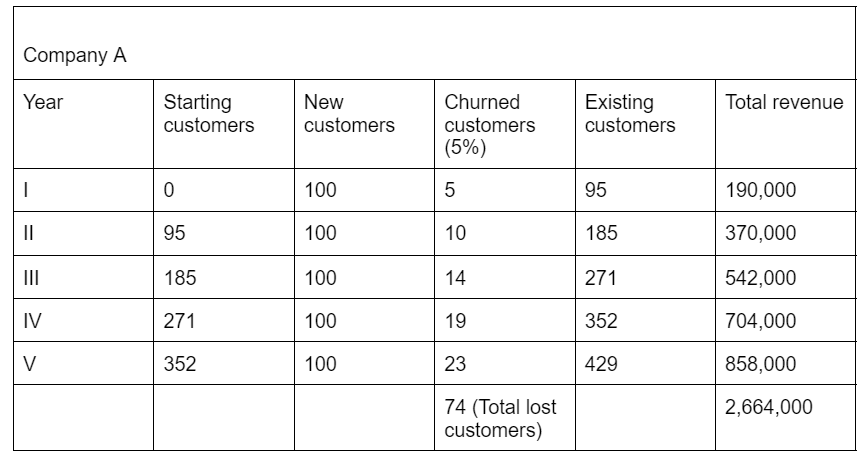
A churn survey is a short set of questions you ask a customer right before they cancel or downgrade.
Done right, it tells you exactly why people leave, in their own words, before that reason becomes the reason five more people leave too.
Most teams get this wrong in one of two ways.
They ask too many questions and get a 12 percent completion rate, or they ask one vague question and get a pile of “other” responses that don’t point anywhere. Neither one helps you fix anything.
This guide gives you the exact churn survey questions and templates to use, in the order that gets real answers, plus how to apply the same thinking to employee churn and culture surveys.
Qualaroo’s Nudge™ surveys are built for exactly this moment: asking the right question while the customer is still in the product, not after they’ve already mentally checked out.
What Is a Churn Survey?
A churn survey is a short questionnaire triggered when a customer cancels, downgrades, or lets a subscription lapse. It asks why they’re leaving and what would have kept them. The goal isn’t to win back every customer. It’s to spot the pattern behind the exits so you can fix the thing actually causing them.
Churn surveys go by a few names depending on where you work: cancellation survey, exit survey, customer loss survey. They all do the same job. The differences show up in when and how they’re delivered:
- In-Flow Churn Survey: Triggered the moment a customer clicks cancel, before the account fully closes. This gets the highest completion rates because the customer is still inside the product.
- Post-Cancellation Email Survey: Sent after the account is closed. Response rates tend to be far lower because the customer has already mentally moved on.
- Employee Churn Survey: The same concept applies to offboarding, usually sent anonymously near or after an employee’s last day to protect honesty about culture and management.
Not every cancellation is the same kind of churn, either. A customer whose card expired is not the same as one who decided your product wasn’t worth the price.
The first is involuntary churn, a billing or technical problem. The second is voluntary churn, an actual decision about your product. A good churn survey separates the two before it tries to explain either one.
24 Core Churn Survey Questions to Ask Customers
Pick two or three from this list for your actual cancel-flow survey.
The rest are here, so you have the right question ready for the right situation, instead of reusing one generic form for every account type.
Reason-for-Leaving Questions (Closed Choice)
| Question | What It Reveals |
| What’s the main reason you’re canceling? | The single biggest churn category, used as your primary reason list |
| Which of these factors played a role in your decision? (select all that apply) | Overlapping reasons a single-choice question would hide |
| Was this decision mostly about price, product, or timing? | A fast top-level split before drilling into specifics |
| Did a specific event trigger this cancellation, or was it a gradual process? | Whether churn was sudden or the result of slow-building dissatisfaction |
| Were you using a competing tool alongside ours before canceling? | Early signal of a competitor evaluation already underway |
| Did your team’s size or budget change recently? | Churn caused by the customer’s business, not your product |
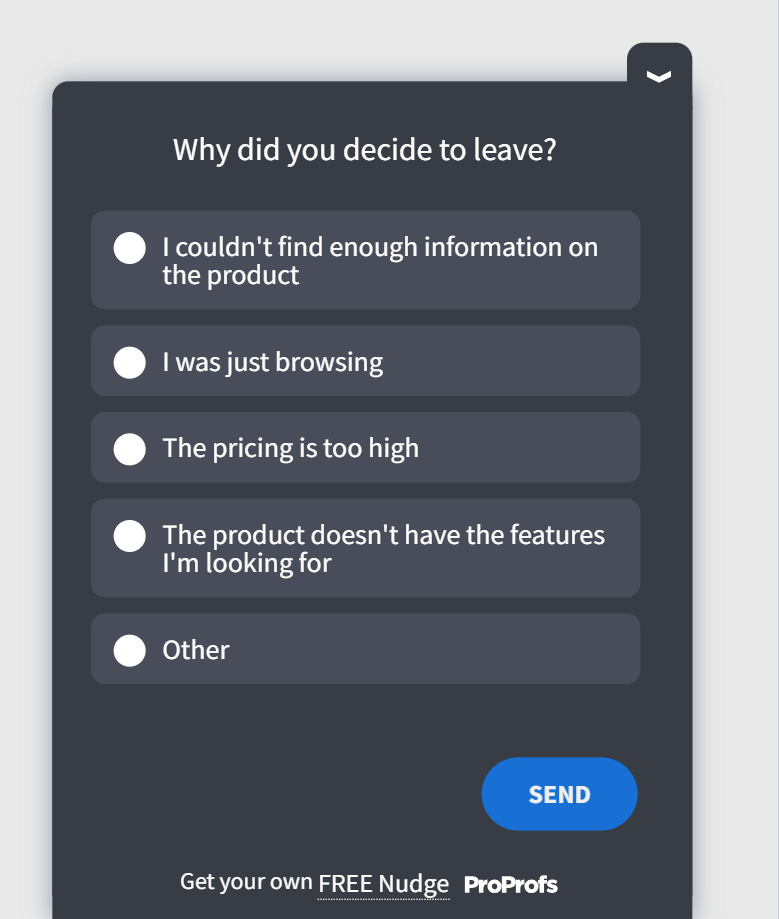
Here’s a survey template to gauge the reason for leaving:
Open-Text and Root-Cause Questions
| Question | What It Reveals |
| Can you tell us a bit more about that? | The specific story behind a closed-choice answer |
| What happened most recently that pushed you to cancel today? | The immediate trigger, separate from long-standing frustration |
| Was this building up over time, or did one thing tip the scale? | Whether the fix needs to be one feature or a broader experience issue |
| If you could change one thing about the product, what would it be? | A direct, unfiltered feature or experience request |
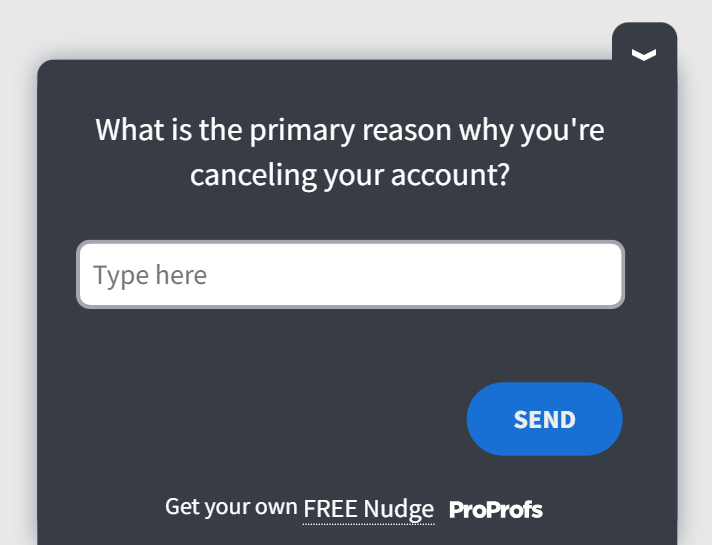
Here’s an open-text survey template for finding the root causes:
Win-Back and Save Questions
| Question | What It Reveals |
| Is there anything that would make you reconsider? | Whether the cancellation is still winnable |
| Would a lower-priced plan have changed your decision? | Whether pricing tier, not pricing itself, is the real issue |
| Would a call with our team help before you finalize this? | Interest in a human intervention versus a self-serve fix |
| Is there a specific feature that, if built, would bring you back? | A concrete roadmap item tied to a real lost account |
| If we resolved this, would you be open to returning within the next few months? | A realistic win-back window, not just a yes or no |
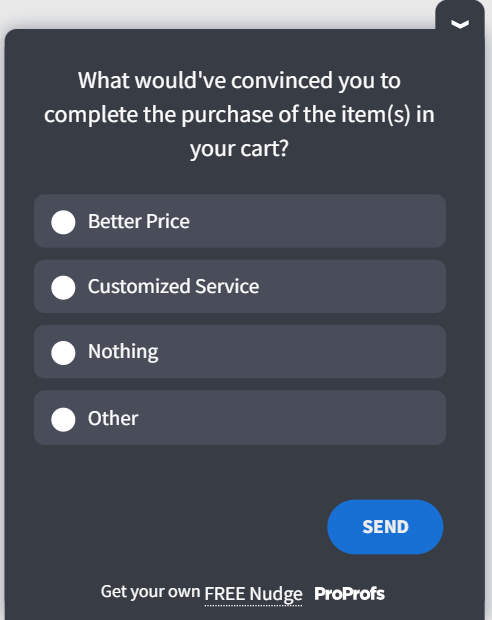
Here’s a win-back churn survey template you can use:
Pricing and Value Questions
| Question | What It Reveals |
| How satisfied were you with the clarity of our pricing and plans? | Billing confusion as a hidden, fixable churn driver |
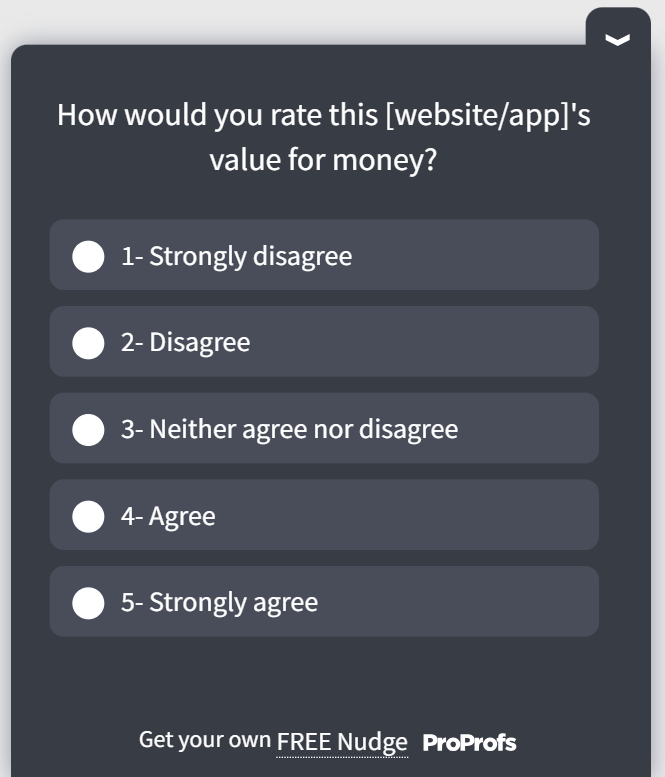
| Did you feel like you were getting enough value for what you paid? | Value perception separate from raw price sensitivity |
| Would a usage-based or lower-tier plan have kept you on board? | Whether the issue is the price point or the plan structure |
| Did you compare our pricing to a competitor before canceling? | Whether this churn is price-driven or competitor-driven |
Here’s a value-related churn survey template for you:
Product and Usage-Gap Questions
| Question | What It Reveals |
| Which feature did you use the least, and why? | Low-adoption areas that may be confusing or unnecessary |
| Was there a feature you expected but couldn’t find? | Gaps between marketing promises and actual product scope |
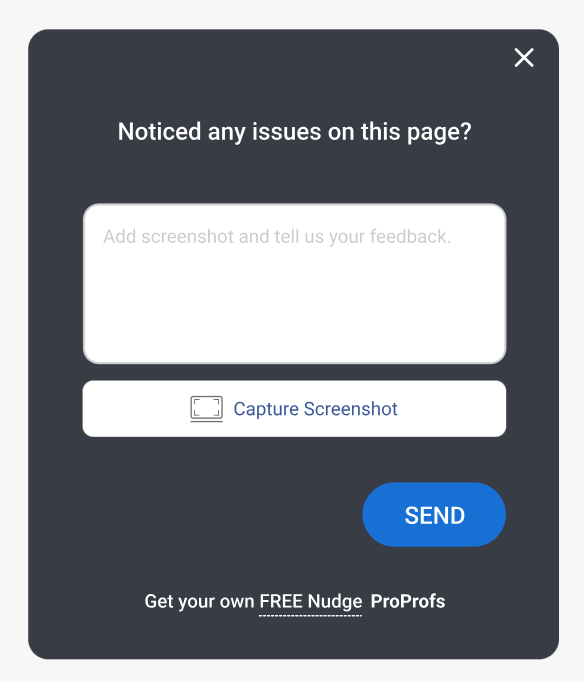
| Did you run into any technical issues or bugs before canceling? | Technical churn that should route straight to engineering |
| How would you rate how easy the product was to set up? | Onboarding friction as an early churn predictor |
| Did our product integrate well with the other tools your team uses? | Integration gaps driving switch-to-competitor churn |
Here’s a product usage survey template for you:
5 Customer Churn Survey Questions Customer Success Teams Need to Focus On
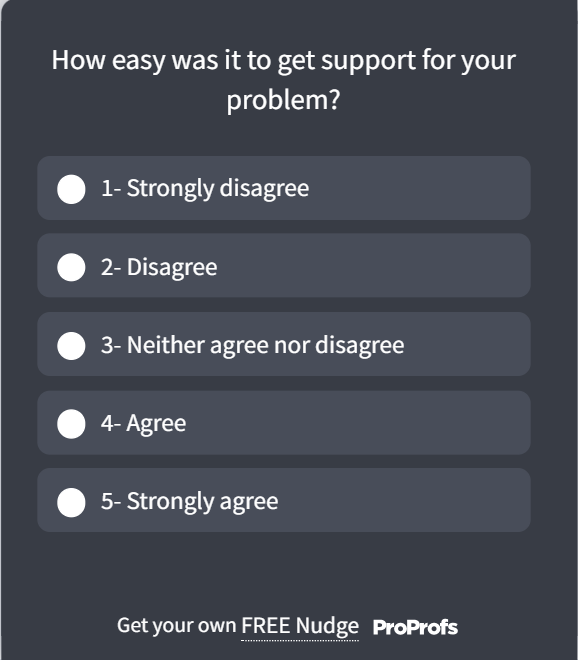
If your customer success team is running the churn survey rather than an automated cancel flow, the questions shift slightly.
CS teams have more room to ask about the relationship, not just the transaction. These work best in a short call or follow-up email with accounts flagged as high-value before they churned.
| Question | What It Reveals |
| Looking back, was there a point where you felt less supported than you expected? | Gaps in the support experience, not just the product |
| Did our team ever follow up on an issue you raised, and did that follow-up land? | Whether previous save attempts actually worked |
| Were you considering leaving before today, or did something specific trigger it? | How long the churn risk had been building unnoticed |
| If your team grows or your needs change again, would you consider coming back? | A realistic future re-engagement opportunity |
| On a scale of 1 to 10, how likely were you to recommend us to a peer before this decision? | A last NPS read, useful for comparing against earlier scores |
Here’s a customer support survey template you can use:
8 Employee Churn and Culture Survey Questions
The logic is the same: ask at the decision point, keep the reason list tight, and expect the first answer not to be the whole story. But employee churn carries an extra wrinkle.
People are far less honest about culture and management issues in a live exit interview than they are in an anonymous survey, because they don’t want to burn a bridge on the way out.
| Question | What It Reveals |
| Which of the following factors influenced your decision to leave? (compensation, career growth, manager, role fit, workload, culture, personal reasons, new opportunity) | A structured reason category you can benchmark across departures |
| What was the single biggest factor that tipped you toward leaving? | Forces one concrete answer instead of a vague blend of reasons |
| How long had you been considering leaving before you started actively looking? | The window HR had to intervene but likely missed |
| How would you describe our culture to someone considering joining? | An honest outsider views most engagement surveys as never capturing |
| How often did you feel recognized for your work? | Whether a recognition gap is quietly driving turnover |
| Did you feel your skills and abilities were fully used in your role? | Underutilization as an overlooked churn driver |
| Was there a specific moment that changed how you felt about staying? | A decision-point trigger rather than a slow drift |
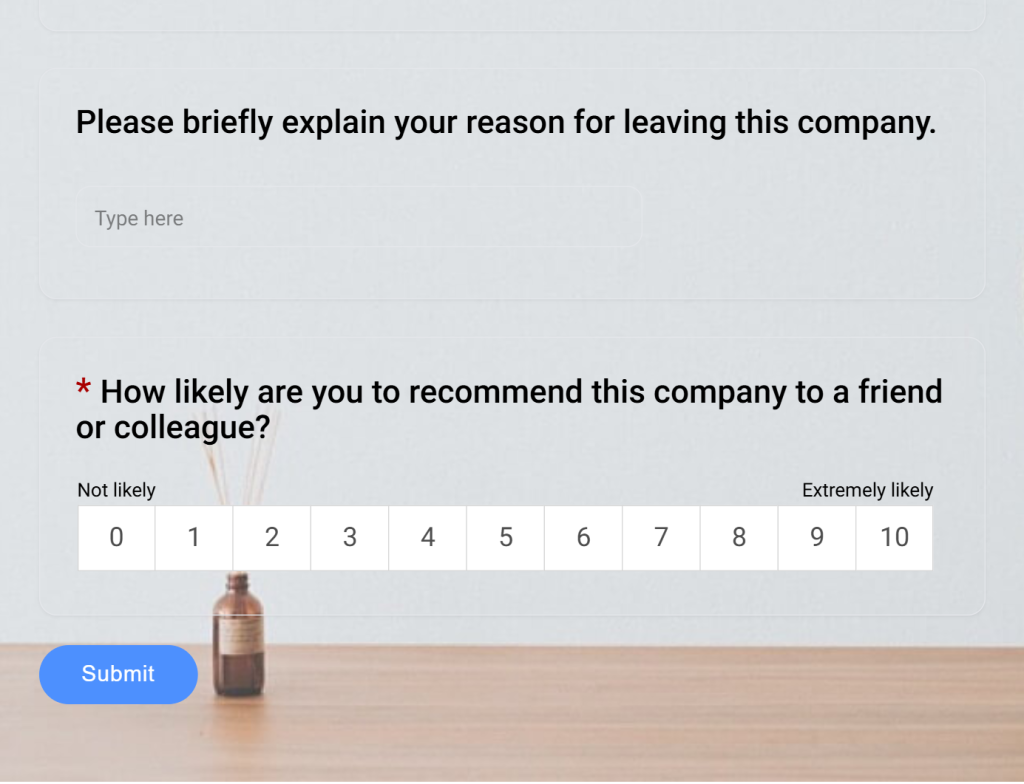
| Would you consider returning to this company in the future? | Whether the departure was relationship-ending or circumstantial |
Here’s an Employee Churn survey template you can use:
The goal isn’t to fix the departure that already happened. It’s to catch the pattern across ten departures on the same team, which is a trend a single exit interview will never show you.
FREE. All Features. FOREVER!
Try our Forever FREE account with all premium features!
How Do You Create a Churn Survey Using Qualaroo AI?
Picking the right exit survey questions is half the job. Getting them in front of the customer at the right moment, then making sense of the answers, is the other half. Here’s exactly how that works in Qualaroo, from setup to your first report.
What You’ll Need Before You Start:
- Admin access to your Qualaroo account
- Your cancellation or downgrade page live and accessible (the URL where a customer actually clicks cancel)
- A short list of 4 to 6 churn reasons drawn from past feedback or support tickets, so your first survey isn’t guessing blind
What You’ll Have by the End: A live churn survey firing at the exact moment of cancellation, sentiment-scored responses tagged to real accounts, and a weekly view of which churn reason is trending up.
Step 1: State Your Goal
Open the AI survey maker and type what you’re trying to learn, in plain language, such as “why customers consider canceling” or “what’s driving churn in my mid-market accounts.” The more specific your goal, the more usable your first draft will be.
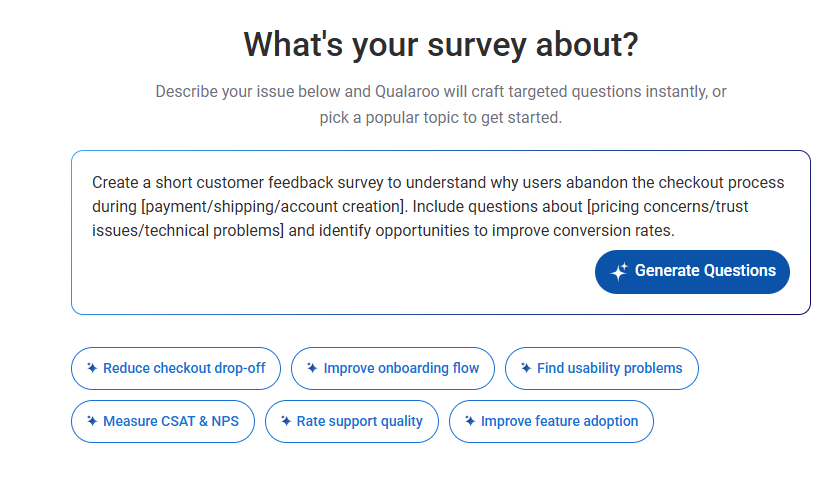
Step 2: Generate Your Draft (or Upload What You Already Have)
If you already have a churn report, a support ticket export, or customer call notes sitting in a document, you don’t need to retype anything.
Qualaroo’s AI survey maker accepts TXT and PDF file uploads, so it can pull real churn reasons straight out of your own content and turn them into ready-to-use answer options.
Prefer not to generate from scratch? Pick from Qualaroo’s library of pre-built survey templates for common use cases like churn and cancellation feedback, and simply edit the wording to match your product and audience.
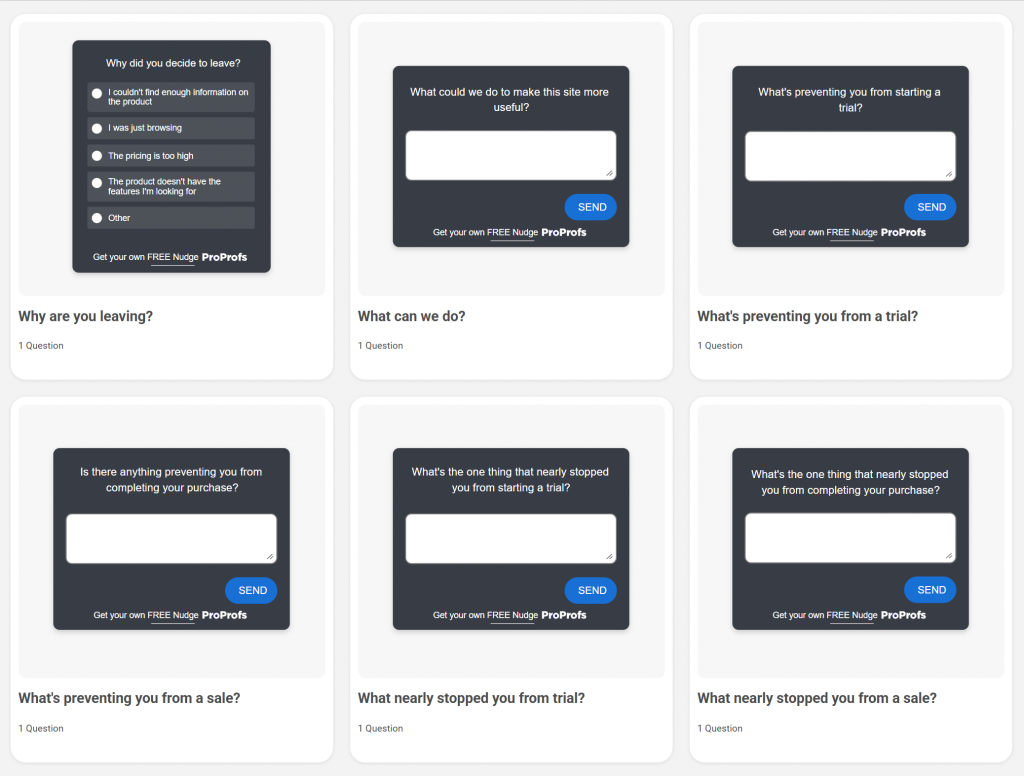
Step 3: Review and Trim the Draft
The AI produces a full question set, typically a closed-choice reason question plus an open-text follow-up.
Ask it to trim the reason list to 4 to 6 options, cut anything that reads generic instead of specific to your product, and remove overlapping options before they confuse your data later.
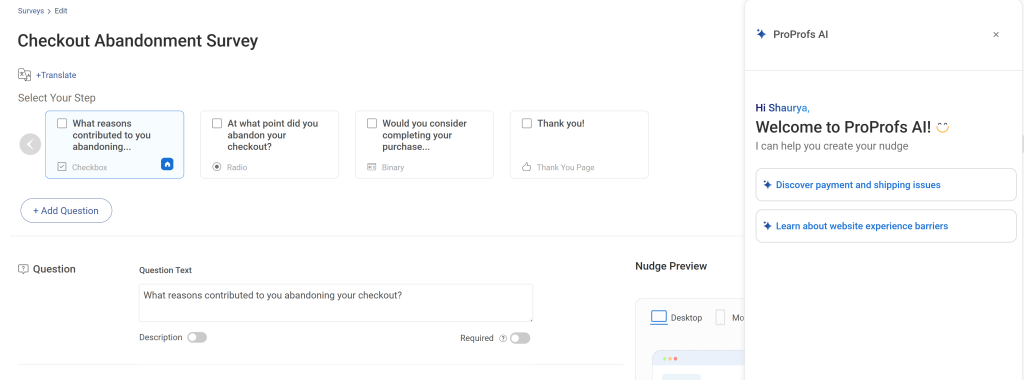
Step 4: Set Your Targeting
Under Targeting, set the survey to trigger on the cancel button click or the downgrade confirmation step, not on every page view.
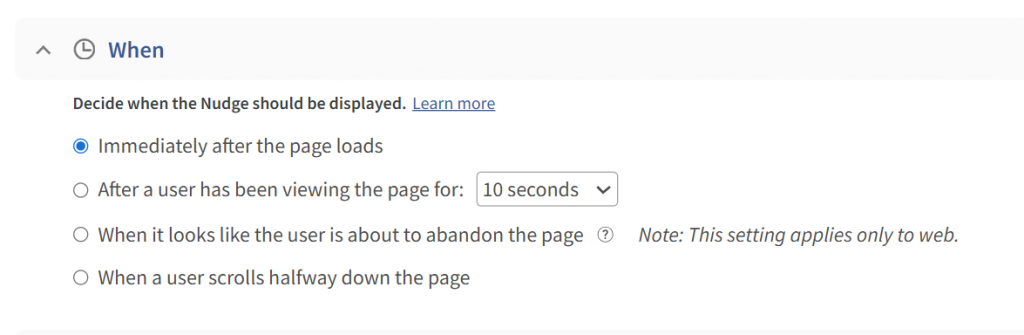
Event-based targeting, not just page-based, keeps you from interrupting visitors who aren’t actually leaving.
Step 5: Launch as a Nudge and Turn on AI Sentiment Analysis
Deploy the finished survey as a Nudge directly on your cancellation flow.
Then enable Qualaroo’s native AI Sentiment Analysis on the open-text question, so responses get scored and clustered automatically instead of sitting in a spreadsheet waiting to be read one by one. Here’s how it works:
Add the Identify API’s one-line snippet so every response ties back to a real account by email or customer ID, not an anonymous line of text.
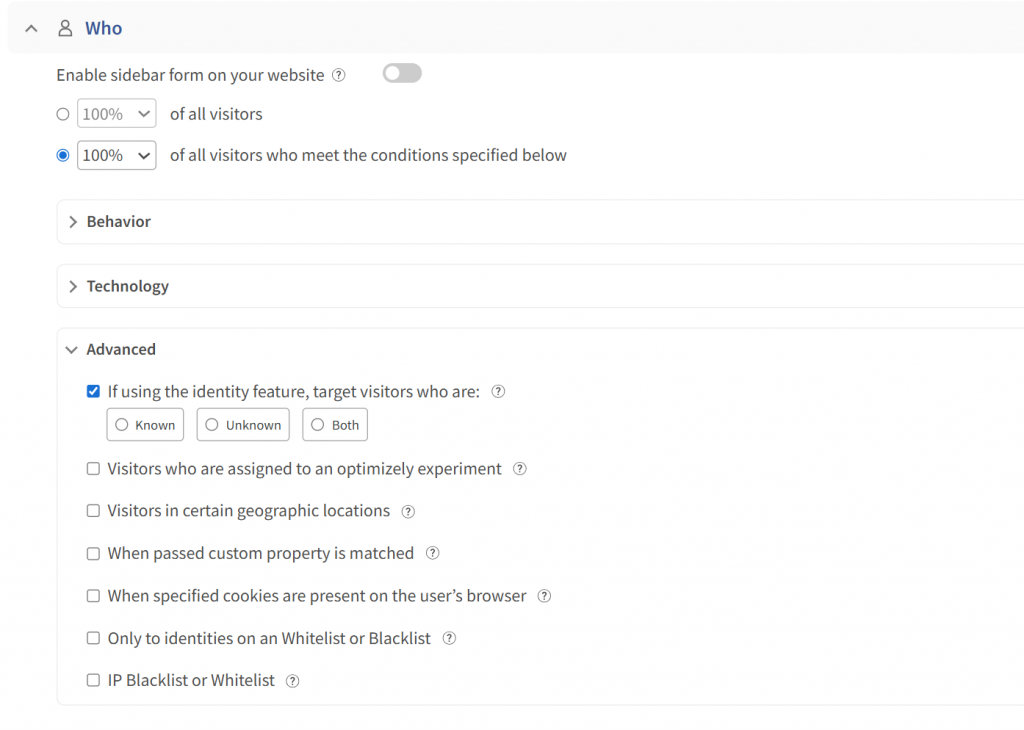
The Word Cloud feature also pulls the recurring keywords and themes out of your open-text responses automatically, so you can spot a pattern without reading every line.
A Ready Starting Point: If you don’t want to build your reason list from scratch, the churn survey question bank earlier in this guide, plus the templates section, gives you a complete first draft to load straight into your Nudge.
Step 6: Review the Dashboard Weekly, Not Quarterly
Set a recurring 15-minute block to check the Nudge reporting dashboard. Look at which reason category grew compared to last week, and read the top 5 sentiment-flagged responses.
Churn patterns shift fast, and a weekly look catches a rising issue while it’s still small enough to fix before it shows up in your revenue numbers.
A ready starting point: if you don’t want to build your reason list from scratch, the churn survey question bank earlier in this guide, plus the templates section, gives you a complete first draft to load straight into your Nudge.
What Are the Best Practices for Churn Survey Questions?
Before you write a single question, get these five things right. They matter more than the wording of any individual question.
- Trigger it at the moment of cancellation. Not after. According to Properstack’s 2024 study, post-cancellation emails see response rates around 8 percent, because the customer has already moved on emotionally. Catching them inside the cancel flow gets you a far higher completion rate.
- Separate voluntary from involuntary churn. A customer whose card expired is not the same as a customer who decided your product wasn’t worth it anymore. Blending these two groups into one dataset will quietly wreck every conclusion you draw from it.
- Keep it to two or three questions. One closed-choice reason question, one open-text follow-up, and optionally one satisfaction or effort question. That’s it.
- Apply the 20 percent and 3 percent rule. If a single reason option is picking up more than 20 percent of responses, it’s too broad and needs subcategories. If an option is under 3 percent, retire it. This keeps your reason list sharp instead of bloated.
- Watch your “other” bucket. If “other” becomes your top answer, your predefined options don’t reflect reality anymore. Rebuild the list based on what people are typing into “other” today.
Quick Gut Check Before You Launch a Churn Survey
- Is it triggered inside the cancel flow, not by email afterward?
- Does it separate voluntary and involuntary churn?
- Are there 3 questions or fewer?
- Does the reason list have 4 to 6 options, refined from real past answers?
- Is there one open-text field for the “why” behind the reason?
- Do you know who churned, not just what they said?
How Do You Turn Churn Survey Answers Into Actual Product Fixes?
Collecting answers is the easy part. Turning them into action is where most teams stall out. Here’s a simple process:
- Tag Every Response by Category: Pricing, feature gap, competitor switch, low usage, technical issue. Keep the categories tight.
- Run the 20 and 3 Percent Check Monthly: Watch which category is growing and which has gone quiet.
- Cross-Reference With Account Data: Is pricing churn concentrated in one plan tier? Is feature-gap churn concentrated in one industry? This is where knowing who churned, not just what they said, changes everything.
- Route Each Category to an Owner: Pricing complaints go to whoever owns packaging. Feature gaps go to product. Technical issues go to engineering. A churn survey with no owner per category just becomes a spreadsheet nobody touches.
- Close the Loop: When you fix something a category of churned customers complained about, note it. Six months later, you’ll have a clear before-and-after story for your next pricing or roadmap conversation.
The account-level tagging from step 3 is exactly what the setup above makes possible. Without it, you’re fixing based on guesses instead of who’s actually behind each complaint.
Turn Every Cancellation Into a Fixable Insight
A churn survey only earns its place if it changes what you do next.
The pattern is simple: ask two or three sharp questions when someone cancels, separate the reasons that are actually your fault from the ones that aren’t, and route each category to the person who can fix it.
That’s the difference between a cancellation dropdown nobody reads and a system that quietly gets sharper every month.
The teams that get this right aren’t asking more questions. They’re asking the right questions at the right time and actually closing the loop on what they learn, eventually reducing churn.
Qualaroo’s surveys let you trigger a churn question exactly when a customer churns, then use AI Sentiment Analysis and the Identify API to turn those answers into a prioritized fix list instead of a spreadsheet nobody opens again.
Frequently Asked Questions
How many questions should a churn survey have?
The survey itself should stay to two or three questions, the reason for leaving plus an open-text follow-up, with an optional third like a win-back question. This guide's 37 questions are a bank to pick from, not a single form to send all at once.
When should a churn survey be triggered?
Right at the moment of cancellation, inside the cancel flow itself. Post-cancellation emails see response rates around 8% as per Properstack’s 2024 study, since the customer has already mentally moved on by the time the email lands.
What's the difference between a churn survey and an exit interview?
A churn survey is a short, structured questionnaire, usually self-serve. An exit interview is a live conversation, typically reserved for high-value or long-tenure customers and employees where the extra context is worth the time investment.
Should churn surveys be anonymous?
For customer churn, no, since you want to tie feedback to an account for follow-up and analysis. For employee churn and culture surveys, anonymity tends to produce more honest answers about management and culture issues.
What's the biggest mistake teams make with churn survey reason lists?
Letting "other" become the top answer. That's a sign your predefined options no longer reflect what's actually driving churn, and it's time to rebuild the list from recent open-text responses.
Can a churn survey actually win customers back?
Sometimes. A well-placed win-back question, like offering a lower-priced plan or a call with the team, can save a portion of cancellations. But the bigger long-term value is in the pattern data, not individual saves.
How do you avoid churn survey fatigue among customers?
Keep it short, trigger it once per cancellation event, and don't follow up repeatedly if someone skips it. Respect that the customer is mid-exit and isn't looking for a lengthy back-and-forth.
What should you do with churn data once you have enough of it?
Route it by category to the team that owns the fix, whether that's pricing, product, or support. Review the top categories monthly and track whether fixes actually move the needle on the categories they were meant to address.
FREE. All Features. FOREVER!
Try our Forever FREE account with all premium features!

 We'd love your feedback!
What did you like & how can we make it even better?
 Thanks for your feedback!
 Ask Your Question
Have a question? Get expert help to make your decision easier.