Userpilot alternatives started to matter to me after a long stretch of using it day-to-day. It met most of what I asked of it, but I still wished for more control over onboarding flows, stronger analytics, and an interface that explained itself faster.
Nothing about it was broken. It was simply a platform I had outgrown in a few specific ways.
Then there was the cost side. The Starter plan starts at $299 per month for up to 2,000 monthly active users; there is no free tier to fall back on, and the next step up, Growth, starts at $849 per month.
For a small product or a team still proving that onboarding changes matter, that is a lot to commit to before you know the answer.
So I went looking. This list covers ten tools I compared in terms of how they handle onboarding, surveys, and analytics, and where each one makes more sense than Userpilot.
Qualaroo is on it, too, and I say plainly where it does not fit. If you only take one thing away, decide first whether guides or feedback is your priority, because that choice narrows the field quickly.
Why Are Teams Looking for Userpilot Alternatives?
Userpilot is well-reviewed, so none of this is a verdict on its quality. These are the points where my own experience and the pricing page pointed toward something better suited for some teams. Each one is about fit: what a team pays, how much control it needs, and how deep its analytics have to go.
Starting Without a Free Plan Is Harder
Userpilot has no free tier, and the entry point is the Starter plan at $299 per month for up to 2,000 monthly active users on an annual plan. That turns a small trial of the platform into a real budget decision rather than an experiment. A founder or a small product team has to commit before knowing whether in-app guides will move activation at all. Several tools on this list let you begin at no cost, which changes how that first decision feels.
Pricing Climbs Quickly as Users Grow
Growth starts at $849 per month for monthly active users, and as feature needs rise, Enterprise moves to custom quotes with higher user limits and security controls. What you pay tracks audience size, whatever share of the platform your team really uses. A product that grows fast sees its cost grow with it, sometimes ahead of its value. Budgeting a year out becomes guesswork unless you know how the audience will move.
Onboarding Flow Customization Felt Limited
In my own use, I wanted more room to shape onboarding flows than the editor allowed. Teams with specific branching, timing, or audience rules end up working around the tool instead of with it. That is a small friction point when you have two flows, and a bigger one once the number of flows increases. It is usually the moment people start comparing editors.
Analytics and the Interface Took Extra Effort
I also wanted stronger analytics, and the interface was less intuitive than I expected from a no-code platform. Setup and tagging take time before the data is useful, which delays the first real insight. Capterra scores Userpilot 4.6 on 57 reviews, with 4.7 for value, so these read as fit issues rather than quality issues. Knowing that before you sign a long contract is the whole point of this section.
The Top 10 Userpilot Alternatives
The table lists entry prices and Capterra ratings for all ten tools, and my notes on each follow. Read the ones closest to the job you do every week, since some build guides and others deliberately do not.
| Tool | Best For | Starting Price | Capterra Rating |
| Qualaroo | Capturing Real-Time User Insights In-App & on Your Website Using Contextual, AI-Powered Micro-Surveys | Free plan; from $19.99/mo | 4.7/5 |
| Pendo | Product analytics, in-app guides, and surveys in one platform | Free plan; paid quote-only | 4.5/5 |
| Appcues | No-code onboarding flows with in-app prompts and NPS | Quote only | 4.8/5 |
| UserGuiding | Quick-to-build guides, checklists, and resource centers | $249/mo | 4.7/5 |
| Whatfix | Enterprise digital adoption with guidance analytics | Quote-only | 4.6/5 |
| Survicate | Multichannel surveys with a centralized research hub | Free plan; paid from $114/month | 4.6/5 |
| Refiner | Behavior-triggered in-product microsurveys for SaaS | $149/mo | 4.6/5 |
| Gainsight PX | Product adoption and in-app engagement at scale | Quote-only | 4.4/5 |
| Lucky Orange | Website analytics suite with heatmaps, recordings, and surveys | $32/mo | 4.7/5 |
| Qualtrics (XM for CX) | Enterprise experience-management platform | Quote-only | 4.6/5 |
1. Qualaroo: Best for Capturing Real-Time User Insights In-App & on Your Website Using Contextual, AI-Powered Micro-Surveys
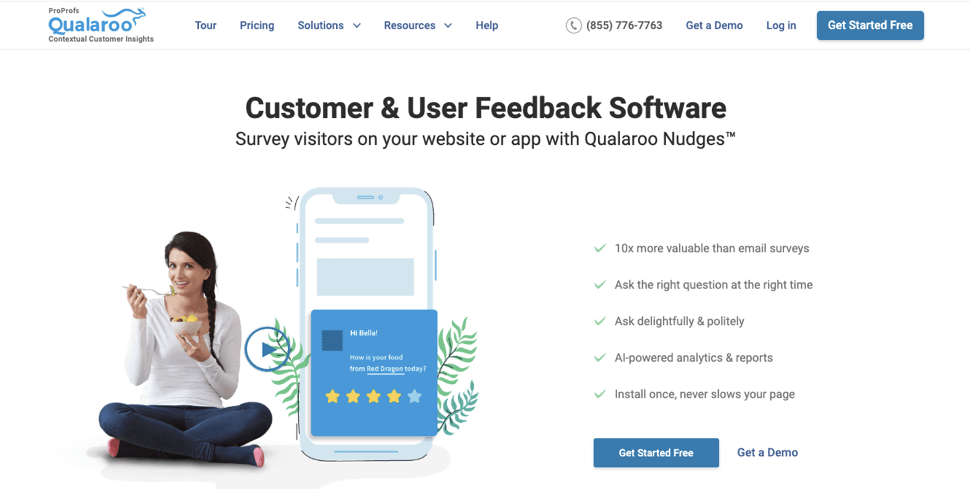
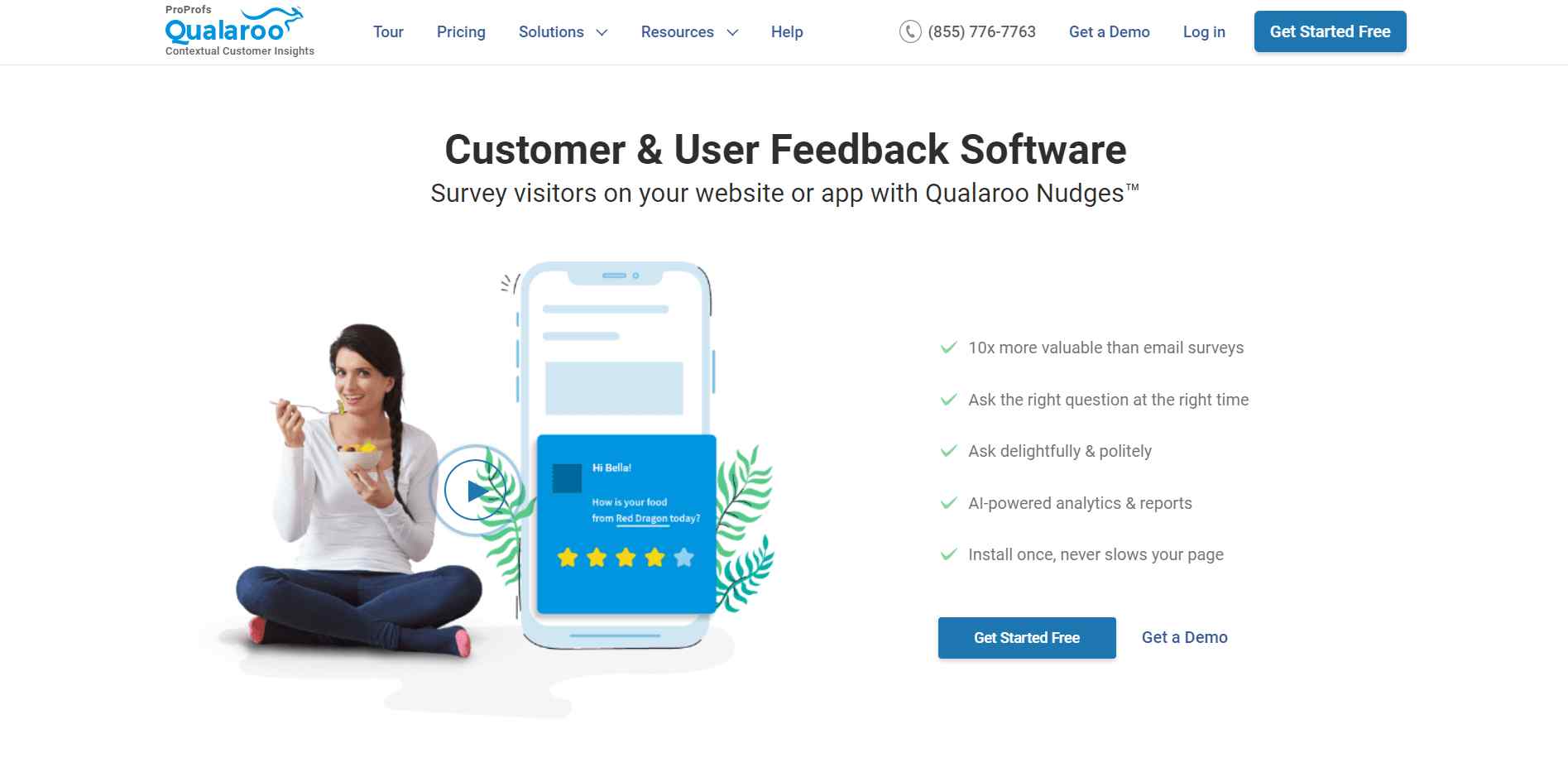
Userpilot alternatives that put the survey first, without adding another set of flows to manage, are hard to find, and Qualaroo is the one I trust. It collects feedback right where users are, on the website or inside the app, and a Nudge™ can wait for location, activity, or exit intent before it appears, which keeps responses coming without getting in anyone’s way.
What changed my day-to-day was the analysis. AI Customer Feedback Analysis reads written answers, AI Sentiment Analysis analyzes them, Automated Tagging groups similar comments, and the AI Response Summarizer gives me the short version when there is too much to read, so my time goes to users who sound ready to leave.
When a question belongs to one specific person, the Identify API handles it, and Heatmaps and Session Recordings fill in what that person did beforehand. Unlike Userpilot, I could start on a free plan with every premium feature switched on.
Pros:
- AI Survey Creator drafts a full Nudge from a prompt, no manual setup required
- Question branching and skip logic so respondents only see relevant follow-ups
- Advanced targeting by behavior, URL, exit intent, and custom user properties
- Native AI Customer Feedback Analysis, including AI Sentiment Analysis and word cloud generation for open-text responses
- Heatmaps and Session Recordings show what a user was doing right before they responded
- Identify API ties responses back to a real user by email or customer ID
- Nudge for Prototype works on Figma, Adobe XD, and InVision before a product ships
- Multilingual surveys in 100+ languages
- iOS and Android SDK for native in-app surveys
- Salesforce, HubSpot, and Slack integrations for CRM-connected feedback workflows
Cons:
- Dedicated onboarding/account manager services are generally reserved for the paid plans.
- There is no downloadable or on-premise version available (Internet connection required to use the tool)
How Qualaroo Compares to Userpilot: Userpilot bundles guidance, analytics, and surveys into a single platform. Qualaroo goes deeper into the survey and what happens to the answers, but it leaves out guidance, so a team that relies on Userpilot’s flows will keep a separate tool for them.
Pricing: Free plan available, up to 50 responses with all premium features. Essentials at $19.99/month, Business at $49.99/month, and Enterprise from $149.99/month.
User Rating: 4.7/5 (Capterra)
Udemy uses Qualaroo to capture what learners think in the moment, instead of reconstructing it later from analytics. That immediacy is the reason I reach for contextual surveys in the first place.

2. Pendo: Best for Product Analytics Paired With Targeted In-App Surveys
Pendo is where I went when I wanted analytics that Userpilot could not give me. Its in-app surveys let me ask hyper-targeted questions of exactly the right users, and response rates can climb as high as 50 percent, well above what email surveys usually manage.
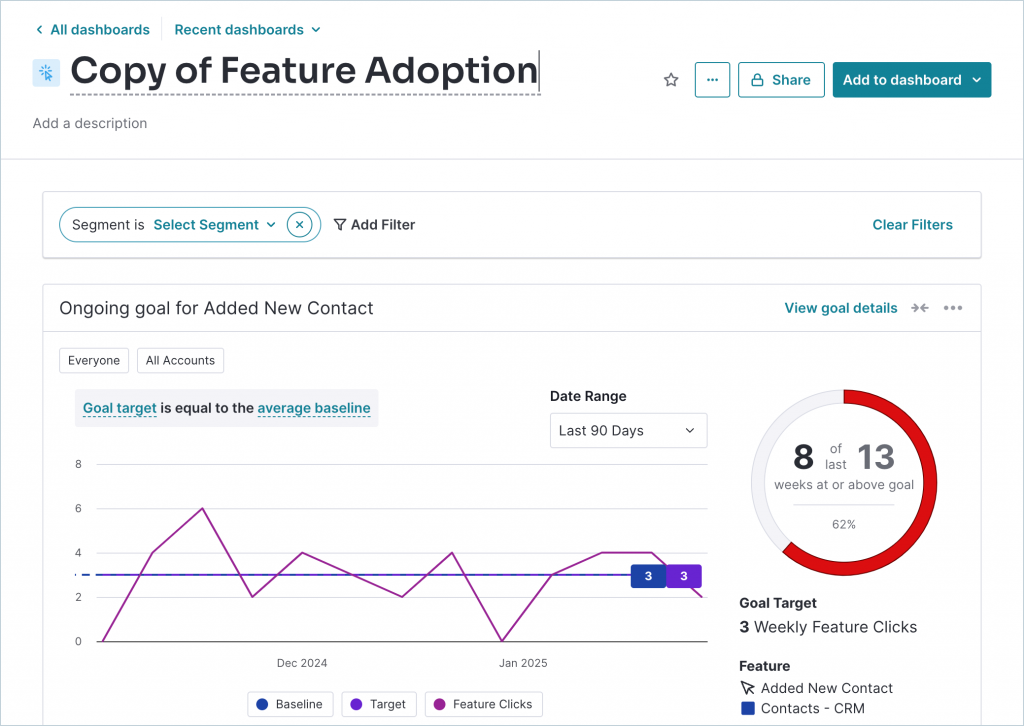
Surveys can be tailored by activity, preferences, and segment, with a range of question types, and Pendo matches the answers to product usage data to show where adoption is weakest. Real-time feedback means problems reach the team quickly, rather than waiting for a quarterly review.
The free plan stretches to 500 monthly active users. Expect a learning curve, though. Apps built on frameworks such as Angular can be hard to configure, and guides can misbehave when an app’s structure is unusual.
Pros:
- Usage analytics sitting next to guides and surveys
- Segment-based surveys with a range of question types
- Survey answers matched to product usage data
- Real-time feedback for faster product decisions
Cons:
- A steep learning curve to use every feature
- Setup can be difficult for some app structures, such as Angular
How Pendo Compares to Userpilot: Pendo offers deeper analytics and a free starter plan, but it requires more setup and is built for teams willing to invest in configuration.
Pricing: Free plan available, up to 500 MAU. Paid plan is quote-only.
User Rating: 4.5/5 (Capterra)
3. Appcues: Best for No-Code Onboarding With In-App Prompts
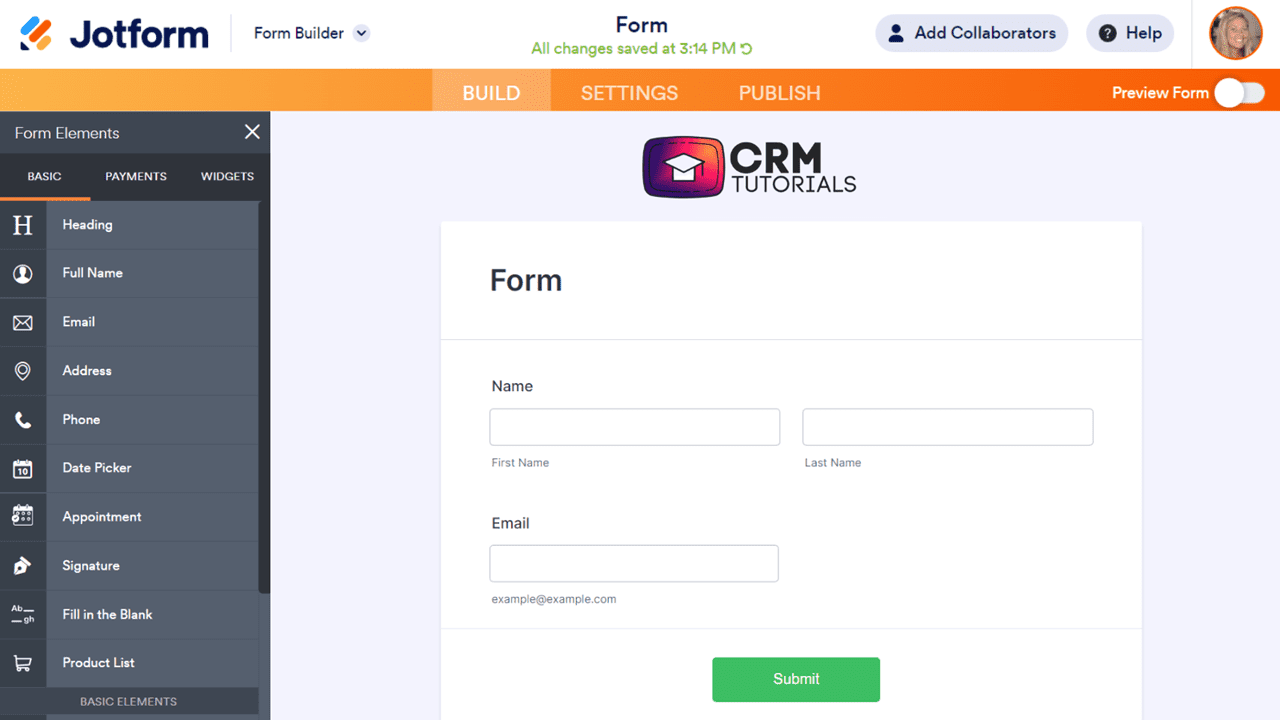
I often recommend Appcues to clients who want onboarding live without waiting on engineering. The no-code builder and pre-designed templates for tours, tutorials, and announcements make a first flow quick, and in-app prompts and NPS surveys collect feedback in the same place.
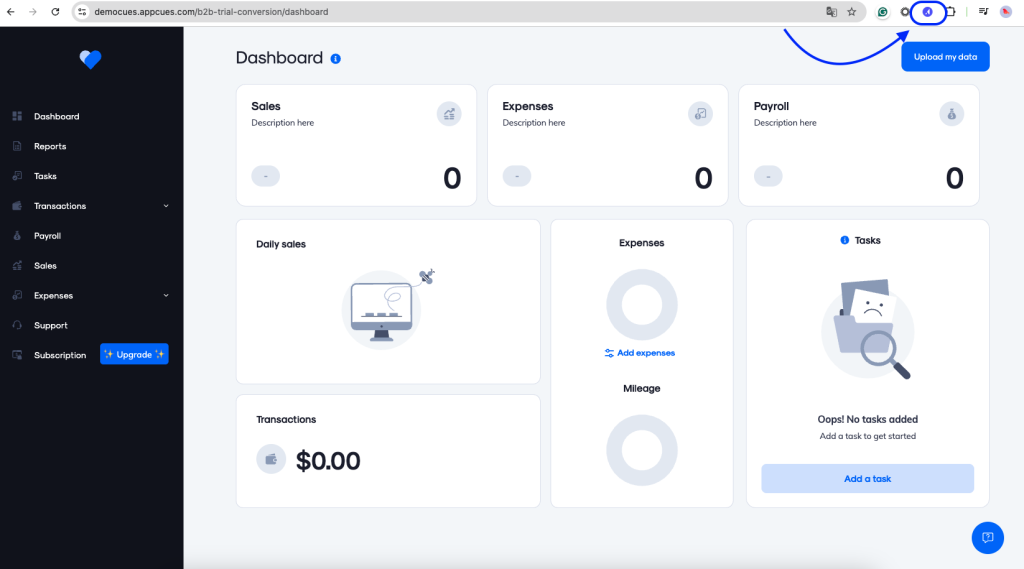
Smart segmentation sends each prompt to the right users at the right time, which is what made the feedback useful. I also like that it tracks user sentiment next to product usage, which gives a fuller picture than either one alone.
Pricing is not published, so a quote comes first, and it scales with monthly active users. The learning curve is steeper than the friendly interface suggests, so budget time for setup.
Pros:
- A no-code builder with templates for tours, tutorials, and announcements
- In-app prompts and NPS surveys in the same place
- Smart segmentation for the right users at the right time
- Sentiment tracked beside product usage
Cons:
- A monthly active user meter means growth lifts the bill
- A steeper learning curve than the interface suggests
How Appcues Compares to Userpilot: Appcues is the closest like-for-like swap, with a similar usage-based price and a no-code builder, so the choice often comes down to setup and which editor feels better.
Pricing: Contact sales for the quote.
User Rating: 4.8/5 (Capterra)
4. UserGuiding: Best for Quick-to-Build Guides and Checklists
In my research, UserGuiding stood out for how easy it is to get started. Someone with no technical background can build an interactive guide in minutes, and onboarding checklists and a resource center sit on the same platform.
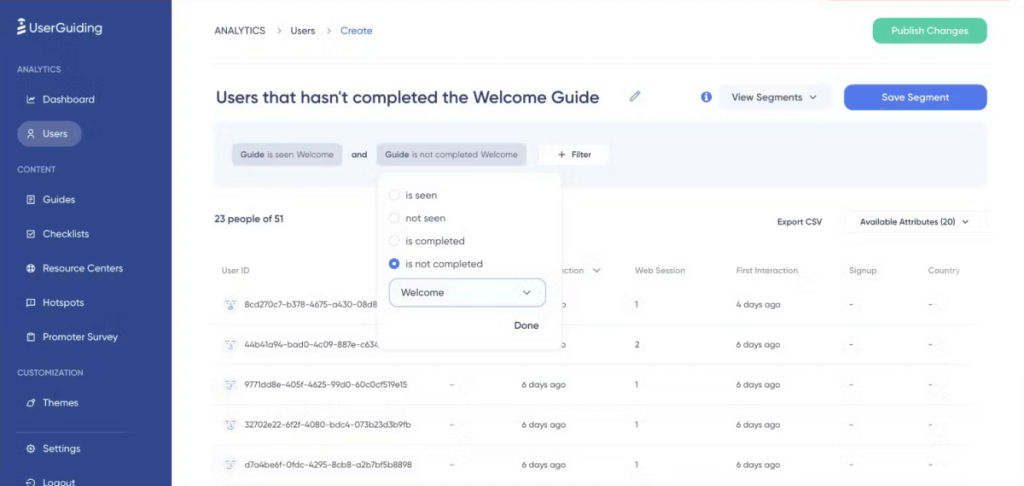
Segmentation lets me tailor guides to different user groups, including disengaged ones, and analytics show whether a flow actually holds attention. Capterra rates it 4.7 out of 5 based on 52 reviews, with 4.8 for support and 4.6 for value.
Plans start at $249 a month, and some customization still requires technical know-how, so the simplicity has its limits. A free trial makes a first guide easy to test, and it is the one I would try first if cost and speed matter more than depth.
Pros:
- Guides that a non-technical person can build in minutes
- Onboarding checklists and a resource center
- Segmentation for different user groups
- Analytics on how guide flows perform
Cons:
- Some customization requires technical know-how
- Lower plans limit certain features
How UserGuiding Compares to Userpilot: UserGuiding is faster to start and cheaper at the entry level, but it offers less depth in analytics and customization.
Pricing: Paid plans start at $249/month, with a free trial.
User Rating: 4.7/5 (Capterra)
5. Whatfix: Best for Guidance Analytics at Enterprise Scale
What I found notable about Whatfix is how far its analytics go. It splits data into behavior, guidance, and feedback analytics, so I can see how people use the product and whether the guidance itself is working.
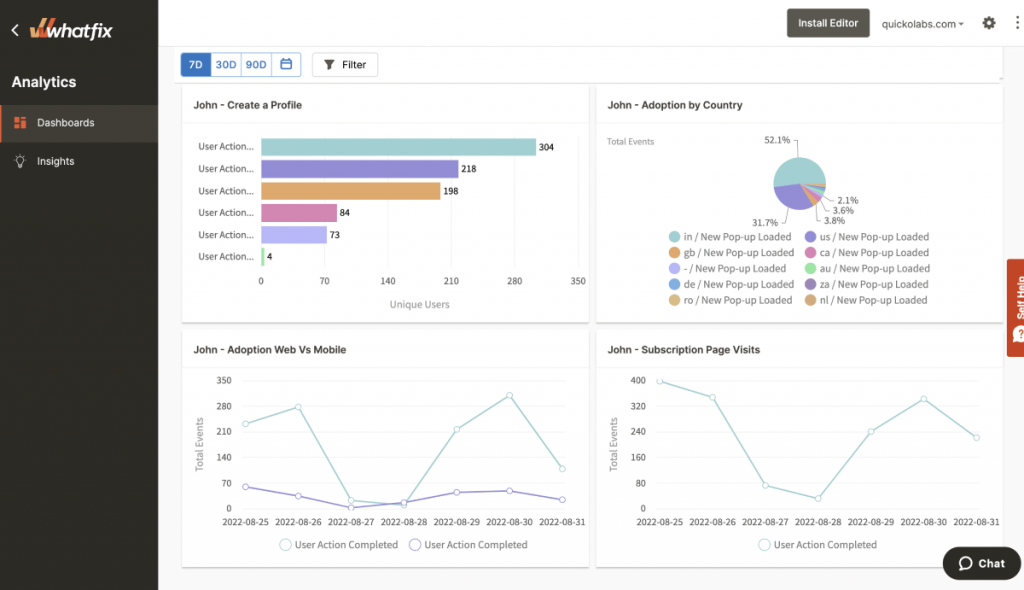
Walkthroughs are built without code, and in-app surveys provide real-time user input. Self-service content can also reduce the frequency with which people need to contact support.
There are costs. Managing a large content library takes a clear organizational plan, customization of walkthroughs can feel limited, and advanced features take time to learn. Capterra gives it 4.6 on 77 reviews, and pricing is quote-based. I would pilot it on one app before committing, since enterprise contracts run long.
Pros:
- Behavior, guidance, and feedback analytics in one platform
- No-code walkthrough creation
- In-app surveys for real-time user input
- Self-service options that can reduce support load
Cons:
- Large content libraries need a clear organizational plan
- Walkthrough customization can feel limited
How Whatfix Compares to Userpilot: Whatfix goes deeper into guidance analytics and is better suited to larger programs, with quote-only pricing and a steeper learning curve.
Pricing: Quote-only, contact vendor for pricing.
User Rating: 4.6/5 (Capterra)
6. Survicate: Best for Comparing Product and Website Feedback Side by Side
When I compared survey tools for this list, Survicate kept landing in the same hands: Capterra reports that product managers, product designers, and UX researchers use it most for in-app and website feedback, and I can see why.
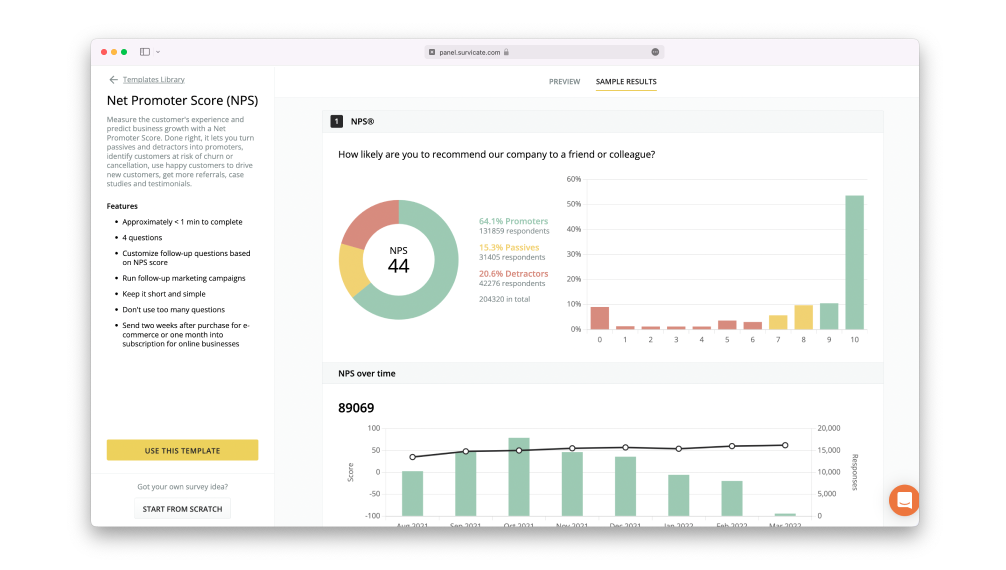
One Research Hub receives replies from the app, the website, email, and shared links, which lets a pricing page pulse sit beside a dashboard feature question. I can ask questions by attribute or event, and AI-assisted analysis files comments under themes.
A free plan makes it painless to test, and paid plans start at $114 per month, with a step-up between tiers. It doesn’t build guides or checklists, so onboarding stays elsewhere.
Pros:
- A shared Research Hub for replies from several channels
- AI-assisted sorting of comments into themes
- Targeting by attribute and event
- A free plan for easy testing
Cons:
- The step between the free and paid tiers is noticeable
- No guides, checklists, or tours
How Survicate Compares to Userpilot: Survicate offers deeper surveys and a free start, but it leaves onboarding guidance to another tool.
Pricing: Free plan available. Paid plans start at $114/month.
User Rating: 4.6/5 (Capterra)
7. Refiner: Best for Focused Microsurveys Inside a SaaS Product
Refiner is the specialist I keep coming back to for in-product microsurveys. It does one job: ask the right user at the right point in a session, using behavior, attributes, devices, or lifecycle stage.
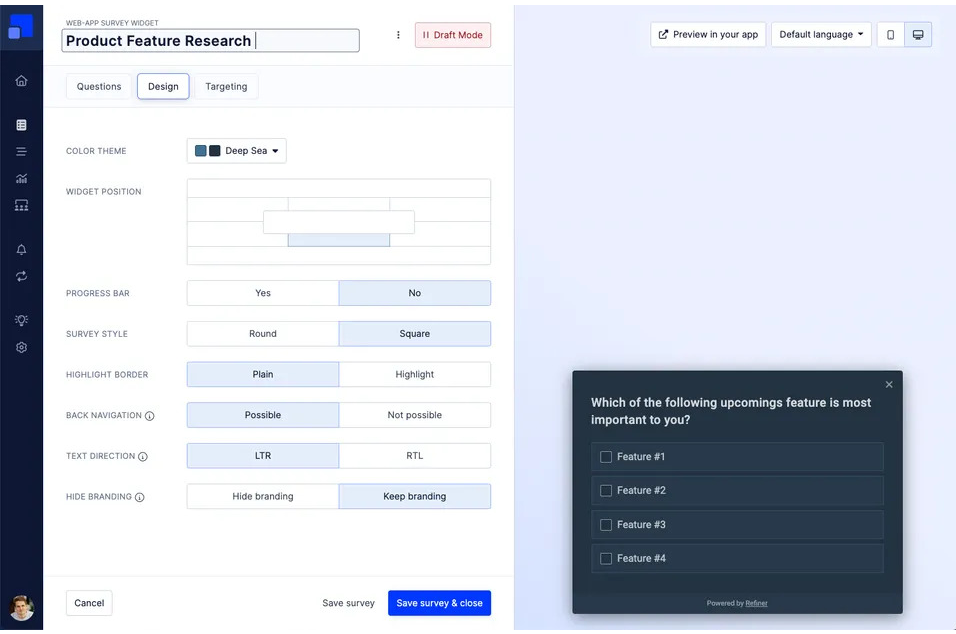
NPS, CSAT, CES, and product-market-fit questions share one editor, and recurring sends let me watch a loyalty score move over a quarter. Segment and Zapier connections pass the answers on to product data.
Billing follows monthly active users, much like Userpilot, so a large audience drives up the price. It builds no guides, and its 4.6 on Capterra comes from very few reviews, so a trial tells me more than the score does.
Pros:
- Surveys that fire on behavior, user traits, devices, or lifecycle stage
- One editor for NPS, CSAT, CES, and product-market-fit questions
- Recurring sends that show loyalty trends
- Segment and Zapier connections
Cons:
- Billing follows monthly active users
- No guides, tooltips, or checklists
How Refiner Compares to Userpilot: Refiner makes the microsurvey the whole product, with sharper survey targeting, but it builds no guidance and meters by users the same way.
Pricing: Limited free plan available. Paid plans begin at $149/month and scale with Monthly Active Users.
User Rating: 4.6/5 (Capterra)
8. Gainsight PX: Best for Customer Success Teams Chasing Adoption
In my research, Gainsight PX stood out as the option built for customer success teams more than for survey owners. Behavior targeting personalizes what each user sees; tracking shows where people stall, and walkthroughs help them past it.
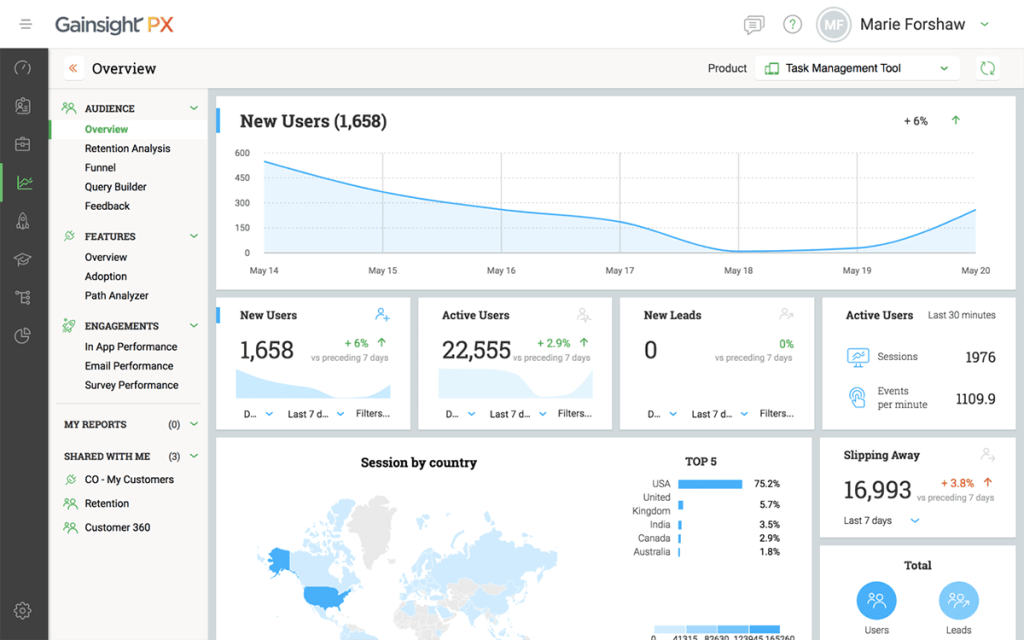
Those findings feed churn-reduction work, which is a real strength if that is your job. If your job is asking users a question, it is a long way around.
Its Capterra ease-of-use score is 3.7, far below the 4.4 overall, and the price only appears after a quote. Because it is aimed at customer success, survey features take a back seat to adoption dashboards, and I would plan for a longer rollout than most tools here need.
Pros:
- In-app engagement and analytics tied to surveys
- Behavior-based targeting for personalized experiences
- Tracking that shows where adoption stalls
- Findings that feed churn-reduction work
Cons:
- An ease-of-use score far below the overall rating
- Quote-only pricing and a longer rollout
How Gainsight PX Compares to Userpilot: Gainsight PX goes deeper on success and adoption tooling, with a steeper climb and quote-based pricing.
Pricing: Quote-only, contact vendor for pricing.
User Rating: 4.4/5 (Capterra)
9. Lucky Orange: Best for Behavior Analytics With Surveys Built In
When I wanted to see behavior before reading a single answer, Lucky Orange was the quick fix. Lucky Orange bundles heatmaps, session recordings, conversion funnels, surveys, and live chat into a single website analytics suite, so a small team gets several tools with a single subscription.
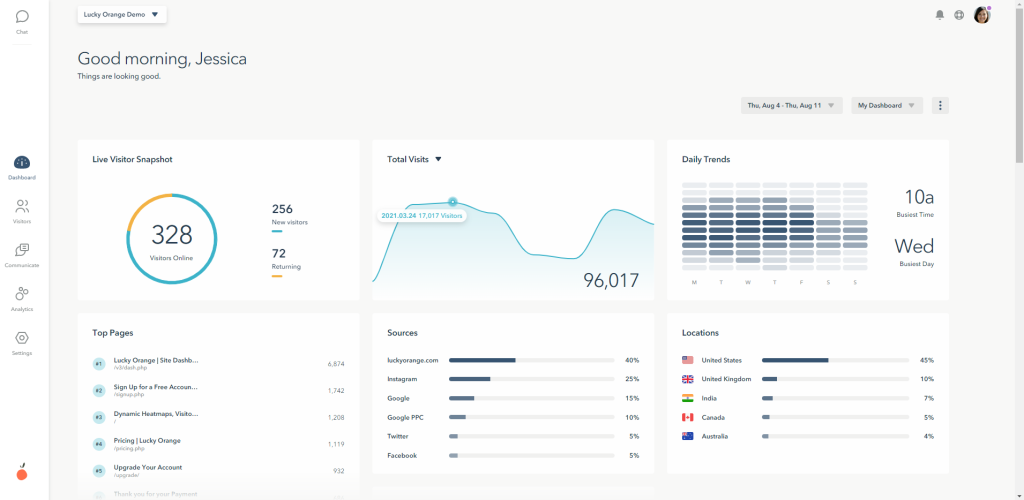
A recording lets me replay the minutes leading up to a complaint, while AI-assisted insights boil patterns across sessions down so nobody has to watch every one. Live chat also lets me talk to a struggling visitor right then instead of waiting for a form. On Capterra, it holds a 4.7 rating based on more than 260 reviews and appears among the listed Userpilot alternatives.
Plans start at $32 a month. It is built around websites, not native apps, and it builds no onboarding flows, so it complements a guidance tool more than it replaces one.
Pros:
- Heatmaps, recordings, funnels, surveys, and chat under one subscription
- AI-assisted summaries of session patterns
- Recordings that show the minutes leading up to a complaint
- Posted monthly pricing
Cons:
- Focused on websites, not native apps
- No onboarding flows or guides
How Lucky Orange Compares to Userpilot: Lucky Orange offers the behavior view at a much lower price, but it lacks guidance features and has a lighter survey toolkit.
Pricing: Paid plans start at $32/month.
User Rating: 4.7/5 (Capterra)
10. Qualtrics (XM for CX): Best for Large Surveys and Deep Analysis
For large surveys, Qualtrics is the tool I trust. Surveys can adapt as respondents answer, so each person sees a path that fits them, and the interface makes it simple to design those paths.
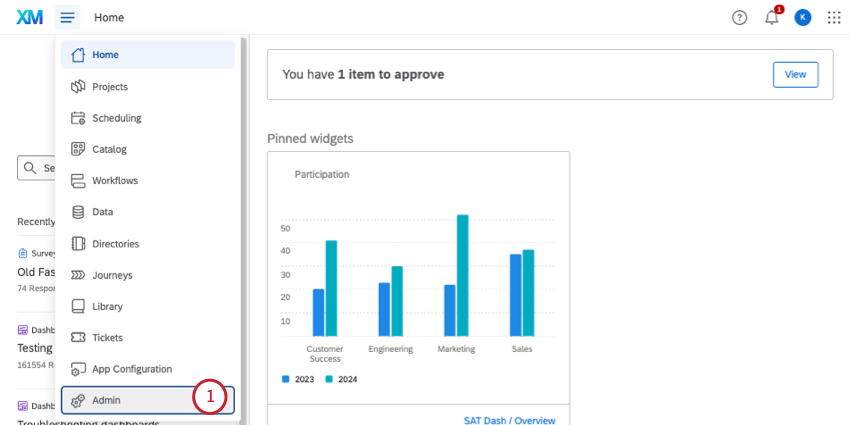
Its iQ engine mines the data for patterns I would otherwise miss, and the analytics helped me spot trends early. It handles everything from customer satisfaction to employee feedback and connects well with other systems.
The cost can be prohibitive for smaller projects, and the platform is complex, so it suits big companies more than lean teams. It also has no product guidance, which is a real change from Userpilot, and teams that need dependable, large-scale research tend to value that depth anyway.
Pros::
- Surveys that adapt to each respondent’s answers
- The iQ engine for deeper pattern-finding
- Strong analytics for spotting trends
- Integrations with other systems
Cons:
- Cost can be prohibitive for smaller projects
- Complex, and no product guidance
How Qualtrics Compares to Userpilot: Qualtrics analyzes survey data far more deeply, but it is an enterprise survey platform with no guidance and a much bigger commitment.
Pricing: Quote-only, contact vendor for pricing.
User Rating: 4.6/5 (Capterra)
Which Userpilot Alternative Should Be Your Top Pick?
Short on time? Three picks, one for each of the main reasons I hear for leaving Userpilot.
1. Qualaroo: Best Overall for Surveys and Analysis Without a Paywall
If surveys and analysis are your priority, Qualaroo is the first thing I would try. It captures feedback in the moment, on the website or in the app, and a Nudge can wait for location, activity, or exit intent so responses come easily.
The analysis does the heavy lifting: sentiment scoring, tagging, and a response summarizer turn written answers into themes I can act on, and Word Clouds show repeated complaints at a glance. The Identify API targets a single named user, and Heatmaps and Session Recordings show what led up to a reply.
Branching keeps every survey relevant, translations cover more than 100 languages, and Nudge for Prototype even lets me test a survey before launch. Because the free plan includes all premium features, I could test everything before paying anything, and flat-rate paid plans keep costs steady as the audience grows.
2. Pendo: Best if Analytics Are the Reason You Are Leaving
If stronger analytics are what you are missing, Pendo is the one I would test next. Surveys can be targeted by activity and segment, and matched to product usage data, so I could see where adoption was weakest, and response rates can climb well above those of email surveys.
Real-time feedback gets problems to the team fast. The free tier supports up to 500 monthly active users, so a pilot costs nothing. A wide range of question types lets the survey fit the question rather than the other way around, and that depth is what I most wanted when Userpilot’s analytics left questions open.
There are trade-offs: a steep learning curve, a setup that can be hard for apps built on frameworks such as Angular, and guides that can misbehave when an app’s structure is unusual. For teams ready to invest in configuration, the depth is worth it, and the platform provides guidance and surveys.
3. Appcues: Best if You Want Onboarding Without Engineering
If flexible onboarding is the issue, Appcues is the swap I recommend most. A no-code builder and templates for tours, tutorials, and announcements get a first flow live quickly, and in-app prompts and NPS surveys collect feedback in the same place.
Smart segmentation puts each prompt in front of the right users at the right time, and tracking sentiment alongside product usage provides a fuller picture than either alone. It also holds the highest Capterra rating among the guide-focused tools here, at 4.8 on 100 reviews.
The catches are straightforward: pricing is usage-based and rises as monthly active users grow, and the learning curve is steeper than the friendly interface suggests. For teams without engineering support, the trade is usually worth it.
How Did I Evaluate These Userpilot Alternatives?
I evaluated the Userpilot alternatives in this list based on what a product team needs once flows and feedback outgrow a single tool: flexibility in onboarding, depth of analytics, and a price that scales sensibly. All ten faced the same six factors, and I mark any score built on a small sample or a quote.
Six factors carried the weight:
User Reviews and Ratings
I took ratings from Capterra and read each beside its review count. Userpilot’s 4.6 on 57 reviews is a decent sample, while Refiner’s rests on only a handful, so I trusted it less. A steady pattern across many reviews beat a perfect score from a few. I also glanced at the sub-scores for ease, support, and value, since a strong overall number can hide a weak spot in one of them.
Essential Features and Functionality
I looked first at onboarding flexibility, analytics depth, and survey quality, since those were my own frustrations with Userpilot. A long feature list mattered less than what a team actually uses in a normal week. Tools that do fewer things well beat tools that do many things loosely. Guidance features are treated as a plus rather than a requirement because many readers prefer surveys and analysis to tours.
Ease of Use
My question was how fast a team without developers can get a first flow or survey live. Simple tools such as UserGuiding scored well on that front, while platforms that require configuration had to justify the effort in depth. An interface that explains itself saved points, and so did a free trial that lets someone find out before paying. A tool that requires a lengthy implementation had to recoup that cost elsewhere.
Customer Support
Support was tested against a worst-case scenario: a broken flow in a live product. The check was whether entry plans include help, or only larger contracts do, and, with quote-based vendors, whether support comes bundled or costs extra. Strong support ratings, like UserGuiding’s 4.8, counted in a tool’s favor. Help that arrives only at enterprise scale is a real cost for a small team, so it lowered the score even when the product was strong.
Value for Money
My benchmark was Userpilot’s price relative to what it delivers, so I priced each tool with analytics and surveys included. Free plans and posted prices scored higher than costs revealed after a sales call. Flat-rate plans earned extra credit for keeping the bill independent of audience size. I also noted which tools bill on monthly active users the way Userpilot does, since they share the same scaling problem.
Personal Experience and Experts’ Opinions
The entries for tools I have used say so, and they carry the small details a pricing page leaves out. Elsewhere, I relied on my research and on findings that repeat across independent sources. I checked every vendor for shutdowns and acquisitions first, because a vanished platform costs more than any license. Hands-on use is flagged in the entry wording, so it is clear which write-ups rest on my time with the tool and which rest on research.
FREE. All Features. FOREVER!
Try our Forever FREE account with all premium features!
How Do You Choose the Right Userpilot Alternative for Your Team?
Match what frustrates you most about Userpilot to the row below that best matches. A row of several names lists tools that tackle the same frustration in different ways, so skim my notes before choosing.
| If My Main Userpilot Frustration Is… | Cons:ider This Alternative |
| There is no free plan to start with | Qualaroo, Pendo, or Survicate |
| I want stronger analytics | Pendo, Whatfix, or Lucky Orange |
| I want more flexible onboarding flows | Appcues or UserGuiding |
| Surveys matter most | Qualaroo, Survicate, or Refiner |
| I run a large adoption program | Whatfix or Gainsight PX |
| Feedback feeds a company-wide program | Qualtrics (XM for CX) |
Pick the Tool for the Job You Do Every Week
Every tool on this list can show a user a prompt inside a product, Userpilot included, and each does something a little differently.
What sent me looking was never a single failure. It was the combination of a price that follows the audience, no free plan to test on, flows I wanted to shape further, and analytics that left questions open.
The right choice depends on your week.
If you are spending it on onboarding, Appcues and UserGuiding are the closest swaps.
However, if you spend it reading analytics, Pendo and Whatfix go deeper.
If it is spent asking users questions, Qualaroo, Survicate, and Refiner put the survey first, and Qualtrics suits big research programs.
If surveys and analysis are where you spend your time, I would start with Qualaroo. Turn on the free plan, put a single Nudge live in your product, and watch how the AI analysis treats your first real answers.
No. Userpilot's Starter plan costs $299 a month for up to 2,000 monthly active users on annual billing, with Growth from $849 a month. To start at no cost, Qualaroo, Pendo, and Survicate each have a free plan, capping different things such as responses or monthly active users. Check each cap carefully. Qualaroo is the cheapest place to begin, with a free plan and paid tiers from $19.99 a month. Lucky Orange starts at $32 a month and Survicate at $49, while Refiner starts at $99. UserGuiding and Appcues cost more at entry, so price against the features you actually need before deciding. Appcues is the closest, with a no-code builder, in-app prompts, NPS surveys, and usage-based pricing. UserGuiding is a lighter, cheaper option for guides and checklists, and Pendo is a heavier one with analytics. For most teams the decision comes down to editor feel and price. All three build guidance, which Qualaroo, Survicate, and Refiner do not. Pendo and Whatfix go deepest, with Whatfix splitting data into behavior, guidance, and feedback analytics. Lucky Orange brings heatmaps, recordings, and funnels, while Qualaroo pairs Heatmaps and Session Recordings with its surveys. Both help explain why a user dropped off. Gainsight PX offers adoption and churn analytics, though its rollout is longer than most tools here. No. Qualaroo is survey-first and does not build tours, checklists, or walkthroughs, so a team that depends on those will keep a guidance tool. The survey side is what it replaces, with sharper targeting, built-in AI analysis, and behavior context, all from a free start. Many teams find that split workable. Userpilot, Appcues, Pendo, and Refiner charge by monthly active users, so cost rises with the audience. UserGuiding uses flat-rate tiers tied to user counts, while Qualaroo's paid plans are flat-rate. Whatfix, Gainsight PX, and Qualtrics use quotes, so ask exactly how users are counted before you sign, and get the numbers in writing. Qualaroo, Survicate, and Refiner put surveys first. Qualaroo, Survicate, and Refiner put surveys first. Qualaroo adds contextual targeting and built-in AI analysis, Survicate pulls app, web, email, and link replies into one hub, and Refiner specializes in behavior-triggered microsurveys. None builds onboarding guides, so check whether you need flows before switching. Start by listing every live flow and survey and marking the ones you still need. Keep any responses worth saving, assign an owner to each flow, and run your top two candidates through one real product journey. Each tool handles triggers and targeting differently, so a pilot catches surprises before launch.Frequently Asked Questions
Does Userpilot have a free plan?
What is the cheapest Userpilot alternative?
Which alternative is closest to Userpilot?
Which alternatives have stronger analytics?
Can Qualaroo replace Userpilot's guides?
How will pricing change as my product grows?
Which alternative is best for surveys?
How should I plan a move away from Userpilot?
FREE. All Features. FOREVER!
Try our Forever FREE account with all premium features!

 We'd love your feedback!
What did you like & how can we make it even better?
 Thanks for your feedback!
 Ask Your Question
Have a question? Get expert help to make your decision easier.