I’ve watched a lot of small teams pick SurveyKiwi because a form goes out in three steps and looks good on a phone.
Then the free plan’s 10-responses-per-campaign ceiling shows up mid-survey, or a client asks for their own branding, and Gold’s $69 a month price tag shows up instead.
If either of those has happened to you, this list covers 10 SurveyKiwi alternatives built for different jobs and different budgets.
I checked pricing and ratings directly against each tool’s own page, so you’re comparing real numbers, not marketing copy.
Why Look for SurveyKiwi Alternatives?
A few patterns show up consistently once teams push past SurveyKiwi’s entry tier:
Response Caps Bite Fast: The free plan tops out at 10 responses per campaign, and Bronze at $9 a month only lifts that to 100. That sounds workable until you actually run a campaign and hit the ceiling mid-survey, forcing an upgrade decision you hadn’t planned to make yet.
The Price Jumps Hard at 100 Responses: Silver costs $39 a month for 1,000 responses, more than four times Bronze’s $9, with no tier in between. A team getting 150 or 200 responses a month either overpays for headroom on Silver or watches Bronze throttle its campaign the moment it crosses 100.
Branding Removal and Developer Tools Sit on the Top Tier: APIs, webhooks, and the removal of SurveyKiwi’s own branding are Gold-only at $69/month. That hits agencies hardest, since a client-facing survey with SurveyKiwi’s logo doesn’t read as professional, and there’s no lighter tier that only unlocks the branding.
Every Response Is Collected After the Fact: SurveyKiwi sends a survey and waits for a reply, by email, WhatsApp, or QR code. That’s fine for a scheduled NPS check-in, but it has no way to catch someone abandoning checkout or hesitating on a pricing page in the moment.
Collaboration and Integrations Are Both Thin: Guest collaborators cost extra per person, and SurveyKiwi connects to only three tools: HubSpot, Google Sheets, and Google Analytics. The moment a second person needs to edit a campaign, that’s either a per-guest fee or a manual export nobody remembers to do consistently.
10 Best SurveyKiwi Alternatives
Here’s where all 10 land on price and rating before you read a single full profile.
| Tool | Best For | Starting Price | Capterra Rating |
| Qualaroo | Real-time feedback from website and app visitors | Free; from $19.99/month | 4.7/5 |
| Google Forms | Genuinely free surveys with no response ceiling | Free | 4.7/5 |
| SurveyMonkey | Broad survey platform with an NPS module | $30/month | 4.6/5 |
| Typeform | Conversational, high-completion forms | Free; from $28/month | 4.7/5 |
| Jotform | Forms plus payments and e-signatures | Free; from $34/month | 4.7/5 |
| SurveySparrow | Chat-style surveys with WhatsApp reach | Free; from $19/month | 4.4/5 |
| Zonka Feedback | Closed-loop ticketing with native AI analysis | Quote-only | 4.8/5 |
| SurveyLegend | Visual, mobile-first survey design | Free; from $15/month | 4.6/5 |
| Zoho Survey | CRM-synced surveys inside Zoho | Free; from $7.42/month | 4.6/5 |
| SurveyPlanet | Unlimited free responses with custom themes | Free; from $20/month | 4.6/5 |
Here’s the full breakdown:
1. Qualaroo: Best for Capturing Real-Time User Insights In-App & on Your Website Using Contextual, AI-Powered Micro-Surveys
I built our own feedback workflows around Qualaroo. It’s my go-to SurveyKiwi alternative because the core of it is the Nudge™, a small, non-intrusive survey that appears while a visitor is on your website or inside your app.
AI Survey Creator builds the entire Nudge for you from a plain-language prompt, so you’re not starting from a blank editor every time you need a new one.
AI Customer Feedback Analysis turns open-text responses into readable themes, with AI Sentiment Analysis and word cloud generation built in, so you’re not manually reading through hundreds of comments to find the pattern. Pair that with the Identify API, and every response ties back to a real user instead of sitting in your dashboard as an anonymous data point.
Pros:
- AI Survey Creator builds a full Nudge from a plain-language prompt, no manual setup required
- Branching & skip logic for relevant questions.
- Heatmaps and session recordings for behavioral tracking.
- Nudge™ surveys appear in the moment, on your website, in your app, or inside a Figma or InVision prototype
- Advanced targeting by behavior, URL, exit intent, and custom user properties
- AI Customer Feedback Analysis, including AI Sentiment Analysis and word cloud generation
- Identify API ties every response back to a real user by email or customer ID
- iOS and Android SDK for native in-app surveys
- Salesforce, HubSpot, and Slack integrations for CRM-connected feedback
Cons:
- Dedicated onboarding/account manager services are generally reserved for the paid plans.
- There is no downloadable or on-premise version available (Internet connection required to use the tool)
How Qualaroo Compares to SurveyKiwi: SurveyKiwi is built to send a survey and collect replies later via email, WhatsApp, or a QR code. That’s a real job, and it’s not one Qualaroo tries to do. What Qualaroo does instead is catch feedback while someone’s already on your site or in your product, without waiting for them to open a separate link. If your SurveyKiwi complaint is really about response quality rather than distribution, this is the gap it fills.
Pricing: Free plan for up to 50 responses with all features included; Essentials at $19.99/month; Business at $49.99/month; Enterprise at $149.99/month.
User Rating: 4.7/5 (Capterra)
According to Udemy’s experience with Qualaroo, the platform is used specifically to capture in-the-moment insights from learners, the kind of context a survey sent a day later would likely miss entirely.

2. Google Forms: Best for a Genuinely Free Survey With No Response Ceiling
I recommend Google Forms to anyone whose honest answer to “how many responses do you need” is “I don’t actually know yet.”
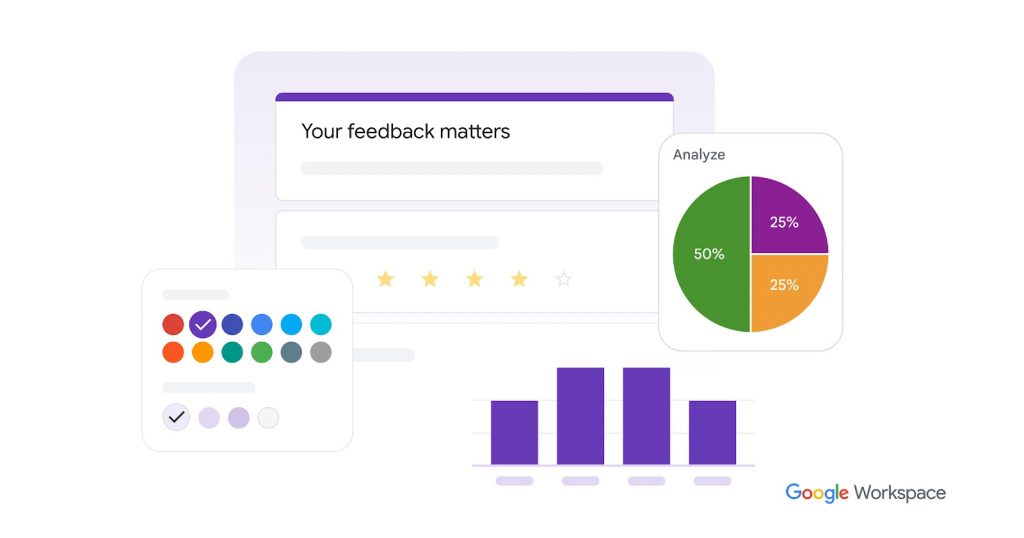
There’s no response cap, no time limit, and no credit card anywhere in the setup, and if your team already lives in Google Workspace, you’re building your first form inside a tool everyone already has open.
The setup itself is about as low-friction as this category gets. You get multiple choice, short answer, checkboxes, linear scale, and file upload question types, and basic conditional logic to skip sections based on an answer.
The tradeoff is that there’s no custom branding, so every form looks like every other Google Form. Also, there’s no logic beyond basic section jumps, no scoring engine, and no sentiment or thematic analysis on open-text answers.
Pros:
- Completely free with no response cap and no time limit
- Works with any Google account, so there’s zero setup friction
- Native export to Google Sheets for teams already living in Google Workspace
- Simple conditional logic for section-based branching
Cons:
- No custom branding on the free tier, and no way to remove Google’s own
- No sentiment analysis, scoring, or advanced reporting
How Google Forms Compares to SurveyKiwi: Google Forms beats SurveyKiwi on the one thing its free plan can’t match: an actual response ceiling of zero. SurveyKiwi still wins on visual polish and multi-channel sharing, WhatsApp, SMS, and QR codes among them, so if your survey doesn’t need branding or that distribution reach, Forms is the tool that never asks you to upgrade.
Pricing: Free, with no paid tier.
User Rating: 4.7/5 (Capterra)
3. SurveyMonkey: Best for a Broad Survey Platform with a Dedicated NPS Module
I reach for SurveyMonkey when a team wants one platform that handles both open-ended research surveys and a recurring Net Promoter Score program, without stitching two separate tools together.
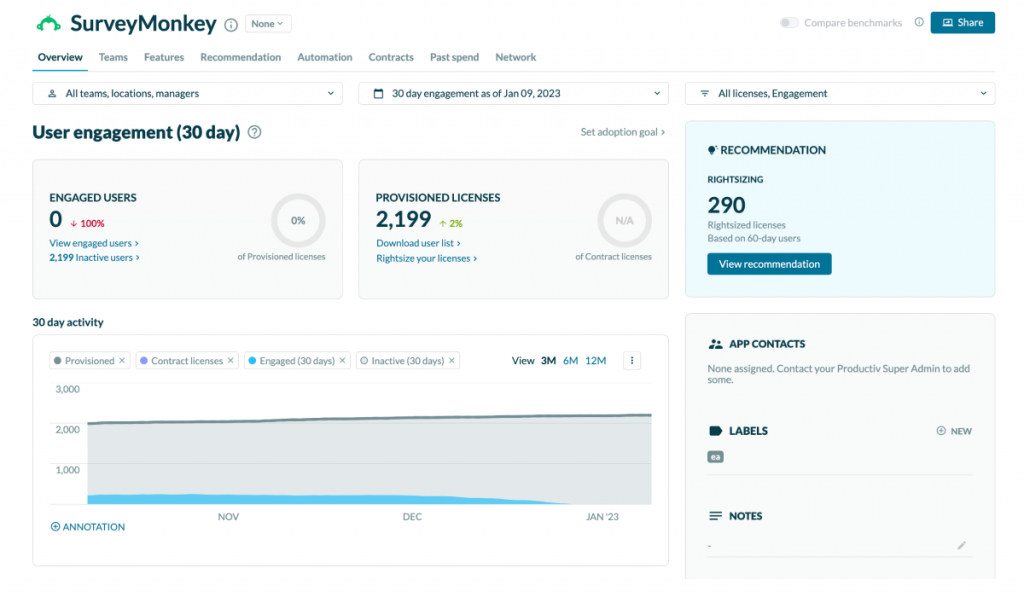
Beyond the basics, SurveyMonkey ships a dedicated NPS module alongside its general survey builder, so launching an NPS program doesn’t mean building the question set and scoring logic from scratch.
The broader platform still offers real analytical depth, too: cross-tabulation by demographics or custom variables, A/B testing of question wording, and export formats that plug straight into a BI tool.
The free plan is thinner than it looks, though. It caps you at 10 questions and roughly 40 viewable responses per survey. The lowest-paid entry point is $30 per seat per month on the Team Advantage plan, but that plan requires a three-seat minimum.
Pros:
- Dedicated NPS module alongside general survey building, so you’re not assembling a Net Promoter Score program from scratch
- Deep analytics, including A/B testing and cross-tabulation
- Large integration catalog and a well-known template library
Cons:
- Free plan caps out at around 40 viewable responses per survey
- Team plans require a three-seat minimum, pushing the real cost well above the advertised price
- Advanced logic and white-labeling are gated to higher tiers
How SurveyMonkey Compares to SurveyKiwi: Both are built around the same job, sending a survey and collecting responses later, so this is the closest apples-to-apples swap on this list. SurveyMonkey adds a purpose-built NPS module SurveyKiwi doesn’t have, though its free plan is more restrictive than SurveyKiwi’s on raw response count.
Pricing: Team Advantage from $30/user/month, three-seat minimum; Individual Advantage at $39/month billed annually; Team Premier from $92/user/month; free plan available for basic surveys.
User Rating: 4.6/5 (Capterra)
4. Typeform: Best for Conversational, One-Question-at-a-Time Forms That Lift Completion Rates
Typeform’s one-question-at-a-time format is the reason it comes up whenever a team’s actual problem is that people start a survey and never finish it.
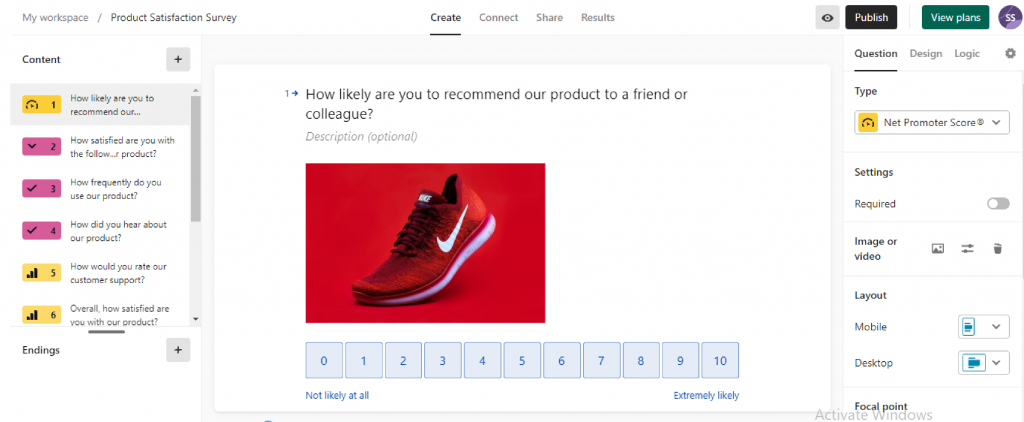
Instead of a long grid of questions dropped in front of a respondent all at once, Typeform reveals one at a time in a format that feels closer to a conversation than a form.
That design choice earns real results. Logic jumps route respondents down different paths based on what they’ve already answered, so nobody wastes time on questions that don’t apply to them, and the polished, animated interface tends to hold attention longer than a plain form does.
The free plan is the tightest on this list, though, and it’s worth knowing before you build anything on it. It caps at 10 responses a month across your entire account, not per form, and once you hit that ceiling, your forms simply stop accepting submissions until the counter resets or you upgrade.
Pros:
- Conversational, one-question-at-a-time format that measurably improves completion
- Logic jumps and conditional branching
- 500+ integrations through Zapier
Cons:
- Free plan caps at 10 responses a month total, essentially a trial
- Removing the Typeform badge requires the Plus plan at $56/month or higher
- Response-based pricing means the per-response cost climbs fast at lower tiers
How Typeform Compares to SurveyKiwi: Both lean on design to make a survey feel less like a form, so this is a fair fight on aesthetics. Where they differ is the free plan: SurveyKiwi’s 10-per-campaign ceiling is generous compared to Typeform’s 10-per-month account-wide limit, so budget-conscious teams testing the waters will hit Typeform’s wall sooner.
Pricing: Free plan for 10 responses/month; Basic at $28/month billed annually; Plus at $56/month; Business from $91/month.
User Rating: 4.7/5 (Capterra)
5. Jotform: Best for Forms That Also Handle Payments, Signatures, and Approvals
Jotform is what I point teams toward when a form isn’t just collecting opinions; it’s actually running a process: registrations with a payment step, intake forms with an e-signature, or an approval workflow that needs to be routed to the right person before it’s done.
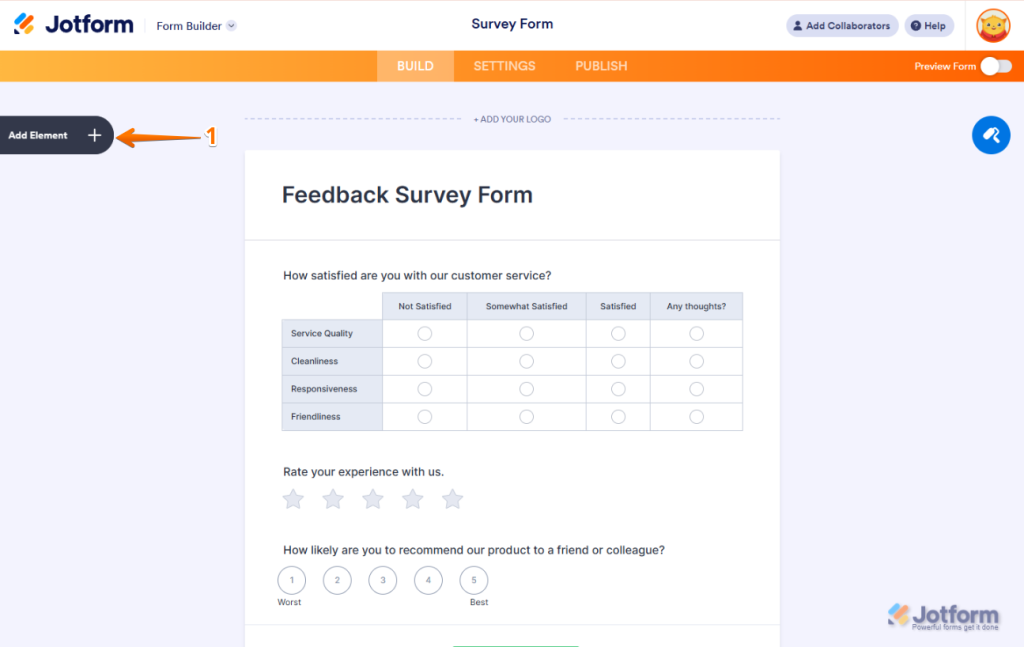
Stripe and PayPal are built in for payment collection, e-signatures are a native field type rather than a bolt-on, and HIPAA compliance is available from the Bronze plan with a signed BAA, which matters if you’re collecting anything health-adjacent.
Pricing runs on three meters at once, though: form count, monthly submissions, and storage. Whichever one fills first decides the tier you actually need, and for active teams, it’s almost always submissions rather than forms or storage.
The free plan is limited to 5 forms and 100 monthly submissions, which is fine for testing but tight for anything recurring.
Pros:
- Handles payments, e-signatures, and approval workflows, not just surveys
- 100+ integrations, including Stripe, PayPal, and Zapier
- HIPAA compliance available from Bronze with a signed BAA
Cons:
- Three separate limits (forms, submissions, storage) can each cap you independently
- The free plan is limited to 100 monthly submissions and 5 forms
How Jotform Compares to SurveyKiwi: SurveyKiwi’s e-commerce order form feature covers a narrow version of what Jotform does across its whole platform. If your SurveyKiwi use case has drifted from “survey” toward “form that needs a payment or a signature attached,” Jotform is built for exactly that, where SurveyKiwi would need a workaround.
Pricing: Free plan for 100 submissions/month and 5 forms; Bronze at $34/month billed annually; Silver at $39/month; Gold at $99/month.
User Rating: 4.7/5 (Capterra)
6. SurveySparrow: Best for Chat-Style Surveys You Can Send Over WhatsApp
SurveySparrow’s conversational format is the closest match on this list to SurveyKiwi’s own pitch: a survey that feels less like a form and more like a message someone’s actually going to read.
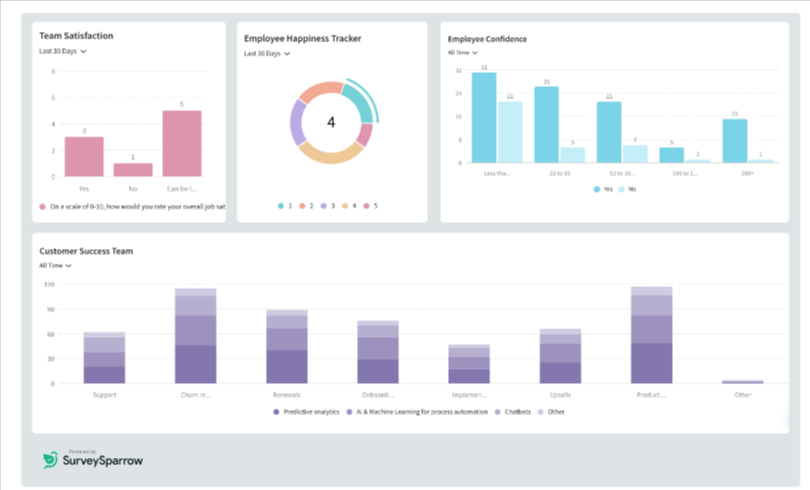
It covers NPS, CSAT, and CES out of the box, so teams running standard CX metrics don’t need to build those question sets from scratch.
Basic workflow automation routes responses to the right team from the lower tiers, so you’re not manually forwarding results after every campaign.
Pricing is seat-based, which is the detail to watch. The entry price looks appealing for one person, $19 a month on the Basic plan, but every additional teammate adds real cost, and the free plan is capped at 75 responses per quarter, not per month, which is easy to misread on a quick scan of the pricing page.
Pros:
- Conversational, chat-style format that mirrors how SurveyKiwi positions its own survey experience
- Supports 130+ languages
- Basic workflow automation is included in the lower tiers
Cons:
- Seat-based pricing climbs quickly once more than one person needs access
- Free plan is capped at 75 responses per quarter, not per month
How SurveySparrow Compares to SurveyKiwi: Both aim for a friendlier, more conversational survey experience, so this is a genuine style match. SurveySparrow’s advantage is depth of automation once you’re paying, though its seat-based pricing can outpace SurveyKiwi’s flat per-plan model for a growing team.
Pricing: Free plan for 75 responses/quarter; Basic at $19/month billed annually; Business at $79/month, seat-based beyond included users.
User Rating: 4.4/5 (Capterra)
7. Zonka Feedback: Best for Closed-Loop Ticketing with Native AI Analysis
Zonka Feedback is the one I’d point a CX team toward when the real problem isn’t collecting feedback, it’s what happens after a bad score comes in.
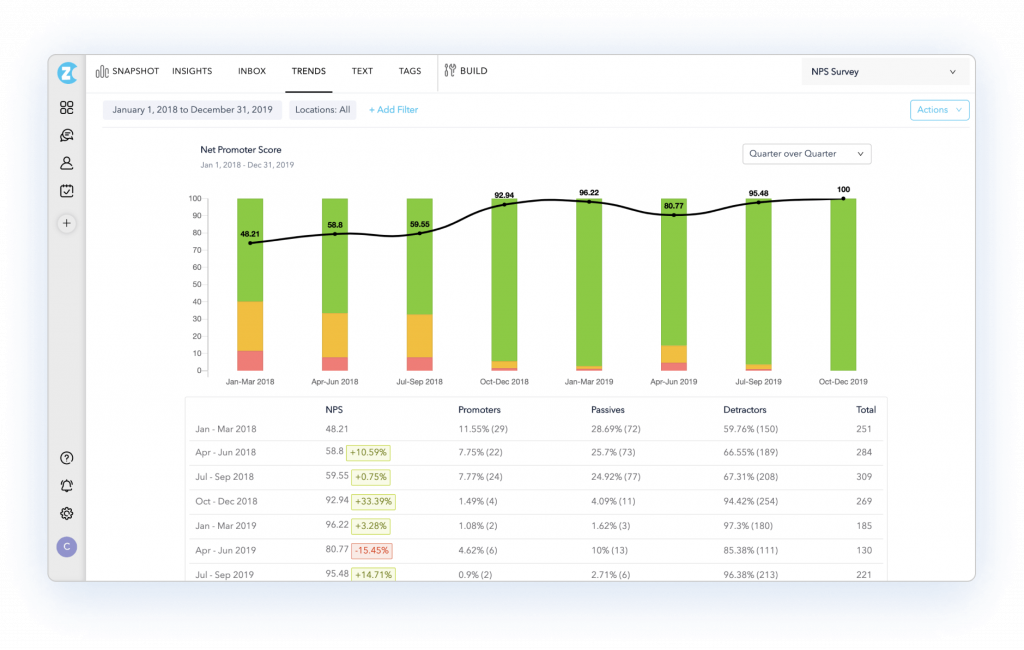
Its closed-loop ticketing automatically converts a low CSAT or NPS response into an actual support ticket, instead of leaving it sitting in a dashboard for someone to eventually notice.
That auto-ticketing is tied to Zonka’s native AI analysis layer, which reads open-text responses for sentiment and theme and can trigger a Slack alert or a follow-up sequence the moment a response needs attention.
Zonka doesn’t publish pricing anywhere on its site, so every evaluation starts with a sales conversation rather than a self-serve signup. That’s worth knowing going in if a quick, no-commitment trial is what you’re used to from SurveyKiwi.
Pros:
- Closed-loop ticketing turns a low score into a support ticket automatically
- Native AI analysis for sentiment and theme on open-text responses
- Genuine omnichannel coverage, including SMS, WhatsApp, kiosk, and offline capture
- Centralized feedback inbox with case management to close the loop
Cons:
- No published pricing, so every evaluation starts with a sales conversation
- No free plan or trial, so there’s no low-risk way to try it first
How Zonka Feedback Compares to SurveyKiwi: SurveyKiwi shares WhatsApp as a distribution channel, but Zonka goes further into what happens after a response comes in: automatic ticketing, native AI analysis, and case management that SurveyKiwi has no equivalent for. If your SurveyKiwi complaint is really about what happens to feedback after you collect it, Zonka is built for exactly that job, at a price you’ll need to ask for.
Pricing: Not published; Zonka Feedback is quote-only, with cost scaling by channels and response volume.
User Rating: 4.8/5 (Capterra)
8. SurveyLegend: Best for Visual, Mobile-First Surveys Without a Learning Curve
SurveyLegend’s whole pitch is close to SurveyKiwi’s: build something that looks good on a phone, fast, with no design skill required. It leans hard into visual polish, custom colors, images, and layouts that feel more like a magazine spread than a spreadsheet-driven form.
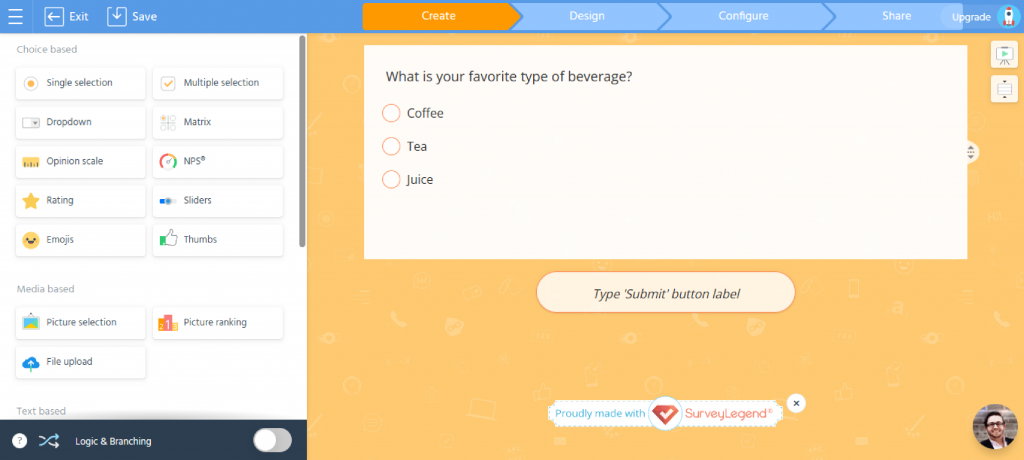
Question branching and custom themes are available from the Pro tier onward, so a small team doesn’t have to jump straight to the top plan to unlock the essentials.
The free Starter plan is capped at 3 surveys, though, and exporting your own collected data requires a paid plan, a limitation that shows up directly in its own Capterra reviews.
Its recommendation percentage also sits lower than most other tools on this list, worth noting even though its overall rating stays competitive.
Pros:
- Visually engaging, mobile-first survey design
- Genuinely easy to learn, per its own review base
- Four clear pricing tiers with a real free option
Cons:
- The free plan is capped at 3 surveys, and data export requires a paid plan
- Recommendation percentage on Capterra sits lower than most tools on this list
How SurveyLegend Compares to SurveyKiwi: This is the tool most similar to SurveyKiwi in spirit: visual, simple, and built for non-technical users. The practical difference is Capterra’s history. SurveyLegend has nearly a thousand reviews behind its rating, giving you a track record SurveyKiwi doesn’t have yet.
Pricing: Starter is free for 3 surveys; Pro is at $15/month for 20 surveys; Business is at $39/month for unlimited surveys; Legendary is at $89/month.
User Rating: 4.6/5 (Capterra)
9. Zoho Survey: Best for Teams Already Running on Zoho CRM
Zoho Survey is the one I’d recommend to any team already using Zoho CRM, not because it’s the most powerful survey tool on this list, but because the native sync does something none of the standalone tools here can match.
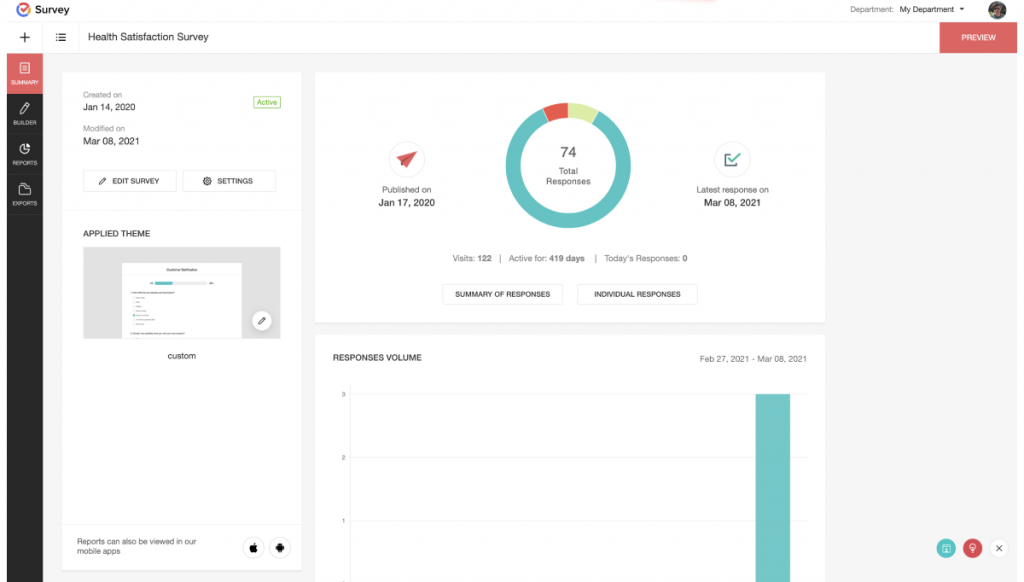
Anonymous responses and answer validation are both included from the free plan, and pricing is predictable and flat-rate at every tier, no response-metered surprises or per-seat math to run before you commit.
Where it gets tighter is the free plan’s structure. Its limits are per survey rather than a pooled monthly allowance, 100 responses, and 10 questions per survey, which is workable for a single small campaign but not something you’d want to run a recurring program on.
Some reviewers also note that filtering options in the analytics module are limited once you’re working with larger datasets.
Pros:
- Native sync with Zoho CRM and other Zoho apps
- Anonymous responses and answer validation are included in the free plan
- Predictable flat-rate pricing at every tier
Cons:
- Free plan limits are per survey, not a pooled monthly allowance
- Filtering options in analytics are limited with large datasets
How Zoho Survey Compares to SurveyKiwi: Both offer straightforward, flat-rate pricing, so the real decision point is your existing stack. If you’re not on Zoho, this doesn’t beat SurveyKiwi on much. If you are, the CRM sync alone is worth the switch.
Pricing: Free plan for 100 responses/survey; Plus at $7.42/month for 3,000 responses/month; Pro at $49/month for 5,000 responses/month; Enterprise at $109/month.
User Rating: 4.6/5 (Capterra)
10. SurveyPlanet: Best for Unlimited Free Responses With Custom Themes
SurveyPlanet is the quieter option on this list, but it solves a specific version of the free-plan problem better than almost anything else here: unlimited responses on the free plan, not just a generous cap that eventually runs out.
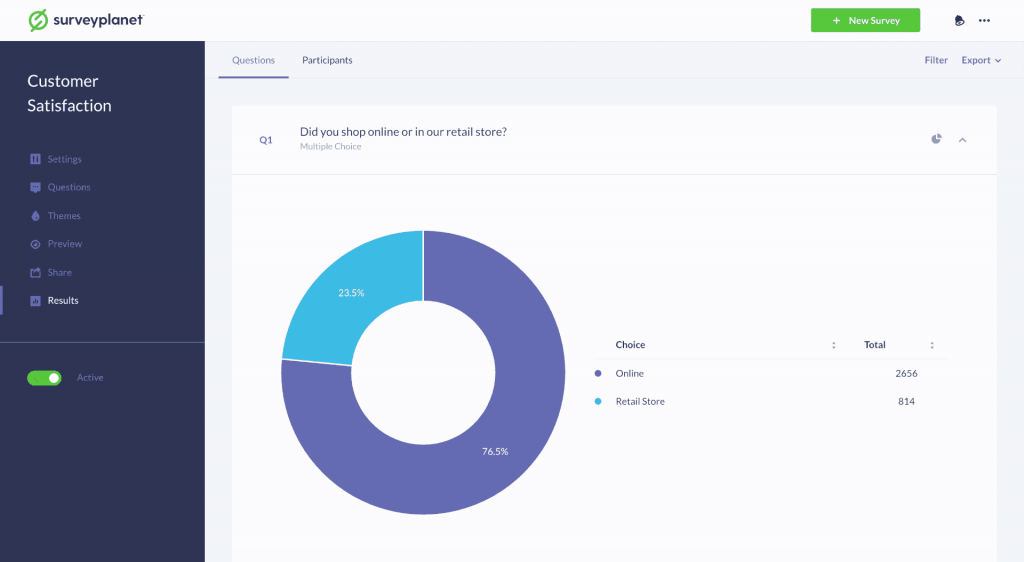
The free tier includes multiple question types, welcome messages, social network sharing, and anonymous survey support, enough to run a genuinely complete small survey program without paying anything.
Custom themes, question branching, and question images sit on the Pro plan at $20 a month, and an Enterprise tier at $350 a year adds team accounts, deeper analysis, and API access for anyone who eventually needs more structure.
The template and integration catalog is smaller than the bigger names on this list, and its Capterra review base, while positive, is thinner than some tools, so you’re trading a longer track record for a genuinely uncapped response count.
Pros:
- Unlimited responses on the free plan, with no time limit
- Multiple question types and social sharing are built in
- Low-cost Pro tier for teams that only need themes and branding
Cons:
- Custom themes, question branching, and non-branded surveys all require the Pro plan
- Smaller integration and template catalog than the bigger names on this list
How SurveyPlanet Compares to SurveyKiwi: SurveyPlanet’s free plan directly answers SurveyKiwi’s 10-response ceiling with unlimited responses at zero cost. What it gives up is SurveyKiwi’s polish and multi-channel sharing, so it’s the pick when volume matters more than visual design.
Pricing: Free plan with unlimited responses; Pro at $20/month; Enterprise at $350/year.
User Rating: 4.6/5 (Capterra)
Which SurveyKiwi Alternative Should You Pick?
If you only read three of these ten, make it these. Each one answers a different version of what’s actually pushing you off SurveyKiwi.
Qualaroo: Best for In-the-Moment Feedback
Pick Qualaroo if your actual complaint about SurveyKiwi isn’t the response cap; it’s that feedback always arrives after the fact.
A Nudge asks the question while someone’s on your site, in your app, or clicking through a prototype, and the Identify API ties every answer back to a real user.
The math is simple. Start free for up to 50 responses with every feature included, move to Essentials at $19.99/month, or step up to Business at $49.99/month for advanced targeting and integrations.
That’s a different job from SurveyKiwi’s, so don’t expect it to replace your WhatsApp or QR code campaigns. It replaces the survey link you were never going to get someone to click.
Google Forms: Best if Budget Is the Only Real Constraint
If your SurveyKiwi frustration begins and ends at “I hit the response cap,” Google Forms removes that ceiling entirely, for free, forever, no plan to upgrade to, and no invoice to justify to anyone.
That makes it the default pick for one-off internal polls, event RSVPs, nonprofit intake forms, or any survey where the person running it doesn’t have a budget line to spend.
What you give up is everything SurveyKiwi charges for. No custom branding at any tier, no logic beyond basic section skips, no NPS or CSAT templates, and no sentiment or thematic analysis on open-text answers, so someone’s reading every comment by hand once volume climbs.
For a quick, low-stakes survey, trade is usually worth it. There’s no math to run here either: it costs nothing at any response volume, which is the one thing no paid tool on this list can say.
Zonka Feedback: Best for Closing the Loop on Bad Feedback Automatically
Pick Zonka Feedback once your program has outgrown SurveyKiwi’s send-and-wait model and you need feedback to trigger action on its own. A low CSAT score opens a ticket and alerts the right person without anyone manually reviewing responses first.
Its native AI analysis layer handles the sentiment and theme analysis that turns open-text comments into actionable insights.
There’s no published price to run the math against. Zonka is quote-only, so budget for a real sales conversation rather than a self-serve signup.
That’s a different buying process than SurveyKiwi’s flat monthly tiers, so this pick only makes sense once closed-loop automation is worth that extra step, not just a nice-to-have.
How Should You Decide Between These Tools?
Match the pick to the constraint that’s actually costing you time or money, not the feature list that looks most impressive on paper.
| If Your Priority Is | Pick |
| Feedback from real website or app visitors, in the moment | Qualaroo |
| Zero cost, no response limit | Google Forms or SurveyPlanet |
| A broad platform with a built-in NPS module | SurveyMonkey |
| Higher completion on longer forms | Typeform or SurveySparrow |
| Forms with payments or e-signatures attached | Jotform |
| Automatic ticketing when feedback needs action | Zonka Feedback |
| Already running on Zoho CRM | Zoho Survey |
| Visual, simple surveys with a real Capterra history | SurveyLegend |
FREE. All Features. FOREVER!
Try our Forever FREE account with all premium features!
How Did I Evaluate These SurveyKiwi Competitors?
I evaluated the SurveyKiwi alternatives in this list based on what actually matters once you’re past the demo and running a real program.
User Reviews and Ratings: I weighted each tool’s Capterra rating together with how many reviews sit behind it, since a 4.8 from 68 reviews and a 4.6 from 10,000 aren’t telling you the same thing. SurveyKiwi has none yet, part of why this list leans on tools with a track record.
Essential Features and Functionality: I checked whether each tool covers the core job it claims, whether that’s in-context targeting, payment collection, or closed-loop ticketing, rather than assuming feature parity just because two tools both call themselves survey software.
Ease of Use: I looked at how long it takes a non-technical user to get a first survey live, since that’s the exact strength SurveyKiwi leads with and the bar every alternative had to be measured against.
Customer Support: I looked at whether support is self-serve, bundled, or paid-tier-only, since that changes the real cost of ownership beyond the sticker price, and that gap tends to show up exactly when you need help most.
Value for Money: I compared the list price against what a team actually pays at realistic volume, not just the entry tier. Seat-based and quote-only pricing can both hide a real cost that never shows up on the pricing page.
Personal Experience and Experts’ Opinions: Where I’ve configured or run a tool directly, I’ve noted that, and any cited case study is real, not a composite. Where I haven’t, I leaned on consistent patterns across verified reviews rather than a single anecdote.
The Right SurveyKiwi Alternative Comes Down to When Feedback Actually Happens
SurveyKiwi’s own simplicity is real, and none of the nine alternatives above beat it on every dimension. That’s worth saying plainly before you switch anything.
But simplicity was never the thing forcing you to look elsewhere. A response cap, a branding wall, or a survey that lands in someone’s inbox a day after the moment that mattered, those are the actual triggers, and each one points to a different fix rather than a single “best” tool.
Want the feedback while someone’s still deciding whether to check out, sign up, or bounce? Nothing else on this list is built for that moment the way Qualaroo is.
That last one is the gap most teams don’t realize they have until they see it closed. A survey link answers the question you asked. A Nudge catches the answer you’d never have gotten a chance to ask for. Set one up on the free plan and you’ll know within a week which kind of feedback you’ve actually been missing.
Frequently Asked Questions
What is SurveyKiwi used for?
SurveyKiwi is a survey and form builder that lets teams create mobile-ready surveys and share them by email, WhatsApp, social media, SMS, or QR code. It's commonly used for customer satisfaction, HR, education, retail, and event feedback, with basic e-commerce order forms and NPS surveys built in, plus a newer dashboards feature for viewing multiple campaigns together.
Is SurveyKiwi free?
Yes, with real limits. The free plan allows 10 responses per campaign with no time limit, which is enough to test the builder but not to run a real program. Most active campaigns will need at least the Bronze plan at $9 a month, which raises that ceiling to 100 responses monthly.
What does SurveyKiwi cost?
SurveyKiwi runs four pricing tiers. The free plan covers 10 responses per campaign, Bronze costs $9 a month for 100 responses, Silver costs $39 a month for 1,000 responses, and Gold costs $69 a month for unlimited responses, along with branding removal, APIs, and webhooks that the lower tiers don't include.
Can I remove SurveyKiwi branding?
Branding removal is only available on the Gold plan, which costs $69 a month. Both the Bronze plan at $9 a month and the Silver plan at $39 a month keep SurveyKiwi's own branding visible on every survey and form you send, regardless of how many responses you're collecting each month.
Which alternatives send surveys over WhatsApp like SurveyKiwi does?
SurveySparrow and Zonka Feedback both support WhatsApp distribution alongside their own additional channels. Zonka adds SMS, kiosk capture, and closed-loop ticketing that turns a bad score into a support ticket automatically. SurveySparrow adds a chat-style, one-question-at-a-time completion format that tends to hold a respondent's attention longer than a standard form.
What's the best free SurveyKiwi alternative?
Google Forms and SurveyPlanet both offer genuinely unlimited free responses, which beats SurveyKiwi's 10-per-campaign cap outright and removes the need to budget around a ceiling at all. Google Forms is the simpler, more familiar builder, while SurveyPlanet adds more question types, custom themes, and a slightly more polished survey experience.
Does Qualaroo replace what I use SurveyKiwi for?
Only partly, and that's worth knowing upfront. Qualaroo doesn't send standalone surveys over WhatsApp or email, and it doesn't build e-commerce order forms the way SurveyKiwi does. What it replaces is the specific job of asking a question while someone is actively on your website, in your app, or testing a prototype.
Can I migrate my SurveyKiwi responses to another tool?
SurveyKiwi doesn't publish a bulk export feature on its pricing or help pages, so check its Help Center directly for your plan's specific export options before you commit to switching. Most alternatives on this list, including Qualaroo, let you export historical responses as a CSV file during a standard migration process.
FREE. All Features. FOREVER!
Try our Forever FREE account with all premium features!

 We'd love your feedback!
What did you like & how can we make it even better?
 Thanks for your feedback!
 Ask Your Question
Have a question? Get expert help to make your decision easier.