
Most event feedback arrives too late to act on. You send the post-event survey, a handful of people respond days later, and by then the event is already behind you.
The problem isn’t that attendees don’t have opinions. It’s that the window to capture authentic reactions closes fast.
People forget up to 50% of an experience within one hour, and post-event email surveys average 5 to 15% response rates. You’re not getting silence because attendees didn’t care. You’re getting it because the tool asked at the wrong moment.
I tested 10 event survey software platforms to find which ones actually solve this, capturing real-time attendee feedback during the event, not just chasing responses after it ends.
The list covers tools for all conference formats: virtual, hybrid, in-person, and multi-session. Each entry covers what it does best, where it falls short, and who it’s built for.
What Is Event Survey Software?
Event survey software for real time feedback is a digital platform that collects, organizes, and analyzes attendee feedback before, during, and after an event. Unlike general survey tools, it is designed to capture reactions in the moment, at the right session, from the right attendee, using behavioral triggers, QR codes, in-app delivery, or mobile-first forms. The output is structured insight you can act on, not a spreadsheet of free-text responses to sort through manually.
The category spans purpose-built event feedback platforms, in-app survey tools adapted for event contexts, and real-time polling tools embedded in presentation software.
They don’t all do the same thing, and that distinction matters more than most teams realize before they buy.
10 Best Event Survey Software for Real-Time Feedback That Made My List
Here’s a quick overview of all the event survey software for real time feedback covered in this guide. Use this to find the right fit before reading the full reviews.
| Tool | Best For | Key Features | Pricing | Rating (Capterra) |
| Qualaroo | Real-time in-event and in-app feedback | Nudge™ targeting, AI survey creation and feedback analysis, behavioral triggers, session-level targeting, NPS, and product feedback | Free plan; paid from $19.99/month | 4.7/5 |
| ProProfs Survey Maker | General event surveys and post-event feedback | Drag-and-drop builder, 100+ templates, skip logic, CRM integration | Free plan; paid from $19.99/month | 4.8/5 |
| Slido | Live audience engagement and mid-session polling | Live polls, Q&A with upvoting, word clouds, and real-time results on screen | Free plan; paid from $12.5/month | 4.8/5 |
| SurveyMonkey | Post-event distribution at scale | Genius AI engine, branching logic, Eventbrite integration, 500+ templates | From $30/month | 4.6/5 |
| Jotform | Custom event forms and branded feedback collection | Drag-and-drop builder, QR code surveys, mobile-responsive, offline support | Free plan; paid from $19/month | 4.7/5 |
| Cvent Surveys | Enterprise events with session-level feedback | Pre-scheduled triggers, session-speaker reporting, CE credit tracking | On request | 4.5/5 |
| InEvent | Multi-channel event feedback via SMS, email, and in-session | 150+ languages, conditional logic, pre-scheduled delivery, real-time dashboard | On request | 4.5/5 |
| Eventdex | In-app event surveys for conference and tradeshow settings | In-app delivery, offline collection, real-time analytics, custom question types | On request | 4.7/5 |
| Typeform | Conversational post-event surveys with high completion rates | One-at-a-time format, logic jumps, rich media, live results | From $28/month | 4.7/5 |
| Responster | Continuous before-during-after event feedback flows | On-site surveying, contact capture, and real-time reaction capture | From $25/month | 4.4/5 |
Here’s an in-depth view of each tool:
1. Qualaroo: Best for In-App Surveys, NPS & User Feedback
Qualaroo is the tool I’d reach for first when the goal is capturing feedback at a specific behavioral moment, not just blasting a survey after the event closes.
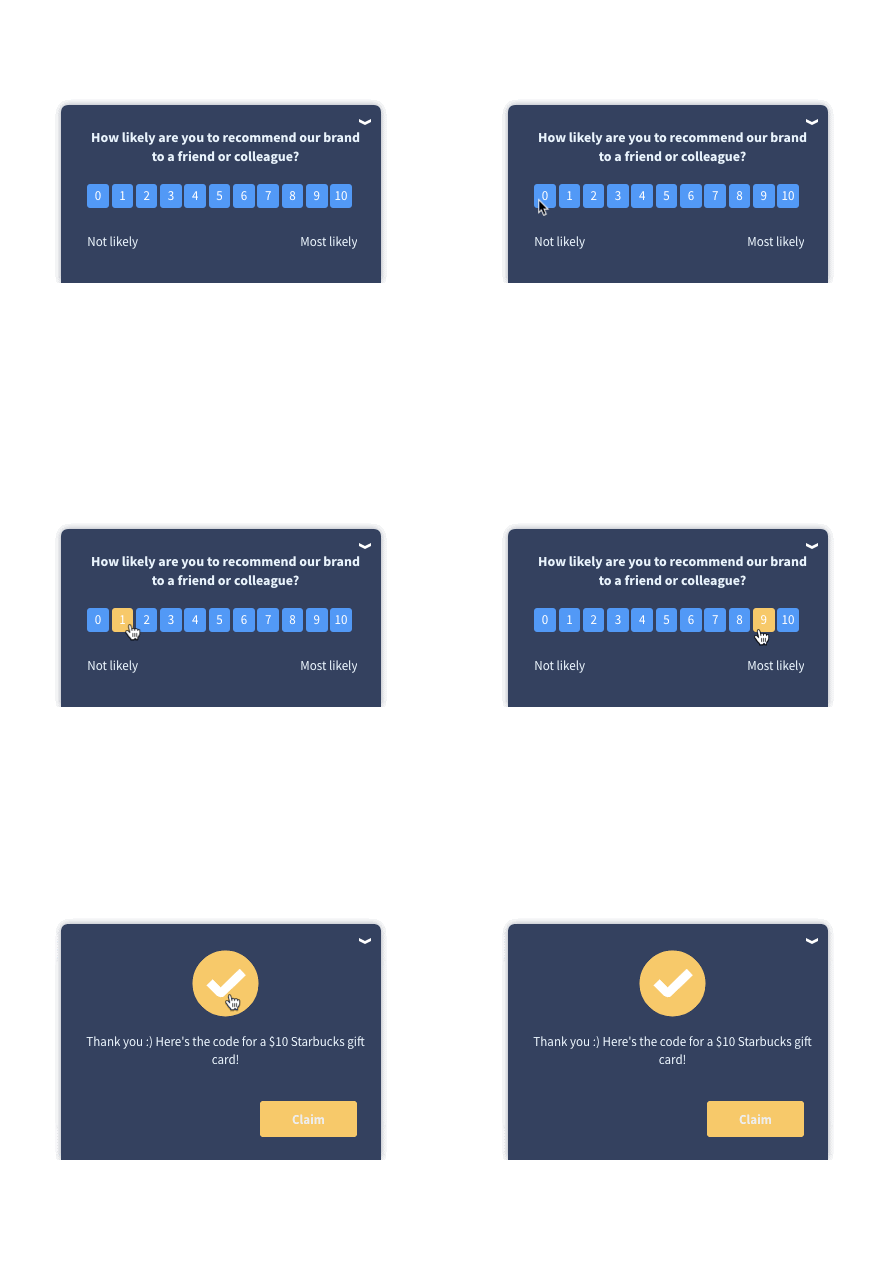
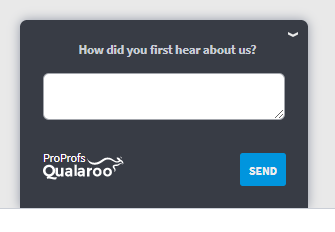
The core mechanism is the Nudge™: a small, non-intrusive survey that appears exactly when and where you define it, triggered by user behavior rather than a timed email.
For event contexts, this matters more than most teams expect.
If you’re running a virtual conference or an event on your web platform, you can trigger a Nudge™ right after a session page has been active for a set duration, when an attendee visits the session recap page, or when they navigate to the feedback section.
No email required. No chasing responses the next morning.
Native AI Feedback Analysis does the heavy lifting on open-text responses. Instead of manually reading 300 open-ended comments after a 500-person event, Automated Tagging sorts them into themes, and the AI Response Summarizer distills the rest, so you can see what percentage of responses were positive, negative, or neutral, and what themes appeared most frequently, in minutes.
Pros:
- AI Survey Creator builds a survey from a prompt, so there’s no starting from scratch
- Behavioral targeting by URL, session page, time-on-page, user identity, and exit intent
- AI Sentiment Analysis powered by IBM Watson for automatic theme and tone detection
- Identify API connects survey responses to individual attendees by email or customer ID, so you know exactly who said what
- 100+ readymade templates designed by professionals
- Nudge™ works on websites, web apps, and mobile apps via iOS and Android SDK
- Multilingual surveys in 100+ languages
- Branching and skip logic for adaptive question paths
- Smooth integrations with Salesforce, HubSpot, Slack, Google Analytics, and Zapier
- Session Recordings and Heatmaps let you see what attendees actually did on your event pages alongside their survey responses
Cons:
- Primarily designed for web and in-app contexts; less suited for purely offline venue-based events
- Advanced targeting features have a learning curve for first-time setup
User Rating: 4.7/5 (Capterra)
Pricing: Free plan available with all premium features. Paid plans start at $19.99/month.
Qualaroo in action: According to Hootsuite’s case study with Qualaroo, using targeted Nudge™ surveys delivered a 16% lift in conversion at 98% statistical significance. The key was asking at the right moment, not asking more often.

2. ProProfs Survey Maker: Best for AI-Powered Survey Creation Across the Full Event Lifecycle
ProProfs Survey Maker covers significant ground for event organizers who need a single platform to handle pre-event registration surveys, mid-event pulse checks, and post-event satisfaction scoring without jumping between tools.
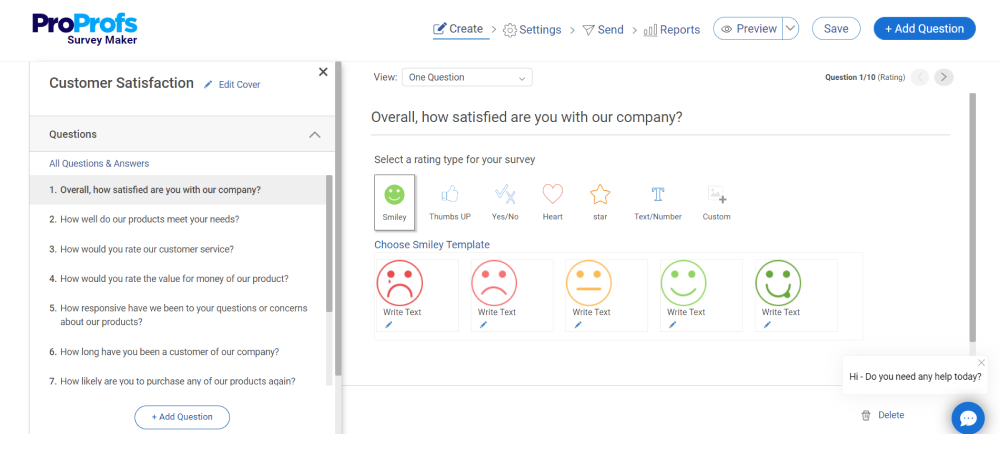
The AI-assisted builder suggests question structure based on your goal, which shortens the time from “we need feedback on this session” to a live survey considerably.
The template library includes event-specific formats out of the box, including conference evaluation questions, speaker rating surveys, and attendee satisfaction templates.
Pros:
- 100+ professionally designed templates including event-specific formats
- AI-assisted question structure and phrasing suggestions
- Skip logic and branching for adaptive survey paths
- CRM integrations including Salesforce and HubSpot
- Sidebar feedback widget for ongoing, always-on collection
- Mobile-responsive design for in-session completion
Cons:
- Less behavioral targeting depth compared to dedicated in-context tools
- Better suited for structured survey campaigns than real-time triggered collection
User Rating: 4.8/5 (Capterra)
Pricing: Forever free plan with all premium features. Paid from $19.99/month.
3. Slido: Best for Live Session Polling and Mid-Presentation Audience Engagement
Slido was built specifically for the live session context. Presenters can push a survey to every attendee’s screen mid-presentation, results update in real time, and the speaker can respond to what’s showing up in the room immediately.
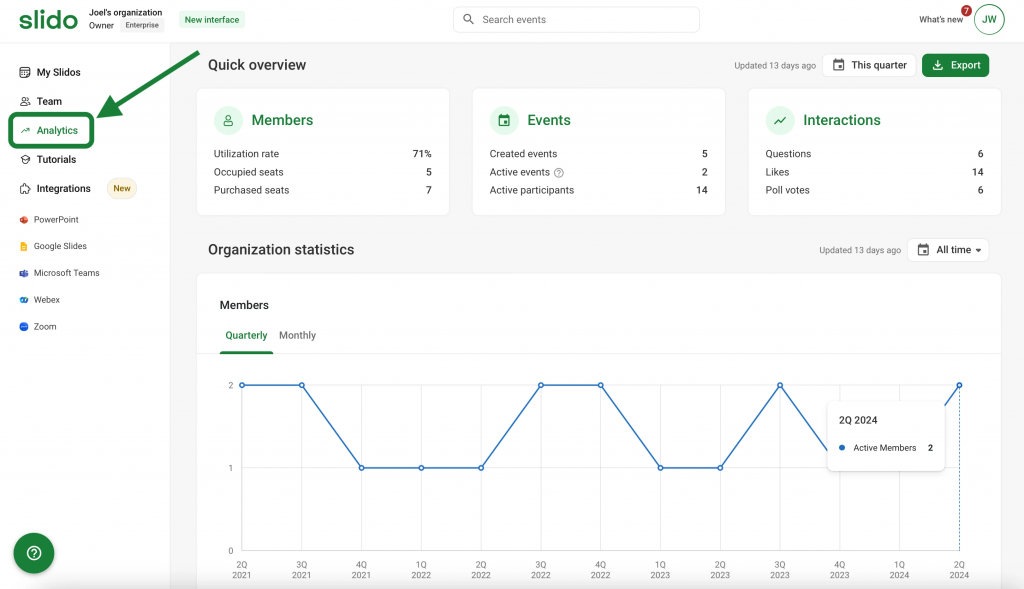
The Q&A with upvoting is particularly useful for large conferences where not everyone gets the microphone.
Attendees submit questions, others upvote the ones they care about, and moderators can surface the most relevant questions to the stage.
Pros:
- Real-time live polling with results displayed on screen during the session
- Q&A with upvoting so the best audience questions surface automatically
- Word clouds, quiz formats, and rating polls
- Works on any device via browser, no app download required
- Integrates with Zoom, Microsoft Teams, and Google Slides
Cons:
- Post-event analytics are limited compared to dedicated survey platforms
- Not designed for behavioral targeting outside of live session contexts
User Rating: 4.8/5 (Capterra)
Pricing: Free plan available. Paid from $12.5/month.
4. SurveyMonkey: Best for Post-Event Survey Distribution at Scale
SurveyMonkey remains the default for teams that need to send post-event surveys at scale to large attendee lists, quickly, without a steep setup curve.
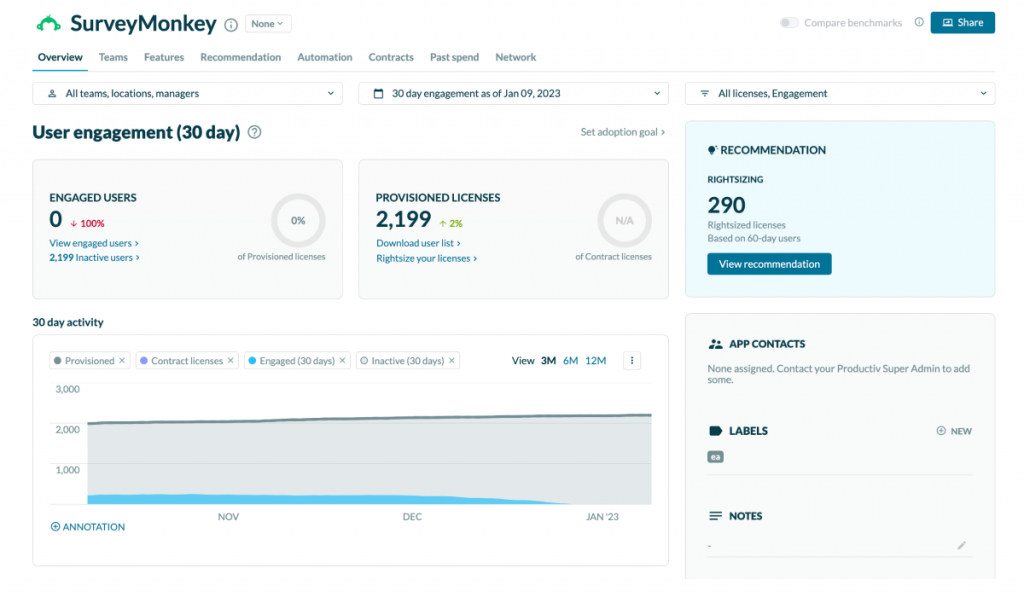
The Genius AI engine analyzes your survey design before launch, predicts completion rates, and flags questions likely to cause drop-off, which is genuinely useful when you’re working fast after an event ends.
The Eventbrite integration is worth calling out: if your event is managed through Eventbrite, post-event surveys can be triggered automatically to confirmed attendees without manual list exports.
Pros:
- Genius AI engine for pre-launch survey optimization
- Eventbrite integration for automatic post-event trigger
- 500+ templates including event-specific formats
- Branching logic and question randomization
- Team collaboration for shared survey programs
Cons:
- Advanced analytics and data export require paid plans
- Pricing escalates quickly for larger teams
- Post-event email distribution shares the same response rate limitations as any email-based model
User Rating: 4.6/5 (Capterra)
Pricing: From $30/month.
5. Jotform: Best for In-Person Events With Offline Collection and QR Code Deployment
Jotform handles the offline collection problem better than most tools on this list. Attendees can complete event feedback forms in areas with spotty connectivity, and responses sync automatically once a connection is restored.
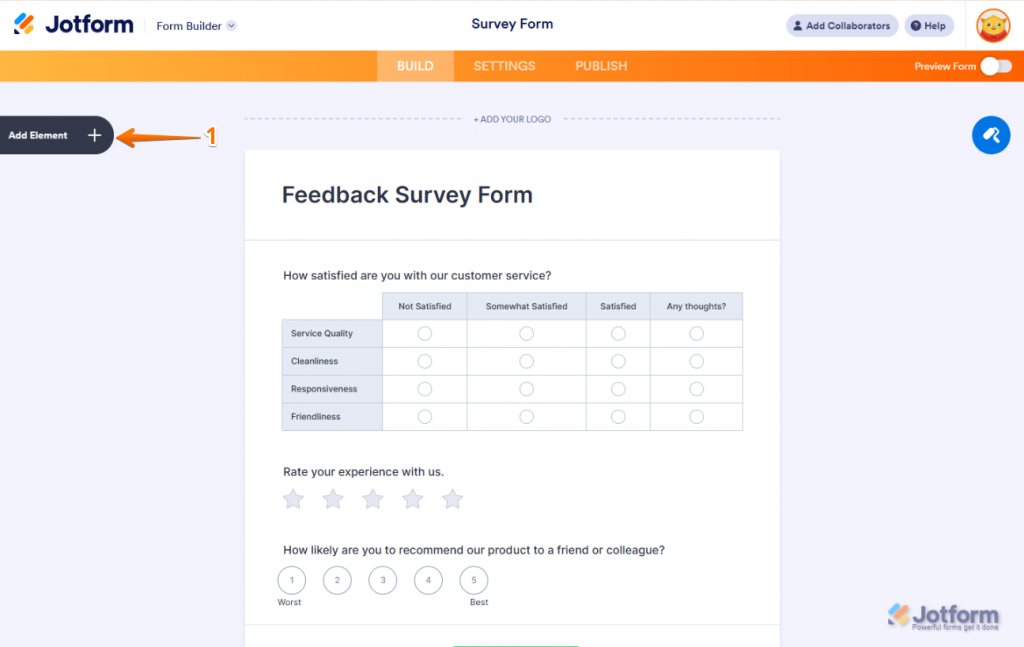
For venue-based events where Wi-Fi is unreliable, that’s a meaningful practical advantage.
QR codes work well here: branded QR codes placed on session signage or name badges let attendees scan and respond during natural breaks, without needing to open an email link.
Pros:
- Offline response collection with automatic sync when connectivity returns
- QR code surveys for venue signage and badge placement
- Full design customization, including event branding and colors
- Drag-and-drop builder with 10,000+ templates
- Mobile-responsive on all devices
Cons:
- Less behavioral targeting than dedicated in-context tools
- Template variety for event-specific use cases is narrower than specialized platforms
User Rating: 4.7/5 (Capterra)
Pricing: Free plan available. Paid from $19/month.
6. Cvent Surveys: Best for Enterprise Multi-Session Conferences With Attendance-Based Targeting
Cvent is the enterprise choice when your event is already managed in Cvent and you need feedback tied directly to session attendance, registration type, and event data, without maintaining a separate survey platform.
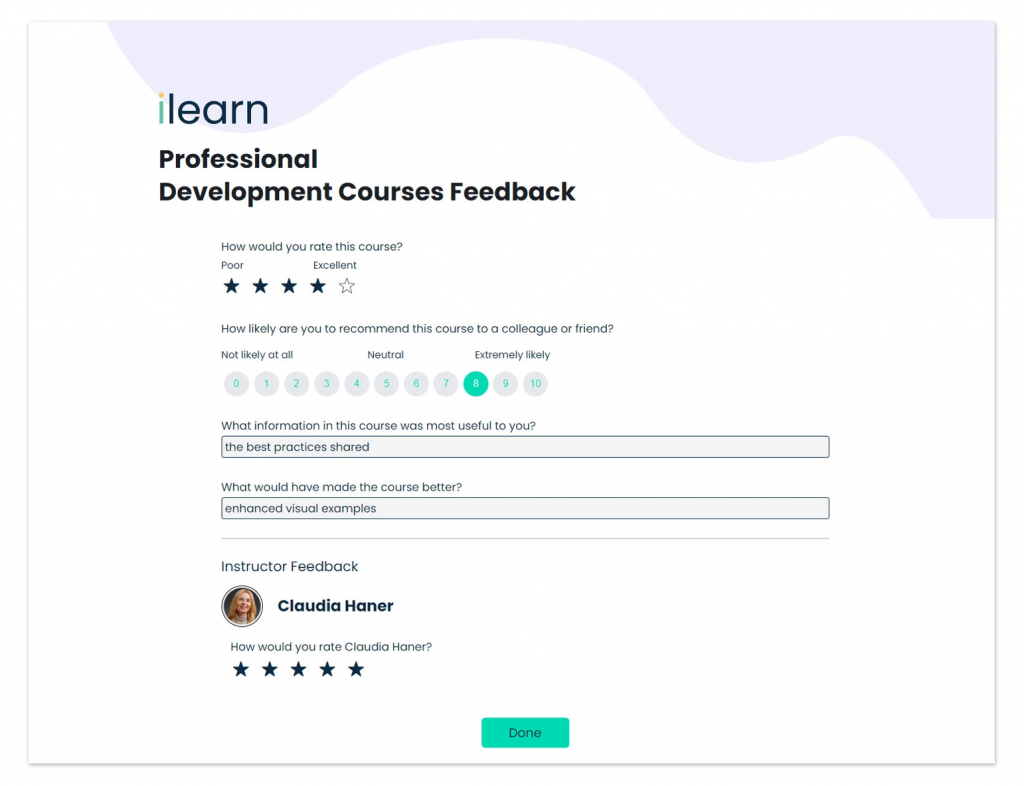
The ability to pre-schedule surveys to fire after a specific session ends, based on actual attendance data, is the standout capability.
If an attendee didn’t attend the session, they don’t get the session survey. That targeting precision is hard to replicate in a general-purpose survey tool.
Pros:
- Pre-scheduled surveys triggered by session start and attendance data
- Session-level and speaker comparison reporting
- Questions personalized by registration type, role, or session participation
- CE credit and certification tracking connected to survey completion
- Shared Access Portals for stakeholder visibility during the event
Cons:
- Pricing and implementation complexity put it out of reach for smaller teams
- Not meaningful as a standalone tool outside of the Cvent platform
User Rating: 4.5/5 (Capterra)
Pricing: Available on request.
7. InEvent: Best for International and Hybrid Events Requiring Multi-Channel Delivery
InEvent handles multi-channel delivery without requiring separate platforms for each channel.
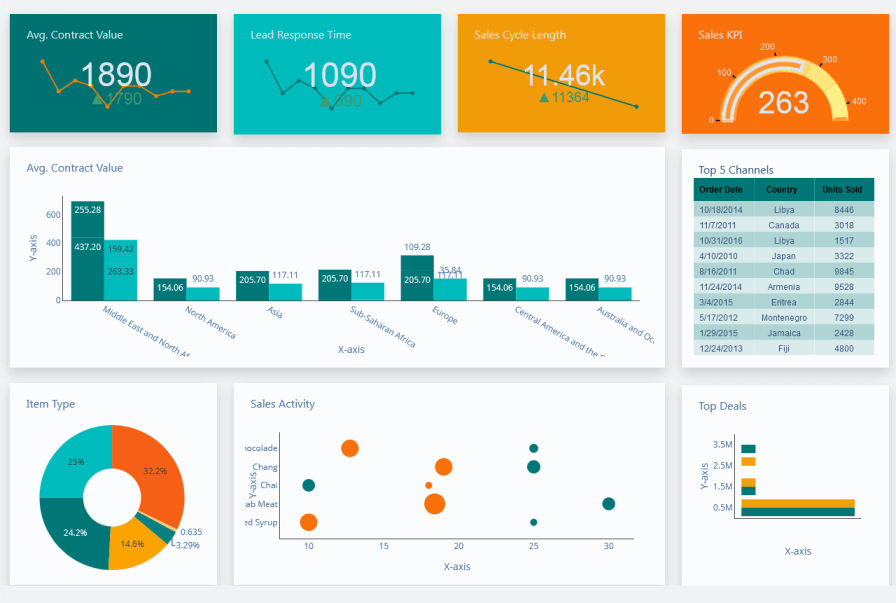
You can send a session survey by SMS during a break, trigger the same survey by email as a follow-up, and deliver an in-session version through the event platform, all configured in one place.
The 150+ language support is a practical differentiator for international events where a single-language survey misses a meaningful portion of your audience.
Pros:
- Multi-channel delivery: in-session, SMS, and email from one dashboard
- 150+ languages supported
- Conditional logic for adaptive survey paths
- Pre-scheduled delivery based on session timing
- Real-time response dashboard
Cons:
- Interface requires a learning curve for first-time users
- Pricing is not transparent without a demo
User Rating: 4.5/5 (Capterra)
Pricing: Available on request.
8. Eventdex: Best for Conferences and Tradeshows Using the Eventdex App Ecosystem
Eventdex’s survey tool is built directly into the same app attendees are already using to check schedules and connect with other attendees.
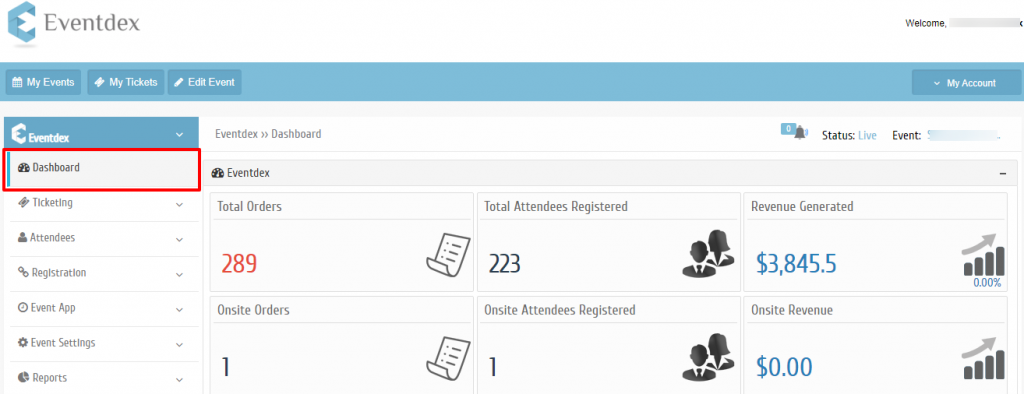
That eliminates the friction of a separate survey link, which is one of the main reasons in-event response rates tend to be higher in dedicated event app ecosystems.
The offline collection support and real-time analytics dashboard make it a solid choice for tradeshows and large-venue conferences where connectivity can be inconsistent.
Pros:
- In-app survey delivery inside the existing attendee app
- Real-time analytics dashboard with session and speaker breakdowns
- Offline collection with automatic sync
- Custom question types, including star ratings, sliding scales, and open text
- Session and time-block targeting for mid-event pulse checks
Cons:
- Only useful as part of the broader Eventdex platform
- Less flexible for teams running events outside of the Eventdex ecosystem
User Rating: 4.7/5 (Capterra)
Pricing: Available on request.
9. Typeform: Best for Branded Post-Event Surveys Where Completion Rate Is the Priority
Typeform’s one-question-at-a-time format consistently outperforms traditional multi-question layouts on completion rate for post-event surveys.
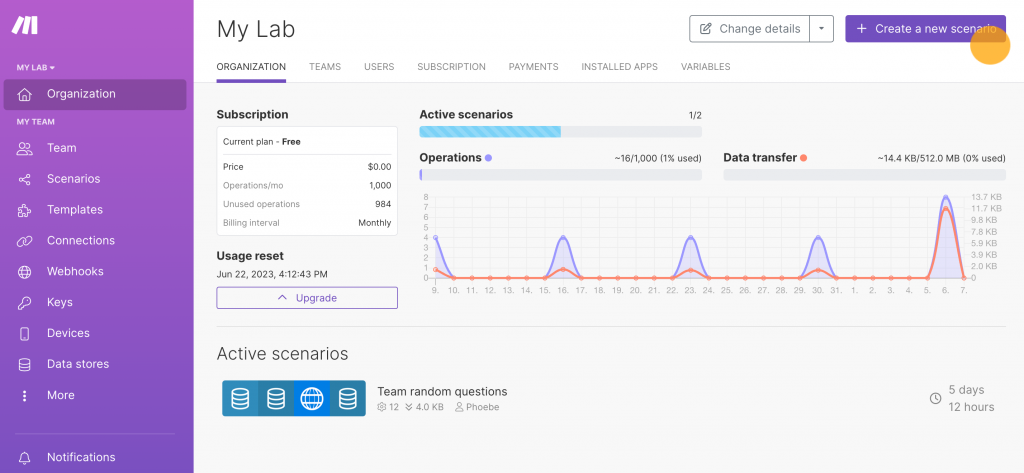
When attendees are tired after a full-day conference, a survey that feels like a brief conversation is far more likely to get completed than a scrollable page with 15 questions.
This is the right pick when brand experience matters and when a post-event survey is embedded in a follow-up sequence that needs to feel like a premium interaction, not an admin task.
Pros:
- Conversational one-at-a-time format that consistently reduces abandonment
- Rich media support including images and video within questions
- Logic jumps and branching for adaptive paths
- Live results tracking during active campaigns
- Clean design customization aligned to event brand guidelines
Cons:
- Post-event email distribution carries the same response rate limitations as other email-based approaches
- Advanced analytics require higher-tier plans
- Complex multi-part surveys are harder to configure than in dedicated research tools
User Rating: 4.7/5 (Capterra)
Pricing: From $28/month.
10. Responster: Best for Continuous Before-During-After Feedback With Walk-In Attendee Contact Capture
Responster is built around the idea of continuous feedback across the entire event lifecycle, not just a post-event pulse.
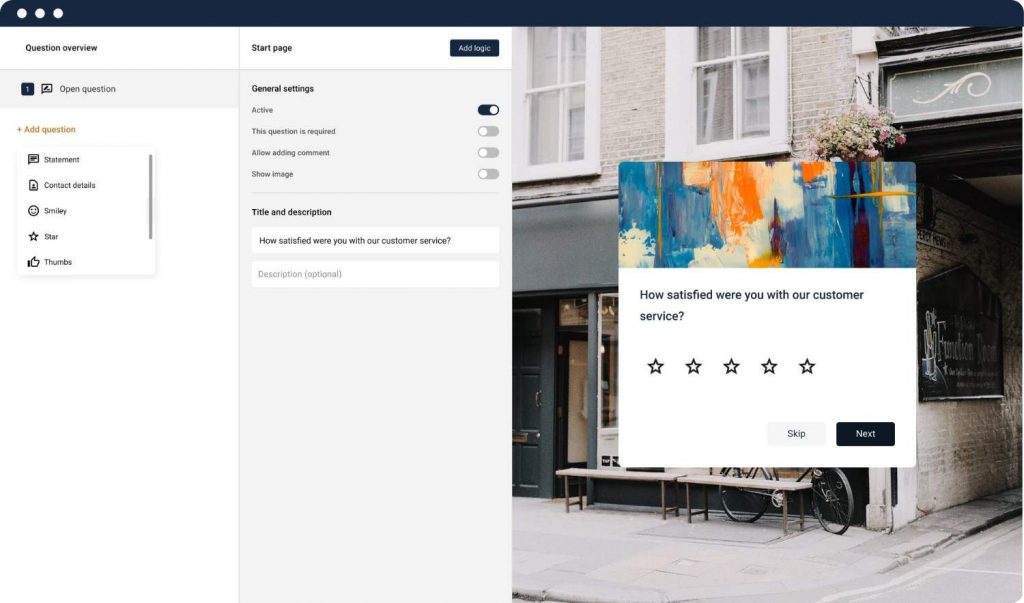
You can collect attendee expectations before the event, reactions during it, and satisfaction scores after, all connected to the same attendee profile.
The on-site collection capability captures email addresses and contact information alongside feedback, which is useful for events with high walk-in traffic where you don’t have a pre-registered attendee list.
Pros:
- Before, during, and after feedback collection from one platform
- On-site surveying with real-time reaction capture
- Contact information capture alongside feedback responses
- Flexible question distribution across event phases
- Encourages distributing questions across phases rather than front-loading post-event
Cons:
- Smaller feature set compared to enterprise platforms
- Less behavioral targeting than dedicated in-context tools
User Rating: 4.4/5 (Capterra)
Pricing: From $25/month.
My Top 3 Picks Among the Best Event Survey Software for Real Time Feedback
Every tool on this list does something well. But if I had to build an event feedback stack from scratch, I’d start with these three each one covering a distinct moment in the event lifecycle with no overlap.
1. Qualaroo
Qualaroo is among the most ideal tools for real-time in-event feedback. The Nudge™ fires at the exact behavioral moment you define, on session pages, at content transitions, or on exit, without requiring an email.
AI Sentiment Analysis handles the open-text volume so you’re reading themes, not individual comments. For virtual and hybrid events, nothing else on this list captures authentic in-the-moment reactions as cleanly.
2. Slido
Slido is good for live session engagement. When you need attendees responding during the presentation, not after it, Slido is the tool.
Polls update on screen in real time, Q&A surfaces the best questions through upvoting, and it runs entirely in the browser without an app download. It solves the mid-session problem that no post-event survey tool can touch.
3. Typeform
Typeform is more about post-event follow-up. When the event is over, and you need a survey that actually gets completed, the one-question-at-a-time format consistently outperforms traditional layouts on completion rate. For follow-up sequences where brand experience matters, it’s the right closer.
Together: Qualaroo captures the in-the-moment signal, Slido handles live engagement during sessions, and Typeform closes the loop after the event ends. Three tools, three distinct jobs, one complete feedback system.
How Did I Evaluate These Event Survey Tools?
Every tool on this list went through the same framework. Here’s exactly what I looked at.
1. Real-Time Capture Capability: Can the tool deliver surveys during the event, not just after? Does it support behavioral triggers, session-level targeting, or in-app delivery? This was the primary filter. Tools that are only viable as post-event email senders scored lower.
2. Response Rate Architecture: Does the delivery model actually produce responses? In-session collection, QR codes, and in-app delivery consistently outperform email follow-ups. I weighted tools that give you multiple delivery options.
3. Ease of Setup: How quickly can a non-technical event manager go from signup to live survey? For event contexts specifically, setup speed matters because surveys often need to be built hours before a session, not days.
4. Analytics Depth: Raw response counts are not useful. I looked for tools with session-level filtering, sentiment analysis, speaker comparison, and exportable data that doesn’t require a data analyst to interpret.
5. User Reviews on Capterra: I focused on verified reviewer patterns, not aggregate scores. When multiple users across different industries flag the same limitation, that’s a signal worth weighting. Positive patterns matter too: repeated mentions of a specific feature solving a specific problem tell you more than a star rating.
6. Value for the Use Case: I compared what each pricing tier unlocks against what a mid-market team actually needs to run a real event feedback program. Per-response pricing models that spike during high-attendance events scored lower regardless of base price.
FREE. All Features. FOREVER!
Try our Forever FREE account with all premium features!
How Do I Choose the Right Event Survey Software?
Before comparing feature lists, pin down the actual use case driving your evaluation.
| If Your Primary Need Is… | What You Actually Need | Where to Look First |
| Mid-Session Reactions and Live Polling | Real-time display, audience response without app download | Slido, Qualaroo Nudge™ on web event pages |
| In-App Feedback During a Virtual Event or Webinar | Behavioral triggers, session-level targeting, no separate platform | Qualaroo, Cvent Surveys |
| Post-Event NPS at Scale to a Large List | Fast distribution, Eventbrite integration, AI survey optimization | SurveyMonkey, Typeform |
| Physical Venue With Offline Capability | QR code deployment, offline sync, branded forms | Jotform, Eventdex |
| Multi-Channel Delivery Across Sms, Email, and In-Session | Single dashboard across channels, international language support | InEvent |
| Enterprise Multi-Session Conference With Attendance Data | Session-level triggers tied to registration records | Cvent Surveys |
| Ongoing Before-During-After Feedback Loop | Continuous collection across event phases, contact capture | Responster, ProProfs Survey Maker |
Once your use case is clear, here’s the evaluation framework I use to choose event survey software for real time feedback:
| Criterion | What to Look For | Why It Matters |
| Real-time delivery | In-session, QR, in-app, or behavior-triggered | Timing determines response rate and data freshness |
| Targeting precision | Session-level, attendee segment, timing-based | Generic blasts miss the context that makes feedback actionable |
| Offline support | Syncs responses when connectivity returns | Critical for venue-based events with variable Wi-Fi |
| Analytics output | Sentiment analysis, session filters, speaker comparison | Raw responses without structure are noise |
| Integration with event stack | CRM, registration platform, helpdesk | Disconnected data creates manual reconciliation work |
| Setup speed | Live in under an hour, no developer required | Event feedback needs are often last-minute |
| Pricing model | Flat rate vs. per-response | Per-response models can spike during high-attendance events |
What Features Should I Look for in Attendee Feedback Software?
I use this checklist when evaluating event survey software for real time feedback for a specific program, before signing up for anything.
For Virtual and Hybrid Events:
- Behavioral triggers by page, session, or time-on-page
- In-app or in-platform delivery without a separate survey link
- Session-level and speaker-level targeting
- Sentiment analysis on open-ended responses
- Identity-linked responses, so you know which attendee said what
For In-Person and Venue-Based Events:
- QR code survey deployment on signage, badges, and screens
- Offline response collection with automatic sync
- Mobile-responsive design for fast completion on phones
- Real-time dashboard viewable by event staff during the event
For Post-Event Analysis (Any Format):
- Session-level filtering to isolate feedback by content area
- Trend comparison across past events
- NPS, CSAT, and CES measurement at the event and session level
- Data export to CRM, marketing automation, or event management platform
- Speaker and session comparison reports
For Enterprise Event Programs:
- Pre-scheduled survey delivery tied to session attendance data
- Role-based reporting for stakeholders and sponsors
- Multi-event portfolio reporting
- CE credit or certification tracking connected to survey completion
Start Capturing Feedback While Your Event Is Still Live
The teams getting the most value from event feedback are not asking more questions.
They’re asking at the right moment, routing responses to someone who can act, and treating the feedback loop as a system, not a post-event task.
If you’re running web-based or hybrid events and still relying on post-event email surveys, one behavioral trigger at the right moment will produce more useful data than any follow-up email sequence you build.
Use Qualaroo to set up your first Nudge™ event in under an hour.
Frequently Asked Questions
What is event survey software?
Event survey software is a platform that collects, manages, and analyzes feedback from attendees before, during, and after an event. It supports delivery via in-app triggers, QR codes, SMS, email, or live session polling. Unlike general survey tools, it is built to capture reactions in the moment, at the session level, with targeting controls that match the right question to the right attendee at the right time.
What is the difference between event survey software and a general survey tool?
General survey tools like Google Forms or basic email survey platforms are passive. They require you to build a form, share a link, and hope the recipient opens it days after the event. Event survey software is trigger-based. It delivers the survey at a defined behavioral moment, such as when a session ends, when an attendee exits a page, or when a QR code is scanned at a session station. Timing drives the difference in response rates.
What response rate should I expect from event surveys?
Post-event email surveys average 5 to 15%. In-person collection at events using QR codes or in-app delivery during natural breaks can reach 85 to 95%. Surveys sent within two hours of an event closing score 40% higher on actionability than delayed sends (Event Marketing Institute, 2024). The delivery mechanism matters more than any element of the survey design.
How many questions should an event survey include?
One to three questions per trigger point for in-the-moment collection. More than three causes a sharp drop in completion rates. If you need deeper qualitative insight from a subset of attendees, use a separate research survey with a defined participant group and a clear incentive for completion.
What is a good NPS score for an event?
There is no universal benchmark, but an NPS above 50 is considered excellent for events. More useful than a single score is comparing NPS across consecutive events from the same program to track whether your format, content, and logistics are improving over time.
Can I use event survey software for virtual or hybrid events?
Yes. For virtual and hybrid events, behavioral trigger tools are often more effective than for in-person events because every attendee interaction happens on a trackable platform. You can trigger a Nudge™ survey when an attendee has been on a session page for 20 minutes, when they exit a recording, or when they visit a speaker bio page, without requiring a QR scan or a separate app.
How do I improve response rates for post-event surveys?
Shift the collection point from post-event email to in-the-moment delivery. Place QR codes at session stations. Trigger in-app surveys at transition points. If you must use post-event email, send it within two hours of the event closing while the experience is still fresh. Keep it to two or three questions maximum and make it mobile-first.
What is the most important metric to track in event feedback?
Closed-loop rate: what percentage of negative responses received a follow-up within 24 hours. High response volume with no follow-through produces nothing useful. Attendees who gave critical feedback and never heard back stop responding at the next event.
FREE. All Features. FOREVER!
Try our Forever FREE account with all premium features!

 We'd love your feedback!
What did you like & how can we make it even better?
 Thanks for your feedback!
 Ask Your Question
Have a question? Get expert help to make your decision easier.