I was building a lead capture form last year, opened Google Forms, got three fields in, and immediately hit a wall with design flexibility.
So I started testing everything else. I went through over a dozen tools, read through hundreds of Capterra reviews, and ran several of these in actual projects.
This post is what I’d tell someone who’s starting that same search today: a no-code form builder tool worth your time, what each one is actually good at, and what the fine print looks like before you commit.
One thing worth flagging early: most form builders collect data after the moment. If you also need to understand what users are doing and thinking while they’re live on your site or inside your app, tools like Qualaroo handle that differently.
They ask users in context, at exactly the right time. It’s a different job from building a standalone form, and I’ll cover where that distinction matters as we go.
What Is a No-Code Form Builder?
A no-code form builder is a web-based tool that lets you create, customize, and publish forms without writing code. You drag fields onto a canvas, set up logic rules through a visual interface, and share the result via a link or embed.
Most modern tools include templates, conditional logic, response collection, and at least basic reporting.
The category spans a wide range: simple survey tools, payment-enabled intake forms, enterprise workflow platforms, and in-product feedback tools.
What they share is zero technical setup. Anyone on your team can build and launch a form in under an hour.
What Are the 10 Best No-Code Form Builder Tools?
I tested over a dozen tools for this list, and the ones that made the cut earned it for different reasons.
Some win on free plan generosity. Some on integration depth. Some insight into how the form actually feels to fill out. The right pick depends entirely on what you’re collecting, from whom, and what happens to the data after it lands.
Here’s a quick look at how all ten no-code form builder tools stack up:
| Tool | Best For | Free Plan | Paid Starts At | Capterra Rating |
| Qualaroo | In-context, real-time user feedback, product feedback, NPS, and AI sentiment analysis. | Yes (50 responses) | $19.99/month | 4.7/5 |
| Jotform | Complex forms with payments and HIPAA | Yes (100 submissions/mo) | $19/mo | 4.7/5 |
| Typeform | Conversational, high-completion forms | Yes (10 responses/mo) | $28/mo | 4.7/5 |
| Tally | Free-first, unlimited submissions | Yes (unlimited) | $24/mo | 4.4/5 |
| Fillout | Modern UI with Airtable/Notion integration | Yes (1,000 submissions/mo) | $15/mo | 4.0/5 |
| Paperform | Landing-page-style branded forms | No | $24/mo | 4.8/5 |
| Cognito Forms | Advanced calculations and HIPAA compliance | Yes (500 entries/mo) | $19/mo | 4.7/5 |
| Google Forms | Simple internal surveys, zero budget | Yes (unlimited) | Free | 4.7/5 |
| Microsoft Forms | Microsoft 365 orgs | Yes (with M365) | Included | 4.6/5 |
| Wufoo | Fast embed forms, no design requirements | Yes | $16/mo | 4.4/5 |
Let’s move on to the full breakdown of each one:
1. Qualaroo: Best for In-App Surveys, NPS & User Feedback
Qualaroo doesn’t behave like a traditional form builder, and that’s exactly the point. I started using it when I needed to understand why visitors were abandoning a pricing page, not to collect their contact info.
The Nudge™, the tool’s signature in-page survey widget, slides in without disrupting the page experience and catches users at the precise moment they’re about to make a decision.
Where every other tool on this list sends forms outward via link, embed, or email, Qualaroo asks users while they’re live on your site or inside your app.
That timing difference is significant. According to Qualaroo’s case study with Hootsuite, that in-context approach delivered a 16% lift in conversion at 98% statistical significance.
I can target Nudge™ surveys to specific segments: users who visited a page three times, logged-in customers on a specific plan, visitors from a paid campaign, or anyone about to exit.
The branching logic is intelligent; follow-up questions appear only when they’re relevant, so respondents aren’t grinding through irrelevant paths.
For teams drowning in open-text responses, Qualaroo’s AI-powered sentiment analysis groups themes automatically.
And if I’ve ever needed to know not just what users said but who said it, the Identify API ties every response to a specific user by email or customer ID, so I’m not analyzing anonymous noise.
Pros:
- Native AI-driven sentiment analysis
- Advanced targeting based on identity, custom properties, behavior, geolocation, exit intent, and more
- AI analytics and reports with mood metrics and a Word Cloud view of common themes
- Nudge™ for prototypes on Figma, Adobe XD, InVision, and more
- The Identify API to tie each response to a specific user
- Branching and skip logic for relevant follow-up questions
- Heatmaps and Session Recordings for behavioral tracking
- Multilingual surveys in 70+ languages
- Customizable branding, colors, and logo
- In-app surveys for iOS and Android
Cons:
- Dedicated onboarding and account manager services are generally reserved for paid plans
- No downloadable or on-premise version available (internet connection required)
User Rating: 4.7/5 (Capterra)
Pricing: Free plan available with all premium features (up to 50 responses). Paid starts at $19.99/month, followed by Business at $49.99 and Enterprise at $149.99.
2. Jotform: Best for Complex Forms with Payments and HIPAA Compliance
A colleague at a healthcare startup introduced me to Jotform after their team outgrew Google Forms for patient intake.
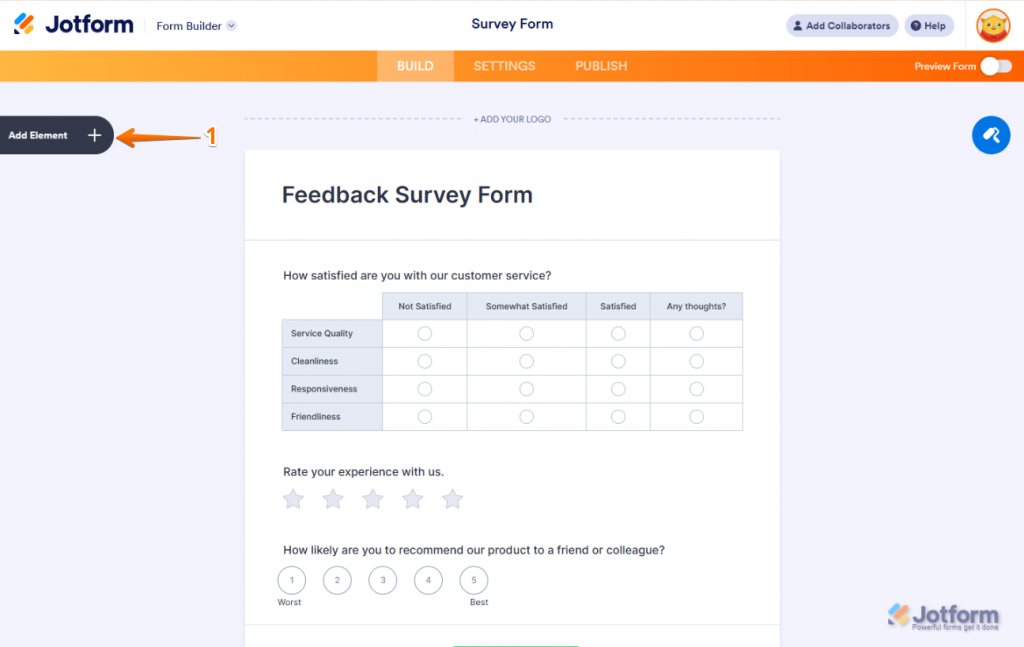
The breadth here is genuinely hard to match: 10,000+ templates, native payment processing via Stripe and PayPal, HIPAA compliance starting at the Silver plan, and conditional logic that handles multi-step workflows most teams spend months cobbling together.
The drag-and-drop builder is fast. I’ve gone from blank canvas to a published, branded intake form in under 15 minutes. Where Jotform earns its position is for teams that need one tool to handle a lot of jobs: lead capture, order forms, registrations, approval workflows, e-signatures, and feedback, without switching between tools.
The free plan caps out at 100 submissions per month, which is fine for small operations but becomes a ceiling quickly for active campaigns.
Pros:
- 10,000+ pre-built templates across industries
- Native payment processing (Stripe, PayPal, Square)
- HIPAA compliance on Silver ($49/month) and above
- E-signature collection built in
- 100+ integrations, including Google Sheets, HubSpot, and Zapier
- Conditional logic with multi-step form support
- Mobile app for managing responses on the go
Cons:
- Free plan limited to 100 submissions and 5 forms per month
- Dashboard can feel cluttered on complex multi-form accounts
- Advanced conditional logic has a learning curve for non-technical users
User Rating: 4.7/5 (Capterra)
Pricing: Free plan (5 forms, 100 monthly submissions). Bronze starts at $19/month.
3. Typeform: Best for High-Completion Conversational Forms
I found Typeform the way most people do: a recruiter sent me one. The one-question-at-a-time format is genuinely different from filling out a traditional form. It feels like a conversation, and completion rates back that up across most use cases.
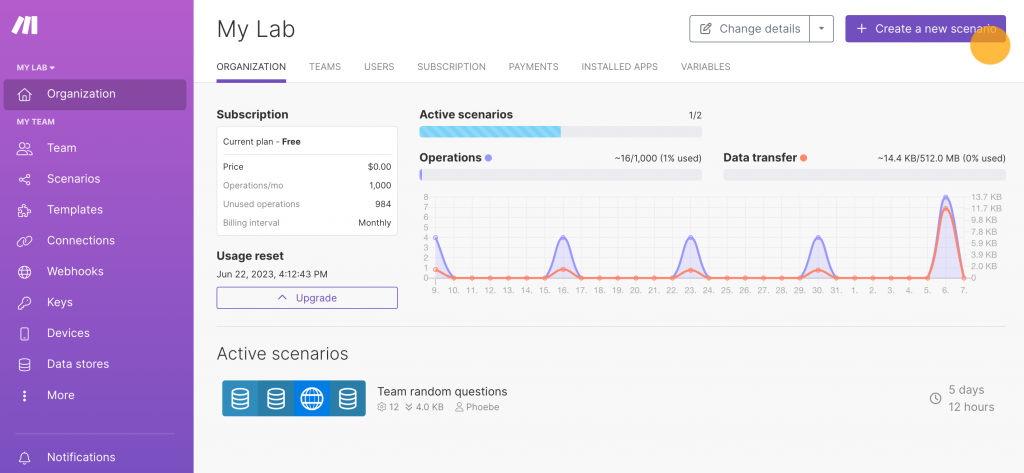
The conversational format reduces abandonment by removing the visual overwhelm of seeing 20 fields at once. For short-to-medium surveys, quizzes, lead gen forms, and NPS flows, it’s one of the most polished experiences I’ve sent a respondent through.
The friction point is pricing. The free plan limits you to 10 responses per month, which is barely enough to test the tool. Logic jumps, custom branding, and deeper integrations all sit behind paid tiers. For high-volume campaigns, the cost adds up quickly.
Pros:
- Conversational, one-question-at-a-time format that increases completion rates
- Clean, visually polished templates
- Logic jumps and answer piping for personalized flows
- 500+ integrations, including HubSpot, Slack, and Salesforce
- AI form generator (describe your form and get a working draft)
- Video and image embedding inside questions
Cons:
- Free plan restricted to 10 responses per month
- Pricing escalates quickly at scale; removing Typeform branding requires the highest tier
- One-at-a-time format limits complex multi-column layouts
User Rating: 4.7/5 (Capterra)
Pricing: Free plan (10 responses/month). Basic at $28/month.
4. Tally: Best Free-First Option for Unlimited Submissions
A product manager I worked with at a SaaS startup swapped from Typeform to Tally the week pricing changed and never looked back.
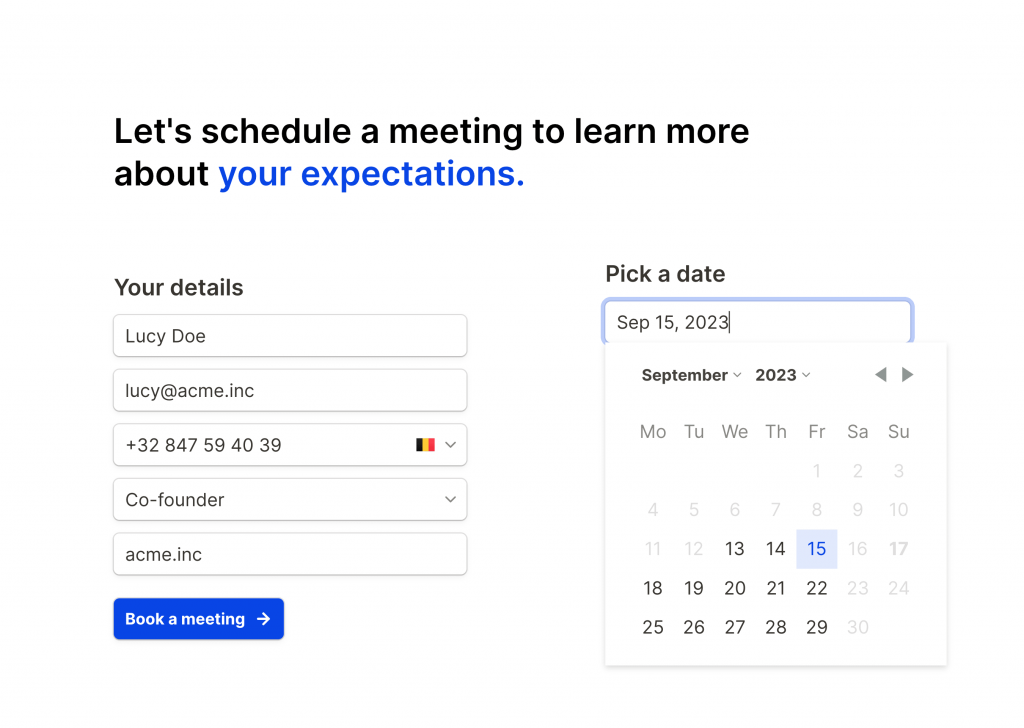
The pitch is simple: unlimited forms, unlimited submissions, conditional logic, file uploads, and payment processing, all on the free plan. No per-response ceiling. Tally’s block-based editor feels familiar if you use Notion.
The limitation comes at integration depth. Tally connects natively to 10 tools, including Slack, Google Sheets, Notion, and Airtable. For anything beyond that, you’re routing through Zapier or Make. Support is documentation-only, so if I hit a wall on a complex conditional logic scenario, I’m working it out myself.
Pros:
- Unlimited forms and submissions on the free plan
- Block-based builder with minimal setup friction
- Conditional logic, file uploads, and Stripe payments on the free tier
- Native integrations with Notion, Airtable, Google Sheets, Slack, and Linear
- Custom domains and branding removal on Pro ($29/month)
- GDPR compliant
Cons:
- Only 10 native integrations; everything else routes through Zapier or Make
- Documentation-only support (no live chat or email on free plan)
- Less robust for highly complex multi-branch logic flows
- The interface can be harder to navigate for non-technical users on first use
User Rating: 4.4/5 (Capterra)
Pricing: Free (unlimited). Pro at $24/month adds custom domains, branding removal, and team collaboration.
5. Fillout: Best Modern UI with Database-Native Integrations
Fillout came onto my radar through a no-code community Slack group. It kept being recommended as the option for Typeform-quality design without Typeform pricing, with native Airtable or Notion connections already built in, rather than routed through Zapier.
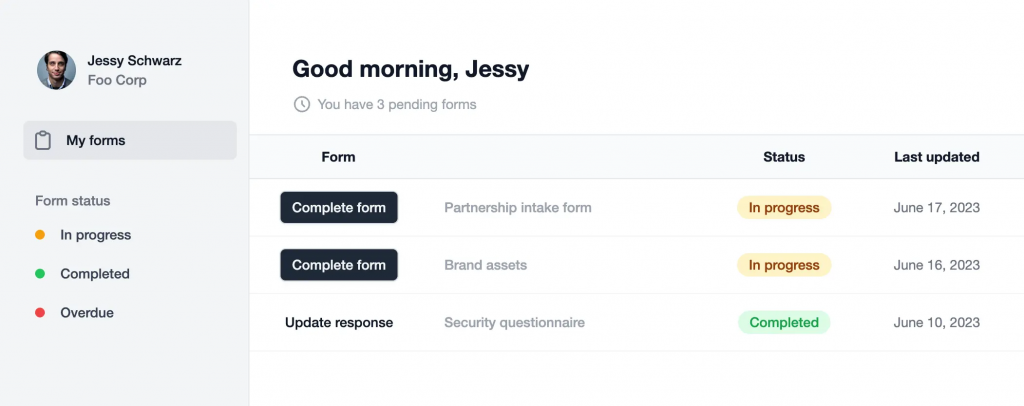
The builder is genuinely clean. Over 40 question types, including location, signature, ranking, and voice input. Logic, multi-page forms, and scheduling blocks are all available without a paid plan.
The free tier includes 1,000 submissions per month, which is more generous than most tools at this level.
For teams already using Airtable as their database or Notion for documentation, Fillout’s native integrations solve the “form submits, then goes where?” problem I’ve run into with most no-code setups.
Pros:
- 40+ question types, including voice, ranking, and location
- Native Airtable, Notion, HubSpot, and Salesforce integrations
- 1,000 submissions per month on the free plan
- Conditional logic and multi-page forms on the free plan
- AI form generator
- Strong mobile experience
Cons:
- Smaller template library than Jotform or Typeform
- Make/Zapier integration can require extra configuration for complex automation workflows
- Newer platform with a smaller community of tutorials and resources
User Rating: 4.0/5 (Capterra)
Pricing: Free (1,000 submissions/month). Basic at $15/month.
6. Paperform: Best for Branded, Landing-Page-Style Forms
Paperform was the tool a freelance designer recommended to me after watching me struggle to make a Jotform intake form look like part of a real website.
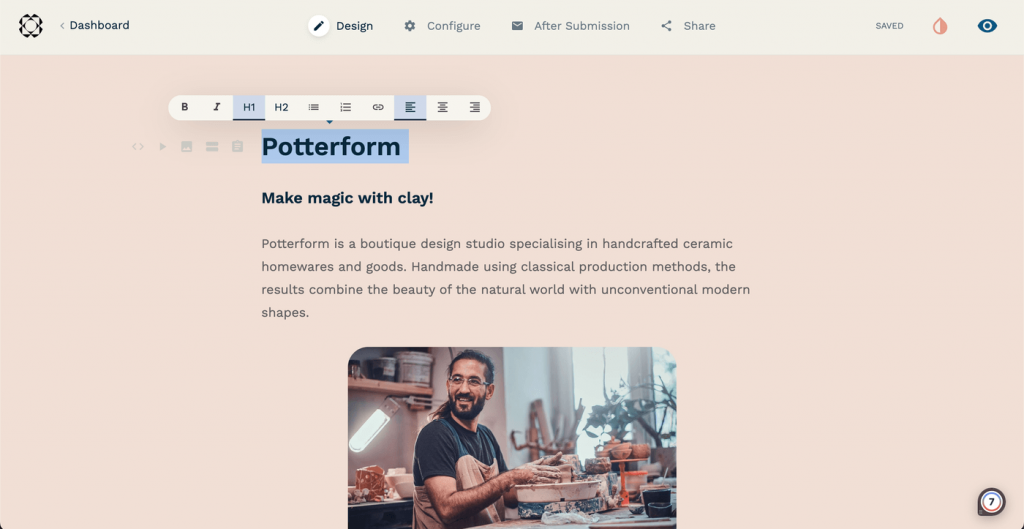
The editor is closer to a document builder than a traditional form builder. I write, style, embed media, and the result looks like a landing page, not a data collection form.
It’s built for small and growing businesses that want forms to handle real workflows: client onboarding, booking flows, event registration, product orders, and feedback, all without needing a developer to make it look right.
There’s no free plan, which is Paperform’s main barrier. But the $29/month Essentials plan is competitive, and the tool’s reliability is something I’ve heard consistently from people who’ve been using it for years.
Pros:
- Document-style editor (closest to Notion or Google Docs for form building)
- Strong visual customization with no design background needed
- Native AI for form generation, calculations, and response summaries
- 1,000+ integrations via native connections, Zapier, and Make
- Payment processing, scheduling, and e-signatures built in
- HIPAA is available on higher tiers
Cons:
- No free plan (free trial only)
- Fewer question types and branching options than Jotform
- Support response times can be inconsistent
User Rating: 4.8/5 (Capterra)
Pricing: Free trial available. Essentials at $24/month, Pro at $59/month, Agency at $199/month.
7. Cognito Forms: Best for Advanced Calculations and Compliance
I heard about Cognito Forms from a nonprofit operations lead who needed to build a scholarship application that calculated eligibility scores from submitted data and routed approvals automatically.
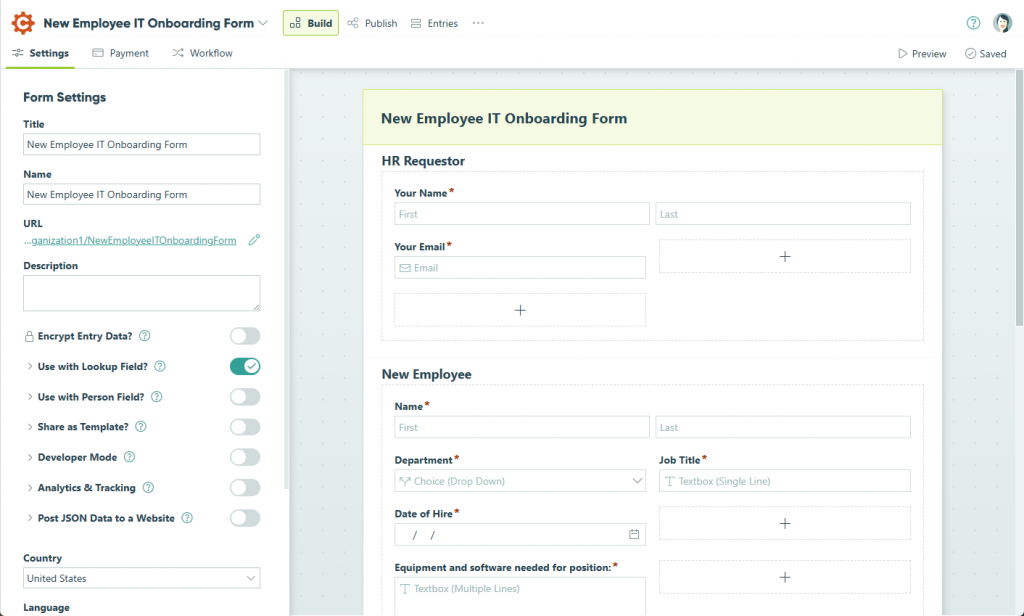
That’s where Cognito stands out: conditional logic plus real-time calculations, built for people who need forms to do math and make decisions without a backend.
HIPAA, GDPR, and CCPA compliance are built into the platform across paid tiers. The free plan includes 500 entries per month and supports Stripe and PayPal payments, which is more than most free tools offer at this level.
The interface feels older compared to Tally or Fillout, but if calculation-heavy forms are central to my workflow, Cognito is the one I’d reach for first.
Pros:
- Real-time calculations inside forms (totals, eligibility scores, dynamic pricing)
- HIPAA, GDPR, and CCPA compliance on paid plans
- 500 free entries per month
- Native Stripe and PayPal payment processing
- Conditional logic with show/hide rules and branching
- Direct Shopify integration
Cons:
- Interface feels less modern than newer no-code form builder tools
- Steeper learning curve for complex logic configurations
- Limited native integrations outside of payment processors
User Rating: 4.7/5 (Capterra)
Pricing: Free (500 entries/month). Individual at $19/month, Professional at $35/month, Corporate at $99/month.
8. Google Forms: Best for Zero-Budget Internal Surveys
Google Forms is where I started, like most people. For internal use cases with no design or branding requirements, it genuinely works.

It’s free, unlimited, and syncs directly to Google Sheets. Collaboration is built in, and anyone with a Google account can access it immediately.
The limitations are real: zero design flexibility (every form looks identical), no native payment processing, basic conditional logic that can’t handle complex branching, and no real analytics beyond simple response summaries.
Pros:
- Completely free with unlimited forms and responses
- Real-time Google Sheets sync
- Multi-user collaboration
- Multiple question types, including file upload
- Works inside Google Workspace with zero setup
Cons:
- No design customization (all forms share the same look)
- No native payment processing
- Limited conditional logic
- No advanced analytics or funnel reporting
- No way to remove Google branding
User Rating: 4.7/5 (Capterra)
Pricing: Free with a Google account.
9. Microsoft Forms: Best for Microsoft 365 Teams
For organizations already running on Microsoft 365, Microsoft Forms is the path of least resistance. It connects directly to Teams, Excel, SharePoint, and Power Automate, so form submissions flow into existing workflows without any third-party configuration.
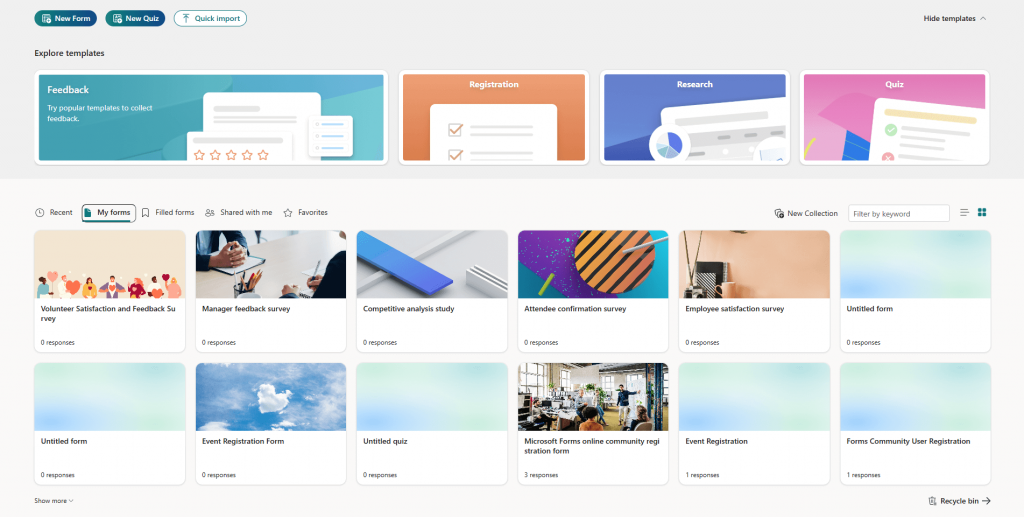
It handles basic surveys, quizzes, and event registrations well.
The reporting tools are light, and conditional logic is more limited than dedicated form builders, but if my team lives in Microsoft’s ecosystem, the friction of using anything else often outweighs the feature gap.
Pros:
- Included with Microsoft 365 subscriptions at no additional cost
- Deep integration with Excel, SharePoint, Teams, and Power Automate
- Multi-language support for a broader audience reach
- Real-time response visualization with automatic charts
- Simple team collaboration
Cons:
- Basic conditional logic compared to dedicated form builders
- Minimal design customization
- No native payment processing
- Limited analytics without exporting to Excel
- Respondents outside the Microsoft ecosystem may find it less intuitive
User Rating: 4.6/5 (Capterra)
Pricing: Included with Microsoft 365 subscriptions (personal plans start at $6.99/month for Microsoft 365 Personal).
10. Wufoo: Best for Fast-Embed Forms with Minimal Setup
Wufoo is the veteran of this list. It earns its place by being genuinely fast to deploy. I’ve had an embeddable contact form or event registration live in under 10 minutes.
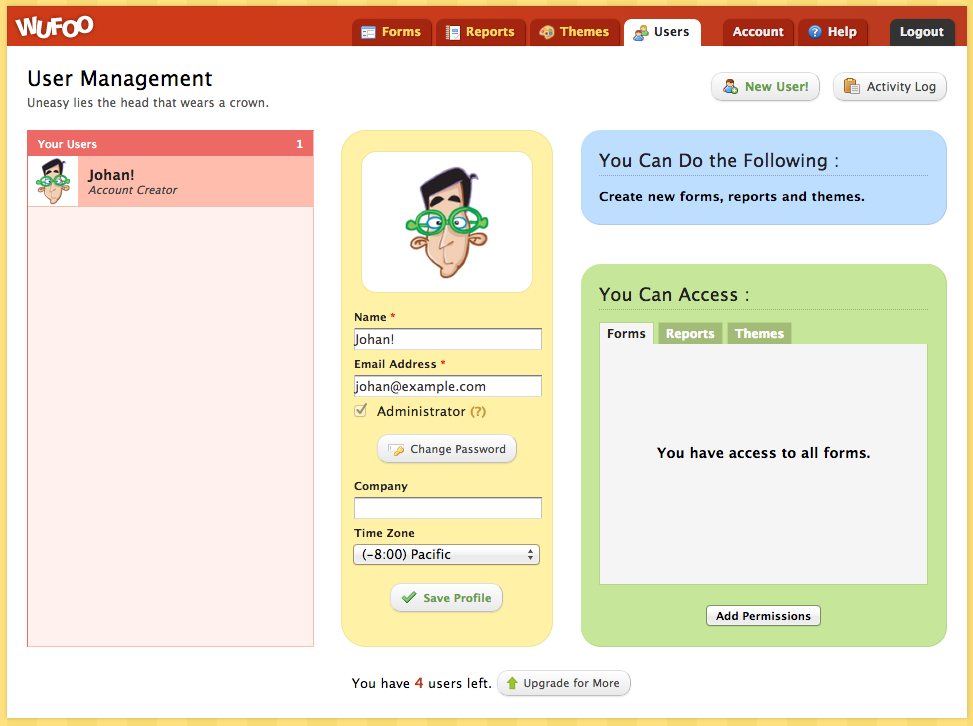
The trade-off is that Wufoo hasn’t kept pace with newer tools in design flexibility or integration depth. Most integrations require Zapier. There’s no built-in e-signature capability. The free plan limits entries more tightly than competitors.
For teams that need something scrappy and reliable without complex logic requirements, it still works. For anyone who needs more, the alternatives have gotten significantly better.
Pros:
- Simple drag-and-drop builder with fast deployment
- 400+ templates for diverse use cases
- Built-in payment processing (Stripe, PayPal)
- Secure with 256-bit SSL encryption
- Trusted by established organizations
Cons:
- Limited design customization options
- Most integrations require Zapier (not native)
- No built-in e-signature collection
- The free plan is more restrictive than the alternatives
- UI feels dated compared to newer no-code form builder tools
User Rating: 4.4/5 (Capterra)
Pricing: Free plan available. Starter at $16/month.
My Top 3 Picks Among No-Code Form Builder Tools
If I had to choose just three no-code form builder tools for different jobs, here’s how I’d break it down.
1. Qualaroo
Qualaroo is my clear choice when the goal is understanding user behavior and intent in real time. It does something the other nine no-code form builder tools don’t: it reaches users while they’re actively on your site or inside your product, at the exact moment they hit friction or make a decision.
For product teams, CRO specialists, and UX researchers who need feedback that’s contextual rather than retrospective, that’s a different category of insight entirely.
2. Jotform
Jotform is my workhorse for teams that need one no-code form builder tool to handle every form-related job. Payments, HIPAA, multi-step logic, e-signatures, 100+ integrations. If I’m building intake flows, client onboarding, or healthcare forms, Jotform handles the complexity without requiring a developer.
3. Tally
Tally is my default for lean teams and startups that need unlimited submissions on a budget and want a builder that feels modern and fast. The free plan is the most generous in this group, and the editor gets out of my way.
How Should You Choose a No-Code Form Builder Tool for Your Business
Not every team needs the same thing from a form builder. Here’s a framework I use to quickly narrow options.
| Criteria | Questions to Ask |
| Submission Volume | How many responses do you collect per month? Does the pricing model penalize growth? |
| Conditional Logic | Do you need branching paths, scoring, or calculated fields based on prior answers? |
| Integrations | Does it connect natively to your CRM, database, or email platform? Or will you need Zapier? |
| Compliance | Do your forms handle health data (HIPAA), EU respondents (GDPR), or financial data (PCI)? |
| Design Flexibility | Does the form need to match your brand, or is functional good enough? |
| Post-Submission Workflow | What happens after someone submits? Does the tool route, notify, automate, or does it just store the data? |
| In-Product Feedback | Do you need to ask users while they’re inside your app or website, not just via a link? |
The last row is the one I see teams overlook most when they’re shopping for a form builder. Standard form builders are passive: someone has to seek out the form and fill it in.
If I need to understand why users are dropping off a specific page, what’s confusing about onboarding, or why a checkout is being abandoned, I need a tool that asks while the session is live.
That’s the gap where Qualaroo works differently: the Nudge™ reaches users during their session, not after, and it only fires for the segment I define.
FREE. All Features. FOREVER!
Try our Forever FREE account with all premium features!
When Should You Use More Than One Tool?
A standard form builder handles external data collection: lead capture, registrations, intake, and payments. It works through a shared link or an embedded form. Users come to it.
An in-product feedback tool works the other direction.
It goes to users while they’re on your site or inside your product. The survey fires when someone visits the pricing page for the third time, scrolls 80% through a feature page, or is about to exit the checkout flow.
Both jobs are real.
The mistake I see most often is assuming one tool handles both well.
A contact form won’t tell me why the other 95% of visitors left without filling it in. For that, I need in-context targeting, not a static form link.
When I want to understand what users are doing before and after they complete a form,
Qualaroo’s Heatmaps and Session Recordings give me the behavioral layer. I can watch where users hesitate, click, and drop off, then trigger a Nudge™ survey at exactly that point to ask why.
Pick the No-Code Form Builder Tool That Matches the Moment
No-code form builder tools have gotten genuinely good. Whether I’m running a single contact form or a multi-step HIPAA-compliant intake workflow, there’s a tool in this list that handles it without a developer.
The real question is what “form building” actually means for my team. If it’s data collection via a shareable link or embedded form, there are strong options across every budget, from free no-code form builder tools like Tally and Google Forms to full-featured platforms like Jotform and Paperform.
If it’s about understanding user intent and behavior while users are live on a site or in a product, that’s a separate job and calls for a different kind of no-code form builder tool.
Or if you’re still mapping your use case, explore Qualaroo’s targeting features to understand what’s possible before you commit.
Google Forms is the easiest no-code form builder for internal tools since it needs no setup, allows unlimited submissions, and syncs directly to Google Sheets. Microsoft Forms works better if your organization runs on Microsoft 365. For internal tools that need conditional logic and database integrations, Fillout and Tally both offer modern builders with minimal configuration. Tally is the strongest starting point for most startups because its free plan includes unlimited forms, unlimited submissions, conditional logic, and file uploads. Fillout is a close second, especially for teams using Airtable or Notion as a database. Both are faster to set up than Jotform and less expensive than Typeform. A drag-and-drop form builder lets you build forms by pulling field types (text input, dropdown, file upload, rating scale) from a sidebar and placing them into your form layout. No code required. Jotform, Typeform, Wufoo, and Fillout all use this approach. Tally uses a block-based model instead, which feels more like typing in a document. Traditional form builders are passive: you build a form, share a link, and wait for responses. Qualaroo works the opposite way, triggering Nudge™ surveys inside your app or on your website while users are actively engaged, based on behavior like time on page, scroll depth, or exit intent. That's better suited to understanding why users behave a certain way, not just collecting contact details. Jotform supports HIPAA compliance starting on its Silver plan at $49 a month. Cognito Forms and Paperform also offer HIPAA compliance on their paid tiers. For healthcare intake forms, patient feedback, or any workflow that touches protected health information, confirm BAA availability directly with the vendor before you start collecting data. Yes. Paperform has no free plan but offers a free trial instead. Most other tools on this list offer at least a limited free tier to start with. If your budget is tight, Tally and Google Forms both provide genuinely usable free plans with no artificial submission caps or hidden limits. For UX and product research, prioritize tools that support conditional logic so each respondent only sees relevant questions, response tagging to organize qualitative data, and integration with your existing research stack. For in-the-moment research, tools with behavioral targeting and in-app delivery work better than standard, static form links. Yes, though support varies significantly by tool. Qualaroo supports 100+ languages with automatic translation built in. Jotform supports multi-language forms on paid plans. Typeform allows custom translation but doesn't auto-detect language, and Microsoft Forms has native multi-language support built in by default.Frequently Asked Questions
What is the easiest no-code form builder for internal tools?
Which no-code online form builder is best for a startup?
What is a drag-and-drop form builder?
How is Qualaroo different from a traditional no-code form builder?
What is the best no-code form builder for HIPAA compliance?
Can I use a form builder without a free plan?
What should I look for in a form builder for user research?
Do no-code form builders support multiple languages?
FREE. All Features. FOREVER!
Try our Forever FREE account with all premium features!

 We'd love your feedback!
What did you like & how can we make it even better?
 Thanks for your feedback!
 Ask Your Question
Have a question? Get expert help to make your decision easier.