If you’ve ever opened a blank survey builder and frozen on whether to use yes/no or a five-point scale, the real issue isn’t choosing between the two.
It’s knowing which of the several formats fits your situation, how to write the options so the data is actually trustworthy, and where to fire the question so people bother answering honestly.
In-context surveys, the kind Qualaroo’s Nudge™ technology delivers, exist to solve that last part specifically.
This guide walks through every closed-ended question type with 41 real, ready-to-use examples, shows you exactly how to build them with AI Survey Creator, and then covers the specific mistakes that quietly turn a clean-looking survey into unreliable data.
What Is a Closed-Ended Survey Question?
A closed-ended survey question presents the respondent with a menu rather than a blank page. They pick from yes/no, a list of choices, or a point on a scale, rather than typing their own answer. That single design choice is what makes the response countable the moment it comes in.
The catch is that the question only works if the menu is built correctly. Every respondent needs exactly one option that genuinely fits, meaning your choices must be exhaustive (covering every real answer) and mutually exclusive (no two options overlap).
Miss either one and you get a survey that looks precise while actually measuring nothing reliable. That construction problem is what most of this guide is really about.
What Are the Main Types of Closed-Ended Survey Questions With Examples?
Each format below is built for a different job.
Picking the wrong one doesn’t just look off; it produces data you can’t actually use to make a decision, so read the “use it when” line before you copy the examples.
Yes/No Questions (Dichotomous)
Use this when you need a clean fact check with no middle ground, like screening for eligibility or confirming a specific action happened.
It’s the fastest format for the respondent, which is exactly why it belongs at the start of a survey, not buried in the middle.
| # | Question | What It Gauges |
| 1 | Have you used our mobile app in the last 30 days? | Recent activity, useful for filtering out lapsed users before asking anything deeper |
| 2 | Did you complete your purchase today? | A hard checkout outcome you can tie directly to session data, not an opinion |
| 3 | Have you contacted our support team before? | Whether the respondent’s feedback is colored by a past support experience |
| 4 | Are you currently on a paid plan? | Whether the response is coming from a paying customer or a free user, a segmentation flag you’ll want before trusting the answer |
| 5 | Would you recommend this feature to a teammate? | A quick proxy for internal advocacy, useful for spotting features worth promoting inside a customer’s own team |
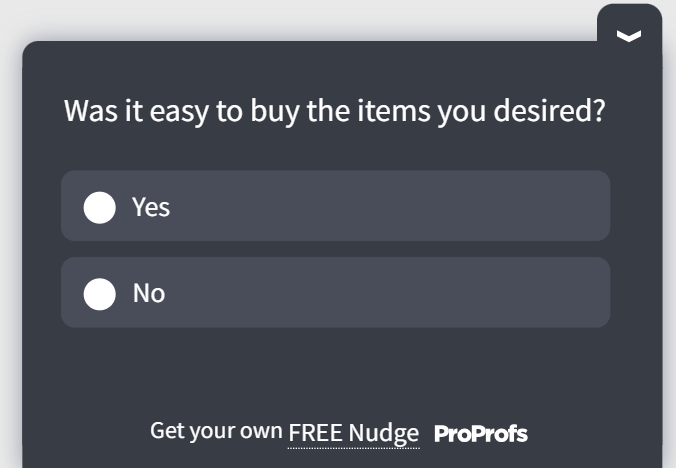
Here’s a template you can use to ask a closed-ended Yes/No question:
Multiple-Choice Questions
Use this when there are three or more plausible answers, and you need to know which one applies, such as feature preference or acquisition channel.
This is the most flexible closed-ended format, which is also why it’s the easiest one to build badly if the option list isn’t exhaustive.
| # | Question | What It Gauges |
| 6 | Which feature do you use most often? | What’s actually driving daily value, so you know what to protect if you ever simplify the product |
| 7 | How did you hear about us? | Which acquisition channel is working, so the budget can follow evidence instead of assumptions |
| 8 | What is the main reason you are canceling? | The dominant churn driver, which tells you whether to fix price, product, or competitive positioning first |
| 9 | Which plan are you currently considering? | Where a prospect sits in their buying decision is useful for routing follow-up outreach |
| 10 | Which integration do you rely on most for your daily workflow? | Which connected tool creates the most switching cost, a signal for retention risk if that integration ever breaks |
| 11 | Which of these best describes your role? | Job-title segmentation, so you can compare every other answer in the survey by who is actually answering |
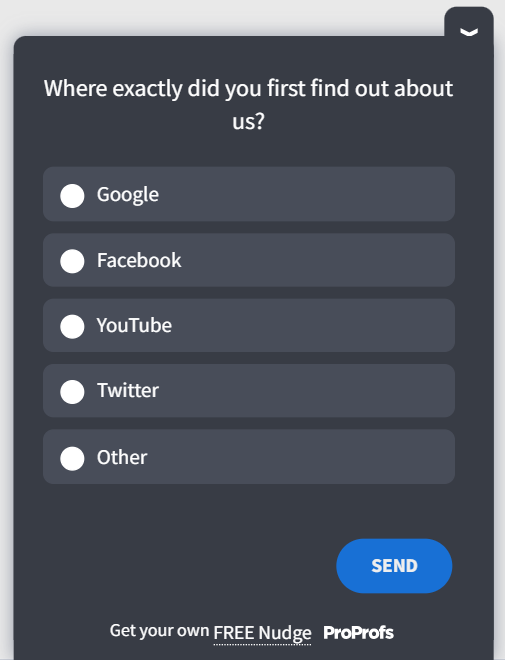
Here’s a closed-ended multiple-choice template you can use:
Rating Scale Questions
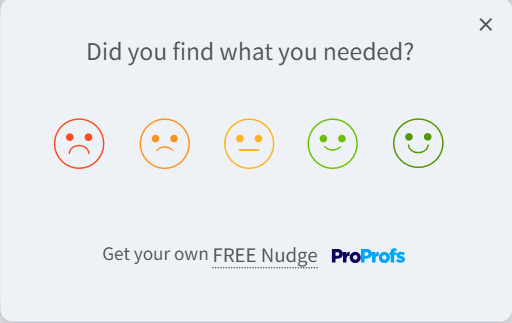
Use this when you need to measure how strongly someone feels about something, not just whether they feel it.
A 1 to 10 scale captures intensity that a yes/no question physically cannot.
| # | Question | What It Gauges |
| 12 | On a scale of 1 to 10, how likely are you to recommend us to a colleague? | Loyalty and referral likelihood are the core inputs for a Net Promoter Score |
| 13 | Rate your satisfaction with our onboarding process from 1 to 5. | Whether early friction is costing you retention before a customer ever reaches full value |
| 14 | How would you rate the checkout experience today? | A moment-specific score you can trend over time as you change the checkout flow |
| 15 | How easy was it to resolve your issue today, on a scale of 1 to 7? | Customer Effort Score is a stronger predictor of repeat purchase than satisfaction alone |
| 16 | How satisfied are you with this specific feature, from 1 to 5? | Feature-level satisfaction, which tells you where to focus a roadmap instead of relying on overall product sentiment |
| 17 | How would you rate the value you get for the price you pay? | Perceived value, which often diverges from actual cost and explains price-driven churn before it happens |
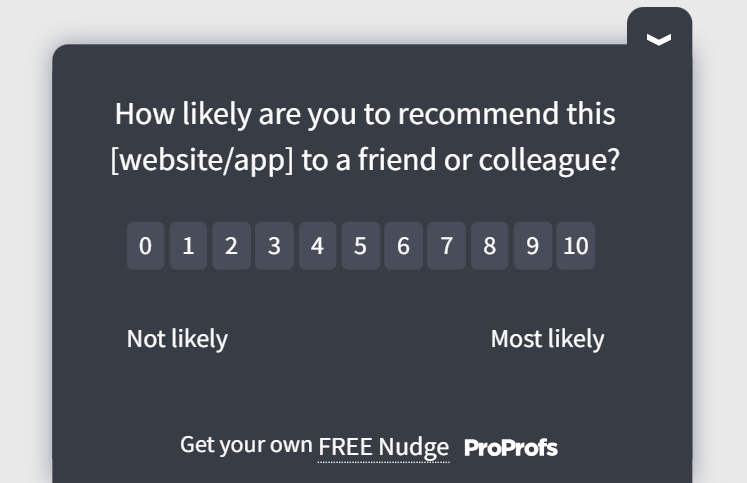
Here’s a closed-ended rating scale template you can use:
Likert Scale Questions
Use this when you’re testing agreement with a specific statement rather than a general satisfaction score.
It’s the right format when you want to know whether people believe something is true, not just whether they like it.
| # | Question | What It Gauges |
| 18 | The new dashboard is easy to navigate. | Whether a specific design change actually reduced friction is tied to one belief instead of the overall mood |
| 19 | I would consider upgrading my plan in the next 3 months. | Near-term expansion intent you can hand straight to sales or lifecycle marketing |
| 20 | Customer support resolved my issue quickly. | Perceived speed, which often diverges from your actual resolution-time metric, and reveals a communication gap |
| 21 | This product does what I expected it to do. | A gap between marketing promise and lived experience, an early churn signal if it shows up repeatedly |
| 22 | I trust this company to keep my data secure. | A trust metric that rarely shows up in usage data but heavily influences renewal, especially in regulated industries |
| 23 | I would be disappointed if I could no longer use this product. | A rough proxy for product-market fit, since strong disagreement here usually predicts churn before behavioral signals do |
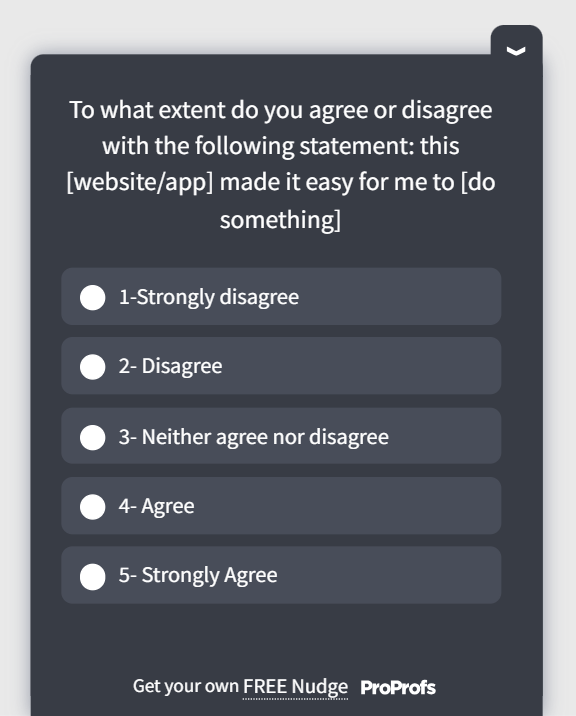
Here’s a Likert scale survey template for you to use:
Ranking Questions
Use this when you need to know what matters most relative to everything else, not each item judged on its own.
A respondent might rate five features all as “important,” but ranking forces them to reveal priority.
| # | Question | What It Gauges |
| 24 | Rank these features by importance to your workflow: Reporting, Automation, Integrations, Mobile access. | True priority order, which a set of individual ratings can’t reveal, since everything tends to get rated “important” |
| 25 | Rank these factors in order of what influenced your purchase decision: Price, Reviews, Free trial, Referral. | The actual weight of each decision factor is useful for rewriting marketing messaging around what really moves people |
| 26 | Rank these onboarding steps by how confusing you found them: Account setup, Integration, First project, Team invites. | The exact point in onboarding where confusion peaks, so you know which step to fix first |
| 27 | Rank these support channels by how likely you are to use them: Live chat, Email, Help center, Phone. | Which support channel to invest in next, based on actual preference rather than internal assumption |
Checklist Questions (Multi-Select)
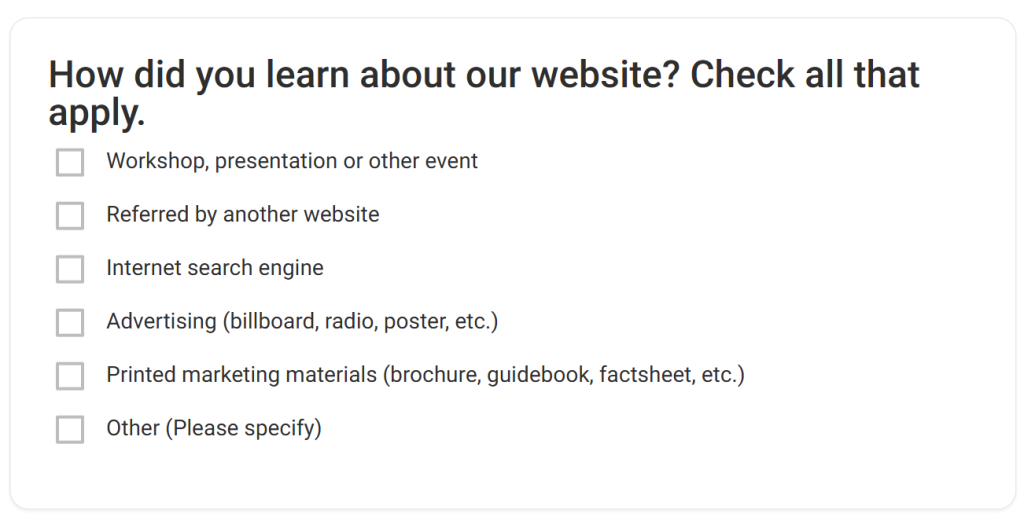
Use this when more than one answer can be true at once, and you’d lose information by forcing a single pick, such as every channel someone has used to reach support.
| # | Question | What It Gauges |
| 28 | Which of these channels do you use to reach customer support? (Select all that apply) | The full spread of support touchpoints, so you know where to invest in self-serve deflection |
| 29 | Which of these problems have you experienced with our product? (Select all that apply) | Every friction point in one pass, instead of running separate surveys for each suspected issue |
| 30 | Which of these features would you like to see improved? (Select all that apply) | A prioritized backlog signal straight from the people using the product daily |
| 31 | Which of these devices do you use to access our platform? (Select all that apply) | Cross-device usage patterns that should shape where you invest QA and design effort |
| 32 | Which of these factors would make you consider switching providers? (Select all that apply) | The full set of competitive vulnerabilities, not just the single reason someone eventually states when canceling |
| 33 | Which of these onboarding resources have you used? (Select all that apply) | Which help materials are actually getting consumed, so you stop maintaining ones nobody opens |
Here’s a multi-select survey template for you:
Matrix and Dropdown Questions
Matrix questions stack several rating-scale items under one grid, useful when you’re rating multiple features on the same scale and don’t want six separate questions eating up survey length.
Dropdown questions work like multiple choice but suit long lists, like country or job title, where displaying every option on-screen would just be clutter.
| # | Question | What It Gauges |
| 34 | Rate each of the following on a scale of 1 to 5: Speed, Reliability, Ease of use, Support quality. | Multiple satisfaction dimensions in one screen, so you can spot which single attribute is dragging down an otherwise strong score |
| 35 | Rate your agreement with each statement: The pricing is fair. The features meet my needs. The support is responsive. | Multiple belief-level attitudes captured without repeating the same scale as three separate questions |
| 36 | Which industry best describes your company? (Dropdown list) | A segmentation field that lets you compare every other answer in this survey by industry later |
| 37 | Which country are you primarily operating from? (Dropdown list) | Geographic segmentation is useful for spotting region-specific friction, like currency, compliance, or language gaps |
Closed-Ended Questions for Common Feedback Moments
These combine the formats above into ready-to-use questions built around specific ICP use cases, so you’re not translating theory into your own survey from scratch.
| # | Question | What It Gauges |
| 38 | How satisfied are you with your experience today? (1 to 5 rating) | A moment-of-truth CSAT score you can trigger right after a support ticket closes or a purchase completes |
| 39 | Did this article answer your question? (Yes/No) | Help center content performance, so you know which articles to rewrite instead of guessing from pageviews alone |
| 40 | How likely are you to continue using this product after your trial ends? (1 to 10) | An early expansion or churn signal you can capture before the trial actually expires, giving your team time to act |
| 41 | Which best describes why you haven’t used this feature yet? (Multiple choice: Didn’t know it existed, Not relevant to my workflow, Too complicated, Other) | Whether a feature’s problem is awareness, fit, or usability, three completely different fixes are hiding behind one low adoption number |
Here’s a rating survey template for you:
How Do You Create Closed-Ended Survey Questions Using Qualaroo AI and Templates?
Before you start, have two things ready: the specific decision this survey needs to inform (not “understand our customers,” but something narrower like “find out why trial users aren’t upgrading”), and the page, screen, or moment where you want it to appear.
Everything below assumes you have both.
Step 1: Pick a Ready-Made Closed-Ended Template
Open Qualaroo’s template library and choose a prebuilt format for your goal, such as NPS, CSAT, CES, exit intent, or onboarding.
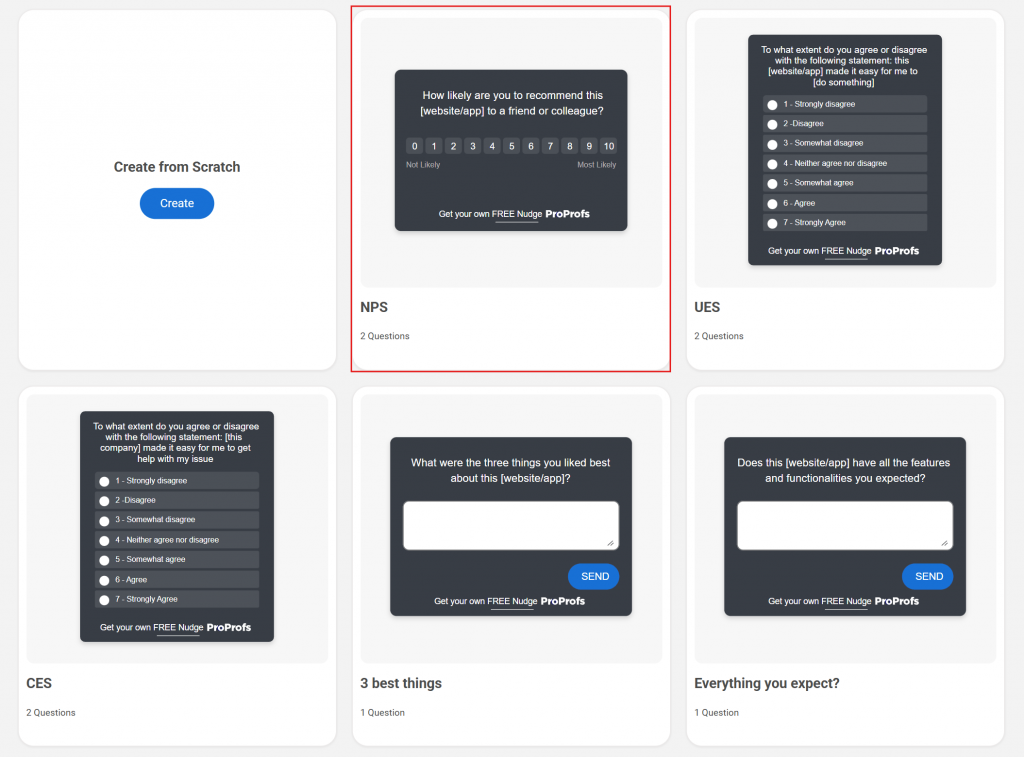
Starting from a template means the answer options are already exhaustive and mutually exclusive, so you’re not solving that problem from scratch.
Expected outcome: a complete, editable question already sitting in your survey builder within a couple of clicks.
OR
Generate Question Sets With Qualaroo AI
Type your goal in plain language into the AI Survey Creator, for example, “find out why trial users are not upgrading,” and it drafts a closed-ended question set with structured, non-overlapping answer choices for you.
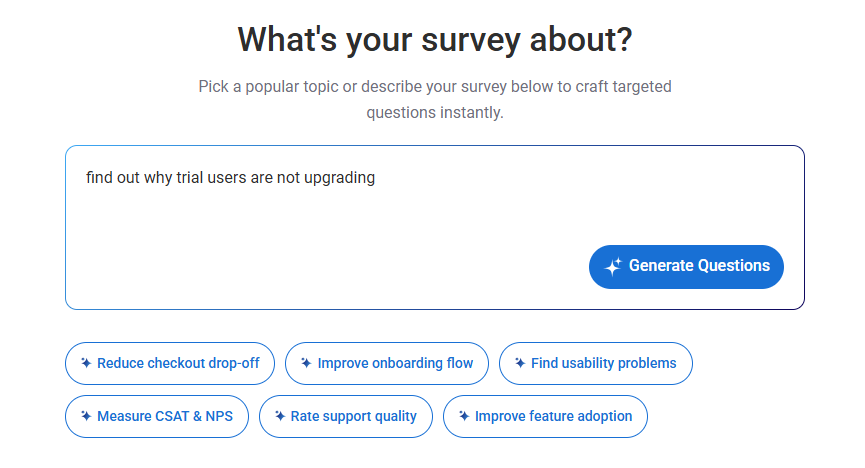
Review the generated options against your own product terminology before publishing, since AI drafts are a strong starting point, not a final copy pass.
Expected outcome: a ready-to-review question set in under a minute, instead of a blank editor.
Step 3: Set Nudge™ Targeting for the Right Moment
Open the targeting panel and set rules by URL, domain, user behavior, or session activity, so the Nudge fires while the experience is still fresh, such as right after checkout or right when a user hits a paywall.
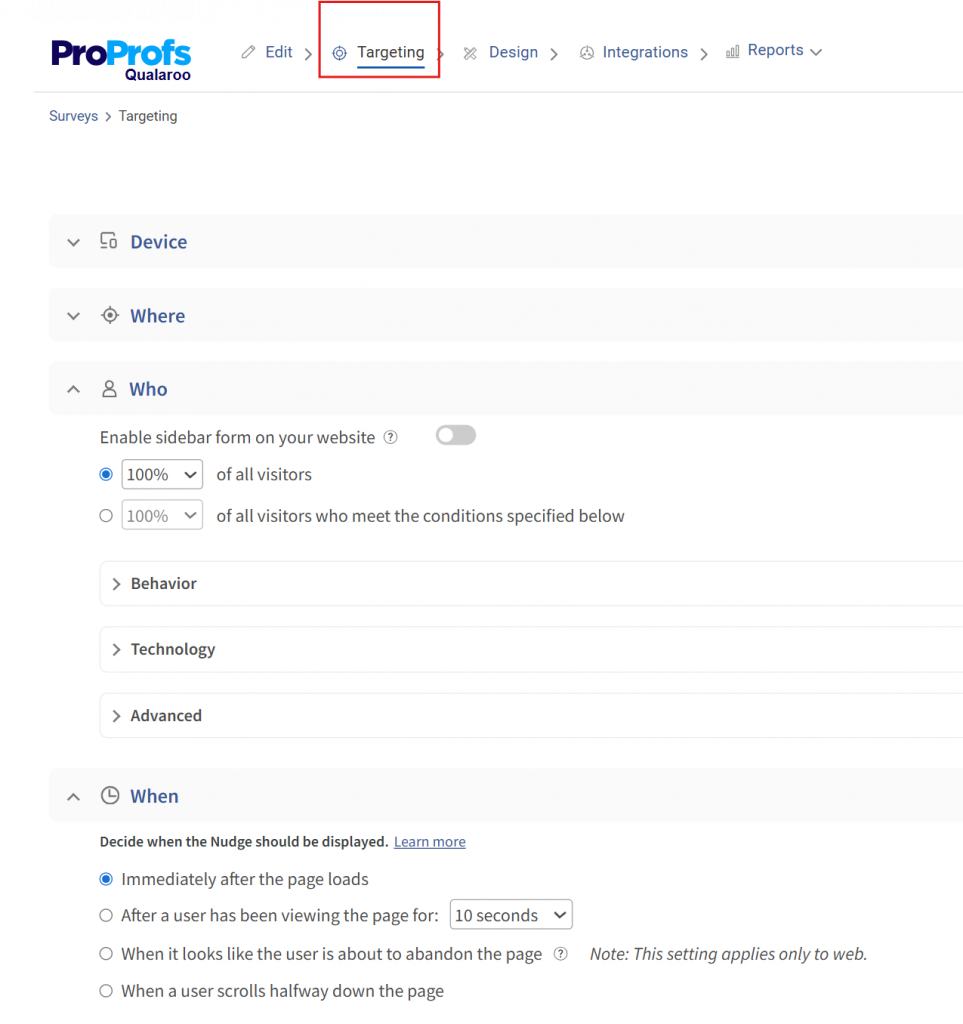
A well-written question still underperforms if it shows up two days later in an email inbox.
Expected outcome: the survey only appears to users in the exact moment or context you defined, not to your entire audience at once.
Step 4: Add One Open-Ended Follow-Up for Context
Use Qualaroo’s question branching to attach a single conditional follow-up, so a low rating or a “no” answer automatically triggers a short “why” question.
Here’s how it works:
This keeps the speed of closed-ended data for everyone, while only asking the slower open-ended question of the people whose answer actually needs explaining.
Expected outcome: a survey that stays fast for satisfied respondents and only asks for details from the people who can explain a problem.
Step 5: Launch and Read Results in Real Time
Publish the Nudge and open your dashboard. Responses populate as percentages and charts you can filter by page, segment, or individual user, with no manual tallying required.
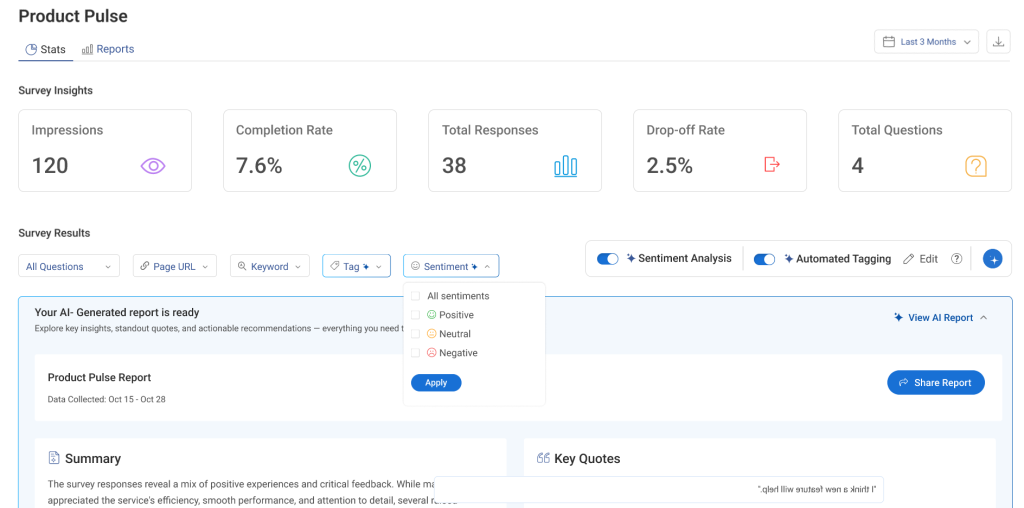
Expected outcome: a live, filterable results view within the first few responses, not a spreadsheet you build after the fact.
How Do Closed-Ended Questions Compare With Open-Ended Questions?
You’ll never write a good closed-ended question in isolation.
The real decision is always relative to open-ended questions, since every survey is really a choice about how much of each format to use, not whether to use one or the other exclusively.
Here’s the tradeoff in one place, so you can see exactly what you’re gaining and losing with each format before you build your next survey.
| Factor | Closed-Ended Questions | Open-Ended Questions |
| Response effort | Low, one click or tap | Higher, requires typing a full answer |
| Data type | Quantitative, easy to chart and trend | Qualitative, requires reading each response |
| Nonresponse rate | 1 to 2 percent (Pew Research Center) | Up to 18 percent (Pew Research Center) |
| Best for | Volume, benchmarking, tracking change over time | Uncovering a reason or idea you didn’t anticipate |
| Main risk | Misses anything outside the options you wrote | Time-consuming to read and categorize at scale |
Notice the pattern in that table: closed-ended questions win on speed and scale, open-ended questions win on discovering the unexpected, and neither one covers the other’s weakness.
That’s why the practical answer isn’t “pick one format,” it’s the hybrid approach from Step 4 above, where a closed-ended question carries the volume and a conditional open-ended follow-up only fires when the closed-ended answer signals something worth explaining.
Qualaroo’s skip logic is what makes that hybrid automatic instead of something you have to manually route.
FREE. All Features. FOREVER!
Try our Forever FREE account with all premium features!
What Mistakes Weaken Closed-Ended Survey Questions?
The format usually isn’t the problem. How the question gets built is. Each mistake below comes with the specific fix, not just the name of the problem.
Options That Are Not Mutually Exclusive
If two answer choices overlap, like “1 to 5 times” and “5 to 10 times,” respondents at the boundary pick inconsistently, and your percentages stop meaning anything.
Fix it by testing every option pair for overlap before launch: if a respondent could honestly pick either one, redraw the boundary.
Missing an “Other” or “None” Option
Forcing someone into an answer that doesn’t fit produces a false response, since they’ll pick the closest option rather than skip the question.
Fix it by adding a catch-all choice, like “Other (please specify),” to every list unless you’re certain the options are genuinely exhaustive.
Leading or Loaded Answer Choices
An option set like “Great,” “Good,” or “Okay” with no genuinely negative choice pushes respondents toward a falsely positive result.
Fix it by writing the full range first, from clearly negative to clearly positive, then filling in the middle, instead of starting from the answer you hope to see.
Too Many Rating Scales in a Row
Stacking five or more Likert items back to back invites straight-lining, where respondents click the same column down the page without reading each statement.
Fix it by capping consecutive scale questions at three or four, or breaking a long matrix into two shorter ones with a different question type between them.
No Way to Tell Who Responded
A satisfaction score means something different depending on whether it came from a free-trial user or a paying enterprise account, but a plain closed-ended answer doesn’t tell you that on its own.
Fix it with Qualaroo’s Identify API, which attaches every response to a real user by email or customer ID, so a “2 out of 10” from a high-value account gets flagged and routed differently than the same score from a casual visitor.
Ready to Build Smarter Closed-Ended Surveys?
Every mistake in this guide comes back to the same root cause: a question that looks closed-ended and clean on the surface but was never built to earn a trustworthy answer.
Fixing that isn’t about picking a better format; it’s about building the options right, firing the question at the right moment, and knowing who answered before you act on the score.
That’s the exact gap between a survey that produces a tidy-looking spreadsheet and one that actually changes what you build next.
Try Qualaroo to launch your first closed-ended Nudge survey today.
See Survey Templates for ready-made NPS, CSAT, and exit-intent question sets you can customize in minutes.
Frequently Asked Questions
Is a Likert scale question closed-ended or open-ended?
A Likert scale is closed-ended. Respondents select a point on a predefined agreement scale, such as Strongly Disagree to Strongly Agree, instead of writing a free-text response. It measures how strongly someone agrees with a specific statement, making it more precise than a general satisfaction rating for testing a single belief at a time.
Can a closed-ended question include an "other" option?
Yes, and it's recommended whenever your list of options might not cover every possible answer. Adding "Other (please specify)" with a short text field keeps the question closed-ended for analysis purposes while still catching the responses that genuinely don't fit any of your predefined choices, instead of forcing a false selection.
How many closed-ended questions should one survey have?
There's no fixed number, but shorter consistently performs better for completion rates. Most effective surveys use 3 to 7 closed-ended questions plus one conditional open-ended follow-up, keeping total completion time under two minutes. Longer surveys see a sharp drop-off in both completion rate and answer quality past that point.
What is a good example of a closed-ended customer satisfaction question?
"How satisfied were you with your experience today?
" on a 1 to 5 scale is a standard, well-tested example. Pairing it with a conditional follow-up, like "What could we improve?" for anyone who scores low, adds real context without lengthening the survey for respondents who were already satisfied.
Do closed-ended questions work for NPS surveys?
Yes, an NPS survey is built entirely on one closed-ended question: "How likely are you to recommend us, on a scale of 0 to 10" The open-ended "why" question that typically follows it is a separate, optional add-on tied to the score, not part of the core NPS format itself.
What is the difference between closed-ended and multiple-choice questions?
Multiple choice is one specific type of closed-ended question. Closed-ended is the broader category that also includes yes/no, rating scale, Likert scale, and ranking questions, all of which share the same core trait: respondents choose from predefined answers instead of writing their own.
Why do closed-ended questions have lower nonresponse rates than open-ended ones?
Closed-ended questions take a single click, while open-ended questions require composing a written answer, which is a significantly higher amount of effort. That effort gap is exactly why Pew Research Center (2021) data shows nonresponse rates of 1 to 2 percent for closed-ended items versus up to 18 percent for open-ended ones on the same surveys.
Should every question in a survey be closed-ended?
No. An all-closed survey produces clean, easy-to-chart data but will never surface anything you didn't think to include as an option. The most reliable approach uses closed-ended questions for the bulk of the survey and reserves a conditional open-ended question for the specific moments where understanding someone's reasoning actually changes what you'd do next.
FREE. All Features. FOREVER!
Try our Forever FREE account with all premium features!

 We'd love your feedback!
What did you like & how can we make it even better?
 Thanks for your feedback!
 Ask Your Question
Have a question? Get expert help to make your decision easier.