If you manage feedback for a product, a support team, or a customer experience program, you already know the frustration: your NPS or CSAT score tells you what people think, but not why.
That gap is exactly what open-ended survey questions are built to close, and it is why Qualaroo customers pair almost every rating question with one.
This post gives you 72 ready-to-use examples organized by the moment you are surveying, a step-by-step guide to building them with AI and templates, and placement and analysis fixes that actually improve your response rate and the quality of what comes back.
What Is an Open-Ended Survey Question?
An open-ended survey question is one that gives the respondent a blank text box instead of pre-set answer choices, allowing them to explain, describe, or elaborate in their own words. It is used when you need the reasoning behind a behavior or score, not just a data point you can graph.
In plain terms, a closed-ended question asks “how much” or “which one.” An open-ended question asks “why” or “what.”
If your survey asks “How satisfied are you with support?” on a 1 to 5 scale, that is a closed-ended question.
If it then asks “What made this interaction easy or difficult?” that is open-ended, and it is the question that tells you what to actually fix.
What Are Some Examples of Open-Ended Survey Questions by Category?
Each question below is numbered consecutively so you can reference or track which ones you have tested.
The “what it gauges” column spells out the specific insight you get back and why it is worth asking, so you can pick the right question for the decision you are trying to make, not just the topic.
Customer Satisfaction Questions
| # | Question | What It Gauges |
| 1 | What is the main reason for your rating today? | The exact reason behind the number, so you are not left guessing what drove it |
| 2 | What could we have done differently to improve your experience? | A concrete fix you can act on, instead of a vague complaint |
| 3 | What almost stopped you from completing your purchase? | Friction that nearly cost you a sale, but did not surface elsewhere |
| 4 | What is one thing we could do better? | A single priority the customer wants fixed first |
| 5 | How would you describe your overall experience in your own words? | Unfiltered sentiment in the customer’s own language, not your survey’s categories |
| 6 | What surprised you, positively or negatively, about working with us? | Moments that stood out enough to remember, good or bad |
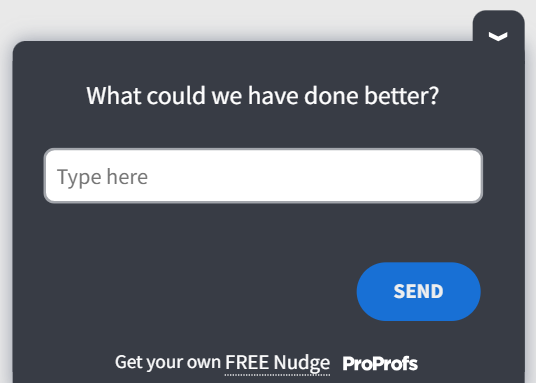
Here’s a CSAT survey template for you:
Net Promoter Score Follow-Up Questions
| # | Question | What It Gauges |
| 7 | What is the primary reason for your score? | The single biggest factor behind their NPS number |
| 8 | What would need to change for you to give us a higher score? | The specific gap between where they rated you and where they would rate a 9 or 10 |
| 9 | What do you value most about using our product? | The core reason they stay, so you know what not to break |
| 10 | What almost made you choose a different score? | How close the score was to shifting, and in which direction |
| 11 | If you recommended us to a friend, what would you tell them? | The exact pitch a promoter would actually use, in their own words |
| 12 | What is the one feature you would miss most if it disappeared tomorrow? | Which feature is truly load-bearing for retention |
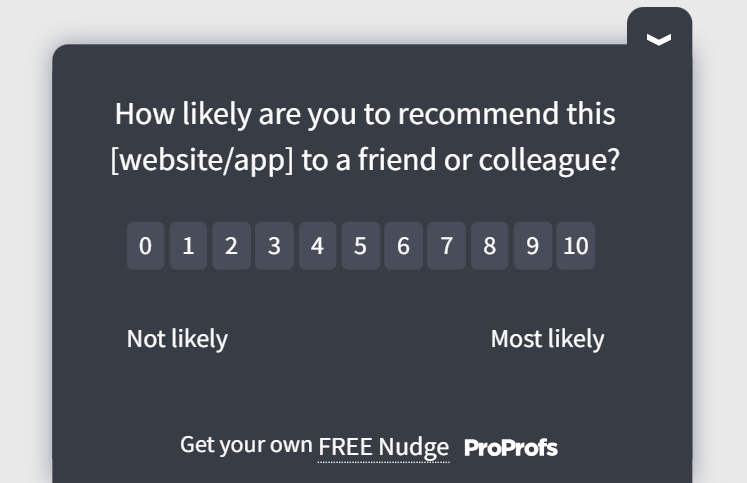
Here’s an NPS survey template you can use:
Customer Effort Score Questions
| # | Question | What It Gauges |
| 13 | What made this process difficult for you? | The specific source of effort, not just that effort existed |
| 14 | What step took longer than you expected? | Where in the process time expectations broke down |
| 15 | What would have made this easier to complete? | A direct suggestion you can test as a fix |
| 16 | Where did you get stuck or confused? | The exact step where people stall out |
| 17 | What information did you wish you had before starting? | A gap in upfront guidance you can close before the process even begins |
| 18 | What would make you trust this process more next time? | Whether the friction is about ease or about confidence in the outcome |
Here’s a CES survey template you can use:
Product Feedback and Feature Request Questions
| # | Question | What It Gauges |
| 19 | What feature is missing that would make this product indispensable? | The gap standing between a good product and one that people cannot live without |
| 20 | What is the first thing you try to do when you log in? | The real primary use case, which may differ from what you designed for |
| 21 | What workaround are you currently using instead of a built-in feature? | Unofficial fixes that reveal exactly what to build next |
| 22 | What would you change about how this feature works? | Specific friction inside a feature that otherwise looks fine in usage data |
| 23 | What almost stopped you from adopting this feature? | The hesitation point that nearly killed adoption |
| 24 | What problem were you hoping this update would solve? | Whether a recent release actually matched what users expected from it |
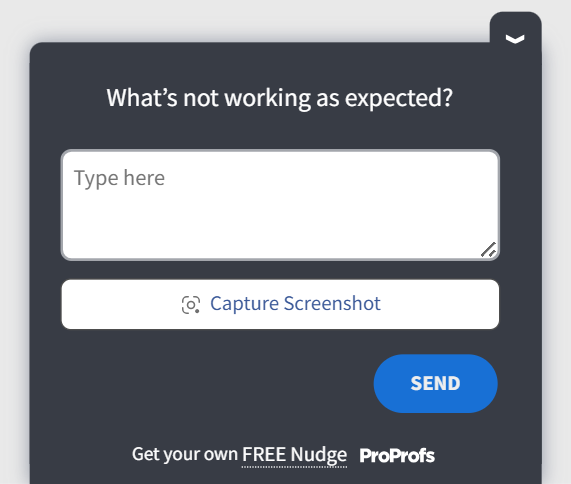
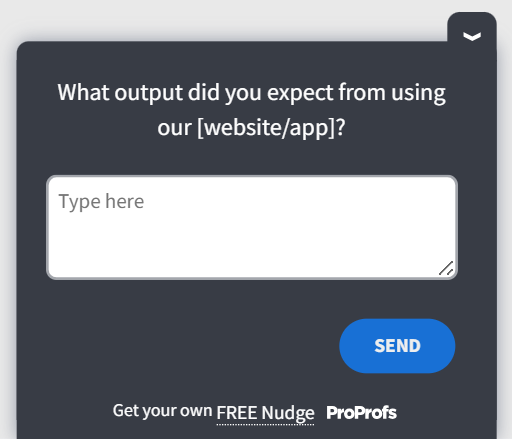
Here’s a product feedback template you can use:
Website and UX Feedback Questions
| # | Question | What It Gauges |
| 25 | What were you trying to do on this page? | The visitor’s actual goal, which heatmaps alone cannot tell you |
| 26 | What almost stopped you from completing this task? | The specific obstacle standing between intent and completion |
| 27 | What is confusing or unclear about this page? | Wording or layout issues that quantitative analytics will not surface |
| 28 | What information were you looking for that you could not find? | A content gap costing you conversions or trust |
| 29 | What would make this page easier to navigate? | A direct fix suggestion straight from the person who struggled |
| 30 | What made you leave this page without taking action? | The reason behind a drop-off, not just the fact that it happened |
Here’s a UX feedback template you can use:
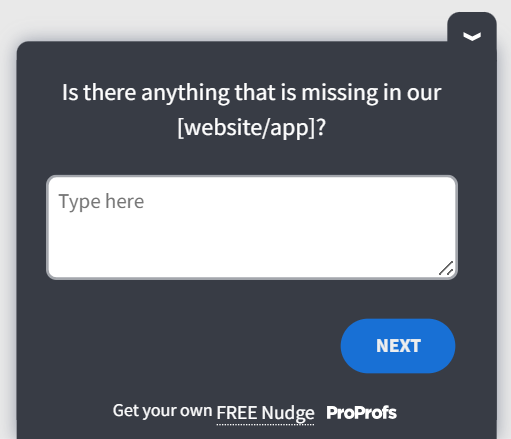
Exit Intent and Cart Abandonment Questions
| # | Question | What It Gauges |
| 31 | What stopped you from completing your purchase today? | The immediate blocker at the exact moment you are about to lose the sale |
| 32 | What would change your mind about leaving? | The one lever that could still save this conversion |
| 33 | What concern do you still have about this product? | An unresolved doubt your product page has not addressed |
| 34 | What information would help you decide right now? | A missing detail you could add to close more sales |
| 35 | What price or offer would make this an easy decision? | How close price is to being the actual blocker |
| 36 | What one objection is still unresolved for you? | The single sticking point left after everything else has been addressed |
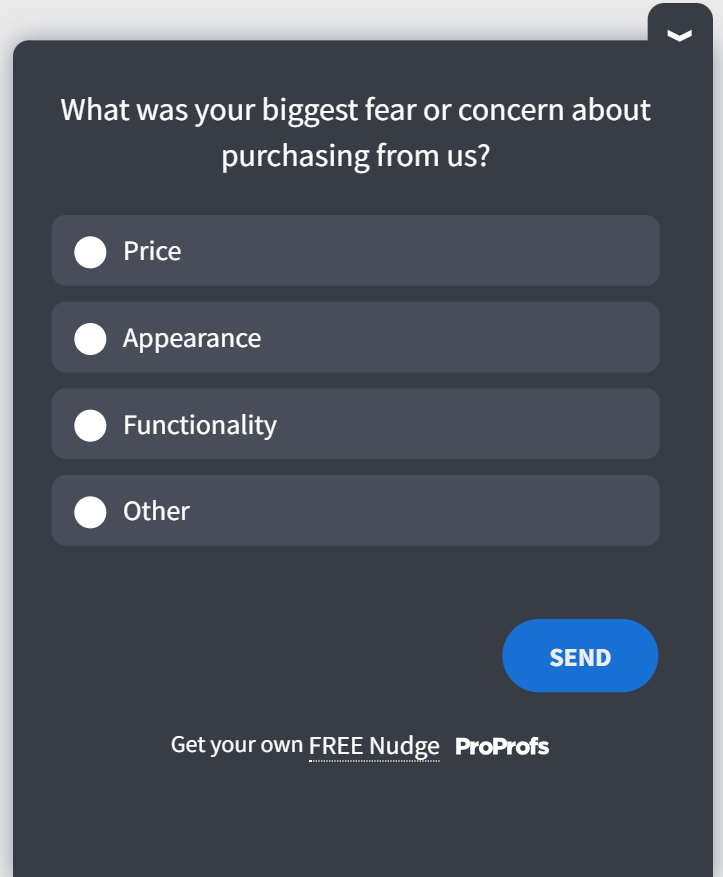
Here’s an exit-intent template you can use:
Onboarding and New User Questions
| # | Question | What It Gauges |
| 37 | What are you hoping to accomplish with this product? | The outcome the user actually wants, so you can guide them toward it faster |
| 38 | What part of the setup felt confusing? | The exact onboarding step causing hesitation or drop-off |
| 39 | What almost made you abandon the signup process? | How close a new user came to churning before they ever saw value |
| 40 | What would help you get value from this faster? | A direct path to shortening time-to-value |
| 41 | Do you still have any questions after setup? | Gaps in your onboarding content or documentation |
| 42 | What would make you invite a teammate to join? | What would turn one user into a multi-seat account |
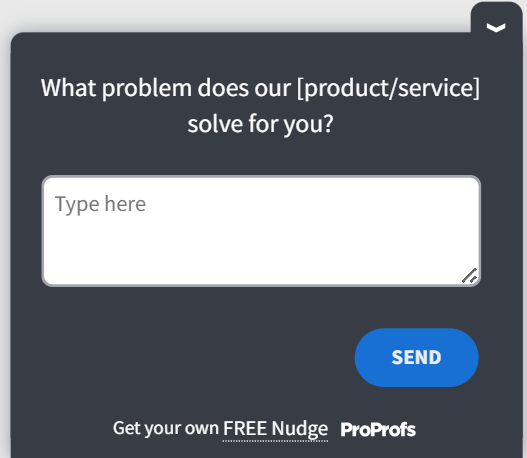
Here’s an open-ended onboarding survey template:
Churn and Cancellation Questions
| # | Question | What It Gauges |
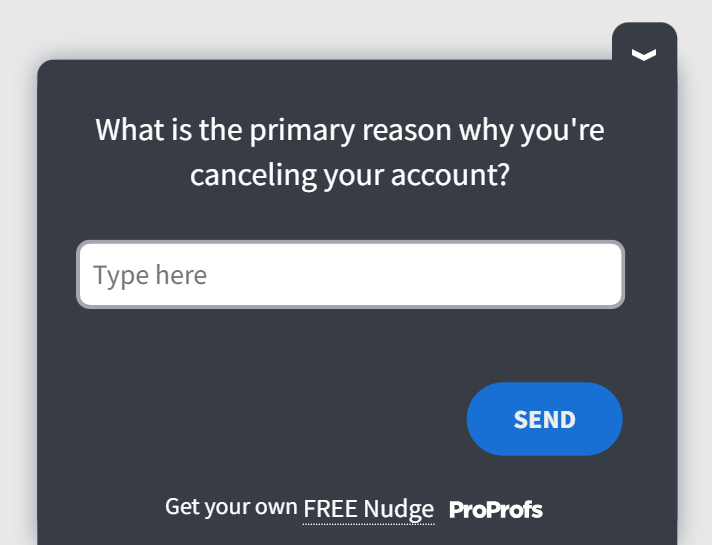
| 43 | What is the main reason you are canceling? | The real driver of churn, beyond the reason picked from a dropdown |
| 44 | What could we have done to keep your business? | A specific, actionable save opportunity for future at-risk accounts |
| 45 | What alternative are you switching to, and why? | Direct competitive intelligence on where and why you are losing deals |
| 46 | What would bring you back in the future? | The conditions under which a win-back campaign could actually work |
| 47 | What feature or fix would have changed your decision? | The single deciding factor in an otherwise avoidable cancellation |
| 48 | What would you tell someone considering this product? | An honest, unfiltered read on how the product is really perceived |
Here’s a churn and cancellation template you can use:
Employee Engagement and Pulse Survey Questions
| # | Question | What It Gauges |
| 49 | What is one thing that would make your job easier this month? | An immediate, fixable friction point instead of a broad morale score |
| 50 | What is getting in the way of doing your best work? | Structural or process blockers that engagement scores alone will not reveal |
| 51 | What feedback do you have for leadership that you have not shared yet? | Concerns employees are holding back in regular channels |
| 52 | What would make you more likely to recommend this company as a place to work? | The specific driver behind your employee NPS number |
| 53 | What support do you need from your manager that you are not getting? | A management gap that a satisfaction score would never surface |
| 54 | What would make you feel more recognized for your work? | Whether the issue is workload, visibility, or recognition specifically |
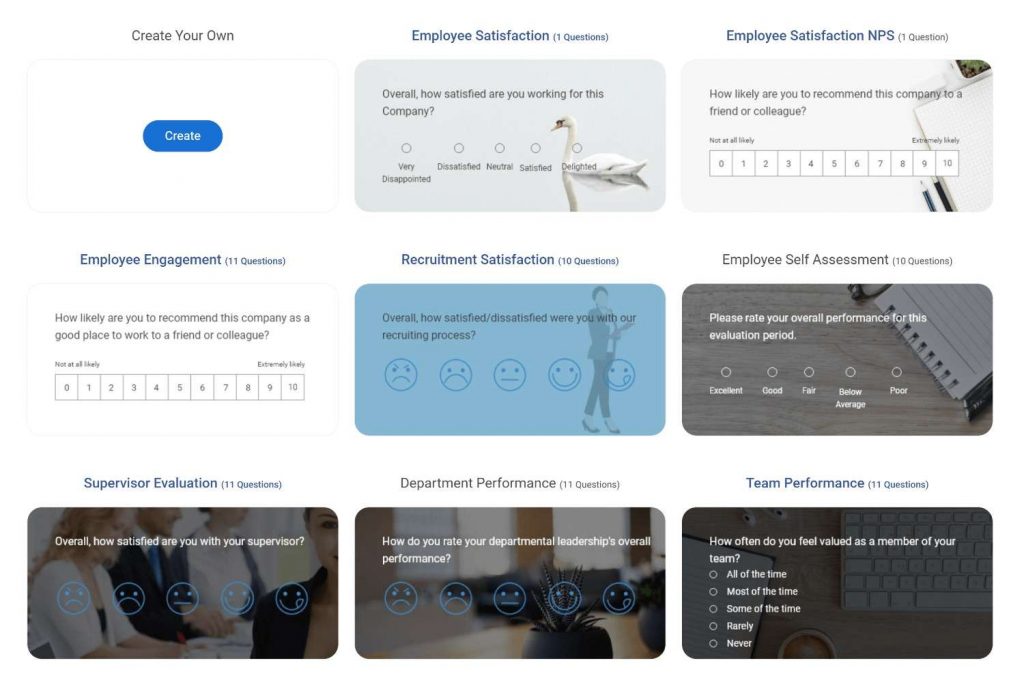
Here are a few employee engagement survey templates:
Customer Support and Post-Interaction Questions
| # | Question | What It Gauges |
| 55 | What could the support agent have done better? | Specific coaching feedback tied to one real interaction |
| 56 | What part of this interaction took longer than expected? | Where resolution time actually broke down from the customer’s side |
| 57 | What would have solved your issue faster? | A direct suggestion for improving first-contact resolution |
| 58 | What almost frustrated you during this conversation? | Friction that did not tank the interaction but came close |
| 59 | What information did you wish the agent had upfront? | A process or training gap on the agent’s side |
| 60 | What would make you reach out to support less often? | A self-service or documentation opportunity that reduces ticket volume |
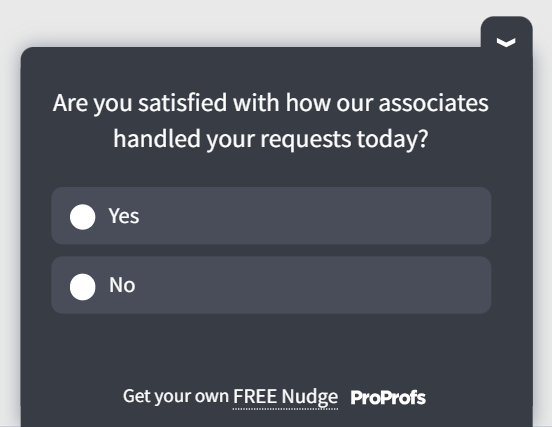
Here’s a post-support template you can use:
Market Research and Brand Perception Questions
| # | Question | What It Gauges |
| 61 | What comes to mind when you think of our brand? | Unprompted top-of-mind association, before any options are suggested |
| 62 | What made you choose us over other options? | The actual reason you won the deal, in the buyer’s own words |
| 63 | What would you tell a friend who asked about us? | The word-of-mouth pitch your brand generates without any coaching |
| 64 | What is one word you would use to describe our brand? | A quick, honest gut-check on brand perception |
| 65 | What almost stopped you from trying us? | The hesitation that nearly kept a customer from converting at all |
| 66 | What would you change about how we are perceived? | A perception gap between how you see your brand and how customers do |
Here are a few market research templates for you to use:

Event and Webinar Feedback Questions
| # | Question | What It Gauges |
| 67 | What was the most valuable part of this session? | The content worth repeating or expanding in future events |
| 68 | What topic did you wish we had covered in more depth? | A content gap to fill in your next session |
| 69 | What almost stopped you from attending? | Registration or scheduling friction worth fixing before the next event |
| 70 | What would make the next session more useful? | Direct input for improving format, not just content |
| 71 | What was confusing about the registration or logistics? | Operational friction that has nothing to do with the content itself |
| 72 | What speaker or topic should we bring back next time? | A signal for what to repeat in your next event lineup |
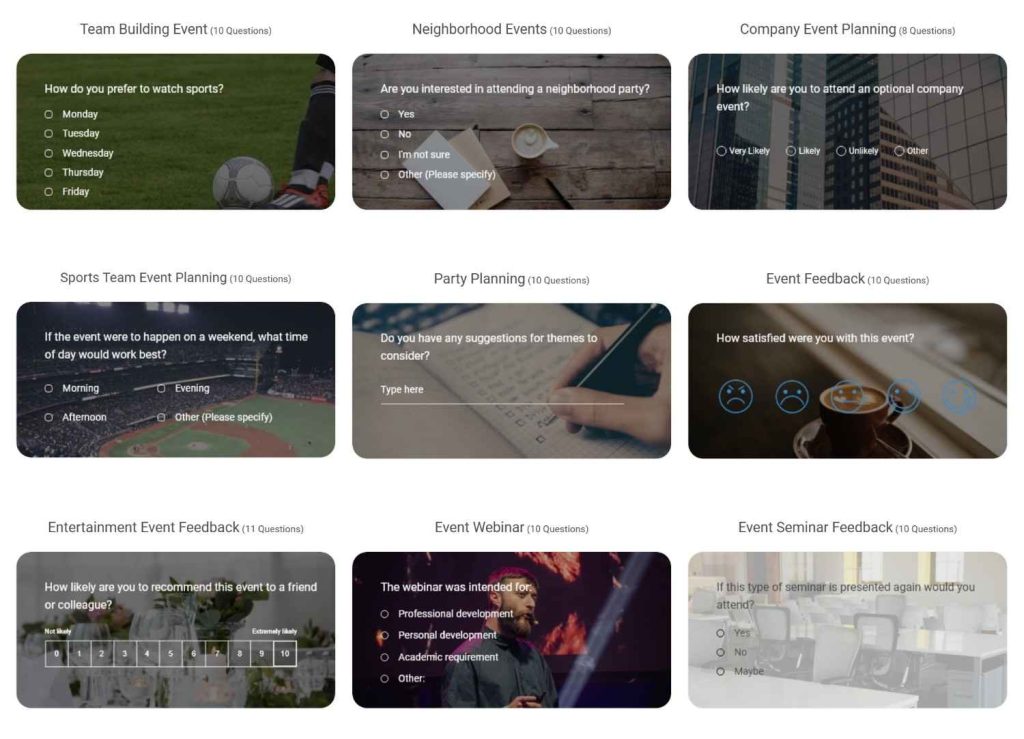
Here are a few event survey templates you can use:
How Do You Create, Write, and Analyze Open-Ended Surveys With Qualaroo?
Writing the question is the easy part.
Getting it in front of the right person at the right moment, phrasing it so people actually answer, and then making sense of hundreds of responses is where most teams get stuck.
Here is how to handle all three:
You have two starting points here. Use whichever fits the amount of customization you want to do.
Option A: Let Qualaroo’s AI Survey Creator Draft It for You
Open Qualaroo and start a new Nudge™ survey.
In the AI Survey Creator panel, type your goal in plain language, for example, “Find out why users abandon checkout” or “Understand why our NPS detractors are unhappy.”
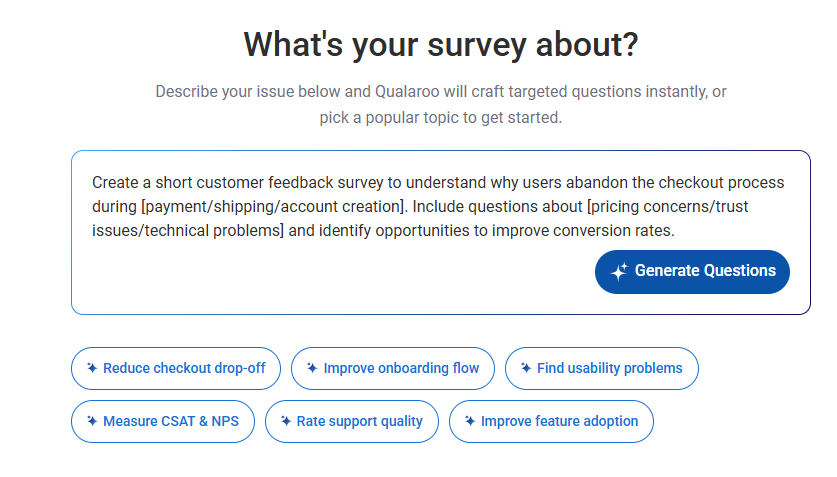
Review the question set generated by the AI. It typically drafts a closed-ended rating question paired with a relevant open-ended follow-up, so you do not have to write either from scratch.
Edit the wording with AI to match your brand voice and product terminology. Treat the AI draft as a strong first pass, not a final version.
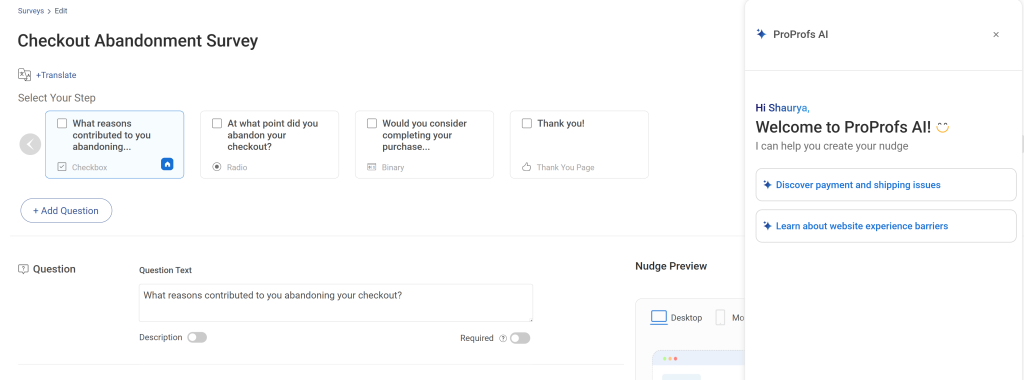
Confirm the pairing looks right (closed question first, open-ended follow-up second) before moving to targeting.
Option B: Start From a Template Instead
Skip the AI Survey Creator and open the template library.
Pick the closest match to your use case: NPS, CSAT, CES, or exit-intent survey templates are the most commonly used starting points.
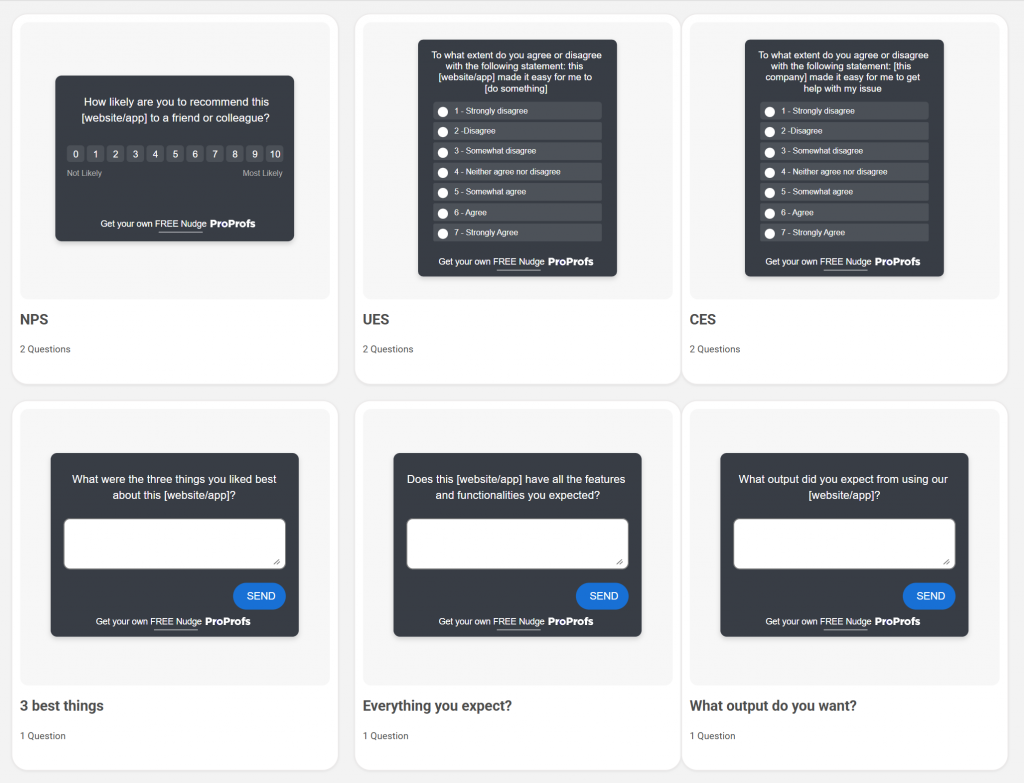
Replace the placeholder wording with your own question, using the examples above as a starting point.
Use this option when you already know exactly what you want to ask and would rather edit than generate.
From Either Path, Finish Setup the Same Way:
Add question branching so the open-ended follow-up only appears for the segment that needs it, such as only detractors or anyone who rated 3 or below.
Here’s how it works:
Set targeting by URL, on-page behavior, or custom variables so the Nudge appears only for the audience you care about, for example, new signups or logged-out visitors on your pricing page.
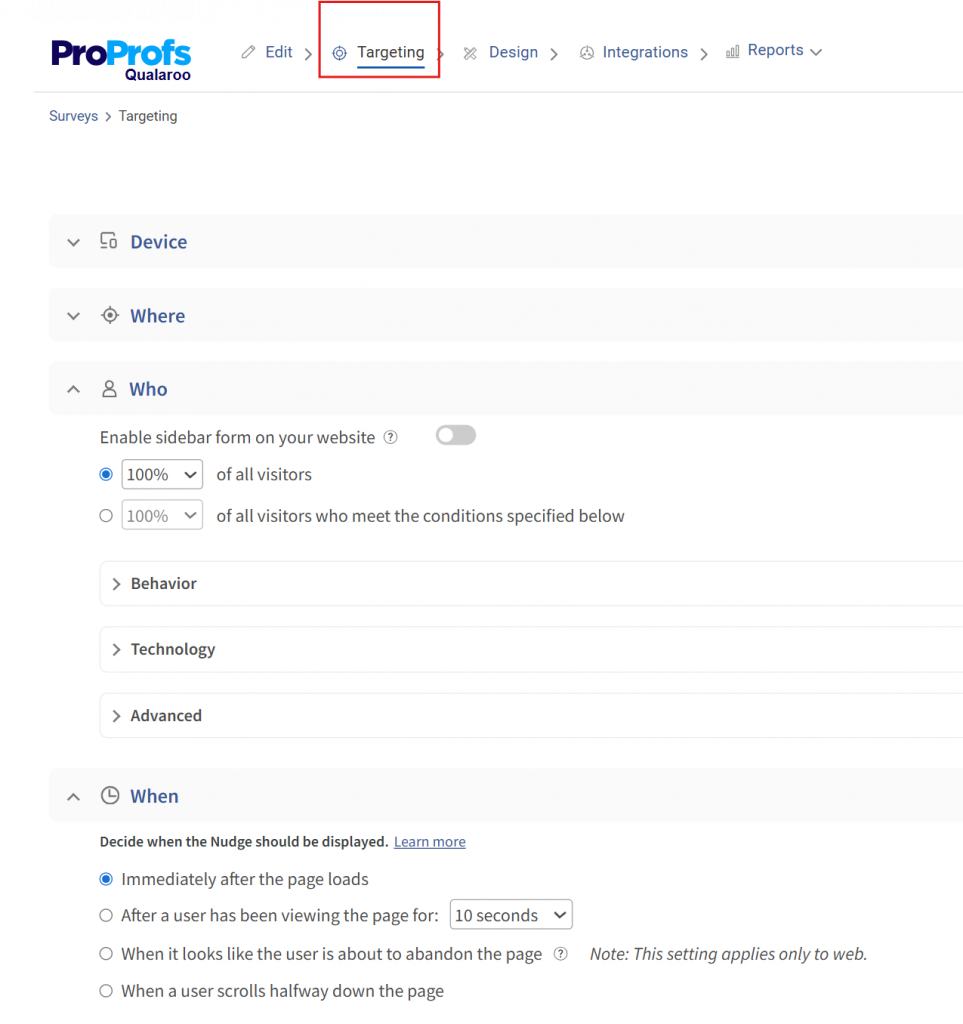
Preview the Nudge on the actual page it will appear on to confirm it does not block content or feel intrusive.
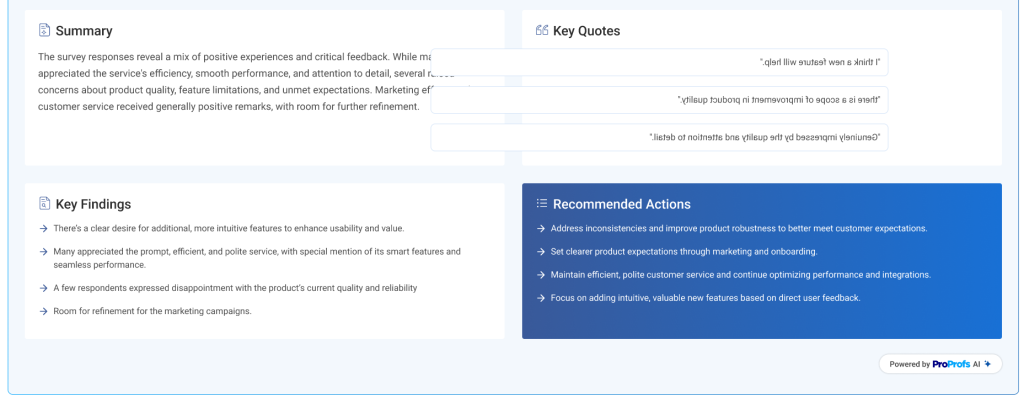
Launch the survey and let it run for at least a few days before checking the results, so you have enough responses to draw conclusions. Check out the AI-created summary and recommended actions.
Use this table to match your business goal to the right trigger moment before you build:
| Business Goal | Trigger Moment | Question Type |
| Reduce Checkout Drop-Off | Exit intent on cart page | Open-ended follow-up to “What stopped you today?” |
| Understand Low NPS Scores | Immediately after score submission | Branching open-ended, detractors only |
| Fix Onboarding Friction | Step 3 of setup, on delay | Open-ended on a stuck point |
| Reduce Churn | Cancellation flow | Open-ended before confirming cancellation |
This is also where the core argument matters most: asking someone while they are actively on your page produces more specific, usable answers than emailing the same question after the fact, because the context is still fresh.
How Do You Write Open-Ended Questions That Actually Get Answered?
Ask About One Moment, Not a Whole Experience
“What almost stopped you from completing checkout?” gets a specific answer. “Tell us about your experience” is skipped or reduced to a single vague word.
To apply this, anchor each open-ended question to a specific action, page, or decision rather than the experience as a whole.
Use this formula: “What almost stopped you from [specific action]?” or “What made [specific step] difficult?”
Swap in the exact moment you are surveying, such as checkout, signup, or cancellation, rather than asking about the visit or session in general.
Attach It to a Closed Question Instead of Standing Alone
A rating question followed immediately by “What is the main reason for your score?” performs better than a standalone open box, because the respondent already has the answer in mind.
To set this up, always write your closed-ended question first, then write the open-ended follow-up as a direct response, using phrases like “the main reason for your score” or “what made this difficult.”
Use question branching so the follow-up only appears after the closed question is answered, not as a separate, unconnected question elsewhere in the survey.
Give the Text Box Room to Breathe
Research on web survey design (Smyth, Dillman, Christian, and McBride, 2009, Public Opinion Quarterly) found that a larger response box and a short line explaining why the answer matters both improved response length and quality, without hurting completion.
To apply this, set the text box to at least three or four visible lines rather than a single-line field, so it visually invites a fuller answer.
Add one short sentence above the box, such as “The more detail you share, the more useful this is for our team,” to signal that a longer answer is welcome.
One exception is worth knowing: if you’re asking someone to list multiple things rather than explain one, such as “What features do you use most?”, research on list-style questions (Keusch, 2014, Journal of Survey Statistics and Methodology) found the opposite pattern.
Several small sequential boxes got respondents to name more items than a single large box did, since each blank line signals there’s room for one more answer.
Save the single large box for narrative “why” questions, and switch to a short list of small boxes when you’re actually asking someone to name several things.
Avoid Leading Language
“We know you loved this feature, tell us why” is a leading prompt. “What did you think of this feature?” is neutral and gets a more honest answer.
To check for this, read your question back and ask whether it already contains a compliment, an assumption, or an opinion about your own product.
If it does, remove it and start from a neutral prompt such as “What did you think of,” “What was your experience with,” or “How would you describe.”
Keep It to One or Two Open Questions per Survey
More than that, completion drops fast, particularly on mobile, where typing a long answer is real friction.
If you need more open-ended input than that, do not add a third question to the same survey.
Instead, split the questions across separate, shorter surveys triggered at different moments, such as one after signup and another after the first purchase, so no single survey asks for more than 2 written answers.
FREE. All Features. FOREVER!
Try our Forever FREE account with all premium features!
How Do You Analyze Open-Ended Survey Responses at Scale?
Collecting the answer is not the hard part. A common complaint across survey tool reviews is that free-text data is exported as unsorted text that someone has to read line by line, often copying quotes into a slide deck by hand.
That manual step is exactly what gets skipped when volume grows, and it is where real insight gets lost. Here is a step-by-step way to work through responses without reading every single one from scratch.
Wait Until You Have Enough Volume
Let the survey run until you have at least a few dozen open-text responses. Analyzing five or six responses by eye is fine on its own, so save the automated steps below for when volume actually makes manual reading impractical.
Open the Response Dashboard and Run AI Sentiment Analysis
This scores every open-text answer for tone, so each response is tagged as positive, negative, or neutral before you read a single word.
Here’s how it works:
Filter to Negative Responses First
Detractor comments carry the most urgent fixes, so start there instead of reading responses in the order they came in.
Open the Word Cloud view
This clusters the exact language respondents used, so you can see the three or four phrases or themes coming up most often across all your responses at once.
Pick the Top Two or Three Themes and Read the Underlying Quotes Behind Them
The Word Cloud tells you what is trending, but you still want to read a handful of actual responses behind each theme to understand the specific complaint, not just the word count.
Cross-Reference With Heatmaps and Session Recordings If the Theme Is Behavior-Related
If a theme keeps mentioning a page or a step, pull up the Heatmap or a Session Recording for that exact spot to see the friction happening in real time, not just described secondhand.
Log the Fix and Note Where It Came From
A single well-read comment can be worth acting on immediately. This process turns a pile of text responses into a short, prioritized list in minutes instead of hours, and it scales the same way whether you have 50 responses or 5,000.
KingsPoint used Qualaroo feedback this way to uncover a problem worth roughly $60,000, the kind of detail that only surfaces when someone actually reads what a customer wrote, not just their rating.
Your Next Detractor Comment Is Sitting in a Text Box Somewhere. Go Read It.
Every category above exists because a rating alone left someone on your team guessing.
The 72 questions give you the wording, the trigger table tells you where to place them, and the AI Survey Creator and Sentiment Analysis handle the two steps that usually stall a feedback program: writing the question and reading what comes back.
The fastest way to see this working is to launch one Nudge on your highest-drop-off page this week, rather than planning the perfect program first.
Try Qualaroo and launch your first AI-generated open-ended Nudge survey today, no developer required.
Or browse free survey templates if you would rather start from a ready-made question set.
Frequently Asked Questions
How many open-ended questions should one survey have?
Stick to one or two per survey. Each additional open-text box measurably lowers completion, especially on mobile, where typing is more effortful than tapping a rating. If you need more input, split it across separate, shorter surveys triggered at different times rather than stacking questions into a single long form.
Should open-ended questions be optional or mandatory?
Keep them optional. Forcing an answer on a free-text question tends to yield low-effort, one-word responses just to move past it, defeating the purpose of asking. Respondents who genuinely have something to say will write it without being forced, and that feedback tends to be far more useful.
What is the difference between an open-ended and a probing question?
An open-ended question is a format, a free-text box instead of fixed choices. A probing question is a purposeful question, digging deeper into an answer already given. Most probing questions are written in an open-ended format, such as "You mentioned pricing, what specifically concerned you" One describes structure; the other, intent.
When should you use open-ended instead of closed-ended questions?
Use open-ended when you need the reasoning behind a number, an idea you would not have thought to list as an option, or detail too varied for fixed choices. Use closed-ended questions when you need something you can graph and compare over time. Most strong surveys pair both rather than choosing one over the other.
Do open-ended questions lower survey completion rates?
They can, particularly when there are several of them or when they appear early in a long survey. Placing one open question right after a related closed question, rather than grouping several at the end, keeps completion higher because the respondent already has an answer in mind and does not have to start from scratch.
What is a good character or word limit for an open-ended answer box?
There is no hard limit, but a visibly larger box tends to produce longer, more detailed answers without hurting completion, according to university research on survey design. Do not artificially cap the field or shrink it to save space, since that signals you want a short, low-effort answer.
Can AI actually replace manually reading survey responses?
It replaces the bulk reading, not the judgment. Sentiment scoring and word clustering tell you where to look first and which themes dominate, but a quick manual pass on the highest-signal responses, like detractor comments or unusually long answers, is still worth doing before you act on any of it.
Are open-ended questions better for B2B or B2C surveys?
Both benefit, but the ideal volume differs. B2B respondents tend to write longer, more detailed answers and tolerate one or two open questions well within a single survey. B2C and consumer audiences respond best when the open question is short, tied to one specific moment, and clearly optional rather than required.
FREE. All Features. FOREVER!
Try our Forever FREE account with all premium features!

 We'd love your feedback!
What did you like & how can we make it even better?
 Thanks for your feedback!
 Ask Your Question
Have a question? Get expert help to make your decision easier.