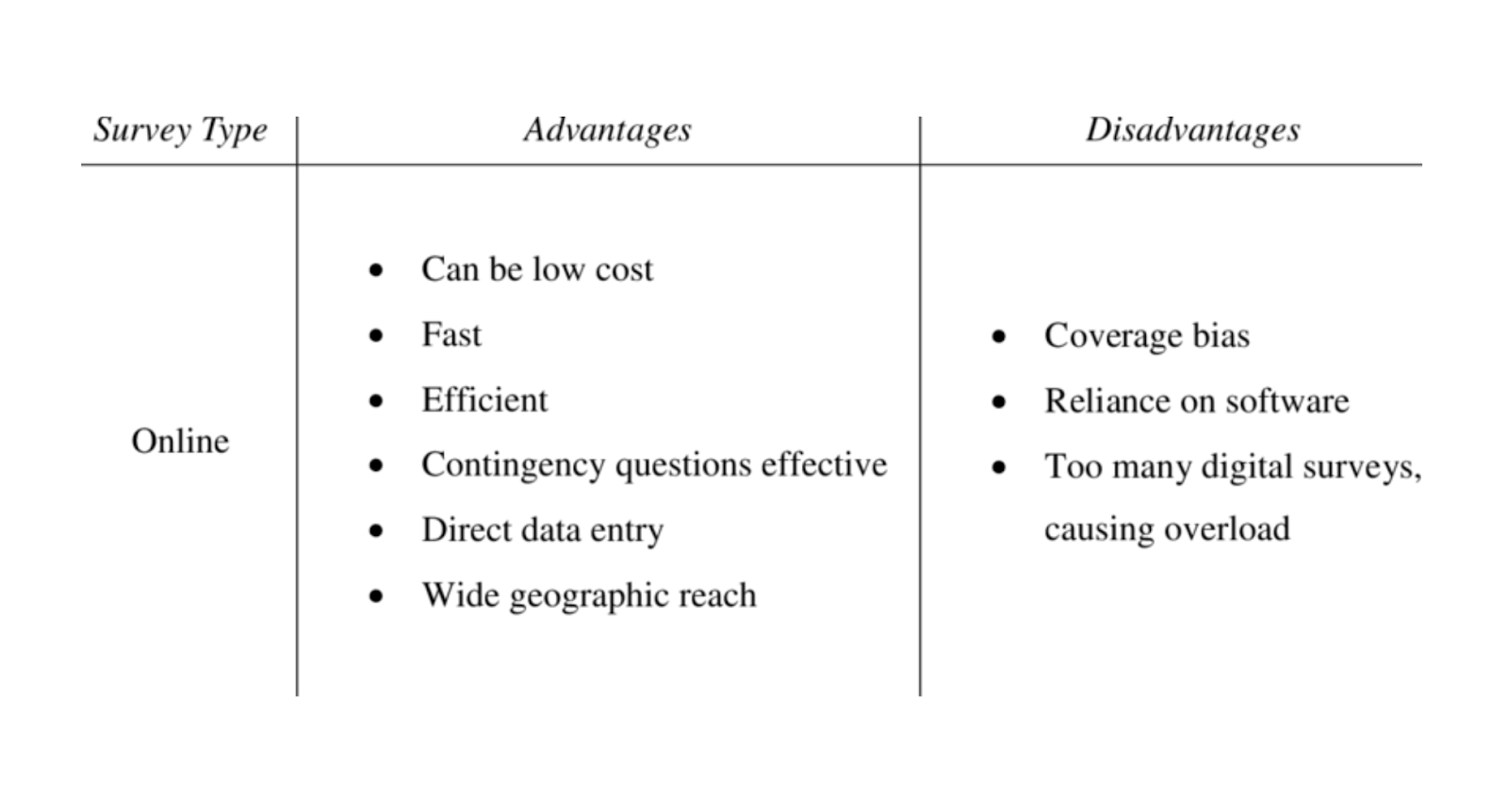
If you collect enough feedback, you eventually hit the same wall I did. You receive a pile of open responses, skim a few, and already know you don’t have the time to read the rest. The signal is in there somewhere, but digging it out manually is a tax no team can afford.
That is where AI survey analysis earns its keep. Not as a “click once, get insights” miracle, but as leverage. It handles the volume, it clusters the noise, and it gives you a clean starting point. You still make the calls, but you no longer waste days sorting comments just to figure out what people are actually saying.
This guide will show you how to use AI the way experienced teams do. Where it accelerates you, where it breaks, and how to set it up so you get real insight instead of confident nonsense.
Let’s get to work.
What AI Survey Analysis Actually Is
AI survey analysis is simple at the surface. You feed it responses, it finds patterns, and it summarizes what people are trying to tell you. But under the hood, there are a few moving parts worth understanding so you know what you are getting.
At its core, AI survey analysis is doing these jobs:
1. It Understands Unstructured Text: Open responses are messy. People vent, jump between topics, and explain the same issue in twenty different ways. AI reads the whole dataset at once and focuses on meaning instead of phrasing. This is the backbone of everything else it does.
2. It Clusters Similar Thoughts: Clustering is where the leverage really shows up. Instead of you tagging comments one by one, AI groups responses into themes based on semantic similarity. You get a clean map of what people are talking about and how often each issue shows up.
3. It Scores Sentiment and Emotion: Scores like NPS, CSAT, and CES tell you how people feel, but they do not tell you why. Sentiment analysis connects the dots. It shows whether a response carries frustration, delight, skepticism, or urgency. When your survey tool processes sentiment automatically, you skip the export pipeline and move straight to interpretation.
4. It Summarizes the Signal: AI condenses the noise so you can brief leadership or spot trends across multiple surveys without reading every comment. Treat summaries as a starting point, not the final answer, and you get both speed and accuracy.
5. It Can Predict Patterns When You Have Enough Data: Fine-tuned models can forecast response distributions or highlight shifts early. You do not need this for every project, but it becomes valuable once you have survey history and consistent themes over time.
None of this replaces your judgment. It just clears the fog so you can see the real patterns faster. And if your survey tool offers this analysis natively, you avoid the whole export-to-Python routine and keep your workflow tight.
Next, let’s look at why the old way of doing survey analysis stalls out.
Why Traditional Survey Analysis Breaks & How AI Fixes It
At some point, every team comes to the same manual analysis that cannot keep up with the volume, the nuance, or the speed the business needs. AI steps in not as a replacement for judgment, but as leverage that removes the grunt work.
Here is the reality, side by side.
| Where Traditional Analysis Fails | What AI Actually Offers Instead |
|---|---|
| You spend hours reading and tagging open responses. | AI interprets unstructured text at scale and extracts meaning in minutes. |
| Theme coding is inconsistent because humans read feedback differently. | Clustering groups similar thoughts based on meaning, not wording. |
| Spreadsheets flatten nuance and bury insights. | NLP captures sentiment, emotion, and the “why” behind scores. |
| Patterns show up only after they have become problems. | AI uncovers emerging themes early by scanning the entire dataset at once. |
| Summaries take forever and still miss pockets of context. | Summarization gives you a clean narrative to review before you validate. |
| Data exports, imports, and wrangling eat half your day. | Tools with built-in AI keep analysis close to the source so you move faster. |
Use this table as your mental model. The left column is the work that drains your time and attention. The right column is the leverage you gain when AI handles the heavy lifting and you stay focused on interpretation and decisions.
How to Use AI Survey Analysis the Right Way
AI only works when you set it up with the right guardrails. If you skip these steps, you get summaries that look polished but steer you off course. If you follow them, you get insight you can trust and act on quickly.
1. Start With a Clear Question
AI performs better when you tell it what you actually want to learn. “Analyze this” is not a prompt. Define the job first. Examples:
- “Why are users dropping off after onboarding?”
- “What is driving low scores on our mobile checkout flow?”
A clear question gives the model a direction and reduces noise in the output.
2. Collect Feedback in Context
AI is only as good as the data you feed it. When responses come from inside your product, tied to a real action, the insights are sharper. Page-level or action-level surveys almost always outperform generic email blasts because they preserve the context the AI needs to interpret intent.
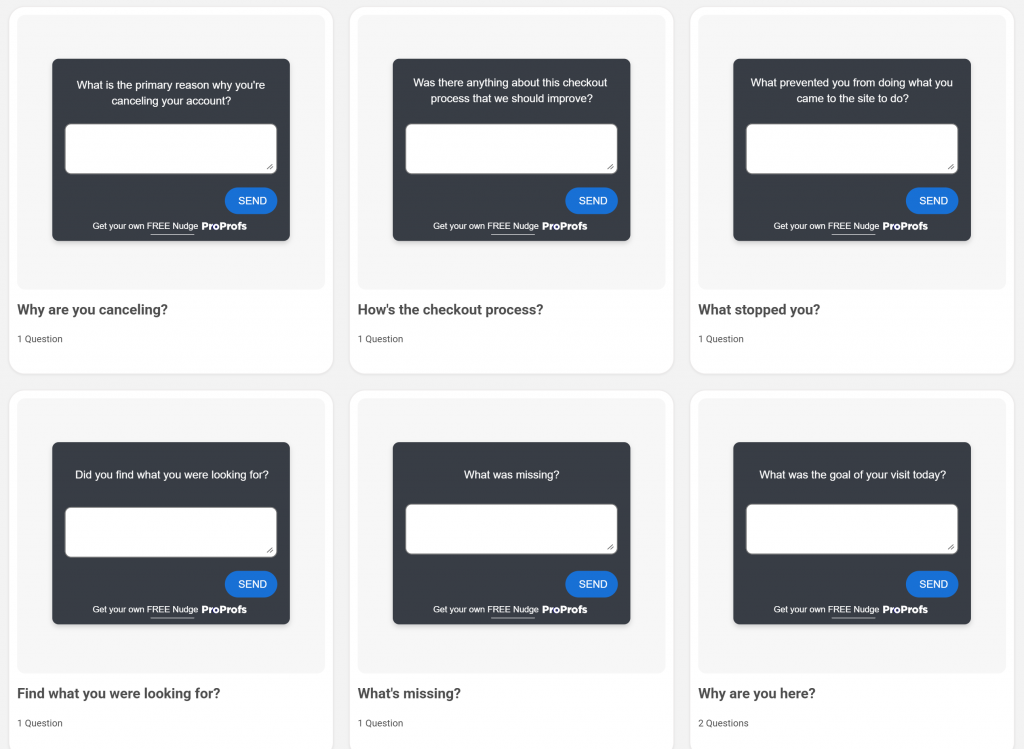
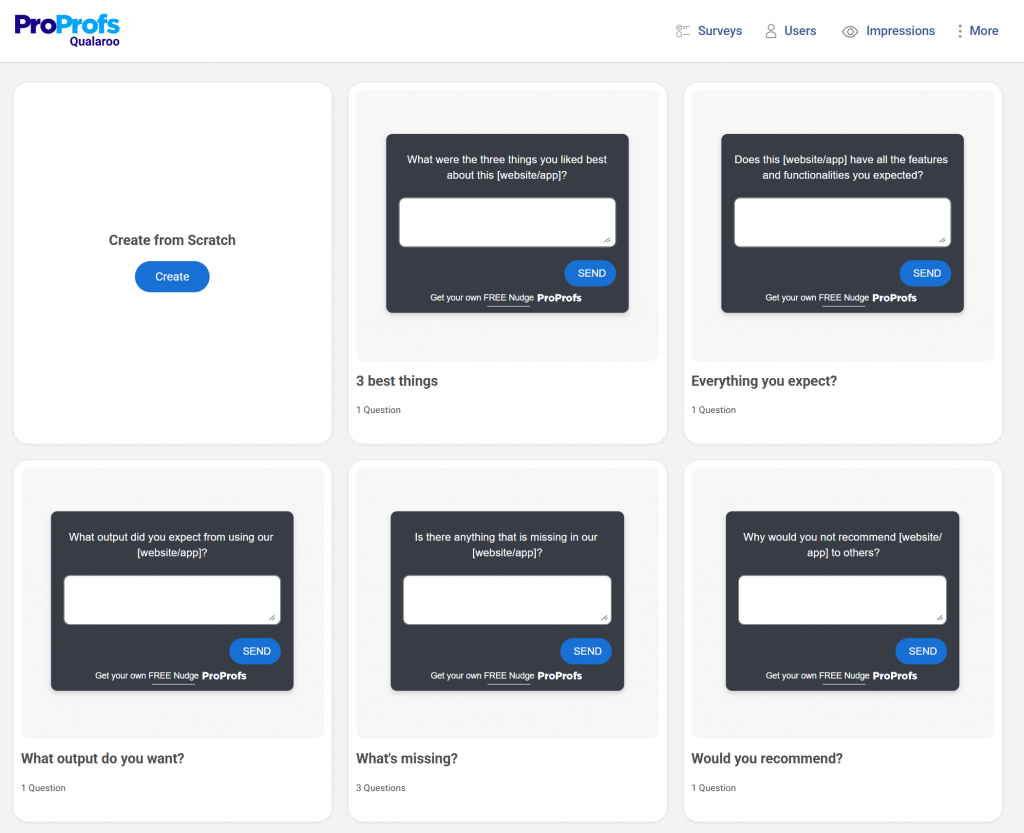
You can do this by adding microsurveys to your website/app where you can directly gauge what customers are doing and why. In fact, here are a few survey templates you can tweak and use:
3. Clean the Data Before You Analyze It
If your dataset is messy, your insights will be too. Fix the basics:
- Remove duplicates, corrupted entries, and irrelevant responses.
- Normalize text so the model is not confused by formatting quirks.
- Map identities when possible so themes tie back to real users, not anonymous noise.
This step takes minutes and saves hours downstream.
4. Choose the Right Tool for Sentiment and Theme Analysis
Use a survey platform that does not force you into an export-import circus. When sentiment analysis, theme clustering, and tagging happen inside the tool, you stay closer to the source and avoid losing context.
Look for features like:
- Built in sentiment scoring
- Automatic theme grouping
- Identity mapping
- Integrations with your CRM or analytics stack
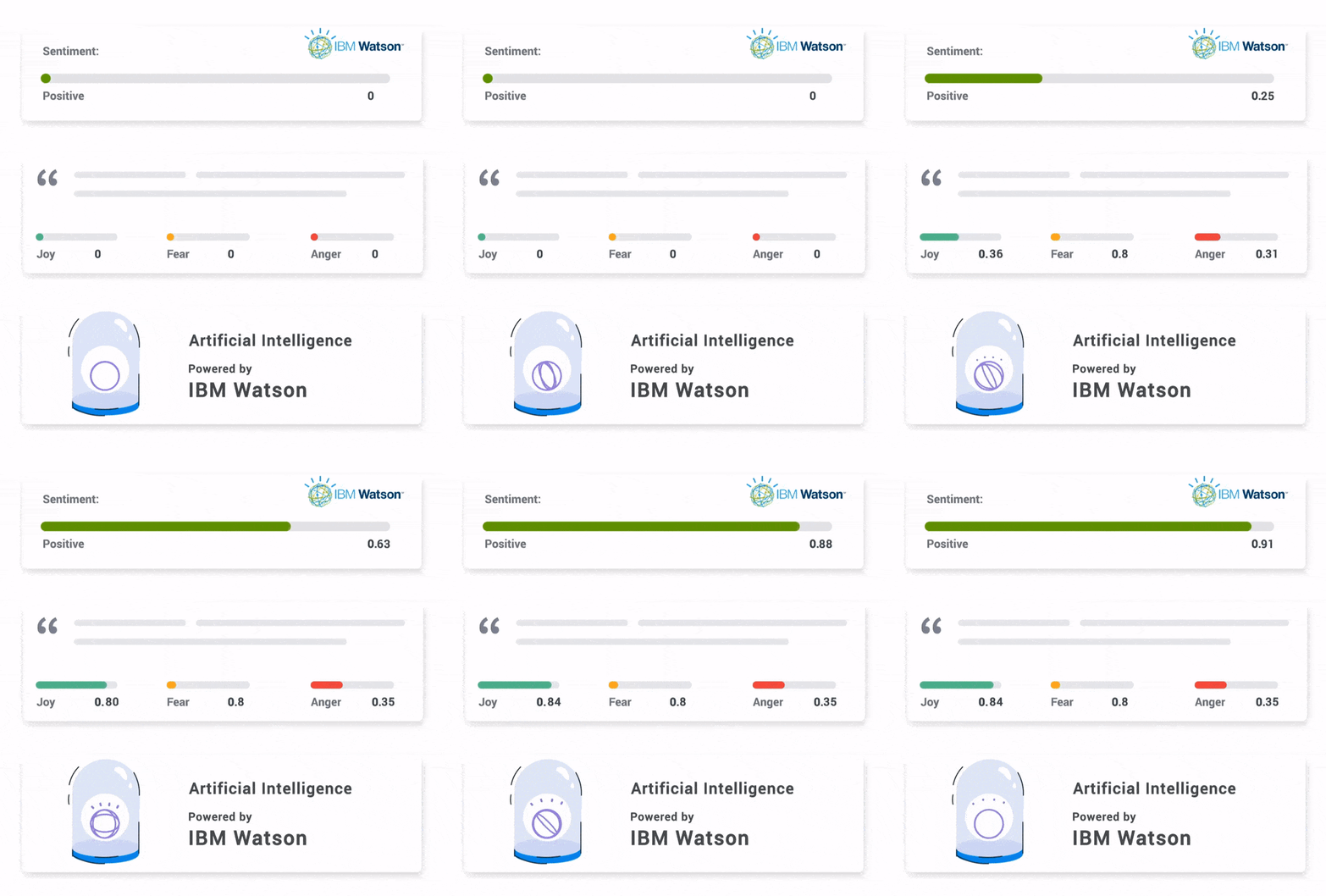
These capabilities keep your workflow fast and trustworthy without you becoming a full time data engineer. Here’s an example of how it would look:
5. Review the Clusters Manually
AI is great at grouping comments, but it does not know if a theme actually matters to your roadmap. Scan the clusters, merge redundant ones, and rename themes in plain language. The model gives you structure, you give it meaning.
6. Validate the Sentiment
AI can misread sarcasm, frustration disguised as politeness, or short responses with emotional subtext. Spot check the positive and negative buckets. Make sure the emotion cues match the actual content.
7. Refine With Iterative Prompting
Treat AI like a junior analyst who improves with direction. If a theme is too broad, ask it to break it down. If a summary is too shallow, ask for drivers or subpatterns. Iteration sharpens the output every time.
8. Tie Insights Back to Users and Behavior
Themes are useful, but they become actionable only when you know who they affect. Connect your findings to user segments, behaviors, or journeys. If your survey tool supports identity mapping, this becomes trivial instead of tedious.
9. Turn Insights Into Decisions
The goal is not a prettier report. It is clarity. Once the patterns emerge, decide:
- What needs fixing now
- What needs testing
- What needs deeper research
- What can wait
Fast insight only matters if it leads to fast action.
10. Keep in Mind These Limitations
AI helps you move faster, but it has blind spots. Treat these as guardrails you check every time.
AI’s Blind Spots:
- Misses Low Frequency Signals: Rare but critical issues can be downplayed.
- Compresses Nuance: Summaries cut corners. Verify.
- Sruggles With Mixed Data: Scores, text, and metadata need structure.
- Carries Inherited Bias: Sentiment can skew across segments.
- Relies on System Stability: If the platform stalls, your insight pipeline stalls.
- Lacks Memory: AI does not know last month’s bugs or decisions.
If You Only Do One Thing Here: Always review the raw comments behind the summaries. It keeps the analysis honest.
Real-World Applications That Actually Move the Needle
AI is most useful when it plugs into real workflows, not abstract analysis. These are the areas where teams get fast, meaningful leverage, along with sample questions you can drop straight into your surveys.
1. UX Lite & Friction Detection
AI helps you turn quick 1 to 5 ratings into clear, prioritized issues. It clusters the “why” behind low ratings and isolates friction points.
Sample Questions:
- “How easy was it to complete this step today?”
- “What made this difficult for you?”
- “What is one thing that would improve this experience?”
You get a clear path to smoother flows without reading every comment. Here are a few easy and quick templates for you to create UX and friction detection surveys:
2. NPS & CSAT, With the “Why” Automated
Scores alone are shallow. AI reads open text to pull the drivers, blockers, and emotional patterns behind every score.
Sample Questions:
- “How likely are you to recommend us?”
- “What is the primary reason for your score?”
- “How satisfied were you with your experience just now?”
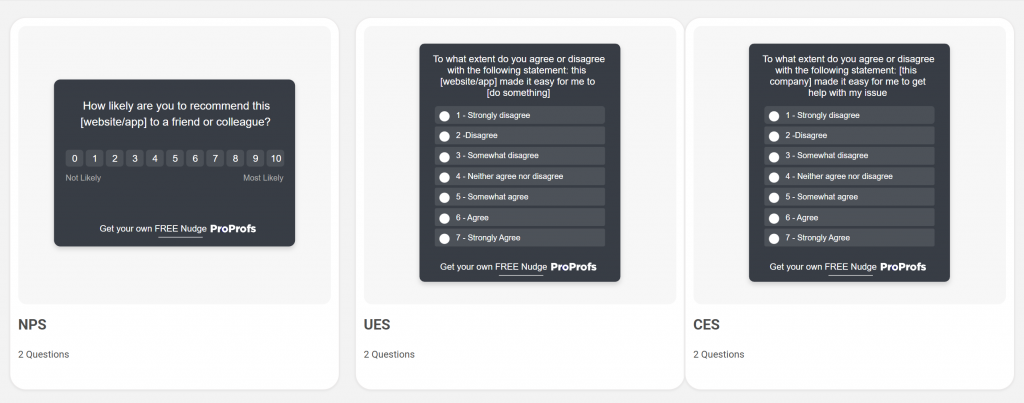
AI turns these into actionable, segmentable insights in minutes.Here is your NPS survey template:

3. Before & After Comparisons
Ship a new workflow, redesign a page, or roll out a change. AI helps you see whether sentiment actually improved.
Sample Questions:
- “How would you rate this new experience?”
- “What feels better or worse compared to before?”
- “Did you complete this task faster or slower than usual?”
Clustering pre and post responses lets you validate impact quickly.
Granular Feedback for R&D & Engineering
R&D teams need specificity, not vague frustration. AI pulls out technical complaints and recurring patterns without sorting manually.
Sample Questions:
- “Did anything feel slow or buggy?”
- “Were any features confusing or unclear?”
- “What did not work the way you expected?”
Here’s a screenshot-capture template so you clearly know what issue the user is facing:
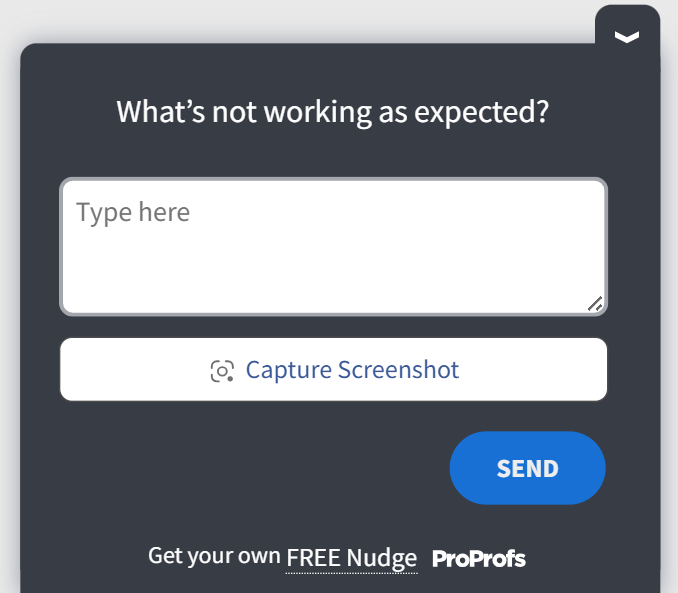
Engineers get detail they can actually fix.
Dashboarding for Decision Cycles
AI strengthens dashboards powered by real user sentiment. It highlights frequency, severity, and shifts that matter to your weekly decisions.
Sample Questions:
- “What were you trying to achieve today?”
- “Did you run into any blockers?”
- “How would you describe your experience in one sentence?”
Short responses, deep clarity.
Identity Mapping for Customer-Level Insight
Tie survey responses to actual users and AI becomes a segmentation engine.
You see which cohorts struggle, where churn risk lives, and how different groups respond to changes.
Sample Questions:
- “How well did this feature meet your needs today?”
- “What is the biggest challenge you are facing right now?”
- “What almost made you abandon this flow?”
Identity plus sentiment equals real prioritization.
FREE. All Features. FOREVER!
Try our Forever FREE account with all premium features!
5 Tools That Make AI Survey Analysis Easier
1. Qualaroo
Qualaroo is built for teams who want feedback at the exact moment a user takes an action. If you have ever looked at a vague email-survey response and thought “I wish I knew what the user was doing when they said this,” Qualaroo solves that. The AI layer works directly on these in-context responses, which keeps the insights grounded.
Best For: In-product surveys, NPS, CSAT, UX Lite, behavioral feedback
Pros:
- Strong in-context targeting
- Built-in sentiment and theme clustering
- Identity mapping for user-level insight
- Minimal setup, low friction for teams
Cons:
- No dark user interface for long hours or late nights.
- Dedicated onboarding/account manager services available only in paid plans.
Pricing: Free plan available with all premium features. Paid starts at $19.99/month per month, followed by Business at $49.99 and Enterprise at $149.99.
User Rating: 4.7 (Capterra)
2. Qualtrics

Qualtrics is the heavyweight in the experience management space. If you have ever been in a company where surveys turn into full-blown research operations, Qualtrics is usually the backbone. The AI layer focuses on large-scale pattern detection, cross-channel stitching, and enterprise reporting.
Best For: Enterprise research, complex survey programs, cross-team analytics
Pros:
- Extremely robust survey logic and customization
- Strong AI-powered text and sentiment analysis
- Deep integrations with enterprise systems
Cons:
- Steep learning curve for new users
- Pricing and complexity can overwhelm smaller teams
Pricing: Custom enterprise pricing
User Rating: 4.3 (G2)
3. Typeform

Typeform wins when you want people to actually complete your surveys. Its conversational flow lifts response rates, and the AI layer adds light sentiment and summarization. Think “friendly survey tool with a smart assistant attached.”
Best For: Marketing surveys, onboarding surveys, small teams needing quick insights
Pros:
- High response rates
- Clean UI, easy creation experience
- Lightweight AI summaries
Cons:
- Limited depth for heavy qualitative analysis
- Not built for product-level, in-flow feedback
Pricing: Freemium available, paid plans start at $25/month.
User Rating: 4.5 (G2)
4. Medallia
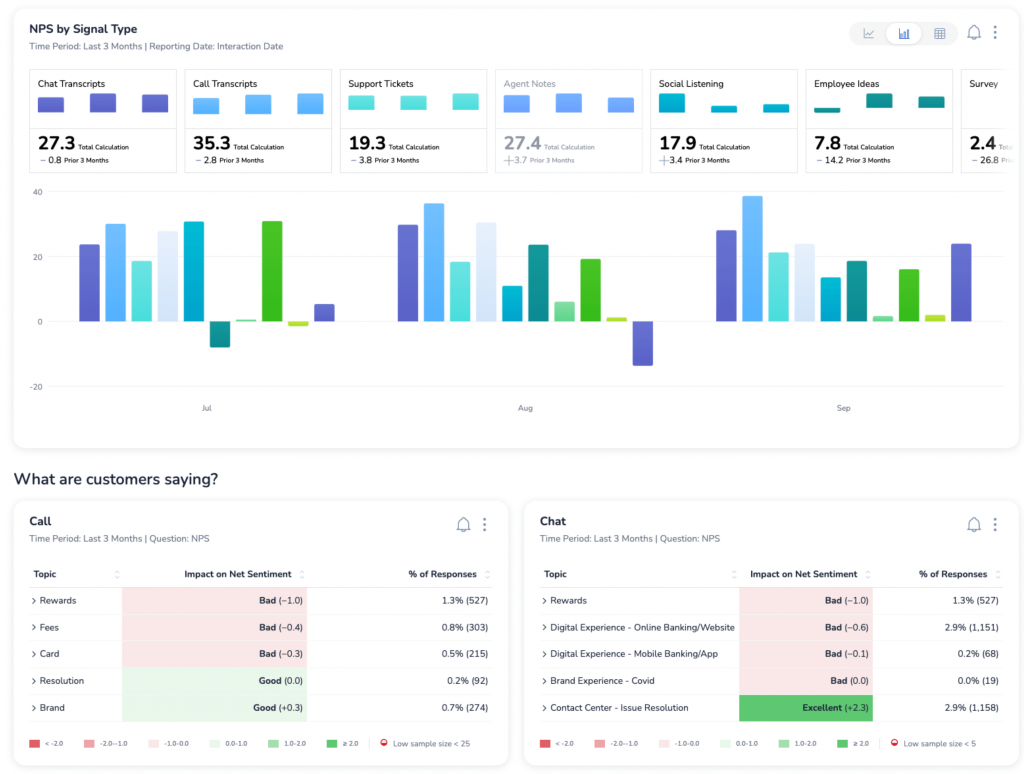
Medallia is the enterprise machine. If your organization has multiple touchpoints, teams, and channels, Medallia’s AI helps stitch the entire experience together. It is powerful, structured, and built for scale.
Best For: Large organizations with multi-channel experience programs
Pros:
- Enterprise-grade emotion and sentiment detection
- Strong integrations across CX systems
- Operational alerting and workflows
Cons:
- Heavy implementation
- Requires dedicated ownership
Pricing: Custom enterprise pricing
User Rating: 4.5 (G2)
5. Chattermill
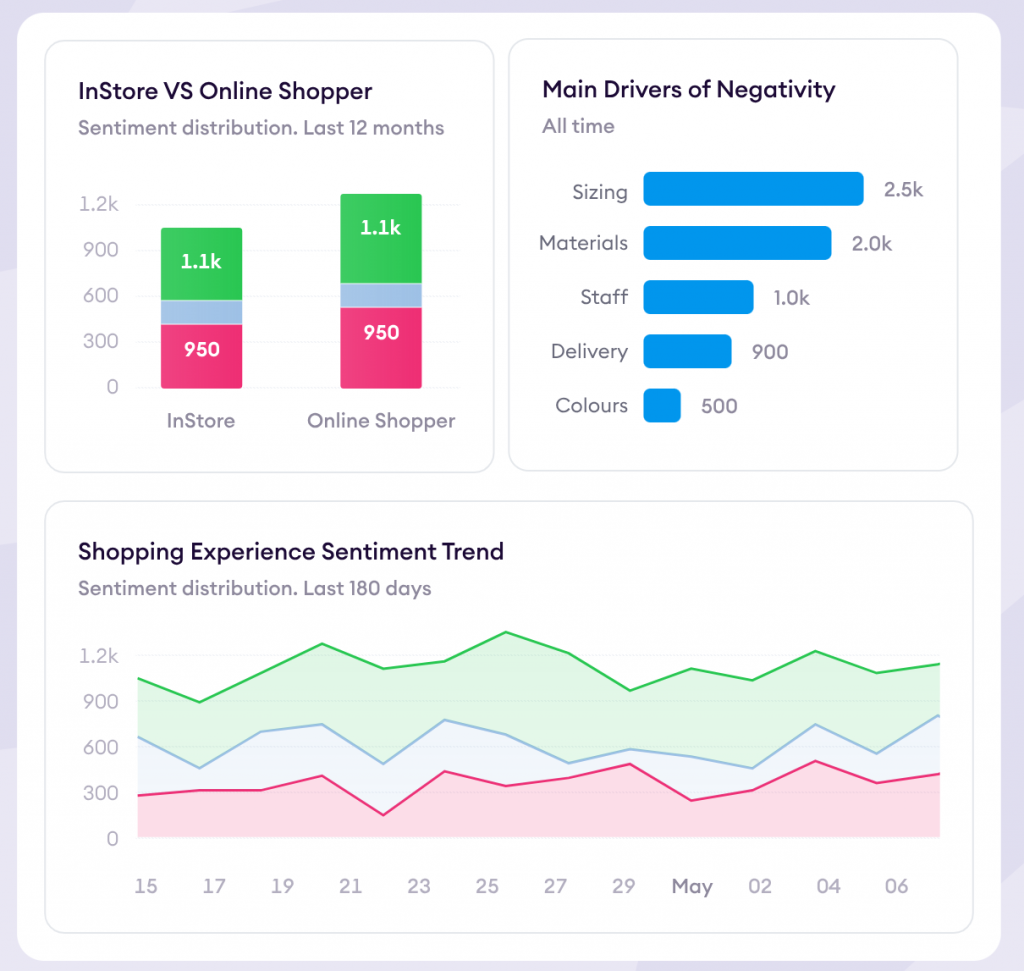
Chattermill is built for teams drowning in feedback from everywhere—support, product, surveys, app reviews. It unifies all of it into a single thematic map powered by AI. Ideal when “survey data” is only one piece of your customer signal.
Best For: VoC teams, multi-channel feedback analysis, support-heavy products
Pros:
- Strong cross-channel thematic clustering
- Good for unifying fragmented feedback
- Clear dashboards for trend tracking
Cons:
- Can feel complex for smaller teams
- Pricing scales with volume fast
Pricing: Custom quote based on data sources and volume
User Rating: 4.5 (G2 & Capterra)
AI Survey Analysis Is Leverage, Not Autopilot
The teams getting real value from AI are not treating it like a black box. They collect feedback in context, keep humans in the loop, validate sentiment, and rely on tools that keep analysis close to where the feedback is generated. When insights stay tied to real user actions, they are easier to trust and easier to act on.
This is why in-product survey tools with built-in AI, like Qualaroo, tend to fit naturally into mature workflows. They reduce handoffs, preserve context, and make it easier to move from feedback to action without overengineering the process.
Use AI as leverage, not autopilot. Clear the noise, apply your judgment, and keep shipping improvements that actually reflect what users are telling you.
That is the whole game.
Frequently Asked Questions

How soon after collecting responses can AI generate insights?
In most setups, insights are available almost immediately. As soon as responses come in, AI can cluster themes and score sentiment. This makes AI survey analysis useful for real-time decisions, not just quarterly reports.
Can AI help route survey feedback to the right teams automatically?
Yes, when tagging and categorization are part of the analysis layer. AI can label feedback by theme or severity, which makes it easier to route issues to product, UX, support, or R&D without manual sorting.
Does AI survey analysis work better with in-product surveys than email surveys?
In most cases, yes. In-product surveys provide clearer context, which improves sentiment accuracy and theme clustering. When AI understands what the user was doing at the time of feedback, the insights are more precise.
What is the minimum data volume needed for AI survey analysis to be useful?
You do not need thousands of responses. AI can start surfacing patterns with a few dozen well-placed surveys. The key factor is relevance and context, not raw volume.
FREE. All Features. FOREVER!
Try our Forever FREE account with all premium features!

 We'd love your feedback!
What did you like & how can we make it even better?
 Thanks for your feedback!
 Ask Your Question
Have a question? Get expert help to make your decision easier.