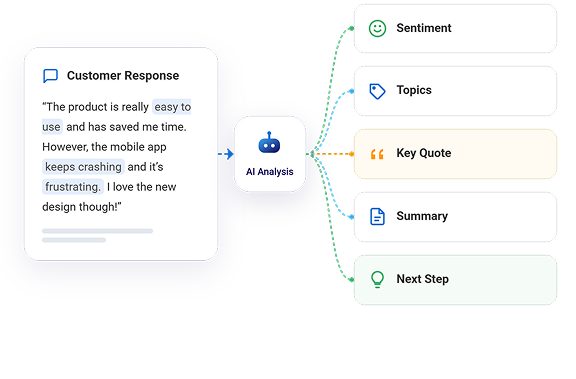
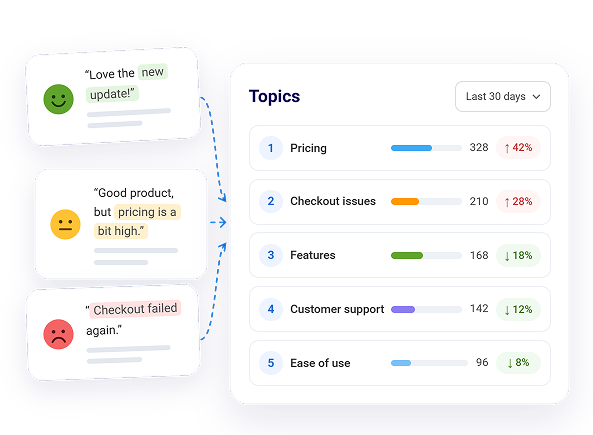
Activate AI customer feedback analysis with one click and let it score sentiment, tag topics, and suggest next steps across all your responses. It even catches sarcasm and mixed feelings that usually get missed. Walk into meetings with clear insights instead of guesses.
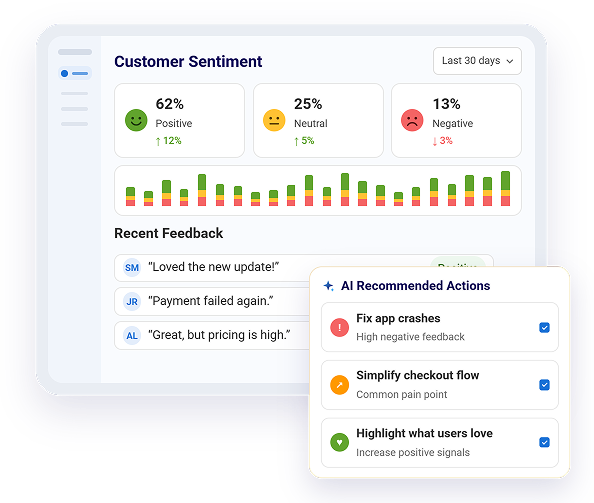
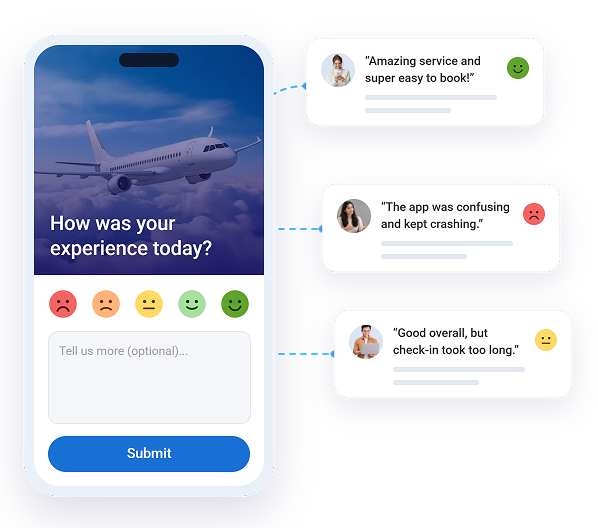
With Qualaroo's AI Customer Feedback Analysis, see every response scored as positive, neutral, or negative so you immediately know who is unhappy and why. You can spot rising complaints before they blow up and track whether recent changes actually made people happier.
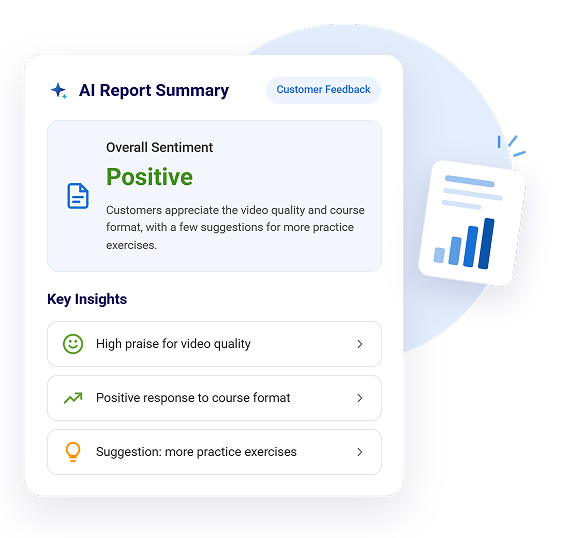
Get a clean summary with the most important findings, real customer quotes, and suggested actions. You no longer need to manually read every comment or create slides from scratch. Just share the report with your team or boss and move straight into solving the real issues.
Watch as Qualaroo AI tags every response by topic and shows you what's coming up most often. You quickly identify the biggest pain points your customers keep mentioning and focus your limited time on the changes that will make the biggest difference.
Get every response scored as positive, neutral, or negative.
Trigger feedback based on exit intent, reach scroll depth, or time on the page.
Pair every score and tag with a real customer identity.
Watch session recordings and heatmaps to understand what happened first.
Describe what you need, and let AI instantly write the questions.
Personalize the questions for each respondent using skip logic.
Pick from 100+ professionally designed templates.
Analyze sentiment and tags in the customer’s native language.
Deploy seamlessly on your website, iOS app, and Android app.
Sentiment Analysis, the AI-Generated Report, and Automated Tagging come included, not as an add-on. Explore the full feature set and start turning feedback into decisions today.
It scores tone from full sentence context, not isolated keywords, so a sentence like "not bad at all" reads as positive rather than negative. Mixed sentiment within one response is broken out per topic rather than averaged into a single misleading score.
Both can be switched on or off inside each survey's report settings. They are off until you turn them on, and once you do, every existing and future response gets scored and tagged automatically, with no separate setup per question.
No. It removes the need to read every response to find the pattern. Someone still reviews the summary, key findings, and flagged quotes, but they start from a decision-ready report instead of a raw spreadsheet of hundreds of open text answers.
Tags are generated from the keywords and phrases that actually appear in your responses, not a fixed taxonomy you have to maintain. As new terms show up in feedback, new tags form around them automatically. However, you can specify your own tags as well, and the relevant feedback will get automatically tagged on those keywords.
Yes. Sentiment scores, tags, and summaries are generated from the response content itself. If a respondent is identified through the Identify API, that data follows the same access, deletion, and consent controls as the rest of your Qualaroo account.
It applies to your response history as well as anything collected going forward. Existing open text responses get scored and tagged retroactively, so you are not starting your sentiment trend from zero.
Yes. Qualaroo's free plan includes the full premium feature set, including Sentiment Analysis, the AI-Generated Report, and Automated Tagging, with no credit card required to start.
Yes. Every AI-generated report has a built-in Share Report option, so you can send the summary, key findings, quotes, and recommended actions to a teammate without pulling data into a separate file.