I sent a five-question pulse survey to a team of 90 people. Participation hit 82% in week one. By week six, it was 31%.
Nothing had changed in the questions. What changed was that nobody could point to a single decision that came from the results.
That is the real failure mode of pulse surveys. It is almost never the tool. It is the loop between feedback, action, and communication back to employees. But the tool determines how easy or hard it is to close that loop.
I have tested over a dozen platforms and spent time in Capterra reviews, HR community discussions, and real implementations to figure out which employee pulse survey tools actually support that loop and which ones just collect data into a dashboard that no one opens.
This post is what I would tell someone starting that search today.
One thing worth flagging up front: most employee pulse survey platforms are built for HR programs.
If you also need to capture employee sentiment directly inside a product, a prototype, or a web app at the exact moment friction occurs, tools like Qualaroo handle that differently through targeted in-context surveys rather than scheduled email blasts.
That distinction matters, and I will cover where it applies.
What Is an Employee Pulse Survey?
An employee pulse survey is a short, recurring questionnaire (typically 5 to 10 questions) sent to employees on a scheduled cadence to track sentiment, engagement, and team health in near real time. Unlike an annual engagement survey, a pulse survey trades depth for speed, delivering trend data instead of a comprehensive diagnostic.
The core difference from annual surveys is this: pulse surveys are agile. You spot a dip in manager effectiveness scores in March, investigate in April, and implement a change by May.
With an annual survey, that same dip stays invisible until the following year, by which point the people who flagged it may have already left.
Effective pulse programs share three characteristics: short enough to complete in under three minutes, anonymous enough that employees actually tell the truth, and connected to visible action so employees see the point of filling it in again next month.
11 Best Employee Pulse Survey Tools
Here is a quick comparison of the tools covered in this post:
| Tool | Best For | Free Plan | Paid Plan Starts At | Capterra Rating |
| Qualaroo | In-context eNPS, in-app feedback, and AI feedback and sentiment analysis | Yes (50 responses) | $19.99/month | 4.7/5 |
| ProProfs Survey Maker | Easily Creating Custom Customer Surveys, CSAT, CX, & NPS Forms Using AI | Yes (50 responses) | $19.99 per 100 responses/month | 4.8/5 |
| Leapsome | Performance-linked engagement surveys, mid-market | No (demo only) | Custom | 4.6/5 |
| 15Five | Manager coaching + continuous feedback | No | $4/user/mo | 4.7/5 |
| Culture Amp | Benchmarking and analytics, enterprise | No (demo only) | Custom | 4.6/5 |
| Workleap (Officevibe) | Manager-level team pulse, SMB | Yes (limited) | $4,999/year | 4.8/5 |
| Lattice | Pulse + performance + goals in one platform | No | $11/seat/mo | 4.5/5 |
| Vantage Pulse | Frontline and deskless workers, global teams | No | Custom | 4.7/5 |
| TINYpulse | Lightweight starter, small teams | No | Custom | 4.6/5 |
| Microsoft Viva Glint | Microsoft 365 orgs, enterprise | Included w/ M365 | $2.00/user/month | 4.6/5 |
| Google Forms | Zero-budget, internal only | Yes (unlimited) | Free | 4.7/5 |
Here is the full breakdown of each:
1. Qualaroo: Best for In-App Surveys, NPS & User Feedback
I started using Qualaroo when I needed to understand why employees were abandoning a specific internal workflow, not run a scheduled monthly check-in. That is still the clearest way to explain what it does differently.
The Nudge™ fires while someone is inside your product or on a specific page, triggered by behavior rather than a calendar.
A question that appears mid-session gets a more honest answer than one that sits in an inbox for 3 days. For eNPS or internal product feedback, that timing difference is the whole point.
The feature I keep coming back to is the AI sentiment analysis. When 200 people answer an open-ended question, you are not reading 200 responses. It groups themes automatically.
You go from raw responses to a prioritized action list in minutes, not a weekend. For a two-person HR team with no dedicated analyst, that is not a nice-to-have.
Pros:
- AI sentiment analysis surfaces themes from open-text responses automatically
- AI analytics and reports with mood metrics and a Word Cloud view of recurring themes
- Nudge™ delivers surveys in-context, inside products, prototypes, or web apps, not just via email
- Branching and skip logic reduce perceived survey length
- Multilingual surveys in 100+ languages for global teams
- Heatmaps and Session Recordings show what employees do on a page before and after they fill in a survey
- iOS and Android SDK for in-app surveys in native mobile environments
- Integrations with Slack, Salesforce, HubSpot, Google Analytics, and Zapier
- Identify API links responses to user attributes (role, team, tenure) without exposing individual identity
Cons:
- Dedicated onboarding and account managers are generally reserved for paid plans
- No downloadable or on-premise version (internet connection required)
Capterra Rating: 4.7/5
Pricing: Free plan available with all premium features (up to 50 responses). Paid plan starts at $19.99/month.
2. ProProfs Survey Maker: Best for Easily Creating Custom Customer Surveys, CSAT, CX, & NPS Forms Using AI
I’d point a team here when the actual need is a one-off or occasional eNPS check, not a recurring pulse program with manager dashboards. The AI Survey Maker turns a single prompt into a complete, ready-to-send survey, which matters when someone on a small HR team needs a survey live today, not after a template hunt.
Scored surveys let you assign values to answers and bucket respondents by result, which works reasonably well as a lightweight substitute for a dedicated eNPS dashboard, flagging low scores without a full analytics rollup behind them. Skip logic and branching keep the survey short, which matters for participation the same way it does everywhere else on this list.
Where it’s honestly a weaker fit than the dedicated pulse tools above: there’s no automated recurring pulse cadence with manager-level team rollups built in. NPS surveys do support automated scheduling and scoring, but the always-on, manager-facing dashboard experience that Workleap or 15Five is built around isn’t the core design here.
Pros:
- AI Survey Maker builds a complete survey from a single prompt
- 100+ templates and 1,000,000+ ready-to-use questions across use cases
- Scored surveys to bucket respondents by outcome
- Skip logic and branching for shorter, more relevant surveys
- Multilingual support across 90+ languages for global teams
- Integrates with Salesforce, HubSpot, and Zapier
Cons:
- No dedicated manager-level pulse dashboard or team rollups the way Workleap or Lattice offer
- No native in-app SDK for capturing feedback inside an internal tool the way Qualaroo’s Nudge™ does
- White labeling is a paid add-on rather than included by default
Capterra Rating: 4.8/5
Pricing: Free plan available with all premium features (up to 50 responses). Paid plan starts at $19.99 per 100 responses/month.
3. Leapsome: Best for Performance-Linked Engagement, Mid-Market Teams
Leapsome is the tool I would recommend to an HR director at a 500-person company who is tired of engagement data living in one dashboard while performance data lives in another. It connects them.
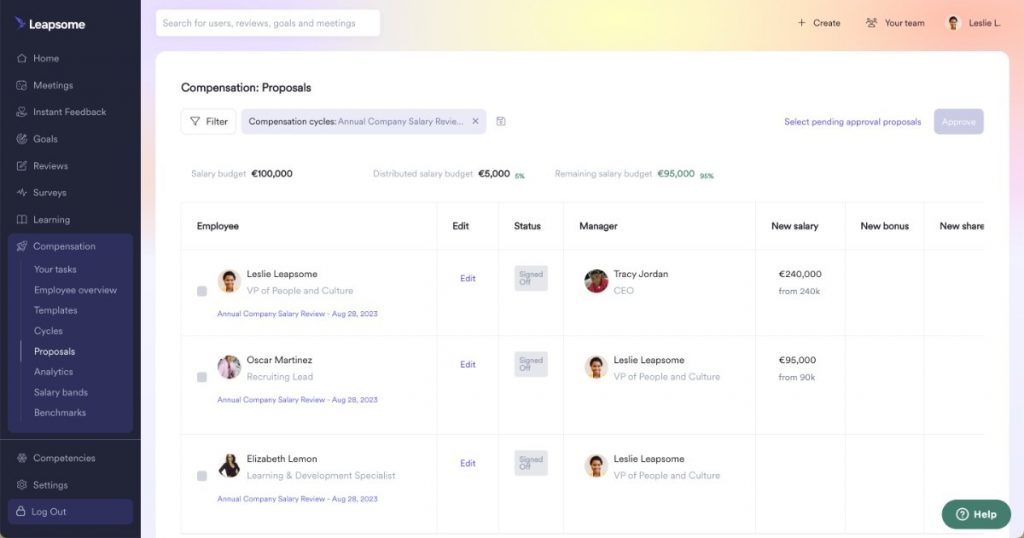
A low score on “clarity around team goals” does not stay as a data point. It surfaces in manager one-on-ones, links to OKR visibility, and triggers a coaching prompt, all inside the same system.
That is a different kind of accountability than a CSV export.
The honest caveat: if you only need pulse surveys, you will pay for a lot of platform you never open. And the sales process is long because pricing is custom and gated behind a demo.
Pros:
- Pulse surveys, annual engagement, 360 reviews, and OKR tracking in one platform
- HRIS integrations and multilingual support for global teams
- AI-powered feedback summaries for managers
- Strong benchmarking against industry peers
Cons:
- Custom pricing with no self-serve option
- Too much platform for teams that only need lightweight pulse surveys
- Learning curve for non-technical HR teams
Capterra Rating: 4.6/5
Pricing: Custom, based on modules and employee count. Available on request.
4. 15Five: Best for Manager Coaching Tied to Pulse Insights
The insight 15Five is built around is one I have seen play out in practice: pulse data does not fail because of bad questions.
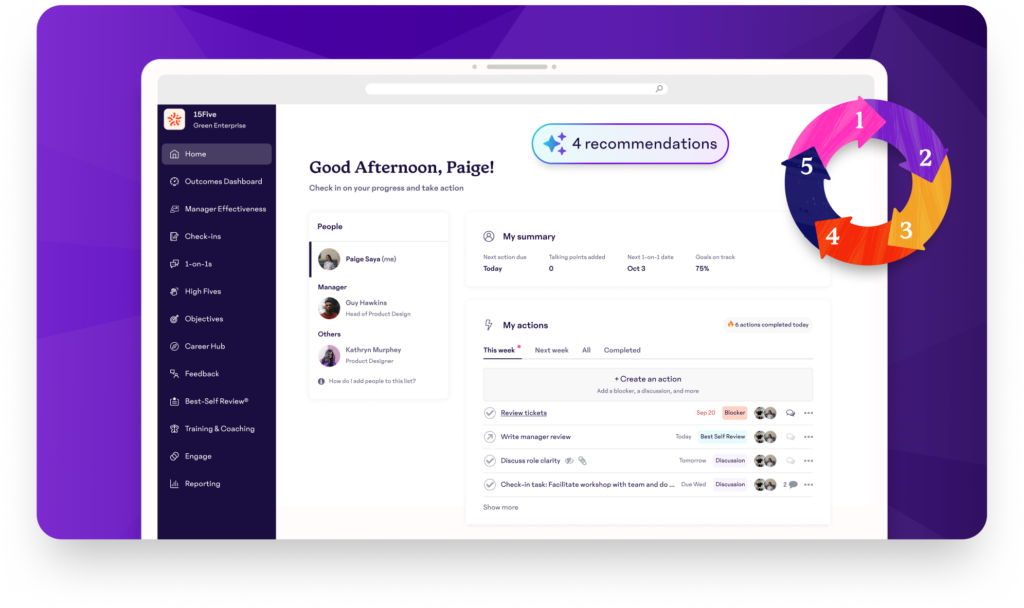
It fails because managers do not know what to do with the results. 15Five tries to solve that directly.
Every result comes with coaching prompts, suggested one-on-one talking points, and guided check-in frameworks.
The insight and response pathway live in the same tool, closing the gap most platforms leave open.
Where it gets harder is at scale. Once you hit 500 employees and the feedback requires leadership-level decisions, response rates start to slide if there is no visible change.
Pros:
- Manager coaching prompts embedded in survey results
- Lightweight weekly cadence (three to five questions, 60 to 90 seconds to complete)
- Engagement trends visible at the team level, not just company-wide
- OKR tracking and recognition features built in
Cons:
- Survey fatigue risk for weekly frequency without fast follow-through
- Less analytics depth than dedicated engagement platforms (no demographic drivers analysis)
- Integration depth with HRIS systems is more limited than with Lattice or Leapsome
Capterra Rating: 4.7/5
Pricing: Engage plan starts at $4/user/month.
5. Culture Amp: Best for Benchmarking, Analytics, and Enterprise Programs
Culture Amp is what I would reach for if leadership asked me to prove that engagement investments were actually moving business outcomes, and I had the headcount and budget to back it up.
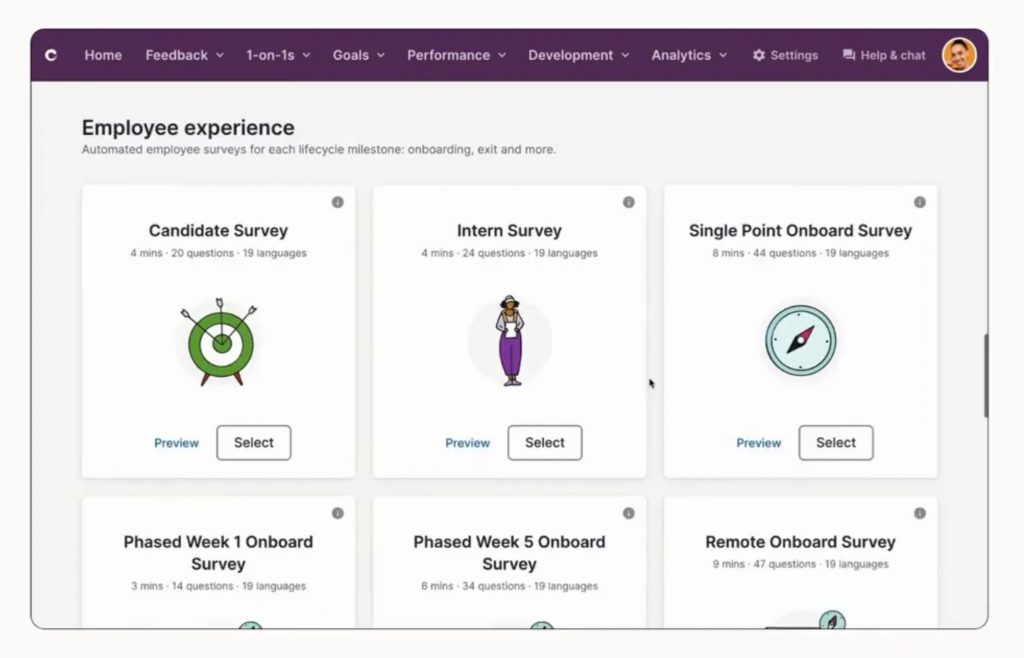
The benchmarking is the differentiator that most employee pulse survey tools cannot match. Knowing your score is 67 is a data point.
Knowing it is 67 against a benchmark of 72 for B2B SaaS companies at your headcount is an argument for a budget line. That is what changes what leadership actually funds.
That said, I have seen it stall out in smaller orgs. Implementation runs 8 to 12 weeks on larger rollouts. If you need surveys live this month, look elsewhere first.
Pros:
- Deep benchmarking across industries, company sizes, and regions
- Narrative Intelligence automatically categorizes open-ended responses
- Engagement, performance, and learning tools in one platform
- Strong research-backed question library
Cons:
- Complex to implement for small HR teams; often needs a people analytics specialist
- Pricing is enterprise-level and not published publicly
- Rigid workflows reported by reviewers, limited admin customization
- 8 to 12 week implementation for larger rollouts
Capterra Rating: 4.6/5
Pricing: Custom pricing based on team size, product bundle, and service tier. Most buyers budget $5 to $10 per employee per month.
6. Workleap (Officevibe): Best for Team-Level Pulse Surveys, SMBs
Workleap is what I recommend when the problem is not data collection. It is that the data never reaches the people who can act on it.
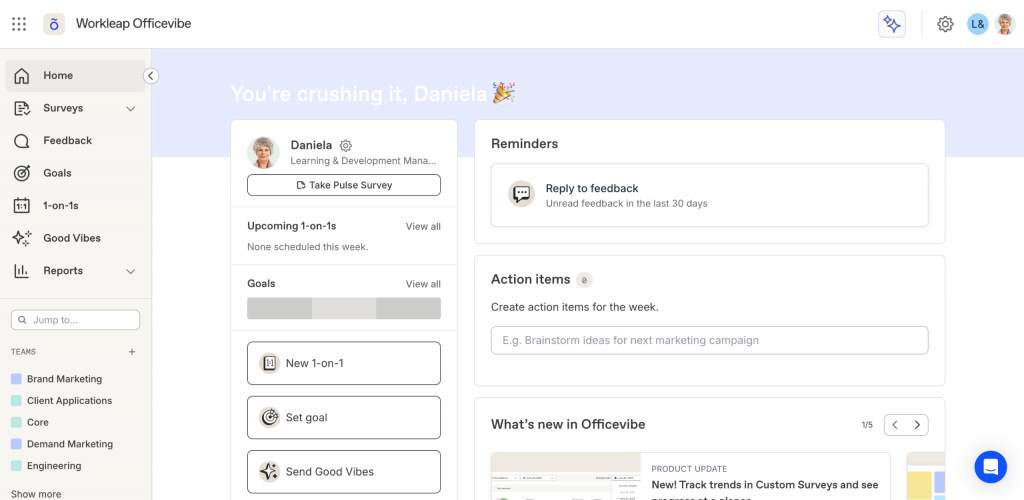
Most pulse dashboards are built for HR. Workleap is built for managers. Results surface at the team level in plain language, with discussion prompts a manager can use in a one-on-one without HR walking them through it.
For a 150-person company with 12 managers and a two-person HR team, that self-service layer is the difference between a pulse program that works and one that produces a monthly report nobody opens.
The recognition module and DEIB assessments also help frame the program as something employees benefit from, not something HR monitors them with.
Pros:
- Team-level dashboards that managers can use without HR support
- DEIB assessments and recognition are built into the same platform
- Automated recurring pulse surveys with no manual scheduling
- Integrations with Slack, Microsoft 365, Google Workspace, BambooHR, and Workday
Cons:
- Analytics depth is limited compared to Culture Amp or Leapsome
- Less customization for question types and branching logic
- Enterprise-scale needs will outgrow the platform
Capterra Rating: 4.8/5
Pricing: Starts at $4,999/year.
7. Lattice: Best for Connecting Pulse Surveys to Performance and Compensation
Lattice is the tool a CHRO reaches for when the board asks why engagement spending is not showing up in retention numbers.
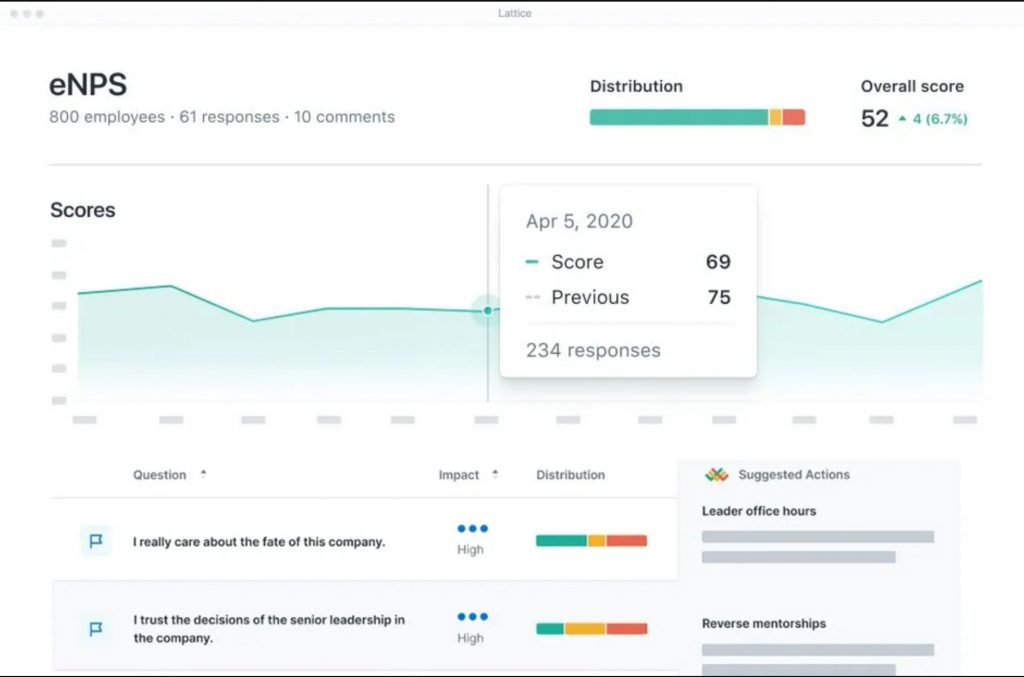
A team that scores low on “I understand how my work connects to company goals” for three consecutive cycles does not just get a red dashboard.
They get flagged, a coaching plan is attached, and progress is tracked through the next review cycle, all inside one platform.
The trade-off is one I have heard from smaller teams repeatedly: you pay for the full suite whether you use it or not. If pulse surveys are the only thing you need right now, Lattice is not where you start.
Pros:
- Pulse, engagement, performance reviews, OKRs, and compensation in one platform
- AI-powered analytics that connect engagement data to performance outcomes
- Strong HRIS integrations with Workday, BambooHR, and ADP
- Structured action planning frameworks are built into the results view
Cons:
- Expensive for teams that only need pulse functionality
- Complex setup; requires significant HR time investment
- Custom pricing and mandatory demo process
Capterra Rating: 4.5/5
Pricing: Engage plan starts at $11/seat/month. Additional modules priced separately.
8. Vantage Pulse: Best for Frontline, Deskless, and Global Workforces
Most pulse platforms were built for people who sit at desks with company email addresses. Vantage Pulse was built for everyone else.
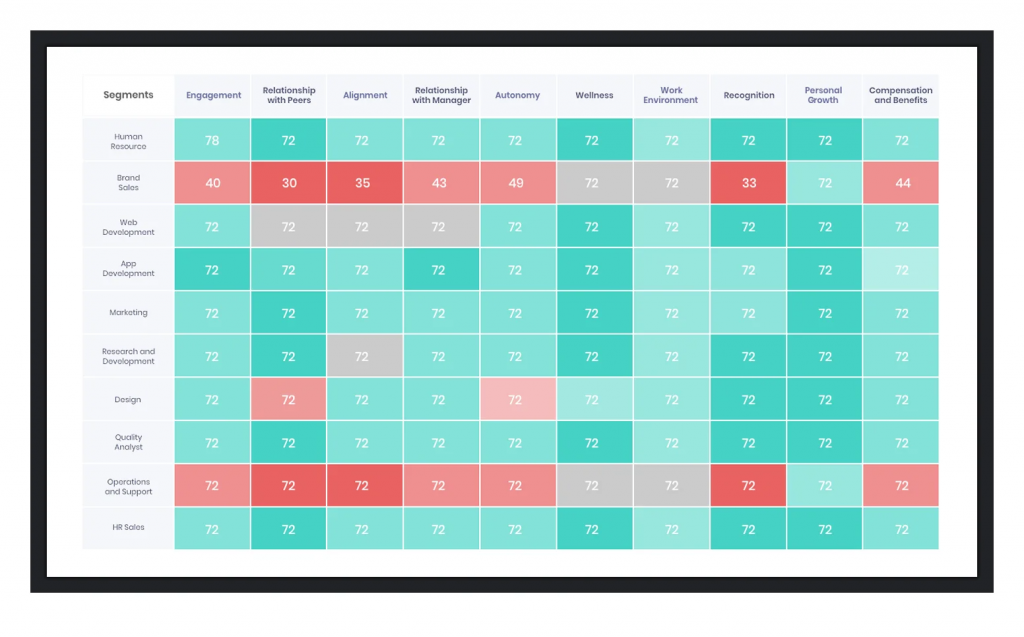
QR code delivery means a warehouse worker or field technician can complete a survey from their personal phone at a kiosk, without a company email required.
For a healthcare system or manufacturer where 60% of the workforce is hourly and shift-based, that delivery gap is not a minor inconvenience. It is why previous pulse programs failed.
The two-way anonymous follow-up is a feature I have not seen many employee pulse survey tools get right. HR can follow up on a concerning open-text response without the employee ever knowing they were identified. That changes what people are willing to write.
Pros:
- QR code and SMS delivery for deskless and field workers
- Two-way anonymous follow-up for sensitive feedback
- Multilingual surveys for global and multicultural teams
- eNPS surveys and pulse surveys in the same dashboard
Cons:
- Analytics depth and customization are more limited than those of Culture Amp or Leapsome
- The template library is less extensive than the larger platforms
- Pricing is custom and not self-serve
Capterra Rating: 4.7/5
Pricing: Custom, based on employee count and modules. Available on request.
9. TINYpulse: Best for Small Teams Starting a Pulse Program
TINYpulse is where I point teams who want to run a pulse program but are not sure they can sustain one yet.
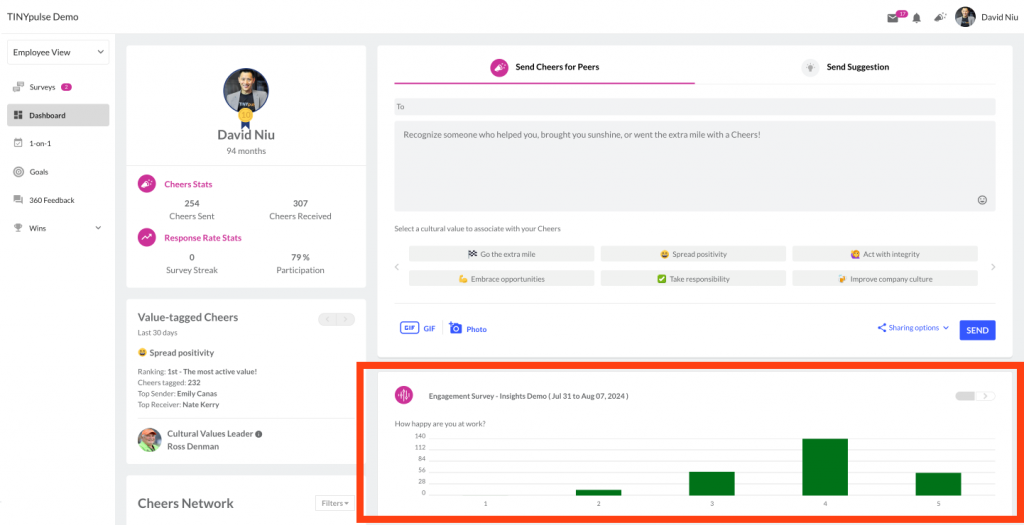
The single-question weekly format is low enough friction that employees will actually fill it in, and low enough commitment that HR can manage it without dedicated tooling.
What it gives you is directional: things are getting better or things are getting worse. What it does not give you is why. You see the dip.
You still have to go find the cause yourself. For teams of 25 to 150 employees validating a feedback culture for the first time, that is often exactly the right scope to start with.
Pros:
- Simple single-question weekly format, low participation barrier
- Anonymous suggestion box built in alongside pulse surveys
- Peer-to-peer recognition (Cheers) embedded in the same product
- Low implementation effort, no dedicated HR analyst needed
Cons:
- Very limited analytics: no demographic filtering, no driver analysis, no benchmark comparisons
- Single-question format does not surface root causes, only directional trends
- Most enterprise buyers will need to migrate to a more capable platform within 12 to 18 months
Capterra Rating: 4.6/5
Pricing: Custom. Available on request.
10. Microsoft Viva Glint: Best for Microsoft 365 Organizations
If your organization lives in Microsoft 365, Viva Glint is the easiest yes on this list. In late 2025, Microsoft merged Viva Glint and Viva Pulse into a single product, so any Glint license now includes Pulse capabilities as standard.
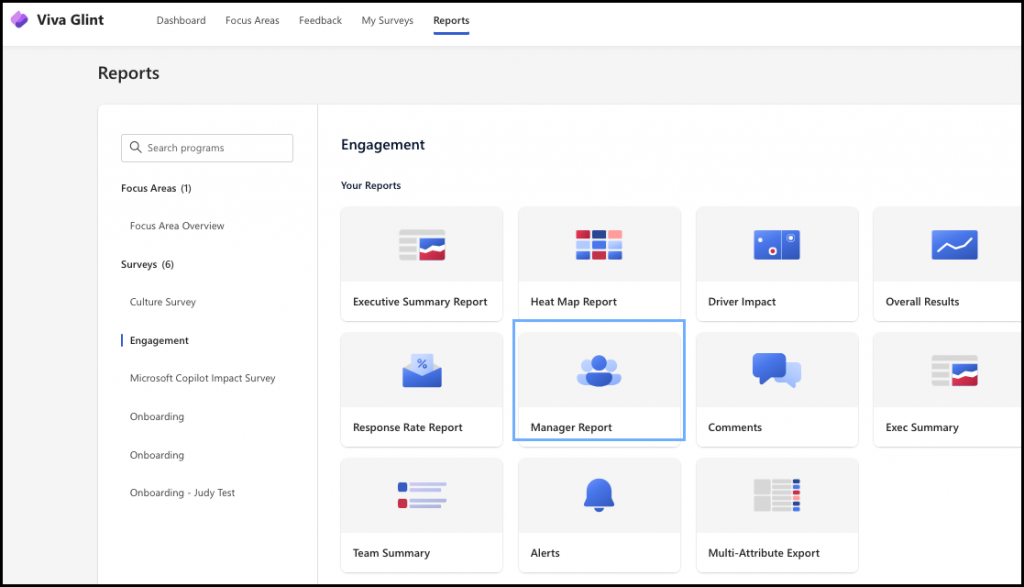
The reason it works is not the features. It is the friction removal. Employees do not log into a separate platform.
Managers see results in Teams, the tool they are already in. When adoption is the hardest part of running a pulse program, removing the login step matters more than most feature comparisons.
The caveat is equally simple: if your organization runs on Google Workspace, most of this value evaporates. Glint is a Microsoft ecosystem tool first.
Pros:
- Deep integration with Teams, SharePoint, Excel, and Power Automate
- AI-powered Narrative Intelligence for open-ended response analysis
- Included with Microsoft 365 E3 and E5 licensing for eligible orgs
- Strong manager action tools tied directly to survey results
Cons:
- Value depends heavily on Microsoft 365 adoption across the org
- Less useful for orgs using Google Workspace or other ecosystems
- Limited design flexibility compared to standalone tools
Capterra Rating: 4.6/5
Pricing: Included with eligible Microsoft 365 subscriptions. Standalone plan starts at $2.00/user/month.
11. Google Forms: Best for Zero-Budget Internal Surveys
Google Forms is where I started, like most people. For a one-off internal survey with no branding, no logic, and no follow-up system needed, it genuinely works. The problem is that when you try to build a pulse program in it, it doesn’t work.

There is no anonymity enforcement, no automated scheduling, no trend dashboards, and no manager-level segmentation without doing the spreadsheet work yourself. You can send a Google Form every month. What you cannot do is run a feedback loop on it without manually managing every step.
Use it to test your first set of questions. Once you know what you want to ask and how often, move to a platform that can run the program without you.
Pros:
- Completely free with unlimited forms and responses
- Real-time sync to Google Sheets for manual analysis
- Multi-user collaboration with zero setup
- Works inside Google Workspace with no IT involvement
Cons:
- No native anonymity enforcement (responses can potentially be traced)
- No automated scheduling or reminders
- No trend dashboards or AI analysis
- No way to segment results by team, role, or tenure without manual spreadsheet work
Capterra Rating: 4.7/5
Pricing: Free with a Google account.
My Top 3 Picks for Different Situations
If I had to recommend three employee pulse survey tools for different team profiles, here is how I would break it down:
1. Qualaroo: For eNPS, In-Context Surveys, and AI Sentiment Analysis
Qualaroo is my choice when the goal is capturing feedback at a specific behavioral moment rather than on a schedule.
For HR teams running eNPS inside a product, product managers tracking sentiment on a new internal tool, or any use case where open-text volume makes manual analysis impractical, the combination of behavioral targeting and AI sentiment analysis changes what is actually doable.
2. Workleap (Officevibe): For SMBs That Need Manager-Ready Dashboards
For companies of 50 to 400 employees that want a pulse program managers can run without HR translation, Workleap’s team-level dashboards and guided discussion prompts solve the “data sits in a dashboard nobody opens” problem directly.
The price point is also realistic for HR teams that do not have a dedicated people analytics budget.
3. Culture Amp: For Enterprise Programs That Need Benchmarking and Drivers Analysis
For HR teams at organizations with 500+ employees who need to show leadership not just what the score is, but how it compares to peers and what is driving it, Culture Amp’s benchmarking library and drivers analysis justify the complexity and cost.
The implementation investment is real, but the depth of insight available on the other side is genuinely different from lighter employee pulse survey tools.
Evaluation Criteria
The evaluation of employee pulse survey tools chosen for this article follows an unbiased, systematic approach that ensures a fair, insightful, and well-rounded review. This method employs six key factors:
User Reviews and Ratings: Direct experiences from verified users, including ratings and feedback from Capterra, provide a ground-level perspective on overall satisfaction and recurring pain points. This feedback is critical in understanding how each tool performs across different team sizes, HR capacities, and program maturities.
Essential Features and Functionality: The value of each tool is ascertained by its core features and overall functionality. Through an in-depth exploration of survey delivery channels, anonymity controls, question logic, scheduling automation, and analytics depth, the practical usefulness and effectiveness of each platform are carefully evaluated.
Ease of Use: The user-friendliness of each tool is assessed across two distinct roles: the HR or People Ops admin building and managing the program, and the manager interpreting results and taking action. This ensures a positive experience for users of all levels of expertise.
Customer Support: The quality of customer support is examined, taking into account its efficiency and how well it supports users in different phases, from setting up a first survey to addressing recurring operational issues. For smaller HR teams without technical resources, support quality often determines whether a tool gets adopted or quietly abandoned.
Value for Money: Value for money is evaluated by comparing the quality, performance, and features of each tool against its pricing tier and the team size it realistically serves. The goal is to help the reader understand whether they would be getting their money’s worth for their specific situation, not just in absolute terms.
Personal Experience and Experts’ Opinions: This part of the evaluation criteria draws insightful observations from direct evaluation of each platform and synthesis of verified user feedback from HR practitioners and People Ops leads. Where Qualaroo case study outcomes are referenced, they are sourced from verified published results.
FREE. All Features. FOREVER!
Try our Forever FREE account with all premium features!
How Do You Choose the Right Employee Engagement Pulse Survey Tool?
The tool that fits depends on four things: your team size, your HR team capacity, what delivery channels your employees actually use, and how mature your current listening program is.
Here is a framework for narrowing the field quickly:
| Your Situation | What to Look For | Best Starting Point |
| Under 150 employees, no formal HR team | Simple setup, low cost, manager-friendly dashboards | Workleap, TINYpulse, or Qualaroo |
| 150 to 500 employees, small HR team (1 to 3 people) | Automated scheduling, AI open-text analysis, HRIS sync | Qualaroo, 15Five, or Workleap |
| 500+ employees, dedicated people analytics | Benchmarking, drivers analysis, executive reporting | Culture Amp, Leapsome, or Lattice |
| Frontline, deskless, or shift workers | QR/SMS delivery, kiosk access, multilingual support | Vantage Pulse |
| Already on Microsoft 365 | Built-in Teams integration, no separate login | Microsoft Viva Glint |
| In-app or in-product feedback, eNPS inside a tool | Behavioral targeting, Nudge™ delivery, in-context timing | Qualaroo |
| Zero budget, internal only | Free, basic, no design requirements | Google Forms |
The row most teams overlook is the last before Google Forms: in-app or in-product feedback. Standard employee pulse survey tools send surveys out via email or Slack and wait for employees to respond.
If you need to capture how employees feel about a specific internal tool, a new workflow, or a product change at the exact moment they encounter it, that requires a different mechanism entirely.
Pick the Tool That Matches the Moment
Employee pulse surveys have gotten good enough that the tool is rarely the bottleneck.
The bottleneck is almost always the same thing: feedback collected, no one assigned to act on it, participation slides, and the program quietly dies.
The employee pulse survey tools on this list solve different parts of that problem for different team profiles.
Pick the one that matches the gap you actually have, not the one with the most features on a comparison grid.
If you are not sure where your program stands yet, start with a free Qualaroo account and run a short eNPS survey this week.
Fifty responses, all premium features, no credit card. You will know more about your employees’ sentiment by Friday than you do right now.
Frequently Asked Questions
What is the ideal length for an employee pulse survey?
Most pulse surveys should be 5 to 10 questions. SHRM’s 2024 research shows surveys with 10 or fewer questions have 30% higher completion rates than longer ones. Weekly pulse checks work best with 3 to 5 questions. Monthly surveys can stretch to 8 to 10. Going beyond 15 questions significantly increases fatigue and reduces data quality.
How often should you run employee pulse surveys?
Monthly is the most effective cadence for most teams. It balances fresh data with enough time to act on results before the next cycle. Weekly works for small, agile teams only when leadership can respond almost immediately. The rule of thumb: do not survey more frequently than you can visibly follow through.
What is a good employee pulse survey response rate?
According to Simpplr’s 2025 benchmarks, response rate of 70% or above is considered strong. Below 50% is a red flag and usually signals fatigue, distrust in anonymity, or a history of feedback going unaddressed. Track response rate trend over time, not just in isolation. A declining rate is more informative than a static one.
What is the difference between an employee pulse survey and an annual engagement survey?
Annual engagement surveys are comprehensive, running 40 to 60 questions once a year to diagnose org-wide culture. Pulse surveys are short, 5 to 10 questions, run frequently, and track whether things are getting better or worse in near real time. Both have a role: use annual surveys to set the strategic baseline, pulse surveys to track movement between cycles.
How do you ensure anonymity in employee pulse surveys?
Technical enforcement matters more than policy promises. Set minimum group size thresholds (8 to 10 respondents minimum before results display for any segment), prevent cross-tabulations that could identify individuals, and state anonymity protections explicitly inside the survey itself, not just in the invitation. Tools that enforce anonymity at the data layer, not just through policy, are more trustworthy.
What is eNPS, and should it be part of a pulse survey?
eNPS (Employee Net Promoter Score) asks employees how likely they are to recommend the company as a place to work on a 0 to 10 scale. It is a leading indicator of retention risk. Including it as a constant anchor question in your monthly pulse program gives you a trend line rather than a one-time snapshot, which is significantly more actionable.
Which employee pulse survey tool is best for small teams under 100 employees?
Workleap (Officevibe) and Qualaroo are the strongest starting points for smaller teams. Workleap's free plan and manager-ready dashboards reduce the HR time investment. Qualaroo's free plan (up to 50 responses with all premium features) suits teams running eNPS or product feedback programs. Google Forms works for the truly budget-constrained, but lacks automation, anonymity enforcement, and trend reporting.
What happens if nobody acts on pulse survey results?
Participation drops, trust erodes, and future surveys produce increasingly dishonest responses as employees realize the exercise is performative. The most common reason pulse programs fail is feedback collected with no named owner and no visible follow-up. Commit to one or two specific actions within 14 days of each survey close and communicate them before the next survey goes out.
FREE. All Features. FOREVER!
Try our Forever FREE account with all premium features!

 We'd love your feedback!
What did you like & how can we make it even better?
 Thanks for your feedback!
 Ask Your Question
Have a question? Get expert help to make your decision easier.