
You’re here because customer engagement isn’t a “support problem” anymore. It’s a revenue problem.
I learned this the hard way: you can have solid product-market fit and still experience bleeding growth if customer feedback remains trapped in open-text responses, chat transcripts, and a dozen “quick notes” that nobody owns. It’s not that the feedback isn’t valuable. It’s that it’s unstructured, so it doesn’t lead to decisions being made quickly enough.
AI helps when you use it for the right jobs, turning messy customer language into clear themes, catching negative spikes early, routing issues to the right owner, and deflecting repetitive questions without making your customers repeat themselves. When done right, it feels less like “AI” and more like a sharp chief of staff who reads everything and hands you the signal.
In this guide, I’ll break down the 10 best AI tools for customer engagement, along with a comparison table and clear trade-offs, so you can make an informed decision quickly and move forward.
Let’s begin.
What Is an AI Customer Engagement Tool?
An AI tool for customer engagement helps you do one simple thing: turn customer conversations into action without manual busywork.
Think about the moments that matter, such as onboarding, when someone cancels, or perhaps after a purchase. In all those cases, the raw input is usually open-text. And open-text doesn’t scale unless you’re willing to read it all (you aren’t).
The good tools use AI to:
- Analyze sentiment and intent (what they’re feeling and why)
- Cluster responses into themes (pricing, bugs, onboarding, missing features)
- Route the signal to the right owner (product vs support vs billing)
- Automate basic conversations (without wrecking trust when it gets complex)
If a tool can’t do at least one of those reliably, it’s not “customer engagement.” It’s just software that collects noise.
The 10 Best AI Tools For Customer Engagement
I don’t look at these tools as only the “Best AI Tools for Customer Engagement.” I look at them as levers. Some help you hear customers at the exact moment something breaks.
Some help you handle volume without hiring. Some help you protect your reputation when buyers research in public.
If you’re only skimming, here’s a quick table for you to do the comparison. It’s the “pick a lane” view.
| Tool | Best For | What It Does Best | User Rating | Pricing |
|---|---|---|---|---|
| Qualaroo | In-App Surveys, NPS & User Feedback Platform | In-app/website nudges + AI sentiment on open text | 4.7/5 (Capterra) | Free plan available with all premium features. Paid starts at $19.99/month |
| ProProfs Survey Maker | Surveys at scale | AI survey builder + branching + unlimited responses | 4.8/5 (Capterra) | Free plan available with all premium features. Paid starts at $19.99/month |
| Fin by Intercom | Tier-1 chat deflection | Pay-per-resolution AI agent for repetitive support | 4.5/5 (G2) | $0.99/resolution + Intercom plan |
| Zendesk (AI + Agents) | Enterprise ticketing + SLAs | Deep workflows + AI agents inside a mature helpdesk | 4.3/5 (G2) | From $19/agent/mo (AI adds on) |
| HubSpot Service Hub | CRM-first engagement | Support + automation tied to contact/company data | 4.4/5 (G2 & Capterra) | From $100/mo/seat; AI uses credits. Higher tiers scale fast |
| Freshdesk (Freddy AI) | Mid-market support ops | Ticketing + summarization + agent assist | 4.4/5 (Capterra) | From $29/agent/mo (Freddy add-ons) |
| Qualtrics XM (CX) | CX programs at scale | VoC + journey analytics + closed-loop workflows | 4.3/5 (G2) | Custom quote |
| Medallia (CX) | Enterprise VoC + text analytics | Text/theme mining + dashboards for exec + frontline | 4.5/5 (G2) | Custom quote |
| Sprout Social | Social listening + response | “Dark funnel” monitoring + engagement inbox | 4.4/5 (G2) | From $199/user/month (annual) |
| Pulse for Reddit | Reddit monitoring + replies | Finds high-intent threads + drafts spam-safe replies | Not enough public reviews | From $19.99/month (annual) |
Here are the 10 best options, with the trade-offs spelled out so you don’t buy a Ferrari when you need a bike:
1. Qualaroo – Best for In-App Surveys, NPS & User Feedback
I first leaned on Qualaroo when we needed answers in the moment, not a quarterly survey report that arrives after the damage is done. It is a user feedback, NPS, and in-app survey platform that delivers targeted, contextual surveys with AI sentiment analysis, and it works because it captures feedback right where decisions are made: during onboarding, after a feature click, on pricing pages, or just before someone exits.
Those microsurveys, called Nudges™, feel native to the experience, and the targeting is the real weapon.
The AI layer is what makes it usable at scale. It turns open-text responses into sentiment and themes quickly, so you are not spending weekends reading through feedback or building spreadsheet hacks to figure out what is actually going on with your users.
Best For: In-the-moment product feedback with in-app/website nudges + AI sentiment on open text.
Pros:
- AI sentiment analysis helps you understand open-text responses fast
- Captures feedback at the exact moment friction happens (onboarding, feature use, exit intent)
- Strong targeting by behavior, identity, properties, location, and more
- Branching & skip logic keep surveys short and relevant
- Works on prototypes (Figma, Adobe XD, InVision, etc.)
- Multilingual surveys (70+ languages)
- In-app surveys for iOS and Android
- Offers a customer growth suite with all-in-one customer engagement tools.
Cons:
- A dedicated onboarding/account manager is typically limited to paid plans
- No on-premise/offline version (internet required)
User Rating: 4.7/5 (Capterra)
Pricing: Free plan available with all premium features. Paid starts at $19.99/month.
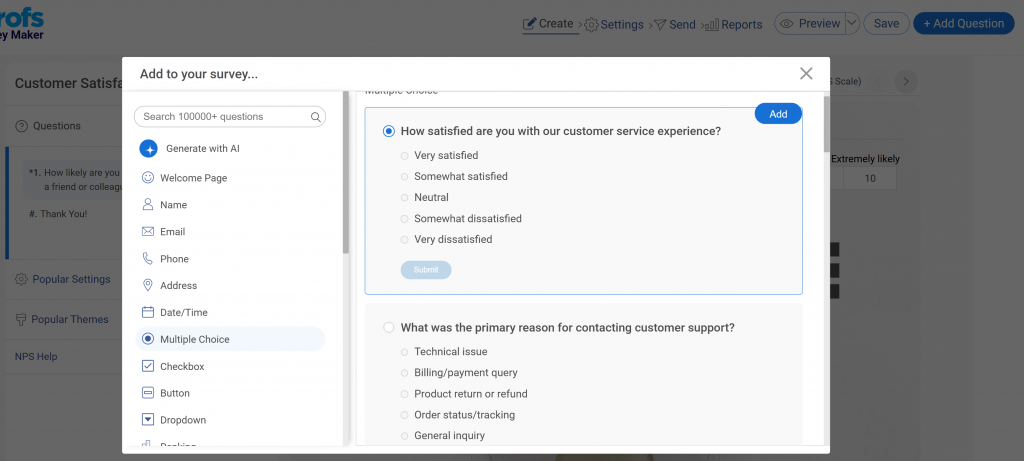
2. ProProfs Survey Maker – Best for Easy-to-Use, AI-Powered Survey Creation
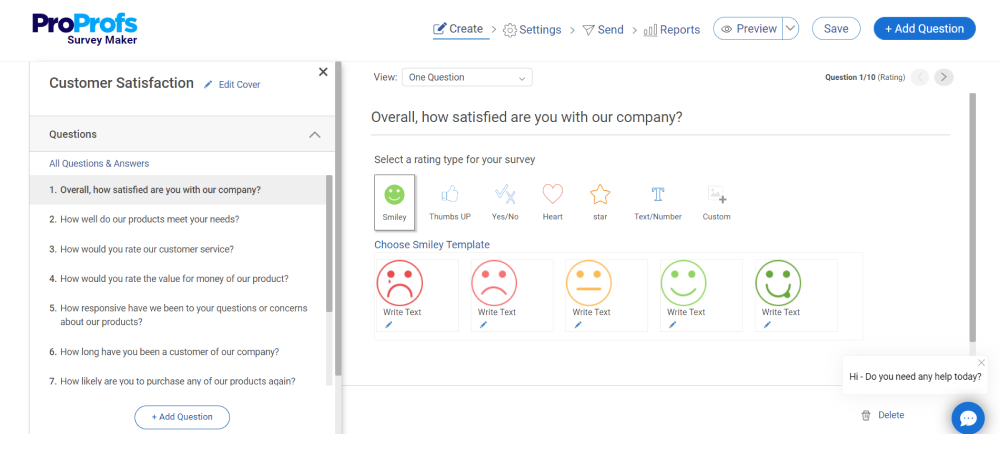
I started using ProProfs Survey Maker when we needed surveys that could scale without turning into a pricing negotiation every quarter.
This is the tool you use when you want a reliable “survey engine” for the business—customer feedback, employee pulse checks, NPS, post-purchase surveys—the whole thing—without worrying about response limits or brittle setups.
The AI builder is practical. You prompt it (“create a churn survey for SaaS customers” or “post-onboarding survey for new users”), and it gives you a solid first draft with structure. You spend your time refining questions—not building from scratch.
Best For: Surveys at scale with an AI survey builder, branching, and unlimited responses.
Pros:
- AI-powered survey creation that gets you to a usable draft fast
- Branching/skip logic for smarter flows
- 100+ templates so you’re not reinventing the wheel
- 20+ question types (NPS, ranking, sliders, etc.)
- Strong branding/white-label options
- Built for large response volumes without surprise overages
- Integrates with CRMs and marketing tools (Salesforce, HubSpot, etc.)
- Comes with a full-package customer delight suite.
Cons:
- No dark mode (small thing, but noticeable if you live in it)
- A dedicated onboarding/account manager is typically reserved for paid plans
User Rating: 4.8/5 (Capterra)
Pricing: A free plan is available with all premium features. Paid starts at $19.99/month
3. Fin by Intercom – Best for AI Customer Support, Conversational Automation, and Customer Service Intelligence
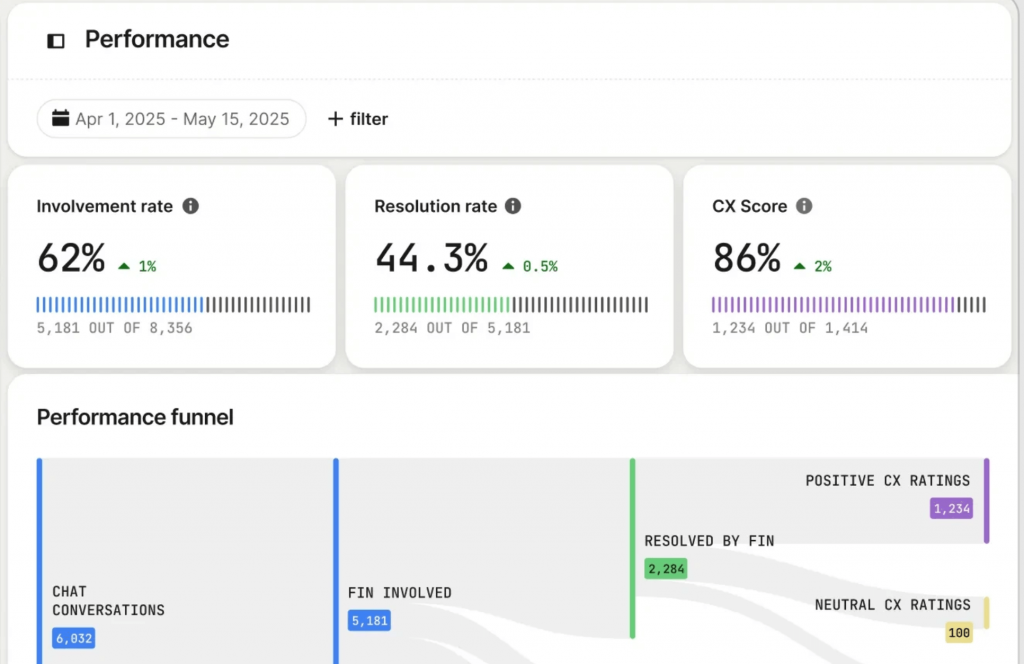
I paid attention to Fin when we needed to reduce repetitive support volume without hiring another shift.
Fin is for one job: handle Tier-1 questions fast. The pay-per-resolution pricing makes it easy to judge whether it’s working—either it resolves issues, or it doesn’t.
The trade-off is also clear: you don’t “set and forget” this. If your knowledge base is outdated, Fin will confidently provide incorrect answers. That doesn’t just annoy customers—it creates extra cleanup for your agents.
Best For: Tier-1 chat deflection with a pay-per-resolution AI agent for repetitive support.
Pros:
- Pay-per-resolution model makes ROI easy to track
- Strong for FAQs, basic how-tos, and repetitive support requests
- Helps reduce first response time without adding headcount
- Works best when your help docs are clean and current
Cons:
- Breaks down on edge cases and account-specific scenarios
Requires KB freshness discipline, or it creates follow-up work
User Rating: 4.5/5 (G2)
Pricing: Paid plans start from $0.99/resolution + Intercom plan
4. Zendesk (AI + Agents) – Best for Live Chat and Omnichannel Customer Support
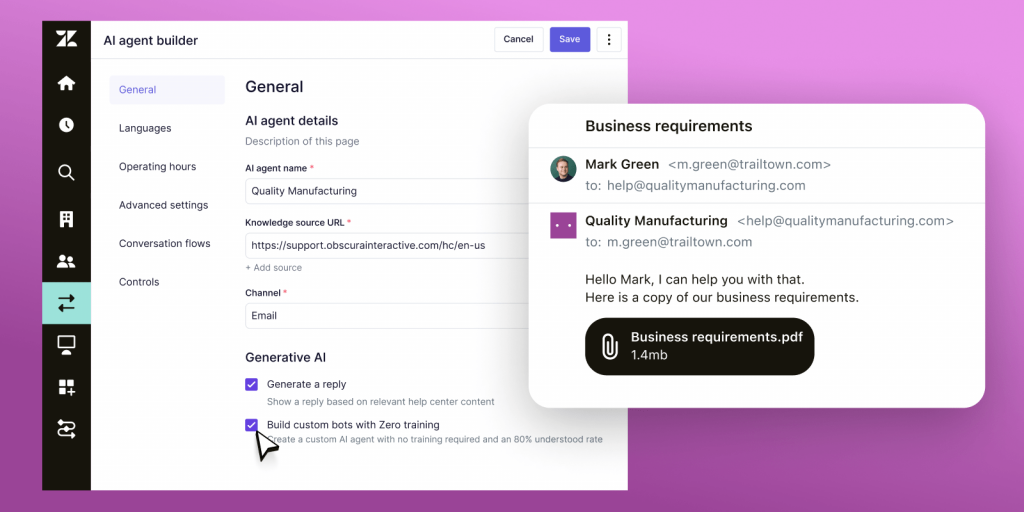
A VP of Support I trust told me, “If you have SLAs and multiple queues, stop experimenting—just run Zendesk.”
Zendesk is what you pick when support is a real operation: escalation rules, routing logic, multiple teams, and customers who expect consistency. The AI layer helps speed up triage and handling, but the bigger value is that the underlying system is built for order.
The trade-off is straightforward: it’s not lightweight. You’ll need someone to own workflows and governance, or you’ll end up with a very expensive ticket warehouse.
Best For: Enterprise ticketing + SLAs with deep workflows + AI agents inside a mature helpdesk.
Pros:
- Built for complex support orgs (queues, SLAs, escalations)
- Strong routing and workflow automation for fast handoffs
- AI layers help reduce repetitive handling work
- Mature integrations across enterprise stacks
Cons:
- Setup and administration take real effort
- Overkill if you don’t truly need enterprise workflows
User Rating: 4.3/5 (G2)
Pricing: Paid plans start from $19/agent/mo (AI adds on)
5. HubSpot Service Hub – Best for Customer Service, Ticketing, and Support Automation
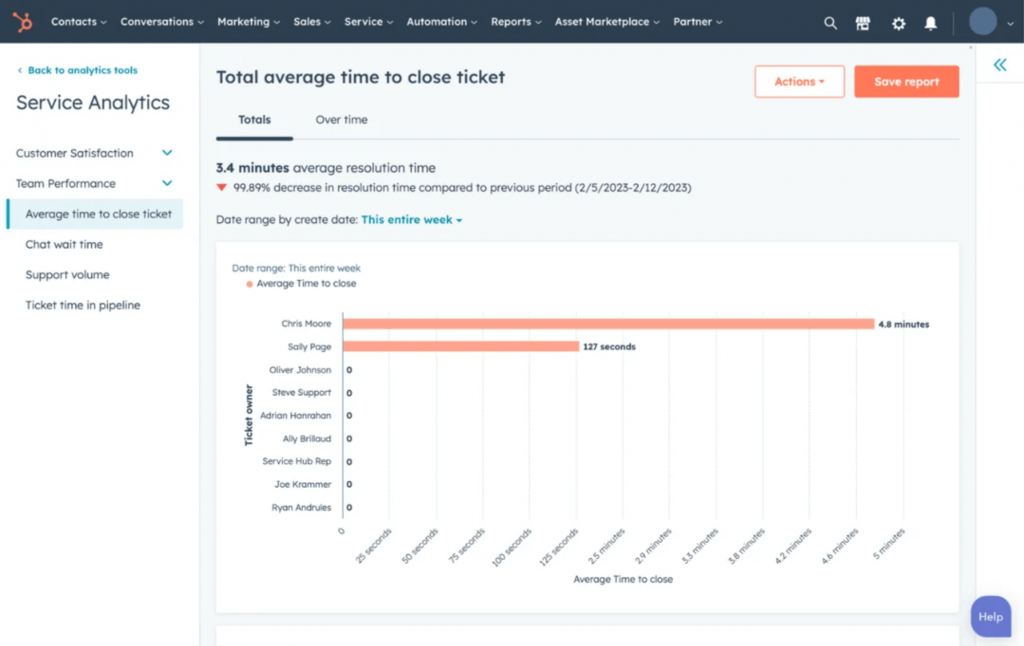
A CEO friend put it bluntly: “We didn’t need better support—we needed everyone looking at the same customer record.”
HubSpot Service Hub is great when the real issue is context. Your support team has one view, sales has another, and success has a third—so customers repeat themselves and you lose time. HubSpot ties engagement to CRM data, so your automation and follow-ups can actually reflect who the customer is, what they bought, and where they are in the lifecycle.
The trade-off: pricing can climb fast as you scale seats, tiers, and AI credits. It’s worth it when CRM alignment matters. It’s not worth it if you just want a helpdesk.
Best For: CRM-first engagement with support + automation tied to contact/company data.
Pros:
- CRM context makes engagement more personal (less “start from scratch”)
- Useful automation for lifecycle moments (trial expiry, onboarding, renewals)
- Good cross-team visibility across support, sales, and success
- Solid reporting tied to pipeline and retention inputs
Cons:
- Higher tiers scale quickly in cost
- AI usage runs on credits (you’ll want to monitor consumption)
User Rating: 4.4/5 (G2 & Capterra)
Pricing: Paid plans start from $100/mo/seat; AI uses credits. Higher tiers scale fast
6. Freshdesk (Freddy AI) – Best for Omnichannel Customer Support and Helpdesk
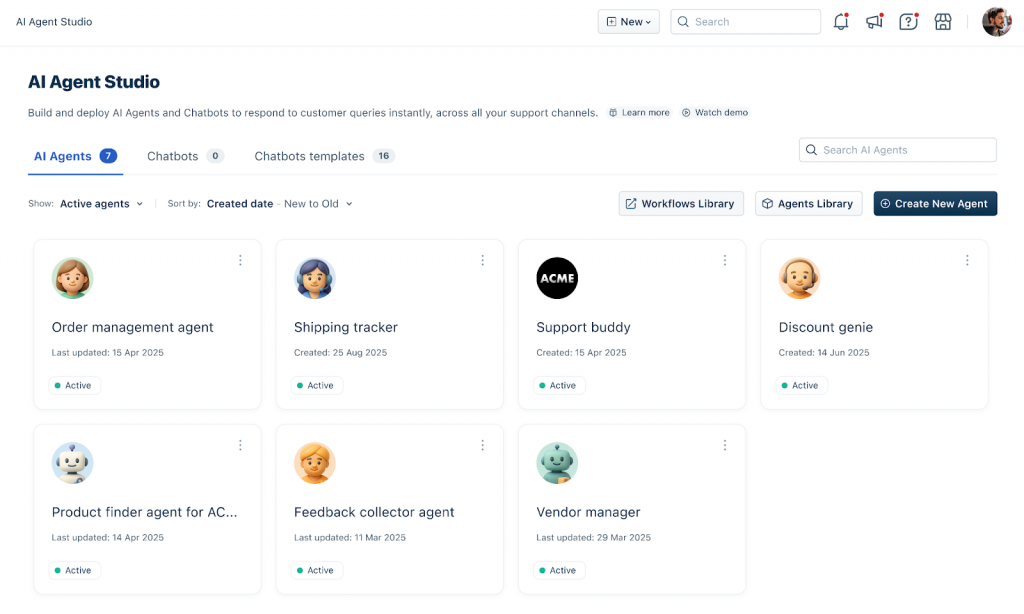
Our support lead flagged Freshdesk after a rough quarter and said, “I need something the team can adopt in a week, not a quarter.”
Freshdesk is the mid-market sweet spot when you want a capable helpdesk without turning implementation into a project plan. Freddy AI adds practical help—summarizing tickets, assisting agents, and cutting the back-and-forth that eats time.
The trade-off is predictable: once you start layering AI add-ons, cost can climb. And like any AI support layer, it’s only as good as the knowledge and workflows behind it.
Best For: Mid-market support ops with ticketing + summarization + agent assist.
Pros:
- Solid helpdesk foundation with quick rollout
- Ticket summarization and agent assist reduce handling time
- Helps keep responses consistent across agents
- Good fit for growing support teams that need structure fast
Cons:
- Freddy add-ons can push total cost up
- AI output depends on KB quality and process discipline
User Rating: 4.4/5 (Capterra)
Pricing: Paid plans start from $29/agent/month (Freddy add-ons)
7. Qualtrics XM (CX) – Best for Experience Management, Customer Feedback, and AI-Powered Sentiment Analysis
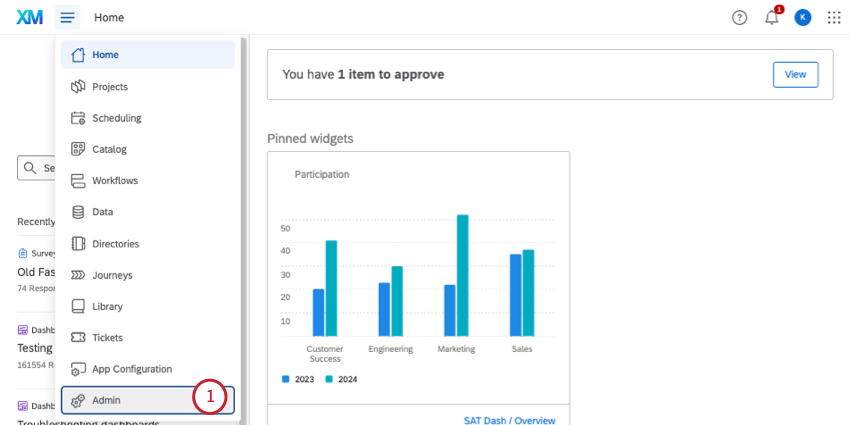
I first got introduced to Qualtrics through an enterprise CX director who told me, “If leadership wants a real VoC program, this is the system they’ll actually fund.”
Qualtrics XM is what you use when customer experience isn’t a side initiative—it’s a program. It’s built for Voice of Customer, journey analytics, and closed-loop workflows where feedback doesn’t just get collected, it gets assigned, tracked, and acted on.
The trade-off: it’s not lightweight. If you want quick in-product feedback, this isn’t the tool. If you want a company-wide CX operating system, it’s in the conversation.
Best For: CX programs at scale with VoC + journey analytics + closed-loop workflows.
Pros:
- Strong VoC and journey analytics across touchpoints
- Closed-loop workflows to assign and track follow-up actions
- Works well for structured CX programs and governance
- Good for executive reporting and cross-functional alignment
Cons:
- Implementation and admin overhead is real
- Not ideal for quick, scrappy deployments
User Rating: 4.3/5 (G2)
Pricing: Request a demo
8. Medallia (CX) – Best for Customer Experience Management, Voice of Customer, and AI-Powered Sentiment Analytics
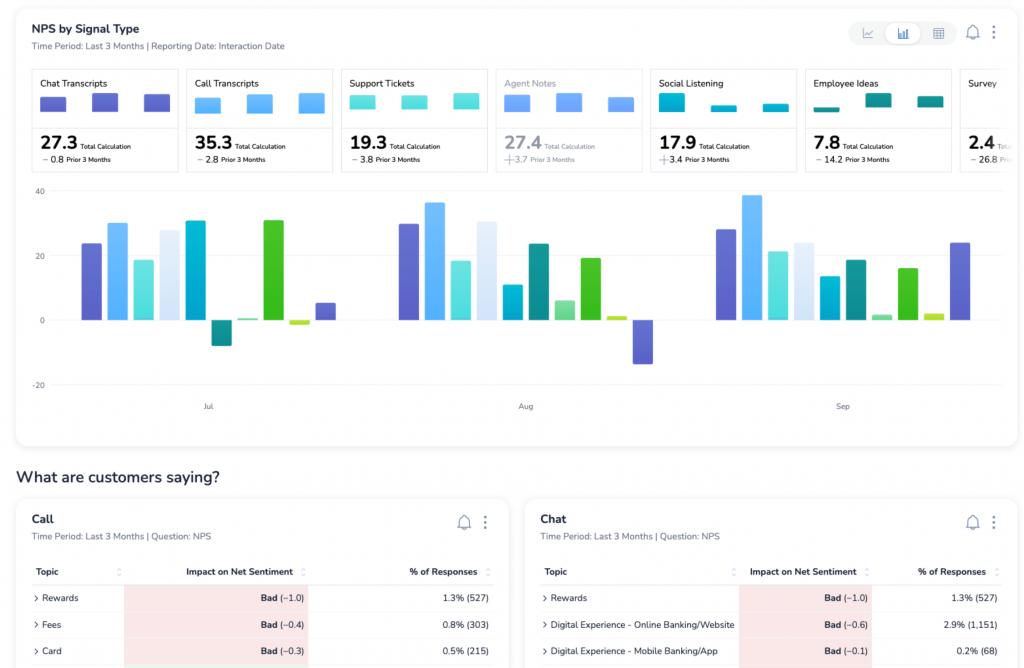
A COO I know brought up Medallia during a board prep and said, “I need one source of truth for customer sentiment—something I can show execs and operators without a translator.”
Medallia is built for enterprises that gather feedback from everywhere—surveys, support, digital journeys, and social—and need it transformed into actionable themes that leaders can act on. It’s especially good when you care about open-text at scale and want frontline teams and executives looking at the same signals.
The trade-off is maturity. If you don’t have owners, processes, and follow-through, you’ll get beautiful dashboards and very little change.
Best For: Enterprise VoC + text analytics with text/theme mining and dashboards for exec + frontline.
Pros:
- Strong open-text analysis and theme detection at scale
- Unifies feedback across multiple channels into one view
- Dashboards that work for both leadership and frontline teams
- Helps spot trends early (before they hit churn or ticket volume)
Cons:
- Requires operational ownership to get real ROI
- Heavier rollout and custom pricing
User Rating: 4.5/5 (G2)
Pricing: Custom quote
9. Sprout Social – Best for Social Media Management, Customer Engagement, and AI-Powered Sentiment Analysis
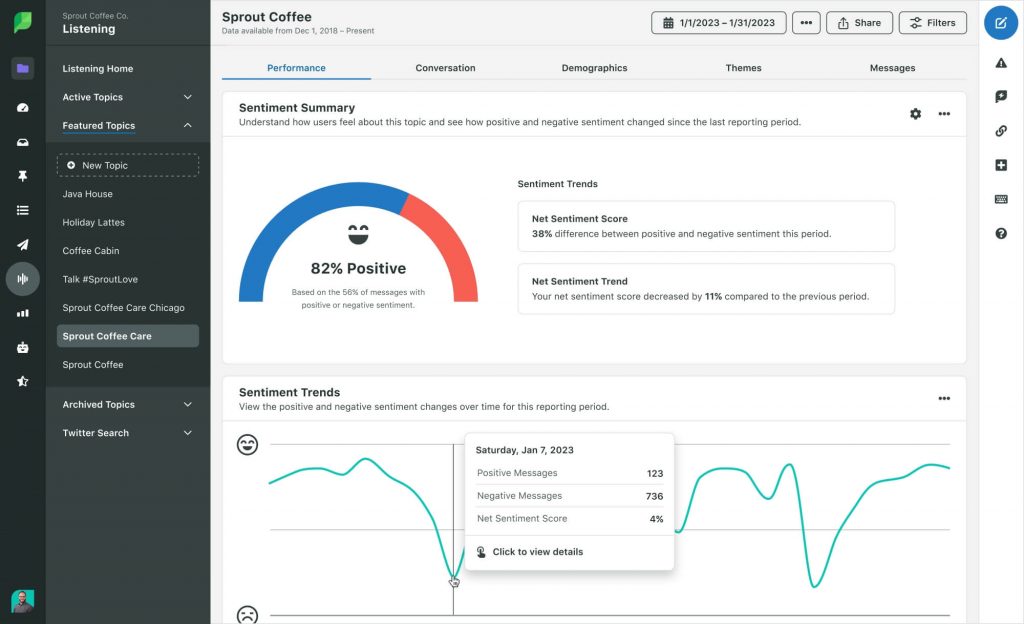
A marketing head I respect summed it up perfectly: “Customers talk in public before they talk to support—Sprout is how we hear it early.”
Sprout Social is a strong pick when engagement involves reputation and community response, not just ticket management. It helps you monitor sentiment, catch spikes (pricing complaints, outages, competitor comparisons), and respond with an actual workflow—not a frantic scramble across tabs.
The trade-off is that it’s priced like a serious tool. If social is a real channel for your pipeline and brand perception, it pays for itself. If it isn’t, it’s an expensive dashboard.
Best For: Social listening and response, with “dark funnel” monitoring and an engagement inbox.
Pros:
- Listening and trend monitoring for brand sentiment
- Engagement inbox to manage replies and handoffs cleanly
- Helps you catch issues early before they become support floods
- Useful for reputation management and competitive context
Cons:
- Per-user pricing adds up quickly
- Not a feedback collection tool—more “monitor + respond”
User Rating: 4.4/5 (G2)
Pricing: From $199/user/month (annual)
10. Pulse for Reddit – Best for Reddit Monitoring, Community Intelligence, and AI-Powered Sentiment Analysis
A founder in my network told me, “Reddit is where buyers decide what to believe. We needed a way to track it without living in threads all day.”
Pulse is built for one channel, Reddit, and that focus is the point. It helps you find high-intent threads, spot relevant conversations early, and draft replies that don’t read like marketing copy. If your category is active on Reddit, this is how you appear before a prospect ever visits your site.
The trade-off is obvious: if Reddit isn’t a meaningful buyer channel for you, skip it. But if it is, ignoring it is basically leaving your reputation to strangers.
Best For: Reddit monitoring and replies, with high-intent thread discovery and response drafting.
Pros:
- Finds high-intent threads worth responding to
- Helps you engage earlier in the buying journey (before demos/tickets)
- Drafts replies that sound human, not like a billboard
- Useful for reputation repair and demand capture
Cons:
- Only valuable if Reddit matters for your market
- Limited public review data compared to mature platforms
User Rating: Not enough public reviews
Pricing: From $19.99/month (annual)
My Top 3 Picks (If You Want the Fast Answer)
If you’re choosing from ten tools, you’re not really choosing—you’re comparing tabs until you give up. So here’s the shortlist I’d actually take into a decision meeting. These are the three picks that cover the most ground with the least regret:
1) Qualaroo — Best For In-The-Moment Product Feedback
Qualaroo is what I reach for when I don’t want opinions. It shows you what users think while they’re experiencing the friction, not after they’ve already left. You can ask the right question to the right segment at the right moment, rather than sending a generic survey to everyone. And the AI sentiment piece saves you from the slow death of reading 800 open-text responses one by one.
2) Pulse for Reddit — Best For Catching Buyer Intent Before It Hits Your Website
Pulse is what I’d use when I know buyers are doing their homework in public—especially on Reddit. A lot of “customer engagement” happens before a lead ever fills a form: people compare tools, ask for alternatives, and share pain points in threads you’ll never see unless you’re actively looking. Pulse surfaces those high-intent conversations and helps you reply in a way that doesn’t sound like marketing.
3) Fin by Intercom — Best For Tier-1 Support Deflection
Fin is the one I recommend when support volume is creeping up, and you can’t keep hiring your way out of it. What I like is the pricing model—you can measure it like an operator: did it resolve the issue or not? The caution is real, though: if your docs are outdated, Fin will confidently say the wrong thing, and then you’re paying twice—once for the AI and again in human cleanup.
Evaluation Criteria (How I Picked These Tools)
I didn’t rank these by who has the flashiest AI demo. I picked them based on whether they help you make decisions faster and run engagement with less overhead.
Here’s what I looked for:
- Can It Turn Open-Text Into Action?
If a tool can’t reliably cluster themes (pricing, onboarding, bugs, missing features) and surface “why,” it’s just collecting noise.
- Does It Reduce Manual Work, Not Add New Work?
If it forces you into spreadsheets, tagging marathons, or constant model babysitting, it fails the point of AI.
- Can You Route The Signal To The Right Owner Fast?
Feedback is useless if it doesn’t land with the team that can act—product, support, billing, or success—without you playing traffic cop.
- Does It Hold Up In Real Customer Moments?
Onboarding confusion, cancellation reasons, trial drop-offs, and post-support frustration—tools need to work when the customer is emotional and impatient.
- Is The Trade-Off Acceptable?
Every tool has a cost: setup, governance, AI accuracy, pricing at scale, or dependency on a fresh knowledge base. I favored tools where the downside is obvious and manageable.
- Does It Fit Your Stack Without A Science Project?
CRM/helpdesk integrations matter. If it can’t plug into how you already work, it becomes a side system that quietly dies.
- Can You Measure ROI Without Guessing?
Look for clear metrics: reduced ticket volume, faster time-to-resolution, improved conversion rates, lower churn, and faster insight cycles.
If you want a simple rule: the best tool is the one that gives you decisions, not dashboards.
FREE. All Features. FOREVER!
Try our Forever FREE account with all premium features!
Key Use Cases (Where AI Actually Helps With Customer Engagement)
AI is useful when it takes messy customer input and turns it into a clean next step. Here are the use cases that consistently pay off.
1) During Onboarding: Catch Friction Before It Becomes Churn
Use AI tools to spot where new users get stuck and why without waiting for a support ticket.
Best AI Tools for Customer Engagement: Qualaroo, ProProfs Survey Maker
What this looks like:
- Trigger a nudge when someone abandons the setup
- Auto-cluster responses into themes (confusing UI, missing integration, pricing shock)
- Route the theme to the right owner (product vs support)
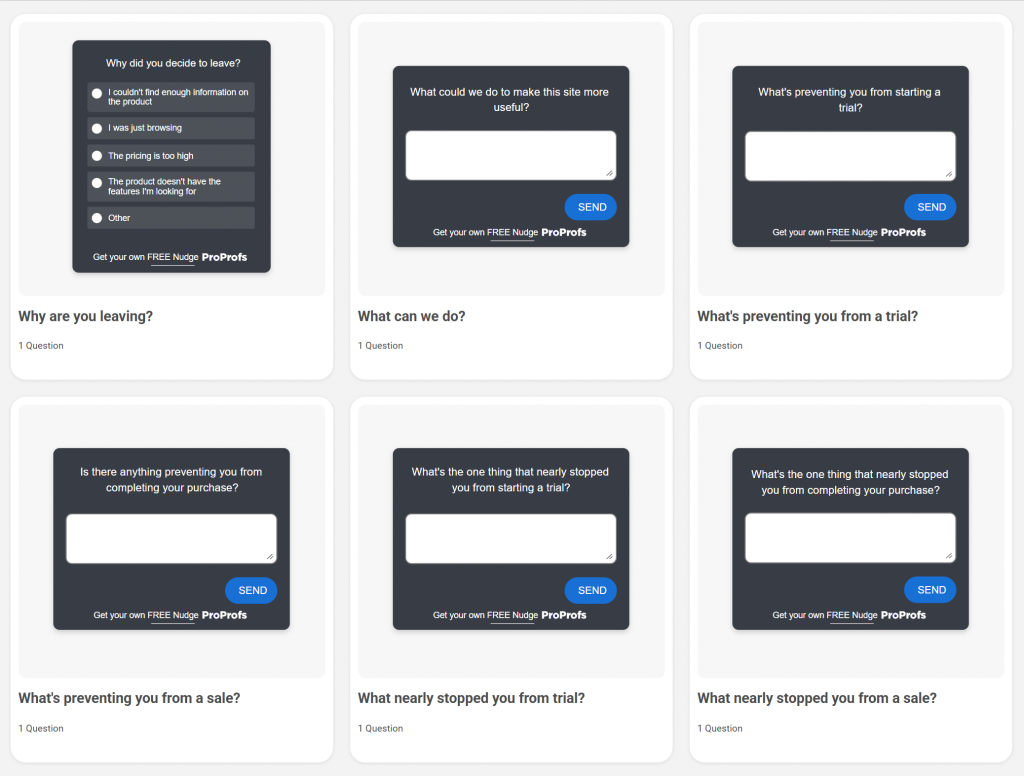
Here are a few exit-intent survey templates for you to tweak and use:
2) After A Support Interaction: Find Patterns, Not Just Tickets
One angry chat is noise. Fifty angry chats about the same thing is a roadmap.
Best AI Tools for Customer Engagement: Zendesk AI, Freshdesk (Freddy AI), Fin by Intercom
What this looks like:
- Summarize long ticket threads automatically
- Tag recurring issues and send weekly “top drivers” reports
- Deflect repetitive questions so agents handle only the hard stuff
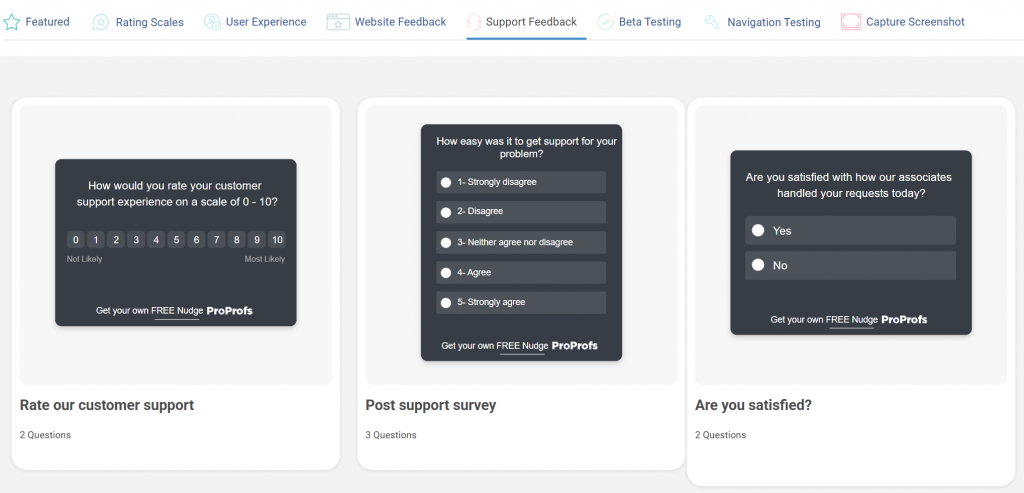
Here are a few survey templates to catch support issues:
3) When Someone Cancels: Turn Exit Feedback Into A Fix List
Cancellation reasons are usually buried in paragraphs. AI turns that into categories you can act on.
Best AI Tools for Customer Engagement: ProProfs Survey Maker, Qualtrics XM, Medallia
What this looks like:
- Run a churn survey with branching (so you get depth without long forms)
- Cluster open-text into true drivers (pricing, missing features, performance, support)
- Track improvements over time instead of re-learning the same lesson every quarter
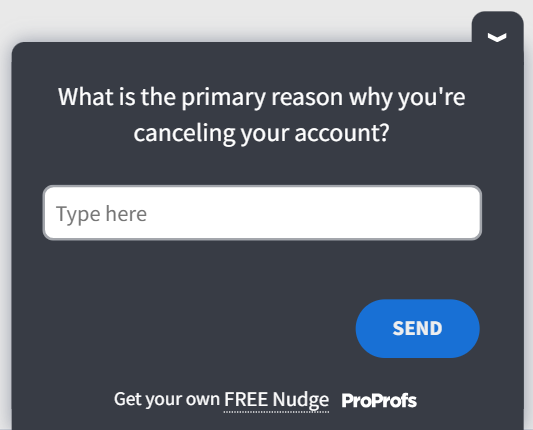
Here’s a cancellation survey template:
4) Before The Lead Ever Talks To You: Own The “Dark Funnel”
Many buying decisions occur in Reddit threads and community posts. If you’re not monitoring it, you’re blind.
Best AI Tools for Customer Engagement: Sprout Social, Pulse for Reddit
What this looks like:
- Track high-intent competitor comparison threads
- Catch outdated complaints that keep resurfacing
- Respond early, with context, before it turns into a “sticky” narrative
5) Lead Qualification And Data Enrichment: High ROI, Low Drama
If you sell B2B, AI is brutally effective at speeding up research and follow-up.
Best AI Tools for Customer Engagement: HubSpot Service Hub (when CRM context matters)
What this looks like:
- Route leads based on firmographics and intent signals
- Trigger the right follow-up based on the lifecycle stage
- Reduce manual research time so your team moves faster
Your Next Step
Don’t buy “AI.” Buy clarity.
The fastest wins in customer engagement come from catching the real reason something isn’t working while it’s happening, during onboarding, during friction, right before someone leaves, and turning that signal into something your team can act on without a manual clean-up job.
If you want a practical place to start, start with a an AI tool for customer engagement like Qualaroo. Use it to capture in-the-moment feedback, spot patterns in open text quickly, and turn customer language into decisions you can execute.
FREE. All Features. FOREVER!
Try our Forever FREE account with all premium features!

 We'd love your feedback!
What did you like & how can we make it even better?
 Thanks for your feedback!
 Ask Your Question
Have a question? Get expert help to make your decision easier.