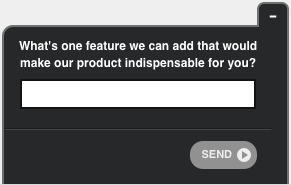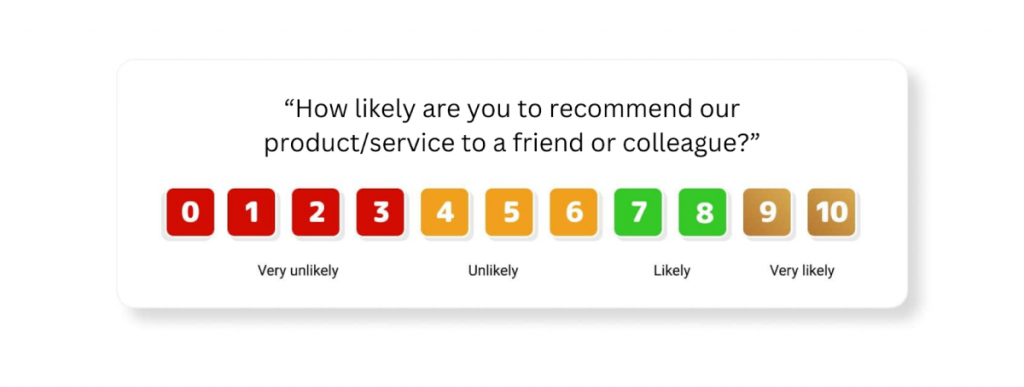

I’ve learned this the hard way: customer engagement is not about sending more messages. It’s about showing up in the right moment with the right question, then doing something meaningful with the answer.
AI-driven customer engagement is how you do that at scale.
The payoff is speed and accuracy. You stop debating what customers “probably” mean, and you start seeing patterns in what they actually say, in their own words. And when that feedback is tied to the user journey, it becomes operational. It can be routed, prioritized, and closed-looped instead of being stored in a report.
In this post, I’ll break down:
- The strategies that consistently lift activation, retention, and resolution.
- The guardrails that keep AI reliable and your workflows clean.
- A rollout plan you can execute in weeks, not quarters.
Let’s get into it.
What AI-Driven Customer Engagement Really Means (And What It’s Not)
AI-driven customer engagement is a closed loop, not a feature you switch on. You capture feedback in the moment, while the customer is still in the experience.
You use AI to translate raw, open-text responses into usable signals like sentiment and themes, so you can understand the “why” instead of guessing.
Then, you route that insight to the right owner and trigger the next step based on what the customer has just done and said.
That next step might be a follow-up question, a save flow, or a human handoff for complex issues. The loop only counts if you close it: the issue gets addressed, the customer gets a response, and you can see whether the problem actually went away.
What it is not is “add a chatbot and call it engagement.” If the system cannot resolve problems, it is just a nicer way to frustrate people. It is also not generic survey blasts that appear days later, when the context is gone.
And it is definitely not dashboards that look impressive but never change your team’s behavior.
Done right, AI-driven engagement feels natural to the customer and operational to your teams: fast insight, clear ownership, and action that shows up where it matters.
6 Practical Strategies for AI-Driven Customer Engagement
Most “AI-driven engagement” advice is either too abstract to run or too tool-first to trust. What works is building a tight loop: capture intent in the moment, translate open-text feedback into themes, route it to an owner, take action, and close the loop fast.
These six strategies are the plays I’d implement first. They stack, and they’re all measurable.
1) Start With Micro-Surveys, Not Mega-Surveys
If you want accurate answers, ask while the customer is still in context. One to two questions, placed inside the flow, beat a long survey sent later. You’re not doing research here. You’re diagnosing friction and momentum while it’s happening.
Where to Place It
- Onboarding: right after a critical setup step (integration connected, first project created)
- Activation: right after a first success moment (first report generated, first export completed)
- Failure moments: after a repeated error or a stalled workflow
- High intent pages: pricing, upgrade, cancellation
What to Ask
- “What almost stopped you today?”
- “What were you expecting to happen here?”
- “What is the one thing we should fix on this screen?”
Here’s a library of templates you can use to create your microsurveys:
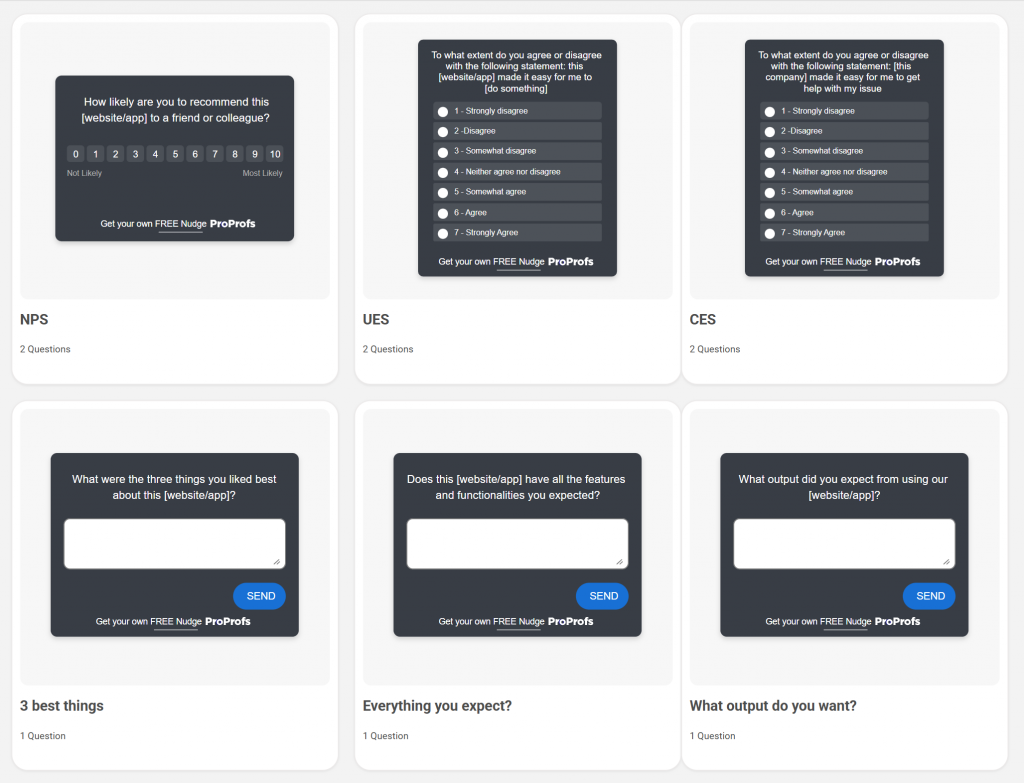
How to Implement It Cleanly
- Pick one journey stage (start with onboarding or pricing).
- Launch one micro-survey on one screen. Do not carpet-bomb the product.
- Keep Question 1 open-text. Add one follow-up only if the response is negative.
If you’re using a tool like Qualaroo, this is straightforward because you can target a specific page or in-product screen and show the question only to the segment you care about.
2) Use AI to Extract Sentiment and Themes From Open Text
Scores tell you what happened. Open text tells you why. AI becomes useful when it reads thousands of short responses and turns them into a short list of themes you can assign and fix this week.
What to Feed the Model
- Short verbatims from micro-surveys
- Support chat snippets or ticket notes (especially close reasons)
- “Why did you upgrade?” and “Why did you cancel?” responses
How to Make the Output Actionable
- Define 6 to 10 themes you will track (setup friction, pricing confusion, missing integration, bugs, performance, support quality).
- Let AI cluster responses, then validate the top themes by reading 20 to 30 raw comments.
- Lock the themes for at least a month so trends are real, not constantly re-labeled.
What Good Looks Like
- You can answer: “Top 3 reasons trial users fail to activate this week” in plain English, with examples.
- Your team stops arguing anecdotes and starts prioritizing patterns.
Here’s how AI sentiment analysis would look:
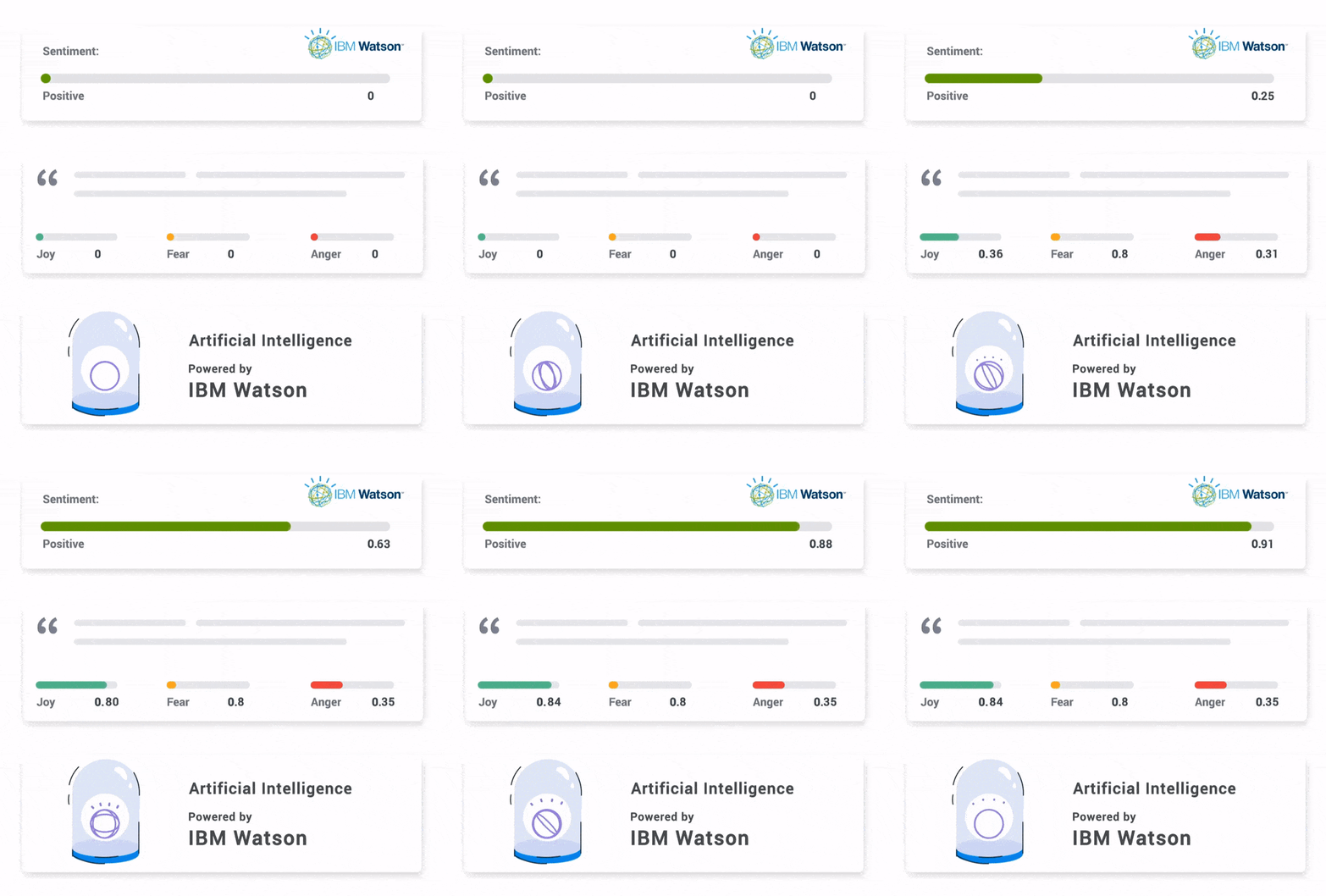
3) Auto-Tag Feedback Into Buckets Your Teams Already Use
Feedback dies when it’s “interesting” but not assignable. Your categories should match your org chart and your backlog, not someone’s creative taxonomy.
Start With Buckets That Map to Owners
- Product: UX confusion, missing feature, workflow gaps
- Onboarding: setup, integrations, time to first value
- Pricing and Billing: plan confusion, invoices, value perception
- Reliability and Performance: bugs, downtime, speed
- Support: response time, resolution quality
- Security and Compliance: SSO, permissions, audits
Add One More Dimension
- Urgency: Low, Medium, High (based on sentiment plus blocker words like “cannot,” “stuck,” “broken,” “urgent”)
Common Mistakes to Avoid
If 70% of responses end up tagged “Product,” your buckets are too broad. Split it once (UX vs missing feature vs workflow).
4) Route Feedback to Owners With Clear SLAs
Routing is the moment engagement becomes execution. If feedback lands in a shared inbox, it rots. If it lands with a named owner and a clock, it gets handled.
Build Simple Routing Rules
- Reliability, bugs, performance: engineering
- Pricing confusion, plan mismatch: revenue team
- Onboarding friction: product or CX owner
- Support quality: support leadership
Every Routed Item Needs Context
- Where it happened (page, screen, feature)
- Who it came from (trial vs paid, plan, role, new vs existing)
- What it signals (theme, sentiment, urgency)
- What they wrote (raw text)
Use SLAs That People Respect
- High urgency: reviewed within 24 hours
- Medium urgency: reviewed within 3 business days
- Low urgency: reviewed in weekly trends
The goal is not “everyone sees everything.” The goal is “the right person sees it early.”
5) Trigger Engagement Based on Behavior, Not Time
Time-based blasts are lazy and noisy. Behavior-based triggers feel like you’re paying attention, because you are. This is how you get higher response rates and higher signal.
High-Leverage Triggers
- Success: completed a key action for the first time
- Failure: hit the same error twice
- Stuck: repeated attempts without completion
- Exit intent: about to leave pricing, upgrade, or cancel flows
How to Structure the Flow
- Ask one core question in the moment.
- Branch based on the answer:
- Positive: ask for a review or quick testimonial
- Negative: ask one specific follow-up, then offer a fast human handoff
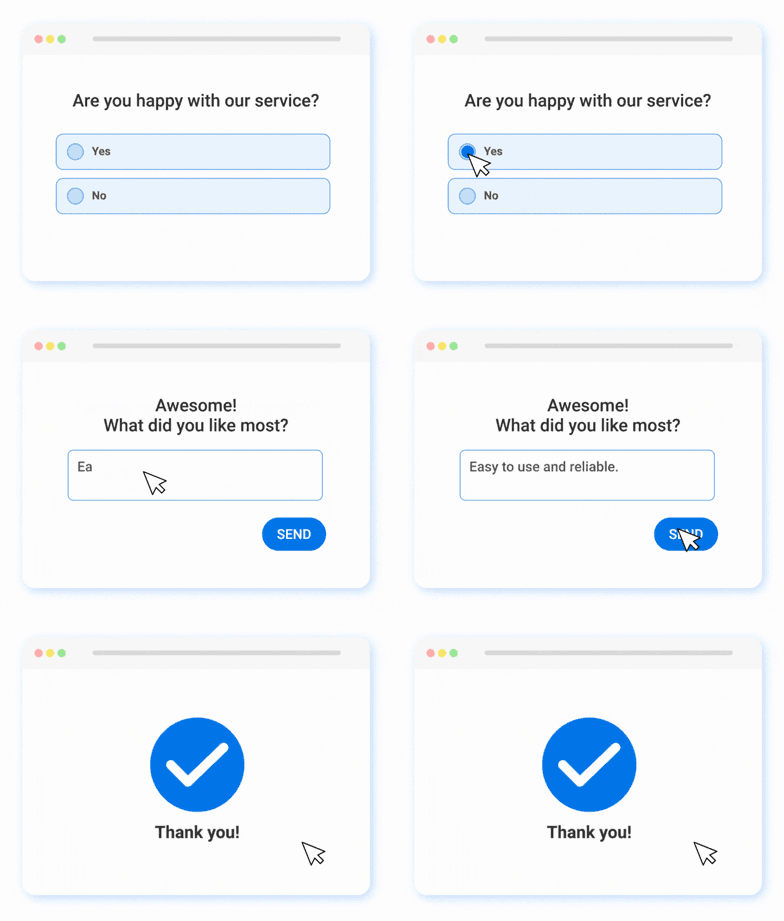
If you’re running in-product surveys with Qualaroo, you can set this up using targeting and segmentation, so only the right users see it at the right time.
6) Close the Loop Like You Mean It
Collecting feedback is table stakes. Closing the loop is what builds trust and reduces churn. It’s also where most teams fail because closure requires operating rhythm, not inspiration.
A Weekly Loop That Actually Works
- Review: top themes and top urgent items
- Assign: one owner per theme
- Commit: one action per theme (fix, workaround, education, UI tweak)
- Follow up: notify affected users when something changes
Make Closure Visible
- Maintain a simple “What We Fixed” log internally.
- When you ship a fix, message the cohort that reported it. Short and specific beats are polished and vague.
When customers see you act on what they said, engagement stops feeling like a survey program and starts feeling like you’re running the product well.
Step-by-Step Implementation: A 2 to 4 Week Rollout Plan
Strategies are only useful if you can put them into production without derailing your team. This rollout plan is built for operators. You pick one journey, instrument a few high-intent moments, set up analysis and routing, and you start learning within days.
Week 1: Pick One Journey and Define the Moments That Matter
Start narrow. One journey. One outcome. If you try to “improve engagement” everywhere, you will improve it nowhere.
Choose One Goal
- Improve activation (reduce onboarding drop-off)
- Reduce support load (increase resolution, reduce repeats)
- Increase conversion (pricing and upgrade clarity)
- Reduce churn (catch cancellation intent early)
Choose 3 to 5 Moments of Intent
Pick moments where the customer is either moving forward or getting blocked.
- After a key setup step
- After a first successful moment
- After a repeated error
- On pricing or upgrade pages
- On cancellation flows
Decide What You Want To Learn at Each Moment
Keep it specific to the page and decision.
- Setup step: “What stopped you from finishing this?”
- Success moment: “What made this easy or hard?”
- Pricing page: “What is unclear about pricing or plans?”
- Cancellation: “What is the main reason you are leaving today?”
If you are using Qualaroo, you can deploy these as micro-surveys on specific pages or in-product screens and trigger them based on behavior, not just page visits.
Week 2: Build the Micro-Surveys and Branching Paths
This week is about refining the questions to be tight and routing-ready.
Write the Core Question First
Make Question 1 open-text. That is where you get the “why.”
Examples:
- “What were you trying to do on this page?”
- “What is the one thing we should improve here?”
- “What almost made you quit today?”
Add One Conditional Follow-Up
Only ask this if the answer signals frustration or confusion.
- “What did you expect to happen instead?”
- “What error did you see?”
- “Which option were you looking for?”
Create Two Branches
- If positive, ask for a review, testimonial, or referral (keep it one-click when possible).
- If negative, collect one concrete detail and then offer a human follow-up if it is high-impact.
Keep the Survey Lightweight
- 1 to 2 questions total for most users
- Avoid multiple-choice overload
- Do not ask demographic questions inside the flow unless it is essential
Week 3: Turn Responses Into Themes, Tags, and Routing
Now you build the operating system behind the questions.
Set Your Tags and Categories
Use buckets your org already recognizes:
- Product, Onboarding, Pricing and Billing, Reliability and Performance, Support, Security and Compliance
Add an Urgency Layer
- High: blocked, cannot proceed, billing issues, repeated failures
- Medium: confusion, missing feature, slow performance
- Low: suggestions, nice-to-haves
Use AI for Theme Clustering
AI reads open-text responses and groups them into themes. You still validate the top themes by sampling raw feedback, but AI saves the manual grind.
Route by Theme and Urgency
- High urgency reliability issues go to engineering immediately
- Pricing confusion goes to revenue ops with page context
- Onboarding friction goes to the onboarding owner with the step name
If you set this up in Qualaroo, the targeting plus response metadata makes routing cleaner because you know exactly where the feedback came from and which segment submitted it.
Week 4: Close the Loop and Prove Impact
The final week is where this becomes real. You do not just collect. You act, follow up, and measure.
Establish a Weekly Review Cadence
- 30 minutes, same day each week
- Review top themes, top urgent items, and trend shifts
- Assign owners and deadlines
Create a Simple Closure Play
- If it is a bug: confirm reproduction, ship fix, notify affected users
- If it is confusion: update UI copy, add a tooltip, improve the onboarding step
- If it is pricing: clarify plan differences, tighten pricing page FAQ, train sales
Track a Small Scorecard
Pick 6 to 8 metrics:
- Activation rate on the targeted step
- Time to resolution for routed issues
- Repeat contact or reopen rate
- Conversion on pricing or upgrade pages
- Churn intent captured and saved
- CSAT or sentiment trend for the journey
The Guardrails: Where AI Engagement Breaks and How To Prevent It
AI makes customer engagement faster. It also makes mistakes faster. If you do not put guardrails in place, you end up with two ugly outcomes: customers lose trust, and your internal systems get polluted with bad data. This section is the checklist I use to keep AI helpful, not harmful.
| Pitfall | Why It Happens | Fix That Works |
|---|---|---|
| Deflection Over Resolution | “Containment” gets optimized, not outcomes. | Measure confirmed resolution (no repeat contact). Add human handoff rules for complex or emotional cases. |
| Wrong Moment, Weak Answers | Prompts fire by schedule, not intent. | Trigger micro-surveys by behavior (success, stuck, error, exit intent). Keep it to 1 to 2 questions. |
| Theme Drift and Dashboard Theater | Teams trust summaries and stop reading raw data. | Weekly: sample 20 to 30 verbatim. Monthly: revise the theme list intentionally, not constantly. |
| Bad Data in CRM or Tickets | AI fills gaps and “helpfully” invents details. | Use Propose, Then Apply: AI drafts into shadow fields, humans or rules approve before updates. |
| Context Drift in Long Sessions | Old assumptions stick, noise accumulates. | Maintain a verified case summary (facts only). Reset stale history, keep the state clean. |
| RAG Breaks After Changes | Retrieval is sensitive to doc and schema edits. | Version the KB. Run regression checks after updates. Narrow retrieval if error rate spikes. |
| Permission Leaks in Multi-Tenant Apps | Access control is handled in prompts instead of code. | Enforce permissions in the system. Add audits for tenant isolation and data access paths. |
Rules of Thumb You Can Implement Today
- If the customer is blocked, billing-related, or angry, route to a human quickly.
- If AI cannot cite the source it used, treat the output as a suggestion, not an answer.
- If a theme is driving roadmap decisions, you should be able to pull raw examples in seconds.
FREE. All Features. FOREVER!
Try our Forever FREE account with all premium features!
Metrics That Prove ROI (Without Vanity Numbers)
If you want AI-driven engagement to survive a leadership review, you need metrics that connect to outcomes. Not “more conversations.” Not “more automation.” Outcomes: faster resolution, higher activation, higher conversion, lower churn, and stable trust.
Here’s the scorecard I’d start with. Keep it to 6 to 8 metrics so it stays actionable.
Customer Outcome Metrics
Activation Lift (By Journey Step): Track completion rate for the step where you placed micro-surveys (integration connected, first report created, first invite sent). If engagement is working, that step improves.
Conversion Rate on High-Intent Pages: Measure upgrade or demo request conversion for pricing and upgrade flows. Pair it with the top themes from open-text feedback so you can tie conversion changes to what you fixed.
Churn Prevention Rate (For Save Moments): On cancellation flows, track how many customers accept a workaround, downgrade, pause, or speak to support. This is where behavior-based engagement pays for itself quickly.
Operational Metrics
Time to Resolution (Not Time to Response): Response speed is easy to game. Resolution speed is harder and more valuable. Track time to resolved outcome for issues that come through routed feedback.
Repeat Contact or Reopen Rate: If customers come back with the same issue, you did not resolve it. Repeat contact is a clean signal that your engagement loop is not closing.
Cost per Resolved Case: Do not celebrate “cost per interaction.” Measure cost per resolution. That is the metric that forces you to keep quality high.
Trust and Quality Metrics
AI-to-Human Escalation Rate (With CSAT Split): You want a healthy escalation rate. Too low means AI is overreaching. Too high means AI is not helping. Track CSAT separately for AI-assisted vs human-led resolutions.
Verified-Answer Rate (Simple Audit Sampling): Each week, sample a small set of AI-labeled themes or summaries and verify accuracy against raw feedback. You are looking for drift early, before it becomes strategy.
How To Use This Scorecard in Practice
- Review metrics weekly for the one journey you are improving.
- Tie every theme to an owner and a proposed action.
- Ship one fix per theme, then watch the step metric move.
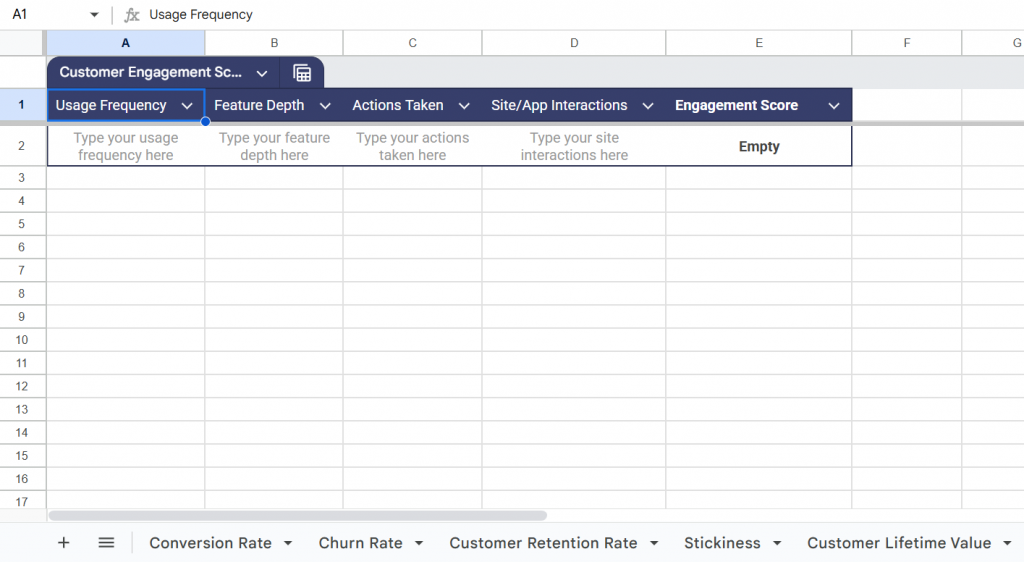
- Use this customer engagement metrics calculator for easy and quick measurement.
The Shift Happening Now: From Automation to Resolution (And Why Trust Matters)
Automation Was the First Wave. Resolution Is the Bar Now.
A few years ago, “AI for engagement” mostly meant automation: auto-replies, ticket deflection, canned flows, maybe a chatbot that could answer FAQs. That era is over. The bar now is resolution. Can your system actually get the customer to a solved outcome, or does it just keep them in a polite loop that ends in frustration?
The Real Trade Is Not Cost per Chat. It Is Trust per Outcome.
AI is incredibly efficient for routine requests. Customers still judge you on the hard moments: billing edge cases, broken workflows, access issues, anything emotional or high stakes. If AI handles those poorly, your cost per interaction goes down while your trust cost goes up. That is a terrible trade, because trust is what protects renewal, referrals, and patience when something breaks.
The Winning Model Is AI First, Humans by Rule.
The model that works is simple: let AI do the heavy lifting early. It can detect intent, summarize context, classify the issue, gauge sentiment, and propose the next best step. Then you bring in a human when it crosses a clear threshold. Not because humans are better at typing, but because they are better at judgment, nuance, and ownership when the situation is messy.
Modular Systems Win Because You Can Audit and Swap Components.
This shift is also pushing teams toward modular setups. You do not want one giant AI box that you cannot inspect, tune, or replace. You want components: capture feedback in the moment, analyze it, route it, and take action. When one component underperforms, you fix or replace that part without rewriting your entire engagement system.
Speed Matters. Trust Is the Multiplier.
If you take one idea from this section, take this: speed matters, but trust is the multiplier. Build engagement loops that move fast, and add guardrails so the system stays grounded in real customer context and clean data.
Build the Loop, Not the Hype
AI-driven customer engagement works when you treat it like an operating system: capture intent in the moment, understand the “why” in real customer language, route it to an owner, act quickly, and close the loop visibly.
Start with one journey. Pick three to five high-intent moments. Launch a micro-survey that asks one sharp open-text question. If you want to run those prompts cleanly inside the product and on key pages without bothering everyone, a tool like Qualaroo makes it easier to target by behavior and segment from day one.
Use AI to cluster themes, then validate with real responses. Route by category with clear SLAs. Escalate to humans by rule, not by hope. Track resolution and repeat contact, not vanity engagement.
Do that for a few weeks, and you’ll notice something important: customers stop feeling “surveyed” and start feeling heard.
Frequently Asked Questions
What is AI-driven engagement?
AI-driven engagement is a closed loop that listens in context, explains why customers behave a certain way, and triggers timely responses. You capture feedback during key moments, summarize themes, tag and route items to teams, and follow up after fixes. If nothing changes operationally, it is not true engagement.
What is the 30% rule in AI?
The 30% rule is a practical governance idea, not a universal standard. Start by letting AI handle about 30% of the workflow, usually triage, summarization, and drafting. Keep humans responsible for approvals and edge cases. Expand automation only after quality is proven with ongoing audits, resolution rates, and direct customer feedback.
How is AI transforming customer engagement in 2026?
In 2026, AI is moving from scripted automation to outcome-focused systems. Teams use agents to classify intent, pull relevant context, propose next steps, and escalate intelligently. Measurement is also changing toward confirmed resolution, lower reopen rates, and trust signals. Modular stacks and guardrails are becoming the default approach everywhere.
How do you trigger feedback at the right moment without annoying customers?
Use behavior-based triggers and keep the ask small. Target moments like onboarding completion, repeated errors, pricing hesitation, or cancellation start. Ask one open text question tied to that page, then branch based on sentiment. Show prompts only to relevant segments and cap frequency, so customers do not feel hunted.
FREE. All Features. FOREVER!
Try our Forever FREE account with all premium features!

 We'd love your feedback!
What did you like & how can we make it even better?
 Thanks for your feedback!
 Ask Your Question
Have a question? Get expert help to make your decision easier.